# Generating and Configuring a Mastercard API Client
source: https://developer.mastercard.com/platform/documentation/getting-started-with-mastercard-apis/generating-and-configuring-a-mastercard-api-client/index.md
###### Time to complete: *20 minutes*
## Overview {#overview}
In this tutorial, we will explain how to generate a simple API client for consuming APIs offered on our [developer portal](https://developer.mastercard.com/apis).
We will walk through the steps to enable authentication, but also encryption in case the service works with sensitive data.
You will learn how to:
* Generate an API client using [OpenAPI Generator](https://openapi-generator.tech/), which provides generators and library templates for supporting multiple languages and frameworks
* Integrate with our client libraries to sign requests and perform payload encryption/decryption.
Note: Some parts of this tutorial use [MDES Digital Enablement](https://developer.mastercard.com/mdes-digital-enablement/documentation) as example, however the next steps can be applied to any of the Mastercard APIs.
**Languages used in this tutorial:** Java, Python, NodeJS, and C#.
Tip: TL;DR --- Browse the [source code](https://developer.mastercard.com/platform/documentation/getting-started-with-mastercard-apis/generating-and-configuring-a-mastercard-api-client/index.md#source-code) for this tutorial on GitHub.
## Step-By-Step Guide {#step-by-step-guide}
### Step 1: Create an API Project {#step-1-create-an-api-project}
1. [Log in](https://developer.mastercard.com/account/log-in) to Mastercard Developers
2. Browse the [API section](https://developer.mastercard.com/apis)
3. Pick the API of your choice: 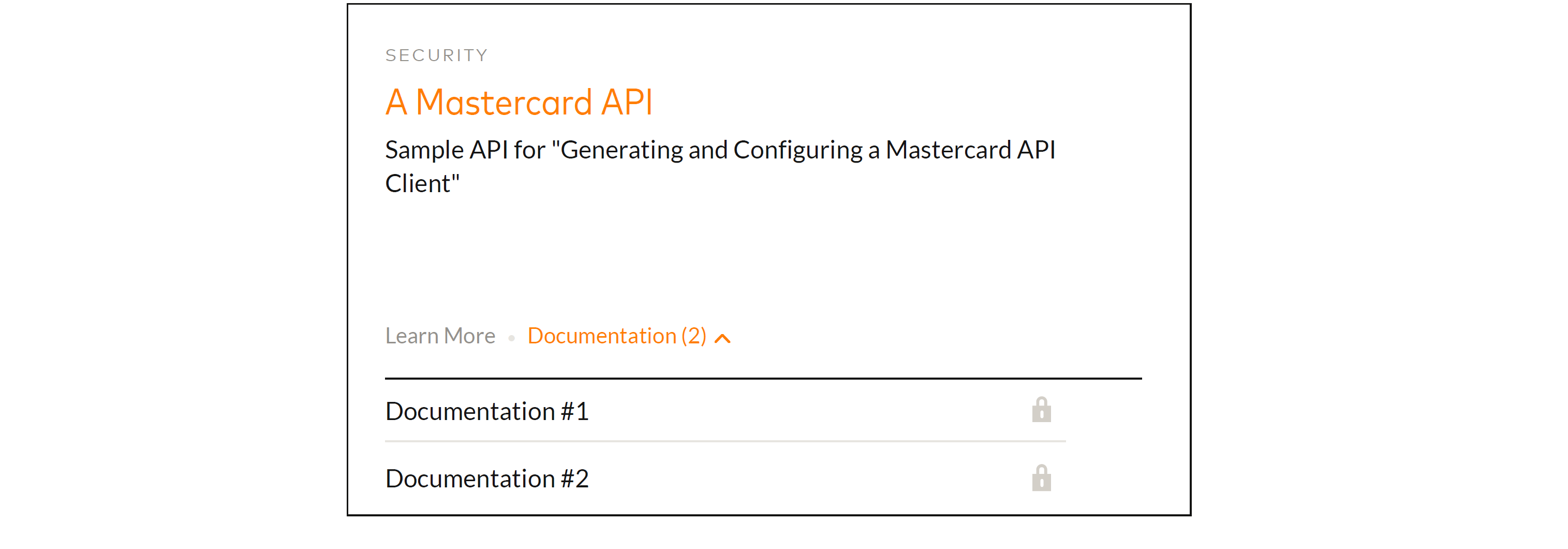
4. Click "*Create Project* " from the API documentation page: 
5. Follow the steps and download your sandbox [signing key](https://developer.mastercard.com/platform/documentation/authentication/using-oauth-1a-to-access-mastercard-apis/index.md#the-signing-key) as a PKCS#12 keystore
6. Get your client [consumer key](https://developer.mastercard.com/platform/documentation/authentication/using-oauth-1a-to-access-mastercard-apis/index.md#the-consumer-key) from the project dashboard 7. Download your request [encryption certificate](https://developer.mastercard.com/platform/documentation/security-and-authentication/securing-sensitive-data-using-payload-encryption/index.md#getting-keys-for-your-application) and/or response [decryption key](https://developer.mastercard.com/platform/documentation/security-and-authentication/securing-sensitive-data-using-payload-encryption/index.md#getting-keys-for-your-application) from the project dashboard.
**Note:** encryption keys to be used with sandbox instances can also be provided through documentation pages. For instance, the MDES Digital Enablement keys to be used in sandbox can be found [here](https://developer.mastercard.com/mdes-digital-enablement/documentation/tutorials/create-a-new-project/#6-download-client-encryption-key-sandbox).
Note: Well done! You have now created a developer project and received credentials for your application.
*** ** * ** ***
### Step 2: Download an OpenAPI Specification {#step-2-download-an-openapi-specification}
1. Access the documentation for the chosen API
2. Click "Open Specification": 
For this tutorial, we will use
[MDES_Digital_Enablement.yaml](https://static.developer.mastercard.com/content/platform/swagger/MDES_Digital_Enablement.yaml) (89KB)
*** ** * ** ***
### Step 3: Generate an API Client Project {#step-3-generate-an-api-client-project}
1. Download the OpenAPI Generator CLI (you can follow the instructions [here](https://openapi-generator.tech/docs/installation))
2. Create a `config.json` file with some options for OpenAPI Generator:
* Java
* Python
* NodeJS
* C#
```json
{
"groupId" : "com.acme.app",
"artifactId" : "mastercard-api-client",
"artifactVersion" : "1.0.0",
"invokerPackage" : "com.acme.app.mastercard",
"apiPackage" : "com.acme.app.mastercard.api",
"modelPackage" : "com.acme.app.mastercard.model"
}
```
```json
{}
```
```json
{
"useES6" : false
}
```
```json
{
"targetFramework" : "netstandard2.1",
"packageName" : "Acme.App.MastercardApi.Client",
"packageVersion" : "1.0.0",
"sourceFolder" : "",
"netCoreProjectFile": true,
"modelPropertyNaming":"camelCase",
"optionalAssemblyInfo": false
}
```
3. Execute the following command for the language in which you want the client to be generated (we assume here the `openapi-generator-cli` command is available):
* Java
* Python
* NodeJS
* C#
```sh
openapi-generator-cli generate -g java --library okhttp-gson -i *.yaml -c config.json -o api_client
```
If using openapi generator version \>= 5.0.0, use below command to generate the client:
openapi-generator-cli generate -g python-legacy -i \*.yaml -c config.json -o api_client
"\>
```sh
# If using openapi generator version < 5.0.0, use below command to generate the client:
openapi-generator-cli generate -g python -i *.yaml -c config.json -o api_client
# If using openapi generator version >= 5.0.0, use below command to generate the client:
openapi-generator-cli generate -g python-legacy -i *.yaml -c config.json -o api_client
```
```sh
openapi-generator-cli generate -g javascript -i *.yaml -c config.json -o api_client
```
```sh
openapi-generator-cli generate -g csharp-netcore -i *.yaml -c config.json -o api_client
```
3. Look at the `api_client` directory for the generated project
Tip: More options are available. The OpenAPI Generator CLI documentation can be found [here](https://openapi-generator.tech/docs/usage)
*** ** * ** ***
### Step 4: Add the Client Authentication Library to the Project {#step-4-add-the-client-authentication-library-to-the-project}
The Mastercard [client authentication libraries](https://github.com/Mastercard?&q=oauth1) provide you with some request interceptor classes you can use to configure your generated API client. These classes will take care of adding the correct *Authorization* header before sending the requests.
To continue, add to the generated project the package matching your application development language. Browse the links below to find out how to install the library using your favorite package manager:
| |  |  |  |  |
|----------------------|----------------------------------------------------------------------------------------------------------------------------------------------------------------------------------------------------------------|---------------------------------------------------------------------------------------------------------------------------------------------------------------------------------------------------------------|--------------------------------------------------------------------------------------------------------------------------------------------------------------------|------------------------------------------------------------------------------------------------------------------------------------------------------------------------|
| **Download/install** | [](https://search.maven.org/artifact/com.mastercard.developer/oauth1-signer/) | [](https://www.nuget.org/packages/Mastercard.Developer.OAuth1Signer.RestSharpV2/) | [](https://pypi.org/project/mastercard-oauth1-signer/) | [](https://www.npmjs.com/package/mastercard-oauth1-signer) |
*** ** * ** ***
### Step 5: Add the Client Encryption Library to the Project {#step-5-add-the-client-encryption-library-to-the-project}
Similarily, the Mastercard [client encryption libraries](https://github.com/Mastercard?&q=client-encryption) provide you with classes that will take care of encrypting request and/or decrypting response payloads.
Again, browse the links below to find out how to make your API client project depend on the Mastercard library package:
| |  |  |  |  |
|----------------------|------------------------------------------------------------------------------------------------------------------------------------------------------------------------------------------------------------------------|-----------------------------------------------------------------------------------------------------------------------------------------------------------------------------------------------------------------------|----------------------------------------------------------------------------------------------------------------------------------------------------------------------------|--------------------------------------------------------------------------------------------------------------------------------------------------------------------------------|
| **Download/install** | [](https://search.maven.org/artifact/com.mastercard.developer/client-encryption/) | [](https://www.nuget.org/packages/Mastercard.Developer.ClientEncryption.RestSharpV2/) | [](https://pypi.org/project/mastercard-client-encryption/) | [](https://www.npmjs.com/package/mastercard-client-encryption) |
Tip: Do you want to learn more about the authentication and encryption schemes Mastercard uses? For that, read our [Using OAuth 1.0a to Access Mastercard APIs](https://developer.mastercard.com/platform/documentation/authentication/using-oauth-1a-to-access-mastercard-apis/index.md) and [Securing Sensitive Data Using Payload Encryption](https://developer.mastercard.com/platform/documentation/security-and-authentication/securing-sensitive-data-using-payload-encryption/index.md) guides. Note: Well done! Your API client is ready to be used in your application.
*** ** * ** ***
### Step 6: Create an API Client Instance and Enable Authentication {#step-6-create-an-api-client-instance-and-enable-authentication}
1. Create a test project or an application project
2. Locate the consumer key and signing key you got from [Step 1](https://developer.mastercard.com/platform/documentation/getting-started-with-mastercard-apis/generating-and-configuring-a-mastercard-api-client/index.md#step-1-create-an-api-project)
3. Create an instance of the generated `ApiClient` class and configure it as below:
* Java
* Python
* NodeJS
* C#
```java
ApiClient client = new ApiClient();
Builder httpClientBuilder = client.getHttpClient().newBuilder();
// Configure the Mastercard service URL
client.setBasePath("https://sandbox.api.mastercard.com/mdes");
// Load the signing key
PrivateKey signingKey = AuthenticationUtils.loadSigningKey("./path/to/your/signing-key.p12", "keyalias", "keystorepassword");
// Add the interceptor code responsible for signing HTTP requests
httpClientBuilder.addInterceptor(new OkHttpOAuth1Interceptor("000000000000000000000000000000000000000000000000!000000000000000000000000000000000000000000000000", signingKey));
// ...
client.setHttpClient(httpClientBuilder.build());
```
```python
c = swagger_client.Configuration()
# Configure the Mastercard service URL
c.host = "https://sandbox.api.mastercard.com/mdes"
self.cli = swagger_client.ApiClient(c)
# Add the interceptor code responsible for signing HTTP requests
add_signer_layer(self.cli, "./path/to/your/signing-key.p12", "keystorepassword", "000000000000000000000000000000000000000000000000!000000000000000000000000000000000000000000000000")
```
```js
// Load the signing key
const forge = require("node-forge");
const fs = require("fs");
const p12Content = fs.readFileSync("./path/to/your/signing-key.p12", 'binary');
const p12Asn1 = forge.asn1.fromDer(p12Content, false);
p12 = forge.pkcs12.pkcs12FromAsn1(p12Asn1, false, "keystorepassword");
const keyObj = p12.getBags({
friendlyName: "keyalias",
bagType: forge.pki.oids.pkcs8ShroudedKeyBag
}).friendlyName[0];
const signingKey = forge.pki.privateKeyToPem(keyObj.key);
const openAPIClient = require('../service/ApiClient.js');
const client = openAPIClient.instance;
// Configure the Mastercard service URL
client.basePath = "https://sandbox.api.mastercard.com/mdes";
// Add the interceptor code responsible for signing HTTP requests
client.applyAuthToRequest = function(request) {
const _end = request._end;
request._end = function() {
const authHeader = oauth.getAuthorizationHeader(request.url, request.method, JSON.stringify(request._data), "000000000000000000000000000000000000000000000000!000000000000000000000000000000000000000000000000", signingKey);
request.req.setHeader('Authorization', authHeader);
_end.call(request);
}
return request;
};
```
```cs
// 1. Create a new file (for instance, MastercardApiClient.cs) with the following class
partial class ApiClient
{
private readonly Uri _basePath;
private readonly RestSharpSigner _signer;
///
/// Construct an ApiClient which will automatically sign requests
///
public ApiClient(RSA signingKey, string basePath, string consumerKey)
{
_baseUrl = basePath;
_basePath = new Uri(basePath);
_signer = new RestSharpSigner(consumerKey, signingKey);
}
partial void InterceptRequest(IRestRequest request)
{
_signer.Sign(_basePath, request);
}
}
// 2. Load the signing key
var signingKey = AuthenticationUtils.LoadSigningKey("./path/to/your/signing-key.p12",
"keyalias",
"keystorepassword",
X509KeyStorageFlags.MachineKeySet | X509KeyStorageFlags.Exportable
);
// 3. Configure the API client
const string basePath = "https://sandbox.api.mastercard.com/mdes";
const string consumerKey = "000000000000000000000000000000000000000000000000!000000000000000000000000000000000000000000000000";
var client = new ApiClient(signingKey, basePath, consumerKey);
```
4. Replace:
* `0000(...)0000` with your consumer key string
* `./path/to/your/signing-key.p12` with your signing key file
* `https://sandbox.api.mastercard.com/mdes` with the actual environment and service path you want to call
Note: OpenAPI Generator supports several HTTP clients and frameworks for Java (Jersey, OkHttp, RestTemplate, Retrofit, ...). In this tutorial, we chose to use `okhttp-gson`. Refer to our Java library on [GitHub](https://github.com/Mastercard/oauth1-signer-java#integrating-with-openapi-generator-api-client-libraries) for the list of supported options.
*** ** * ** ***
### Step 7: Enable Encryption {#step-7-enable-encryption}
1. Locate the encryption certificate and/or decryption key you got from [Step 1](https://developer.mastercard.com/platform/documentation/getting-started-with-mastercard-apis/generating-and-configuring-a-mastercard-api-client/index.md#step-1-create-an-api-project)
2. Create a configuration object to instruct the encryption library which fields to encrypt and decrypt.
For instance, the configuration to use for MDES Digital Enablement is:
* Java
* Python
* NodeJS
* C#
```java
FieldLevelEncryptionConfig encryptionConfig = FieldLevelEncryptionConfigBuilder.aFieldLevelEncryptionConfig()
.withEncryptionPath("$.fundingAccountInfo.encryptedPayload.encryptedData", "$.fundingAccountInfo.encryptedPayload")
.withEncryptionPath("$.encryptedPayload.encryptedData", "$.encryptedPayload")
.withDecryptionPath("$.tokenDetail", "$.tokenDetail.encryptedData")
.withDecryptionPath("$.encryptedPayload", "$.encryptedPayload.encryptedData")
.withEncryptionCertificate(EncryptionUtils.loadEncryptionCertificate("./path/to/your/encryption.crt"))
.withDecryptionKey(EncryptionUtils.loadDecryptionKey("./path/to/your/private.key"))
.withOaepPaddingDigestAlgorithm("SHA-512")
.withEncryptedValueFieldName("encryptedData")
.withEncryptedKeyFieldName("encryptedKey")
.withIvFieldName("iv")
.withOaepPaddingDigestAlgorithmFieldName("oaepHashingAlgorithm")
.withEncryptionCertificateFingerprintFieldName("publicKeyFingerprint")
.withFieldValueEncoding(FieldValueEncoding.HEX)
.build();
```
```json
{
"paths": {
"$": {
"toEncrypt": {
"cardInfo.encryptedData": "cardInfo",
"encryptedPayload.encryptedData": "encryptedPayload",
"fundingAccountInfo.encryptedPayload.encryptedData": "fundingAccountInfo.encryptedPayload"
},
"toDecrypt": {
"tokenDetail": "tokenDetail.encryptedData",
"encryptedPayload": "encryptedPayload.encryptedData"
}
}
},
"oaepPaddingDigestAlgorithm": "SHA512",
"ivFieldName": "iv",
"encryptedKeyFieldName": "encryptedKey",
"encryptedValueFieldName": "encryptedData",
"oaepHashingAlgorithmFieldName": "oaepHashingAlgorithm",
"publicKeyFingerprintFieldName": "publicKeyFingerprint",
"dataEncoding": "hex",
"encryptionCertificate": "./path/to/your/encryption.crt",
"decryptionKey": "./path/to/your/private.key"
}
```
```js
{
paths: [
{
path: "/tokenize",
toEncrypt: [
{
element: "cardInfo.encryptedData",
obj: "cardInfo"
},
{
element: "fundingAccountInfo.encryptedPayload.encryptedData",
obj: "fundingAccountInfo.encryptedPayload"
}],
toDecrypt: [
{
element: "tokenDetail",
obj: "tokenDetail.encryptedData"
}
]
},
{
path: "/searchTokens",
toEncrypt: [
{
element: "cardInfo.encryptedData",
obj: "cardInfo"
},
{
element: "fundingAccountInfo.encryptedPayload.encryptedData",
obj: "fundingAccountInfo.encryptedPayload"
}],
toDecrypt: []
},
{
path: "/getToken",
toEncrypt: [],
toDecrypt: [
{
element: "tokenDetail",
obj: "tokenDetail.encryptedData"
}]
},
{
path: "/transact",
toEncrypt: [],
toDecrypt: [
{
element: "encryptedPayload",
obj: "encryptedPayload.encryptedData"
}]
},
{
path: "/notifyTokenUpdated",
toEncrypt: [
{
element: "encryptedPayload.encryptedData",
obj: "encryptedPayload"
}],
toDecrypt: []
}
],
oaepPaddingDigestAlgorithm: 'SHA-512',
ivFieldName: 'iv',
encryptedKeyFieldName: 'encryptedKey',
encryptedValueFieldName: 'encryptedData',
oaepHashingAlgorithmFieldName: 'oaepHashingAlgorithm',
publicKeyFingerprintFieldName: 'publicKeyFingerprint',
publicKeyFingerprintType: "certificate",
dataEncoding: 'hex',
encryptionCertificate: "./path/to/your/encryption.crt",
privateKey: "./path/to/your/private.key"
}
```
```cs
var config = FieldLevelEncryptionConfigBuilder.AFieldLevelEncryptionConfig()
.WithEncryptionPath("$.fundingAccountInfo.encryptedPayload.encryptedData", "$.fundingAccountInfo.encryptedPayload")
.WithEncryptionPath("$.encryptedPayload.encryptedData", "$.encryptedPayload")
.WithDecryptionPath("$.tokenDetail", "$.tokenDetail.encryptedData")
.WithDecryptionPath("$.encryptedPayload", "$.encryptedPayload.encryptedData")
.WithEncryptionCertificate(EncryptionUtils.LoadEncryptionCertificate("./path/to/your/encryption.crt"))
.WithDecryptionKey(EncryptionUtils.LoadDecryptionKey("./path/to/your/private.key"))
.WithOaepPaddingDigestAlgorithm("SHA-512")
.WithEncryptedValueFieldName("encryptedData")
.WithEncryptedKeyFieldName("encryptedKey")
.WithIvFieldName("iv")
.WithOaepPaddingDigestAlgorithmFieldName("oaepHashingAlgorithm")
.WithEncryptionCertificateFingerprintFieldName("publicKeyFingerprint")
.WithValueEncoding(FieldValueEncoding.Hex)
.Build();
```
Tip: This configuration is documented for each API using end-to-end encryption in their respective technical documentation.
| |  |  |  |  |
|--------------------|-----------------------------------------------------------------------------------------------------------------------------------------------------------------------------------------------------------------------------------------|------------------------------------------------------------------------------------------------------------------------------------------------------------------------------------------------------------------------------------------------|-------------------------------------------------------------------------------------------------------------------------------------------------------------------------------------------------------------------------------------------------|--------------------------------------------------------------------------------------------------------------------------------------------------------------------------------------------------------------------------------------------------|
| **View on GitHub** | [](https://github.com/Mastercard/client-encryption-java/wiki/Service-Configurations-for-Client-Encryption-Java) | [](https://github.com/Mastercard/client-encryption-csharp/wiki/Service-Configurations-for-Client-Encryption-C%23) | [](https://github.com/Mastercard/client-encryption-python/wiki/Service-Configurations-for-Client-Encryption-Python) | [](https://github.com/Mastercard/client-encryption-nodejs/wiki/Service-Configurations-for-Client-Encryption-NodeJS) |
3. Update [`LoadDecryptionKey`](https://github.com/Mastercard/client-encryption-java#loading-the-decryption-key-) to provide a password and key alias in case your decryption key is in a PKCS#12 file
4. Configure the `ApiClient` created in [Step 6](https://developer.mastercard.com/platform/documentation/getting-started-with-mastercard-apis/generating-and-configuring-a-mastercard-api-client/index.md#step-6-create-an-api-client-instance-and-enable-authentication) as below:
* Java
* Python
* NodeJS
* C#
```java
// Add the interceptor code responsible for encrypting requests and decrypting responses
httpClientBuilder.addInterceptor(OkHttpEncryptionInterceptor.from(encryptionConfig));
client.setHttpClient(httpClientBuilder.build());
```
```python
from client_encryption.api_encryption import add_encryption_layer
# Add the interceptor code responsible for encrypting requests and decrypting responses
config_file_path = "./config.json"
api_encryption.add_encryption_layer(api_client, config_file_path)
```
```js
// Add the interceptor code responsible for encrypting requests and decrypting responses
const mcapi = require('mastercard-client-encryption');
const config = { /* service configuration object */ }
```
```cs
// 1. Update the previously created file (for instance, MastercardApiClient.cs) by adding the
// interceptor responsible for encrypting requests and decrypting responses
partial class ApiClient
{
private readonly Uri _basePath;
private readonly RestSharpSigner _signer;
private readonly RestSharpEncryptionInterceptor _encryptionInterceptor;
///
/// Construct an ApiClient which will automatically:
/// - Sign requests
/// - Encrypt/decrypt requests and responses
///
public ApiClient(RSA signingKey, string basePath, string consumerKey, EncryptionConfig config)
{
_baseUrl = basePath;
_basePath = new Uri(basePath);
_signer = new RestSharpSigner(consumerKey, signingKey);
_encryptionInterceptor = RestSharpEncryptionInterceptor.From(config);
}
partial void InterceptRequest(IRestRequest request)
{
_encryptionInterceptor.InterceptRequest(request);
_signer.Sign(_basePath, request);
}
}
// 2. Update the way the API client is instantiated
var client = new ApiClient(signingKey, basePath, consumerKey, config);
```
*** ** * ** ***
### Step 8: Call the Service {#step-8-call-the-service}
We can now send requests to the Mastercard service. Let's try for instance the MDES `/tokenize` endpoint:
API Reference: `POST /digitization/static/1/0/tokenize`
For that, use the generated `TokenizeApi` class, as in the following code:
* Java
* Python
* NodeJS
* C#
```java
TokenizeApi api = new TokenizeApi(client);
TokenizeRequestSchema request = buildTokenizeRequestSchema();
TokenizeResponseSchema response = api.createTokenize(request);
```
```python
api = swagger_client.api.tokenize_api.TokenizeApi(self.client)
res = api.create_tokenize(tokenize_request_schema=self.create_body())
```
```js
let api = new service.TokenizeApi();
api.createTokenize({
tokenizeRequestSchema: createRequestObj()
}, (error, data, response) => {
// use response here
});
```
```cs
var api = new TokenizeApi() { Client = client };
var request = BuildTokenizeRequestSchema();
var response = api.CreateTokenize(request);
```
Note: That's it 👏. The API client will take care of serializing, encrypting and signing the `TokenizeRequestSchema` request and will decrypt and deserialize the response into a `TokenizeResponseSchema` instance.
*** ** * ** ***
## Source Code {#source-code}
The source code for this tutorial is hosted on [GitHub](https://github.com/Mastercard/mastercard-api-client-tutorial).
| |  |  |  |  |
|--------------------|-------------------------------------------------------------------------------------------------------------------------------------------------------------------------------------------------------------------|--------------------------------------------------------------------------------------------------------------------------------------------------------------------------------------------------------------------------|-------------------------------------------------------------------------------------------------------------------------------------------------------------------------------------------------------------------------|--------------------------------------------------------------------------------------------------------------------------------------------------------------------------------------------------------------------------|
| **View on GitHub** | [](https://github.com/Mastercard/mastercard-api-client-tutorial/tree/master/java) | [](https://github.com/Mastercard/mastercard-api-client-tutorial/tree/master/csharp) | [](https://github.com/Mastercard/mastercard-api-client-tutorial/tree/master/python) | [](https://github.com/Mastercard/mastercard-api-client-tutorial/tree/master/nodejs) |
After you cloned the project, you can run the tests with the commands below:
* Java
* Python
* NodeJS
* C#
```sh
mvn clean -Dtest=TokenizeApiTest test
```
```sh
pip3 install -r test-requirements.txt .
python3 setup.py test
```
```sh
npm install && npm run test
```
```sh
dotnet test
```
## Further Reading {#further-reading}
* [The OpenAPI Specification](https://github.com/OAI/OpenAPI-Specification)
* [OpenAPI Generator Workflow Integrations](https://openapi-generator.tech/docs/integrations)