# Moments that Matter
source: https://developer.mastercard.com/pay-with-rewards/documentation/experience-design-guide/moments-that-matter/index.md
Once enrolled, there are three pivotal moments in the Pay with Rewards experience. These moments reflect the key highlights in the user experience journey for the cardholder:
* **Discovery**
* **Getting started**
* **Understanding redemption**
## Discovery {#discovery}
### Make Pay with Rewards easy to find {#make-pay-with-rewards-easy-to-find}
Place entry into Pay with Rewards on your banking app dashboard, making it easy for cardholders to enroll.
* Once the cardholder's card is enrolled, the program is ready to use
* Issuers can opt to send a push notification when the new cardholder's Pay with Rewards program is ready
##### Issuer dashboard {#issuer-dashboard}
* Placing Pay with Rewards on your banking dashboard is an intuitive and simple way to display it.
* The Pay with Rewards tile appears in the cardholder's line of vision on the screen that they visit most---your banking dashboard.
* The "See Rewards" link is an easy way for cardholders to view their Pay with Rewards details
* Include the cardholder's points total and redemption amounts for easy tracking

Tip: Pay with Rewards was developed in response to cardholders wanting to redeem points based on their everyday purchases.
## Getting started {#getting-started}
### Help cardholders take action {#help-cardholders-take-action}
Make things clear and simple for cardholders to understand how the Pay with Rewards program works.
##### Provide tutorial screens {#provide-tutorial-screens}
Get cardholders engaged immediately by including a few simple "tutorial screens" showing the pre- and post-purchase redemption experience to ensure their understanding and increase the odds of immediately utilizing the program.
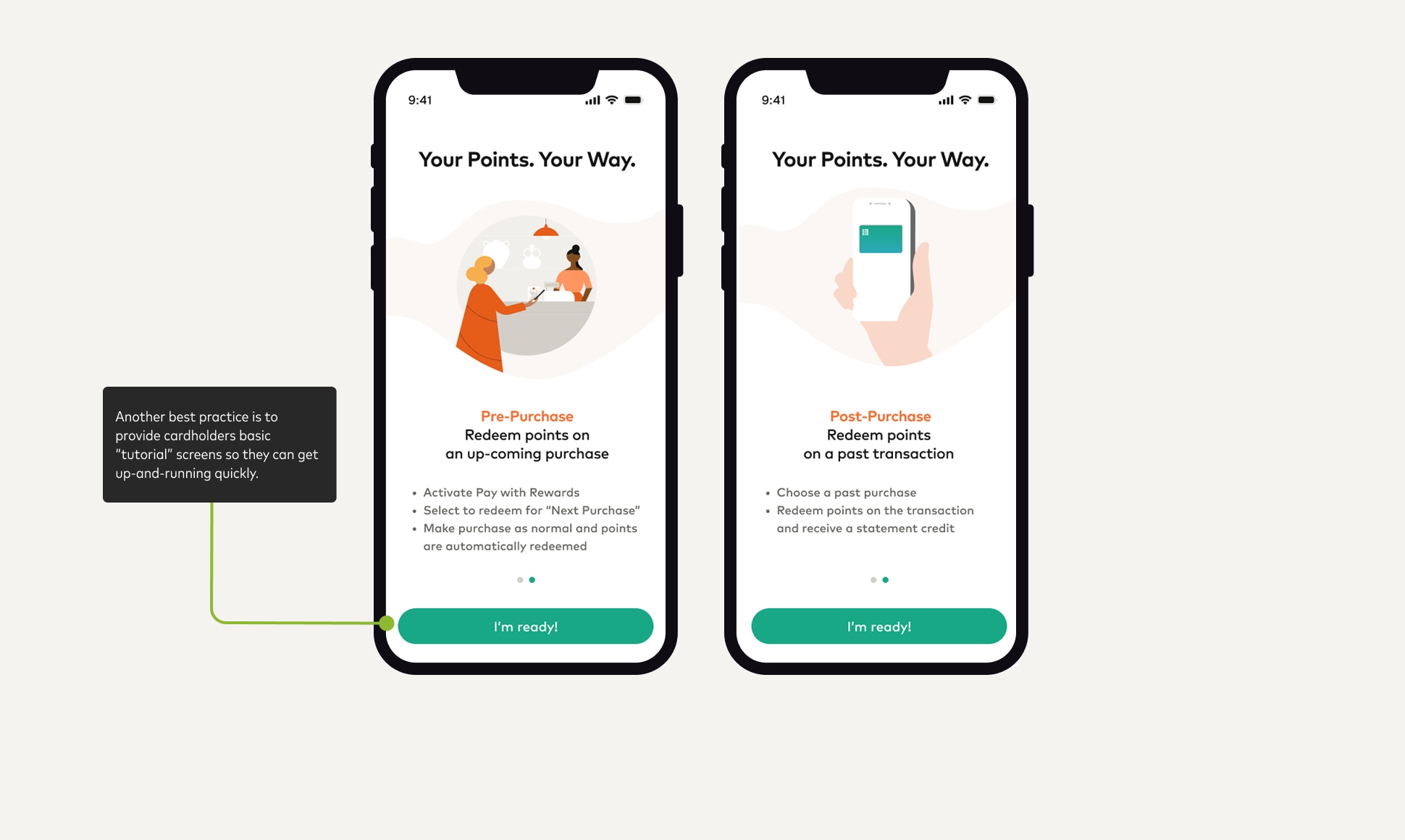
Tip:
* Make understanding Pay with Rewards fast and easy for cardholders
* Include a "Learn more" link to access FAQs if you think cardholders need more information
## Understanding redemption {#understanding-redemption}
### Help cardholders understand their redemption options {#help-cardholders-understand-their-redemption-options}
Cardholders have the freedom to redeem points like cash, at the moment of purchase, for instant and seamless rewards redemption. Or, points can be redeemed for a statement credit on qualifying prior purchases.
##### How "Pay with points" choices works {#how-pay-with-points-choices-works}
The cardholder makes a purchase with a registered card, Pay with Rewards validates the transaction's eligibility for point redemption and points are redeemed. Pay with Rewards can be turned on for all purchases, or for the very next purchase only. If points are redeemed for a purchase, a "rebate" is issued in real time. Alternatively, cardholders can view a list of recent transactions and select purchases to cover with their rewards points for a statement credit.
