# Data Connect Components
source: https://developer.mastercard.com/open-finance-us/documentation/connect/components/index.md
Mastercard Data Connect Components gives you the most control and customization across all our Data Connect integration options. It's ideal if you need to build a highly tailored solution and are comfortable managing both the initial setup and ongoing maintenance.
If you're unsure whether this is the right approach for your use case, speak to your Customer Success Manager (CSM)---they can help you decide on the best option (for example, the customization options discussed in the [Configure the Data Connect Experience](https://developer.mastercard.com/open-finance-us/documentation/connect/configure-connect-experience/index.md) section may be more suitable for you).
Data Connect Components are pre-built embeddable components that allow you more control and flexibility over your customer's Data Connect experience. By leveraging Data Connect Components, you can design and test your user experiences to have the voice, brand, flow and feel that best meets your needs. This removes the requirement to structure the Data Connect experience as defined by Mastercard.
With Data Connect Components you can host and create a user journey that provides a more seamless experience inside your web application.
**Easy customization**
The browser-based SDK contains native web components that can be embedded into your HTML just like any other element. These pre-built components handle the heavy lifting, such as creating the sandboxed iframes and loading contents for the financial login forms and MFA challenges.
**Wide range of functionalities**
Our Data Connect Components server provides the functionality needed for managing the user journey, supporting a wide range of interactions with the Open Finance APIs.
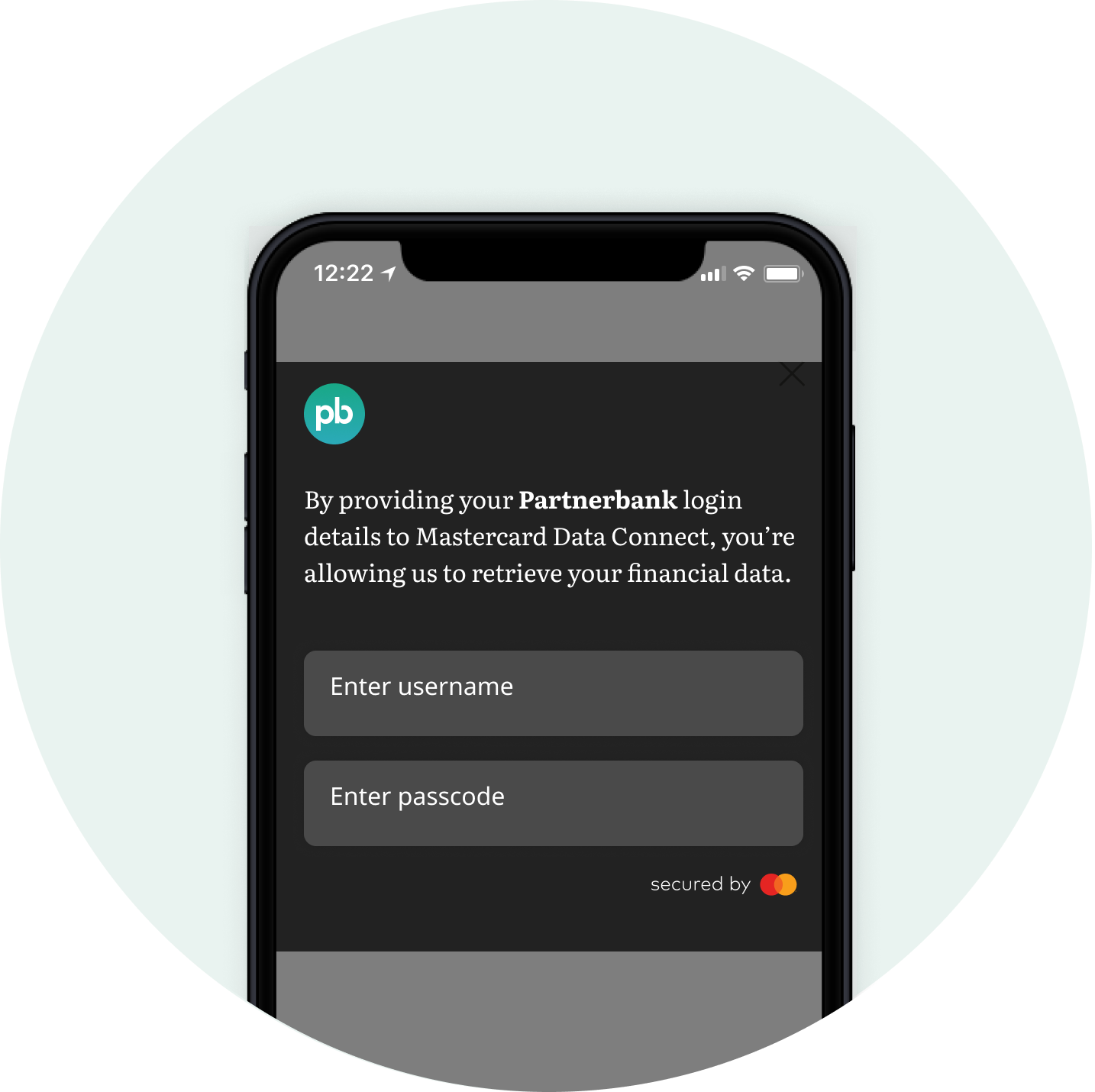
**Styling**
Using CSS you can style the web components to meet your brand and experience needs.
## Overview {#overview}
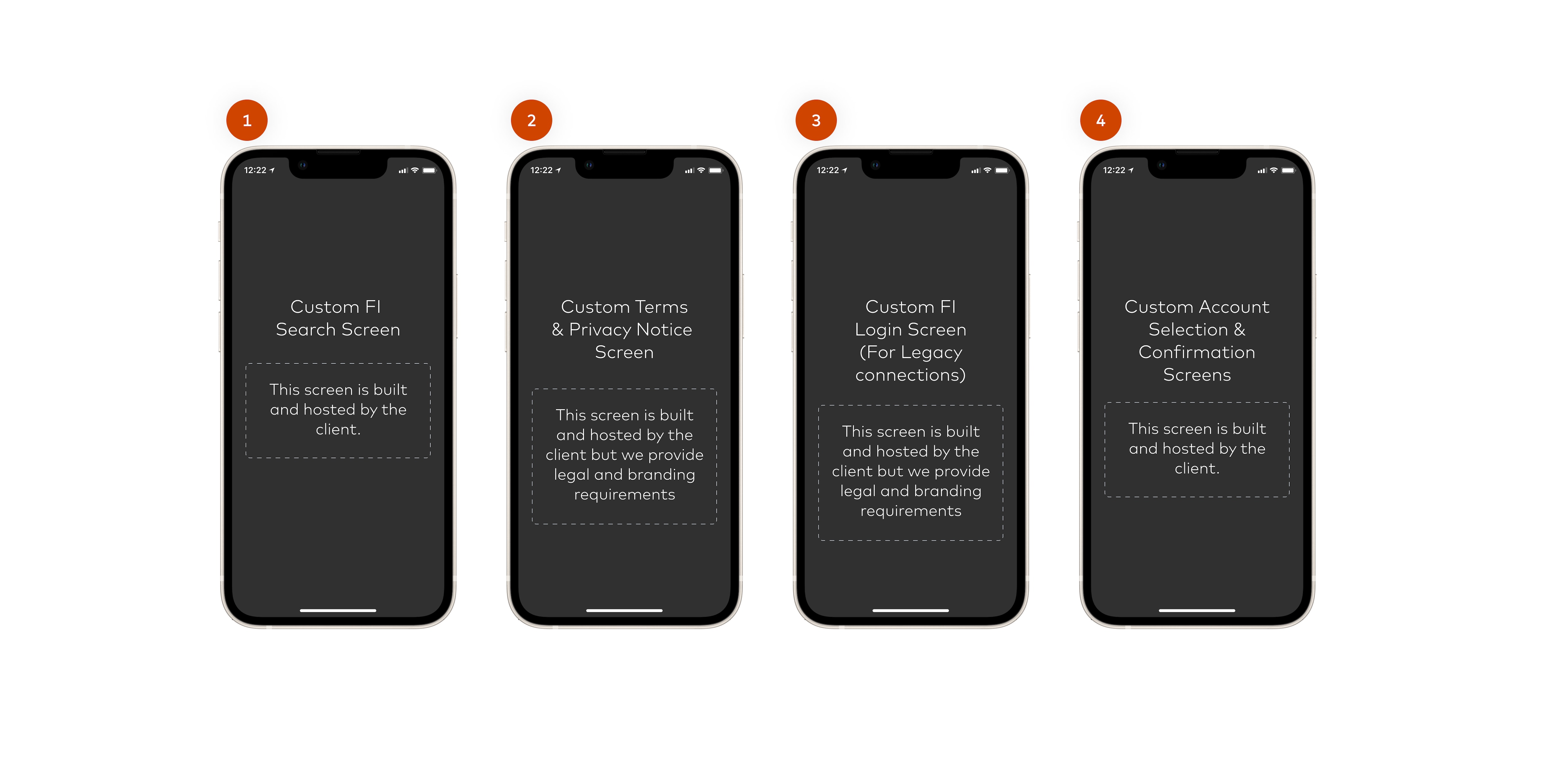
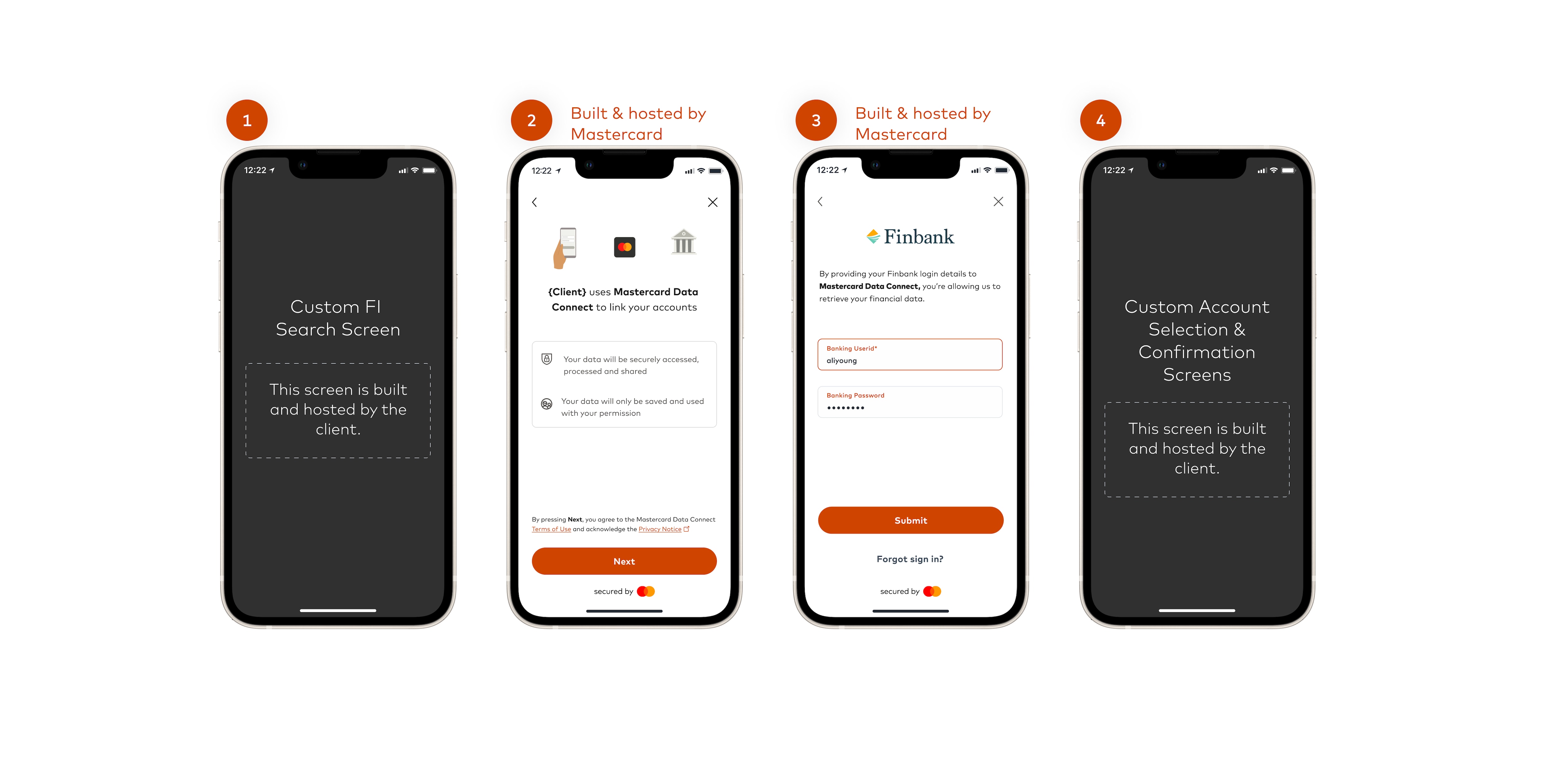
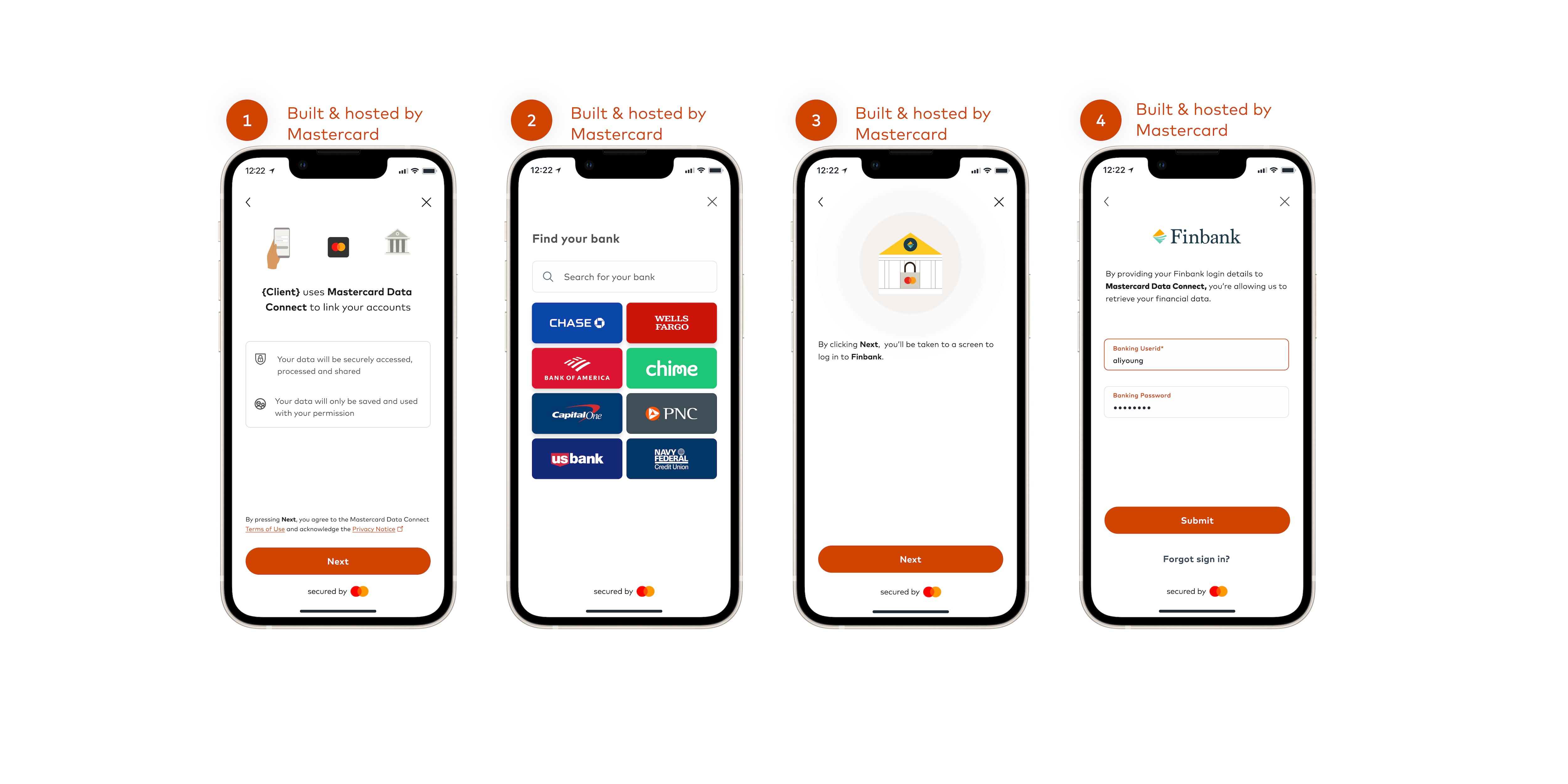
Data Connect Components takes the customization of Data Connect Full and Lite to the next level. With Data Connect Components, partners own and build all the screens. In contrast, only portions of the journey are owned by the partner in Data Connect Lite and only some [configurations](https://developer.mastercard.com/open-finance-us/documentation/connect/configure-connect-experience/index.md) for Mastercard hosted Data Connect Full are available.
**Data Connect Components**
**Data Connect Lite**
**Data Connect Full**
In order to implement Data Connect Components, you will need to understand our requirements, UX best practices, and how the flow works technically. This will provide you and your team with the foundation to implement a successful flow for your end users while partnering with Mastercard.
## Requirements {#requirements}
Before you can get started building your Data Connect experience using Data Connect Components, you need to go through a legal review of the user experience to ensure all Mastercard requirements are met. This includes sharing screens of the user journey. Please coordinate with your Mastercard representative to begin this process.
There are a few requirements that you, as a Mastercard Open Finance Partner, must ensure are met:
* Mastercard's role must be clearly stated to the end user.
* Mastercard's Terms and Privacy Notice must be presented to, and accepted by, the end user.
* Mastercard's brand must be represented appropriately.
* The user's login credentials must not touch a Partner's servers.
Note: All flows and screens need to be reviewed and signed off by Mastercard Legal and UX Design prior to go live. Work with your Mastercard account representative to get the necessary approvals.
Until the approvals have been given, you will not be able to access the Data Connect Components APIs other than for testing and accessing test data.
To view the specifics of each of these requirements see the [UX Requirements](https://developer.mastercard.com/open-finance-us/documentation/connect/components/ux-implementation/index.md#ux-requirements) section of the [Data Connect Components UX Implementation Guide](https://developer.mastercard.com/open-finance-us/documentation/connect/components/ux-implementation/index.md).
Outside of these requirements, Partners are free to design and build their flows as they see fit.
## Using Data Connect Components {#using-data-connect-components}
Data Connect Components provides a web SDK and associated REST API endpoints. We also provide details of how to implement Data Connect Components in a React Native app:
* [Data Connect Components Web SDK](https://developer.mastercard.com/open-finance-us/documentation/connect/components/integration/ccwebsdk/index.md)
* [React Native App Integration](https://developer.mastercard.com/open-finance-us/documentation/connect/components/integration/react-native/index.md)
* [Data Connect Components Webhooks](https://developer.mastercard.com/open-finance-us/documentation/connect/components/integration/ccwebhooks/index.md)
The following page outlines UX design considerations when working with Data Connect Components:
* [Data Connect Components UX Guidelines](https://developer.mastercard.com/open-finance-us/documentation/connect/components/ux-implementation/index.md)
For more details of the various user flows, see:
* [Data Connect Components Flows](https://developer.mastercard.com/open-finance-us/documentation/connect/components/flows/index.md)
If you are migrating from Data Connect Full or Data Connect Lite to using Data Connect Components, see our Migration Guide:
* [Migrating to Data Connect Components](https://developer.mastercard.com/open-finance-us/documentation/connect/components/migration/index.md)