# Java API Client
source: https://developer.mastercard.com/mastercard-send-funding/documentation/tutorials-and-guides/api-tutorial/index.md
## Overview {#overview}
This tutorial generates a Java API client library using the OpenAPI Generator and the API specification and then builds a simple Java program that makes API calls to the Sandbox environment. You can also adapt this tutorial to [make API Calls to MTF](https://developer.mastercard.com/mastercard-send-funding/documentation/tutorials-and-guides/api-tutorial/index.md#make-api-calls-to-mtf).
Note that the sample code in this tutorial does not prescribe the design and coding of your funds transfer service; those aspects are for you to define.
## Prerequisites {#prerequisites}
To complete this tutorial, you need:
* [Java 11+](https://www.java.com/en/download/manual.jsp). Ensure that your `JAVA_HOME` environment variable is pointing to your JDK installation or have the Java executable on your `PATH` environment variable.
* [Maven 3.6.0+](https://maven.apache.org/download.cgi)
* The latest [OpenAPI Generator CLI](https://openapi-generator.tech/docs/installation/#jar) JAR directly from Maven.org.
* Integrated Development Environment (IDE) of your choice. The tutorials use the IntelliJ IDEA IDE.
* If your organization uses internal artifact repositories for obtaining dependencies, refer to this [documentation](https://maven.apache.org/guides/mini/guide-multiple-repositories.html) to ensure that your dependencies are set up.
* A Mastercard Developers [project](https://developer.mastercard.com/dashboard) created with the **Mastercard Send** API service. This generated the Sandbox signing key (.p12 file) and credentials you will use to access the Sandbox environment. For guidance on creating a project, see [Getting Started with the APIs](https://developer.mastercard.com/mastercard-send/documentation/implementation/getting-started/).
* The API specification: [send-funding-api-swagger.yaml](https://static.developer.mastercard.com/content/mastercard-send-funding/swagger/send-funding-api-swagger.yaml) (208KB)
## Generate a Client Application {#generate-a-client-application}
Note: This tutorial was developed using a Windows machine. You can follow the same steps in other Operating Systems (OS) as well.
In File Explorer, create a folder in your desired location. In that folder:
1. Add the API specification YAML file and OpenAPI Generator CLI JAR file.
2. Create a `config.json` file and add the following configurations to the file:
```json
{
"groupId":"com.acme.app",
"artifactId":"mastercard-api-client",
"artifactVersion":"1.0.0",
"invokerPackage":"com.acme.app.mastercard",
"apiPackage":"com.acme.app.mastercard.api",
"modelPackage":"com.acme.app.mastercard.model"
}
```
Your current folder should look as follows:

3. Open the Command Prompt, navigate to that folder, and run this command to generate the client application:
openapi-generator-cli-7.8.0.jar generate -g java --library okhttp-gson -i send-funding-api-swagger.yaml -c config.json -o MyTestClient
In the above command, alter these parts as necessary:
* JAR version number, for example, "7.8.0"
* Name of the swagger file, for example, "send-funding-api-swagger.yaml"
* Name of the desired client application, for example, "MyTestClient"
After you run the command, a client application folder is generated within your folder:

## Set up a Maven Project {#set-up-a-maven-project}
After generating the client application, complete the below Maven project setup to download the dependencies and generate the Java client library.
1. In the IntelliJ IDE, open the client application as a **Maven** project. Your IntelliJ IDE should look as follows:

2. Edit the **pom.xml** file to add the following OAuth Client Authentication Library as one of the dependencies:
```xml
com.mastercard.developer
oauth1-signer
1.5.2
```
For example:

3. In the IntelliJ IDE, navigate to the Terminal window and run this command:
mvn clean install
When you have successfully run the command, a new folder named **target** is generated within your root directory, which contains classes generated for the schemas and API calls defined within the API specification. The generated classes can be found in `target/classes/com/acme/app/mastercard`:

4. In `./src/main/`, create a **resources** folder and copy the Sandbox signing key (.p12) file to that folder:

## Make API Calls to Sandbox {#make-api-calls-to-sandbox}
These steps build a simple Java program that makes calls to the Sandbox API using the generated client library. You can either:
* Download and use the Java class file [FundingSampleClass.java](https://static.developer.mastercard.com/content/mastercard-send-funding/uploads/FundingSampleClass.java) (9KB), then locate and adjust its code snippets as directed below.
* Create a new Java class file, then add and adjust the code snippets as directed below.
In your IntelliJ IDE project, add or create the Java class file in `./src/main/java`:

Open the Java class file and modify or add the following parts accordingly:
1. Add or adjust the code to import the required classes:
```java
import com.acme.app.mastercard.ApiClient;
import com.acme.app.mastercard.ApiException;
import com.acme.app.mastercard.api.FundingApi;
import com.acme.app.mastercard.api.FundingReversalApi;
import com.acme.app.mastercard.model.*;
import com.mastercard.developer.interceptors.OkHttpOAuth1Interceptor;
import com.mastercard.developer.utils.AuthenticationUtils;
import java.security.PrivateKey;
import java.util.Random;
import java.util.concurrent.TimeUnit;
```
If any external class libraries do not import automatically, you may need to click the **Reload All Maven Projects** button in the Maven project window (**View \> Tool Windows \> Maven**):

2. Update the consumer key and signing key values to match your .p12 file and the Sandbox Credentials from your Mastercard Developers project. These will be used by the `AuthenticationUtils.loadSigningKey()` method to generate a private signing key object.
```java
// Update these values to match your OAuth credentials
String consumerKey = "your_consumer_key_WdnUc_-2345tF245A-_DE7f71c_-75!b10-_23451b440ab_-e210b12-_58f650000000000000000";
String signingKeyAlias = "your_key_alias";
String signingKeyFilePath = "./src/main/resources/Send_API_Testing-sandbox.p12";
String signingKeyPassword = "your_key_password";
// This method generates the signing key which can be used to sign your API requests
PrivateKey signingKey = AuthenticationUtils.loadSigningKey(signingKeyFilePath, signingKeyAlias, signingKeyPassword);
// Set request header values
String partnerId = "ptnr_BEeCrYJHh2BXTXPy_PEtp-8DBOo";
Boolean declineDetailsQuery = false;
```
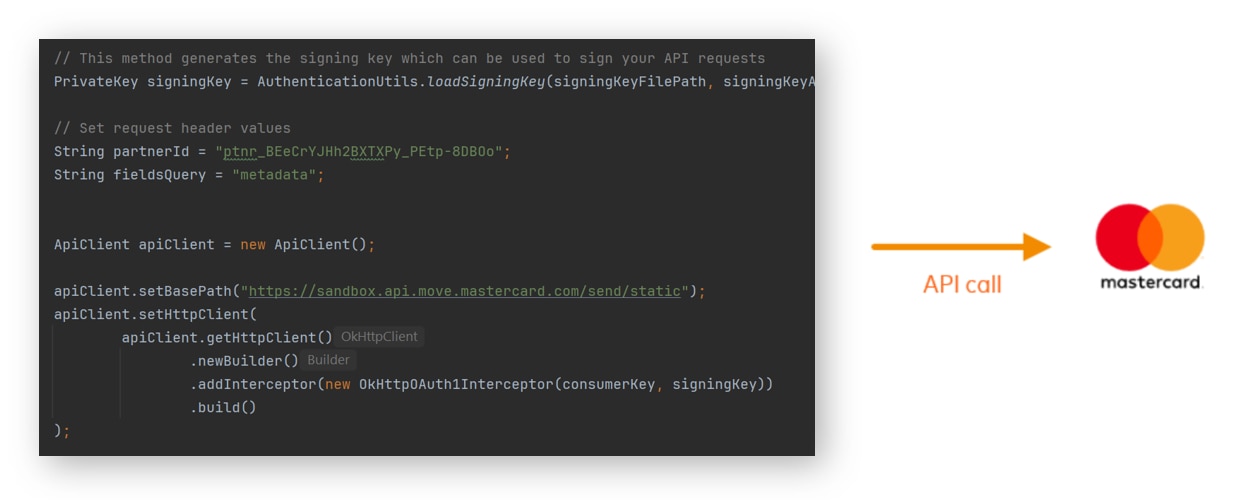
3. The base path is set to the Sandbox environment by default. You instantiate a client that can sign requests with your authentication credentials.
```java
ApiClient apiClient = new ApiClient();
apiClient.setBasePath("https://sandbox.api.move.mastercard.com/send/static");
apiClient.setHttpClient(
apiClient.getHttpClient()
.newBuilder()
.addInterceptor(new OkHttpOAuth1Interceptor(consumerKey, signingKey))
.build()
);
```
4. You create a new `fundingApi` request object to make the POST API call to the `/v1/partners/{partnerId}/transfers/funding` endpoint.
```java
FundingApi fundingApi = new FundingApi(apiClient);
```
5. The `fundingTransferParent` object sets the values to the Request Body fields that are required to make a successful API call to the endpoint. You can modify the values as required.
```java
FundingTransferParent fundingTransferParent = new FundingTransferParent();
// This builder builds a unique Transfer Reference for the funding transfer
StringBuilder builder = new StringBuilder();
builder.append("ref_");
for (int i = 0; i < 10; i++) {
builder.append(new Random().nextInt(10));
}
String transferRefGenerated = builder.toString();
// Set the values for the sender object
FundingSender fundingSender = new FundingSender();
FundingSenderAddress fundingSenderAddress = new FundingSenderAddress();
fundingSenderAddress.setLine1("1 Main St");
fundingSenderAddress.setLine2("Apartment 9");
fundingSenderAddress.setCity("St. Louis");
fundingSenderAddress.setCountrySubdivision("MO");
fundingSenderAddress.setPostalCode("63368");
fundingSenderAddress.setCountry("USA");
fundingSender.setFirstName("John");
fundingSender.setLastName("Jones");
fundingSender.setAccountType("03");
fundingSender.setAddress(fundingSenderAddress);
// Set the values for the recipient object
FundingRecipient fundingRecipient = new FundingRecipient();
FundingRecipientAddress fundingRecipientAddress = new FundingRecipientAddress();
fundingRecipientAddress.setLine1("1 Main St");
fundingRecipientAddress.setLine2("Apartment 9");
fundingRecipientAddress.setCity("St. Louis");
fundingRecipientAddress.setCountrySubdivision("MO");
fundingRecipientAddress.setPostalCode("63368");
fundingRecipientAddress.setCountry("USA");
fundingRecipient.setFirstName("Jane");
fundingRecipient.setLastName("Jones");
fundingRecipient.setAccountType("03");
fundingRecipient.setAddress(fundingRecipientAddress);
// Set the values for the fundingTransfer object
FundingTransfer fundingTransfer = new FundingTransfer();
fundingTransfer.setTransferReference(transferRefGenerated);
fundingTransfer.setPaymentType("P2P");
fundingTransfer.setAmount("5300");
fundingTransfer.setCurrency("USD");
fundingTransfer.setFundingMerchantCategoryCode("4829");
fundingTransfer.setFundingSource("DEBIT");
fundingTransfer.setSenderAccountUri("pan:5102589999999921;exp=2077-02;cvc=123");
fundingTransfer.setSender(fundingSender);
fundingTransfer.setRecipientAccountUri("pan:5102589999999913;exp=2077-02;cvc=123");
fundingTransfer.setRecipient(fundingRecipient);
fundingTransfer.setStatementDescriptor("THANKYOU");
fundingTransfer.setChannel("WEB");
// Wrap fundingTransfer object into the main parent object
fundingTransferParent.setFundingTransfer(fundingTransfer);
```
6. You call the `createFunding` function to make the POST API call to the `/v1/partners/{partnerId}/transfers/funding` endpoint and store the response in a `fundingResponse` object.
```java
// Make the Funding POST call to create the funding transfer
TransferParent fundingResponse = null;
try {
fundingResponse = fundingApi.createFunding(partnerId, fundingTransferParent, declineDetailsQuery, false);
System.out.println("Request:");
System.out.println(fundingTransferParent);
System.out.println();
System.out.println("Response:");
System.out.println(fundingResponse);
} catch (ApiException e) {
System.err.println("Exception when calling fundingApi.createFunding");
System.err.println("Status code: " + e.getCode());
System.err.println("Reason: " + e.getResponseBody());
System.err.println("Response headers: " + e.getResponseHeaders());
e.printStackTrace();
}
```
7. You can access the individual response values using the `fundingResponse.get()` method. For example, this code gets the funding transfer status and reference IDs:
```java
// Show the funding transfer status and reference IDs
String transferStatus = fundingResponse.getTransfer().getStatus();
String transferRef = fundingResponse.getTransfer().getTransferReference();
String transferId = fundingResponse.getTransfer().getId();
String transactionId = fundingResponse.getTransfer().getTransactionHistory().getData().getTransaction().get(0).getId();
System.out.println();
System.out.println("Funding transfer is " + transferStatus);
System.out.println("Transfer Reference = " + transferRef);
System.out.println("Transfer ID = " + transferId);
System.out.println("Transaction ID = " + transactionId);
System.out.println("(Transfer ID and Transaction ID are required if the funding transfer needs to be reversed)");
```
8. You can retrieve details of the funding transfer using a GET by ID call with the Transfer ID obtained from the Funding POST response.
You call the `getFundingById` function to make the GET API call to the `/v1/partners/{partnerId}/transfers/{transferId}` endpoint and store the response in a `fundingByIdResponse` object.
```java
// Make a GET by ID call to retrieve information on the funding transfer
System.out.println();
System.out.println("Wait five seconds before trying GET by ID call...");
TimeUnit.SECONDS.sleep(5);
TransferResponseParent fundingByIdResponse = null;
try {
fundingByIdResponse = fundingApi.getFundingById(partnerId, transferId);
System.out.println();
System.out.println("Response:");
System.out.println(fundingByIdResponse);
} catch (ApiException e) {
System.err.println("Exception when calling fundingApi.getFundingById");
System.err.println("Status code: " + e.getCode());
System.err.println("Reason: " + e.getResponseBody());
System.err.println("Response headers: " + e.getResponseHeaders());
e.printStackTrace();
}
```
9. You can retrieve details of the funding transfer using a GET by Reference call with the Transfer Reference obtained from the Funding POST response.
You call the `getFundingByRef` function to make the GET API call to the `/v1/partners/{partnerId}/transfers` endpoint and store the response in a `fundingByRefResponse` object.
```java
// Make a GET by Reference call to retrieve information on the funding transfer
System.out.println();
System.out.println("Wait five seconds before trying GET by Reference call...");
TimeUnit.SECONDS.sleep(5);
TransfersParent fundingByRefResponse = null;
try {
fundingByRefResponse = fundingApi.getFundingByRef(partnerId, transferRef);
System.out.println();
System.out.println("Response:");
System.out.println(fundingByRefResponse);
} catch (ApiException e) {
System.err.println("Exception when calling fundingApi.getFundingByRef");
System.err.println("Status code: " + e.getCode());
System.err.println("Reason: " + e.getResponseBody());
System.err.println("Response headers: " + e.getResponseHeaders());
e.printStackTrace();
}
```
10. If the funds cannot be delivered, you can reverse the funding transfer using a Funding Reversal POST call with the Transfer ID and Transaction ID obtained from the Funding POST response.
You create a new `fundingReversalApi` request object to make the POST API call to the `/v1/partners/{partnerId}/transfers/{transferId}/transactions/{transactionId}/reversals` endpoint.
```java
// Make a Funding Reversal POST call to reverse the funding transfer
System.out.println();
System.out.println("The attempt to deliver the funds to the recipient was unsuccessful,");
System.out.println("so the funding transfer needs to be reversed...");
System.out.println();
TimeUnit.SECONDS.sleep(10);
System.out.println("Wait five seconds before trying Funding Reversal POST call...");
System.out.println();
TimeUnit.SECONDS.sleep(5);
FundingReversalApi fundingReversalApi = new FundingReversalApi(apiClient);
```
The `fundingReversalParent` object sets the value to the Request Body field that is required to make a successful API call to the endpoint. You can modify the value as required.
```java
FundingReversalParent fundingReversalParent = new FundingReversalParent();
// Set the values for the fundingReversalParent object
FundingReversal fundingReversal = new FundingReversal();
fundingReversal.setReversalReason("Payment not completed");
fundingReversalParent.setFundingReversal(fundingReversal);
```
You call the `createFundingReversal` function to make the POST API call to the `/v1/partners/{partnerId}/transfers/{transferId}/transactions/{transactionId}/reversals` endpoint and store the response in a `reversalResponse` object.
```java
ReversalTransferParent reversalResponse = null;
try {
reversalResponse = fundingReversalApi.createFundingReversal(partnerId, transferId, transactionId, fundingReversalParent, declineDetailsQuery);
System.out.println("Request:");
System.out.println(fundingReversalParent);
System.out.println();
System.out.println("Response:");
System.out.println(reversalResponse);
} catch (ApiException e) {
System.err.println("Exception when calling fundingReversalApi.createFundingReversal");
System.err.println("Status code: " + e.getCode());
System.err.println("Reason: " + e.getResponseBody());
System.err.println("Response headers: " + e.getResponseHeaders());
e.printStackTrace();
}
```
You can access the individual response values using the `reversalResponse.get()` method. For example, this code gets the funding transfer status, which should now be 'REVERSED':
```java
// Show the funding transfer status after the reversal
transferStatus = reversalResponse.getTransfer().getStatus();
System.out.println();
System.out.println("Funding transfer is " + transferStatus);
```
11. Build and run the Java class file. You can do this using the **Build Project** and **Run** buttons:

#### Expected result {#expected-result}
When run successfully, the Java code should print the following in the IntelliJ IDE Run window:
1. Funding POST request and response objects, for example (truncated):
```plain
Request:
class FundingTransferParent {
fundingTransfer: class FundingTransfer {
transferReference: ref_7667677397
paymentType: P2P
amount: 5300
currency: USD
paymentOriginationCountry: null
participantMpgId: null
fundingMerchantCategoryCode: 4829
...
```
2. Funding transfer status and reference IDs obtained from the Funding POST response, for example:
```plain
Funding transfer is APPROVED
Transfer Reference = ref_7667677397
Transfer ID = e81ad9b8553c459a8d063d26f5adbfc7
Transaction ID = cb4813e1b7284c33809cef0108817cb9
(Transfer ID and Transaction ID are required if the funding transfer needs to be reversed)
```
3. GET by ID response objects, for example (truncated):
```plain
Response:
class TransferResponseParent {
transfer: class TransferRetrieved {
id: e81ad9b8553c459a8d063d26f5adbfc7
resourceType: transfer
transferReference: ref_7667677397
paymentType: P2P
fundingMerchantCategoryCode: 4829
canadaDomesticIndicator: null
interchangeRateDesignator: null
...
```
4. GET by Reference response objects, for example (truncated):
```plain
Response:
class TransfersParent {
transfers: class Transfers {
resourceType: list
itemCount: 1
data: class FundingData {
transfer: [class TransferRetrieved {
id: e81ad9b8553c459a8d063d26f5adbfc7
resourceType: transfer
transferReference: ref_7667677397
...
```
5. Funding Reversal POST request and response objects, for example (truncated):
```plain
Request:
class FundingReversalParent {
fundingReversal: class FundingReversal {
reversalReason: Payment not completed
}
}
Response:
class ReversalTransferParent {
transfer: class ReversalTransfer {
id: e81ad9b8553c459a8d063d26f5adbfc7
resourceType: transfer
transferReference: ref_7667677397
paymentType: P2P
canadaDomesticIndicator: null
...
```
6. Funding transfer status obtained from the Funding Reversal POST response, for example:
```plain
Funding transfer is REVERSED
```
## Make API Calls to MTF {#make-api-calls-to-mtf}
You can make calls to the MTF environment when you have registered for this service and Mastercard has configured that environment for your Sandbox keys. When you have the tutorial working with Sandbox, you can adapt the code easily to call MTF:
* Adjust the base path to "https://sandbox.api.move.mastercard.com/send".
* Change the `partnerId` value to match your onboarded configuration.
You may need to adjust the code to pass request fields and values appropriate to the environment and your configuration, such as valid test account numbers and any required acquiring credentials.