# UI/UX Best Practices
source: https://developer.mastercard.com/mastercard-checkout-solutions/tutorial/returninguser_unrecognized_ui/best-practices/index.md
The user experience (UX) requirements and recommended best practices provided here are to assist participants in implementing a seamless Click to Pay checkout experience.
| \[*R* \] or \[*BP*\] | **Meaning** |
|----------------------|---------------|
| **R** | Requirement |
| **BP** | Best Practice |
### ID Validation component details \[R\] {#id-validation-component-details-r}
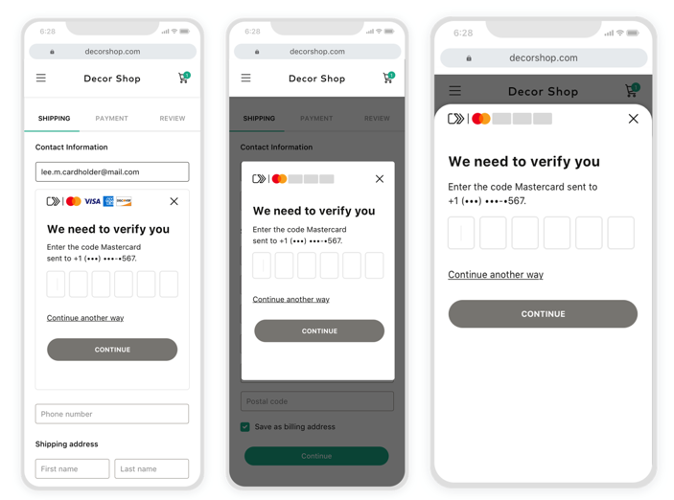
**Inline** **Modal** **Action Sheet**
* Display Click to Pay horizontal mark with all accepted Click to Pay network brands at the top of the OTP screen.
* The message must display the masked channel details where OTP was sent.
* Integrate inline (preferred) or action sheet in the payment page.
### ID Validation fallback option \[R\] {#id-validation-fallback-option-r}
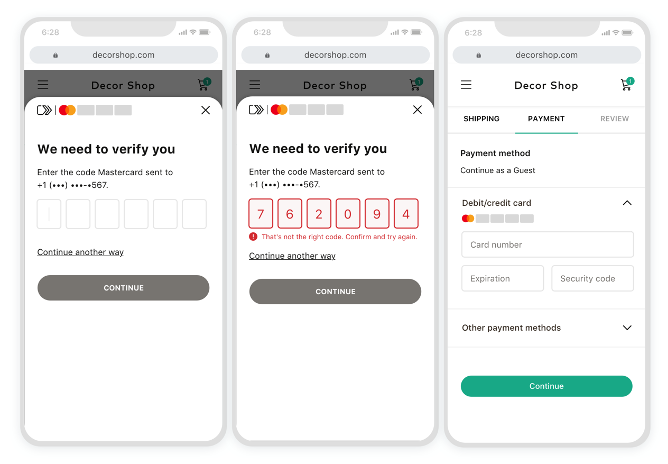
* If user has failed maximum number of attempts determined by Click to Pay system or chooses to skip OTP validation for any reason, provide a fallback checkout option on the payment page.
### ID Validation resend option \[R\] {#id-validation-resend-option-r}
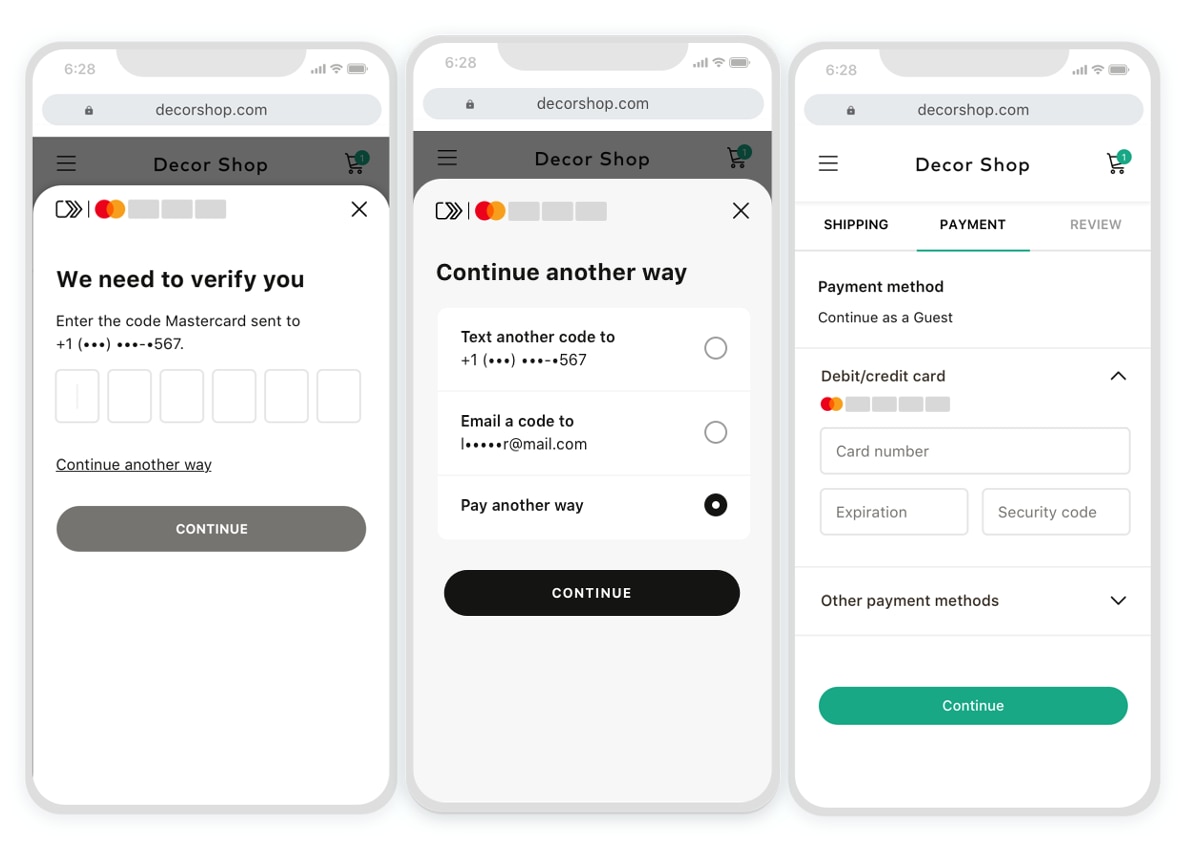
* If user is experiencing an issue completing OTP validation, provide an ability to resend OTP code via email and/or phone on the payment page.
### ID Validation cancellation option \[R\] {#id-validation-cancellation-option-r}
* If the consumer decides to close the OTP screen, provide an option to continue as guest checkout for the duration of the current checkout session.
### Consent collection on OTP screen \[BP\] {#consent-collection-on-otp-screen-bp}
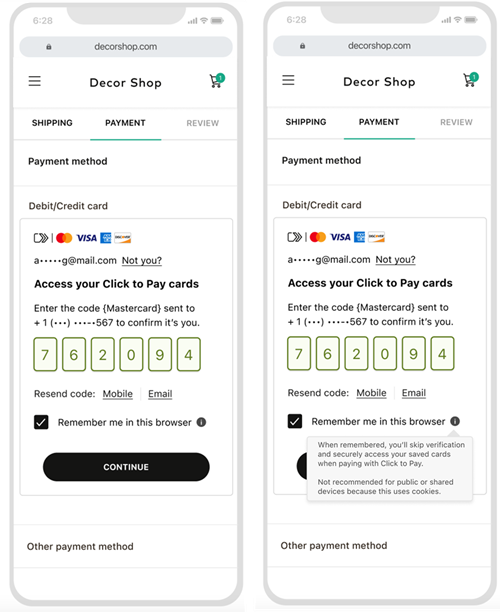
* Collect consumer consent on the OTP screen with "Remember Me" checkbox.
* By default, keep the "Remember Me" checkbox unchecked.
* Provide a CTA button to continue user journey (no auto-submit).
Alert: If strong consumer authentication is applicable for the region, it is recommended for integrators to authenticate consumer with Issuers' 3DS.^1^
^1^ Each region should scope the SCA influence -- how this is applicable for them depending on local regulations. For more information on authorization process, contact your local [Mastercard representative](https://developer.mastercard.com/mastercard-checkout-solutions/documentation/support/index.md#get-help).