# UI/UX Best Practices
source: https://developer.mastercard.com/mastercard-checkout-solutions/documentation/use-cases/click-to-pay/ux-integration-bp/index.md
Integrators must provide the ability for inline experience which enhances the customer experience by reducing the need to login. The following guidelines are applicable for all user scenarios.
## Legal and Privacy requirements for SRCIs {#legal-and-privacy-requirements-for-srcis}
Note: SRCIs must display legal consent and Mastercard Click to Pay Terms and Privacy consent to consumers before they initiate checkout, stating the following:
**By continuing, you agree to Mastercard's [Terms](https://www.mastercard.com/global/click-to-pay/country-listing/terms.html?locale=xx_YY) and understand your data will be processed according to the [Privacy Notice](https://www.mastercard.com/global/click-to-pay/country-listing/privacy.html?locale=xx_YY).**
We recommended to pass these URLs as part of [ComplianceSettings](https://developer.mastercard.com/mastercard-checkout-solutions/documentation/sdk-reference/common-objects/index.md#masked-consumer) object when calling [Checkout](https://developer.mastercard.com/mastercard-checkout-solutions/documentation/sdk-reference/checkout-method/index.md) method to ensure compliance with Mastercard's requirements for showing the correct URLs and giving the best inline frictionless user experience to the consumers. If not passed, consumers need to accept Mastercard Terms and Privacy Notice conditions before their Click to Pay profile is created.
## Branding and UX requirements {#branding-and-ux-requirements}
The merchant site or mobile app must display and use the common SRC button (or other acceptable SRC trigger) in accordance with the UX guidelines (see the Mastercard Program Rules document for more detail).
You must consult the Mastercard Program Rules document for the full list of requirements. The portions of the user experience to be handled by the SRCI (after the cardholder triggers the SRC process) must:
* Display all SRC and card network branding correctly, and display card art and masked data (such as card numbers) in the way in which the data is returned by the SRC system.
* If there are multiple Mastercard cards returned by the Mastercard SRC system they must all be displayed.
* Errors must be handled correctly, including Card retrieval OTP failure, card add failure, card expired, card suspended, etc.
* The interaction between the merchant site and the screens to be implemented by SRCI and the DCF screens must be done in accordance with standards.
## UX and Integration Best Practices and Requirements {#ux-and-integration-best-practices-and-requirements}
| \[*R* \] or \[*BP*\] | **Title** |
|----------------------|---------------|
| **R** | Requirement |
| **BP** | Best Practice |
#### Card Inline experience \[R\] {#card-inline-experience-r}
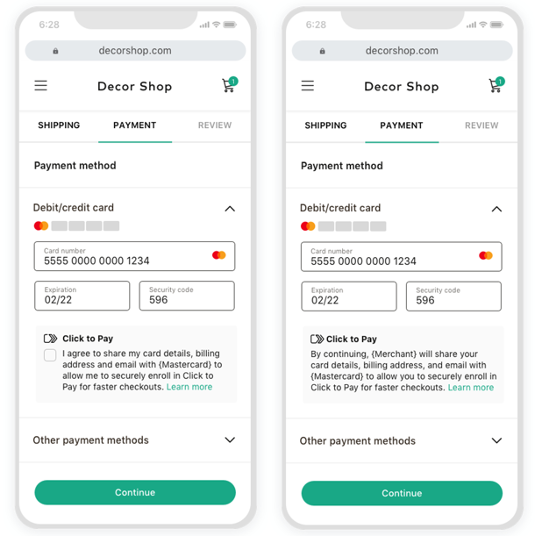
* Use the Click to Pay checkout with inline card display for manual PAN entry checkout option.
#### Click to Pay logo in Header section \[R\] {#click-to-pay-logo-in-header-section-r}

* Display Click to Pay horizontal mark on the payment screen using one of the options provided in the images.
* Click to Pay text must NOT be used for non-participating card networks.
Note: The Payment page must not duplicate card schemes logos with Click to Pay mark if its already present.
#### Consumer interaction with Click to Pay \[BP\] {#consumer-interaction-with-click-to-pay-bp}
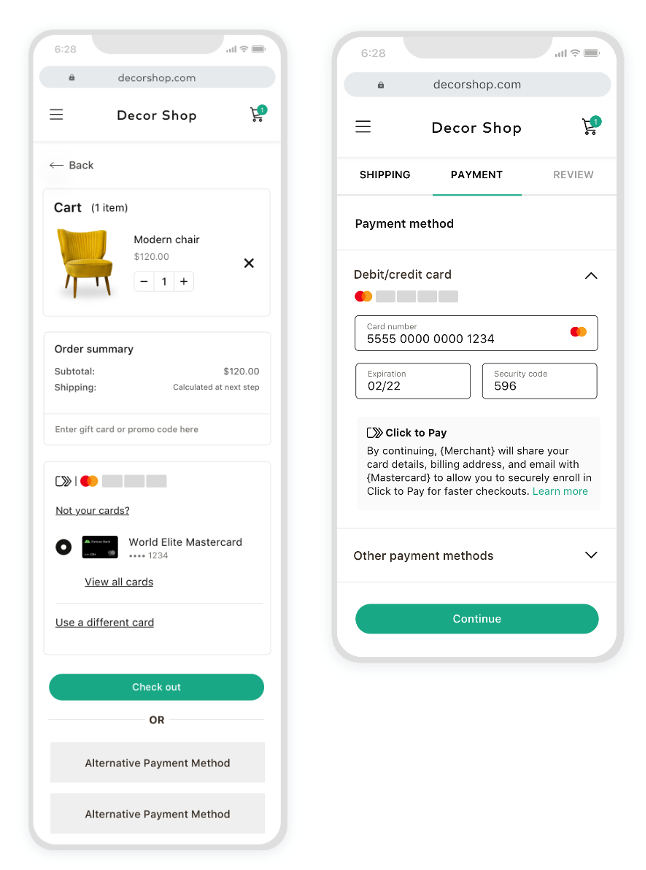
* Provide Click to Pay checkout experience at the following pages in the user's journey:
* Shopping cart page
* Checkout page
#### DCF Integration models \[BP\] {#dcf-integration-models-bp}
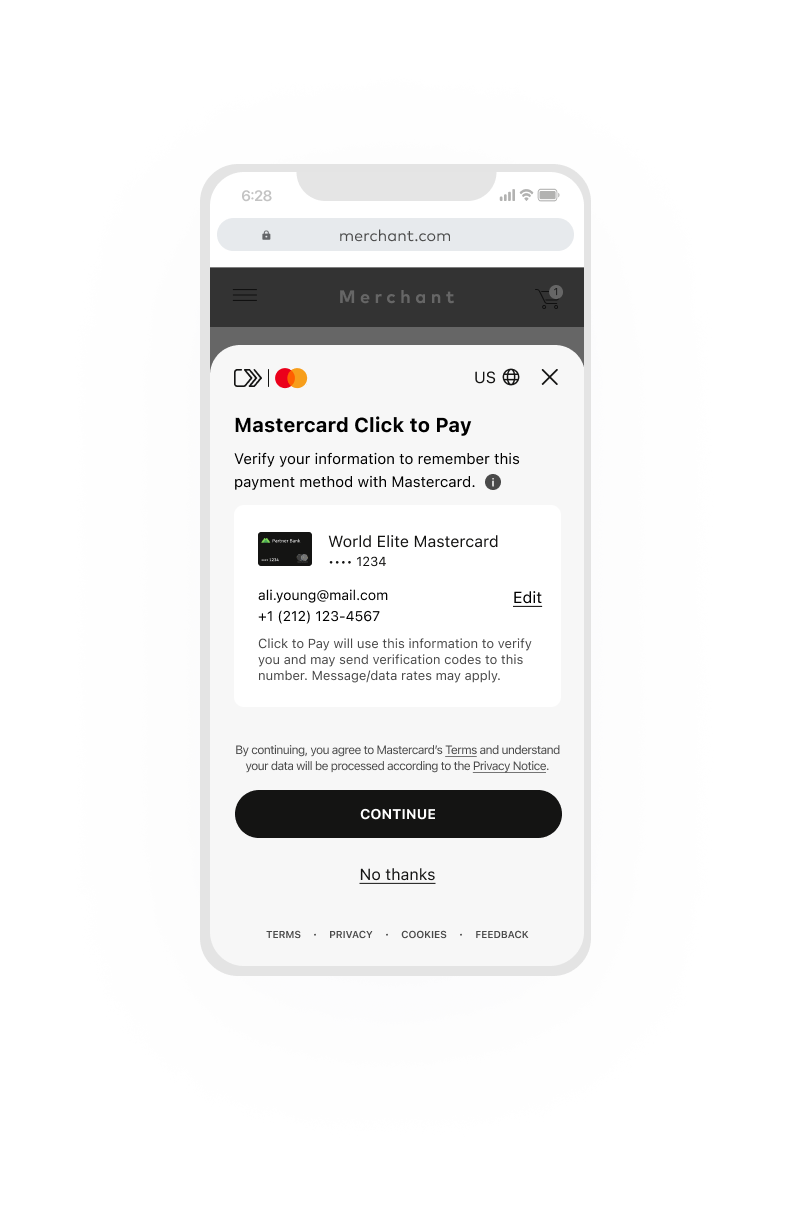
**Mobile Action Sheet**
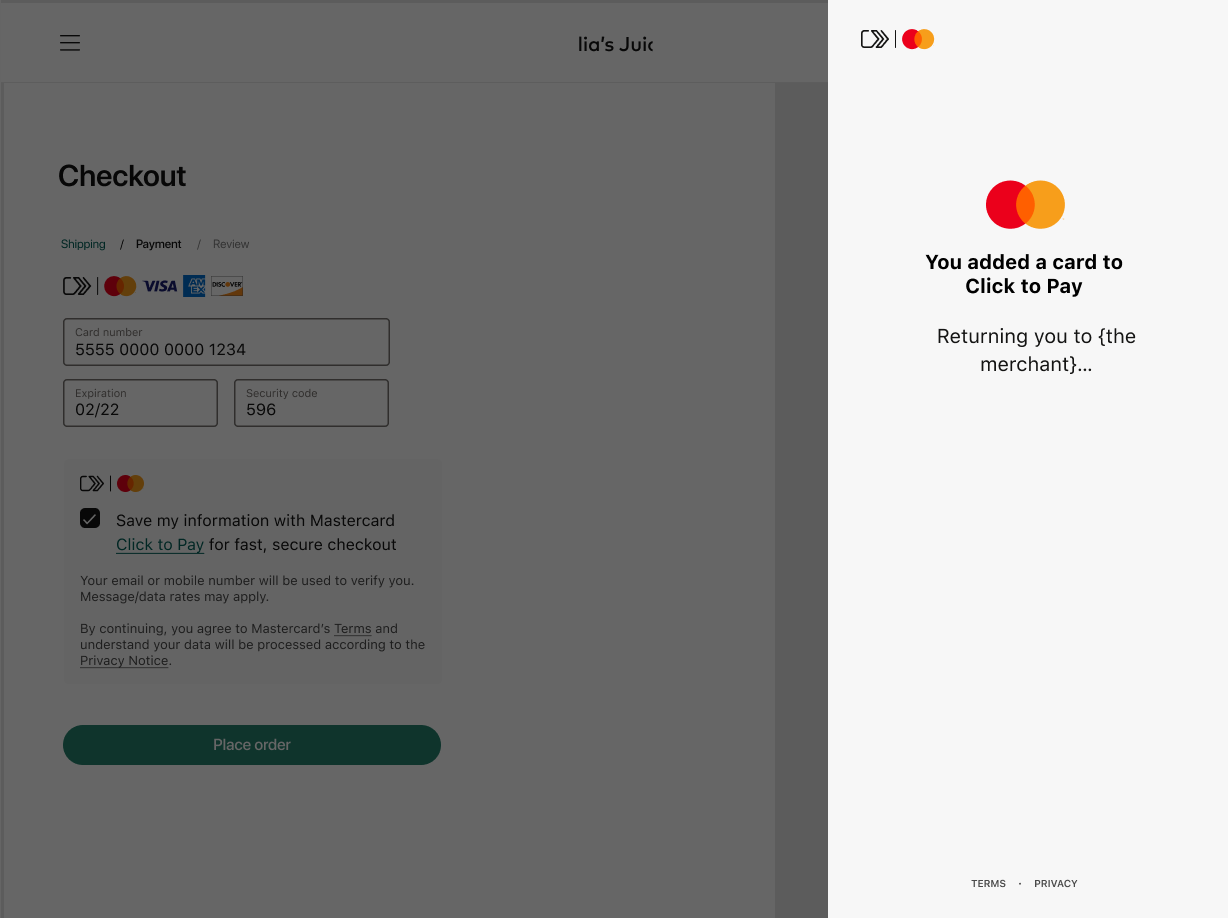
**Desktop Side Panel**
**Desktop Modal**


**Desktop Inline**

* Present Mastercard DCF as one of the following:
* Mobile Action sheet
* Desktop Side panel
* Desktop Modal/layover
* Desktop Inline.
* Respective networks manage the design and content elements of DCF hence it is not available for customization.
Tip: For mobile app and mobile browser integrations, **Mobile Action sheet** layout is recommended for DCF.
For web integrations, **Desktop side panel** , **Desktop Modal/layover** or **Desktop Inline** options are recommended.
#### Action buttons, Instructional text and Error messaging \[R\] {#action-buttons-instructional-text-and-error-messaging--r}
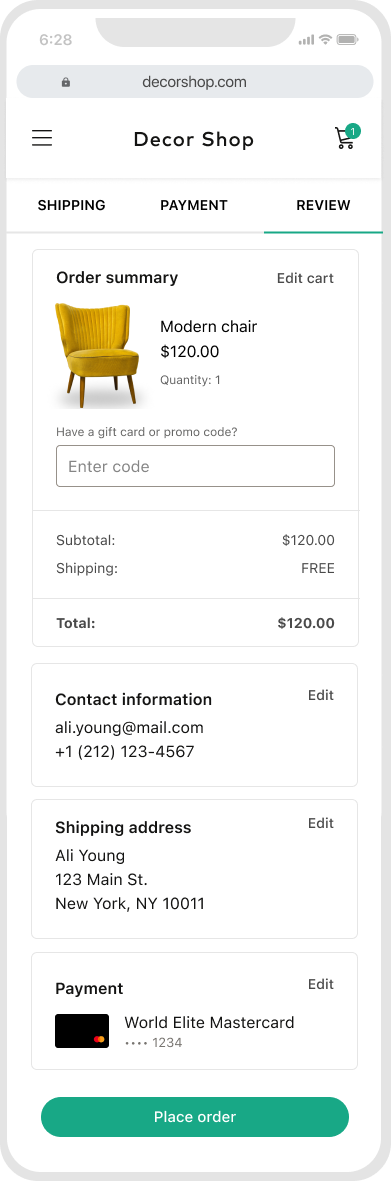
* Provide clear action buttons on the Payment page such as 'Continue', 'Sign In', 'Check out' for the consumer.
* Ensure that instructional text and error messaging associated with data collection provides clear action and resolutions.
Alert: If strong consumer authentication is applicable for the region, it is recommended for integrators to authenticate consumer with Issuers' 3DS.^1^
^1^ Each region should scope the SCA influence -- how this is applicable for them depending on local regulations. For more information on authorization process, please contact your local [Mastercard representative](https://developer.mastercard.com/mastercard-checkout-solutions/documentation/support/index.md#get-help).