---
title: Ethoca Alerts Merchant API
service_id: ethoca-alerts-for-merchants
auth_type: OAuth1.0a
source_url:
- html: https://developer.mastercard.com/ethoca-alerts-for-merchants/documentation/
- md: https://developer.mastercard.com/ethoca-alerts-for-merchants/documentation/index.md
api_specification(s):
- https://static.developer.mastercard.com/content/ethoca-alerts-for-merchants/swagger/alerts-push-conflicts-notification-specs-outbound.yaml
- https://static.developer.mastercard.com/content/ethoca-alerts-for-merchants/swagger/alert-delivery-outcome-specs_inbound.yaml
---
Overview: Ethoca Alerts is a collaborative tool that connects issuers and merchants together to share fraud and dispute data, enabling a faster dispute resolution process that reduces the need for chargebacks altogether.
The service provides two core APIs. Alerts Push API (outbound) delivers disputes that were shared by issuers to a merchant’s endpoint. Alerts Outcome API (inbound) lets merchants send back outcomes and feedback—such as refunded or not settled—so issuers know the issue was addressed and do not raise a chargeback. The end-to-end flow includes alert delivery, merchant acknowledgement, outcome submission, and confirmations back to both parties. Documentation includes use cases, tutorials, and test data to help teams connect and validate their flows.
- [Ethoca Alerts for Direct Merchants / Partners](https://developer.mastercard.com/ethoca-alerts-for-merchants/documentation/index.md)
- [Announcements](https://developer.mastercard.com/ethoca-alerts-for-merchants/documentation/announcements/index.md)
- [API Basics](https://developer.mastercard.com/ethoca-alerts-for-merchants/documentation/api-basics/index.md)
- [DigiCert Root Certificates](https://developer.mastercard.com/ethoca-alerts-for-merchants/documentation/api-basics/digicert-root-certificates/index.md)
- [Authentication and Encryption](https://developer.mastercard.com/ethoca-alerts-for-merchants/documentation/api-basics/authentication-and-encryption/index.md)
- [API Reference](https://developer.mastercard.com/ethoca-alerts-for-merchants/documentation/api-reference/index.md)
- [Ethoca Alerts Push API (Webhook)](https://developer.mastercard.com/ethoca-alerts-for-merchants/documentation/api-reference/push-api-ref/index.md)
- [Ethoca Alerts Pull API](https://developer.mastercard.com/ethoca-alerts-for-merchants/documentation/api-reference/pull-api-ref/index.md)
- [Ethoca Alerts Outcome API](https://developer.mastercard.com/ethoca-alerts-for-merchants/documentation/api-reference/outcome-api-ref/index.md)
- [Codes and Formats](https://developer.mastercard.com/ethoca-alerts-for-merchants/documentation/code-and-formats/index.md)
- [Developer Tools](https://developer.mastercard.com/ethoca-alerts-for-merchants/documentation/developer-tools/index.md)
- [Reference Application](https://developer.mastercard.com/ethoca-alerts-for-merchants/documentation/developer-tools/reference-app/index.md)
- [Postman Collection](https://developer.mastercard.com/ethoca-alerts-for-merchants/documentation/developer-tools/postman-collection/index.md)
- [Insomnia Collection](https://developer.mastercard.com/ethoca-alerts-for-merchants/documentation/developer-tools/insomnia-collection/index.md)
- [Release History](https://developer.mastercard.com/ethoca-alerts-for-merchants/documentation/release-history/index.md)
- [Support](https://developer.mastercard.com/ethoca-alerts-for-merchants/documentation/support/index.md)
- [Testing](https://developer.mastercard.com/ethoca-alerts-for-merchants/documentation/testing/index.md)
- [Tutorials and Guides](https://developer.mastercard.com/ethoca-alerts-for-merchants/documentation/tutorials-and-guides/index.md)
- [Quick Start Guide](https://developer.mastercard.com/ethoca-alerts-for-merchants/documentation/tutorials-and-guides/quick-start-guide/index.md)
- [Pull API Tutorial](https://developer.mastercard.com/ethoca-alerts-for-merchants/documentation/tutorials-and-guides/pull-api-tutorial/index.md)
- [Push API Tutorial](https://developer.mastercard.com/ethoca-alerts-for-merchants/documentation/tutorials-and-guides/push-api-tutorial/index.md)
- [Data Explanations](https://developer.mastercard.com/ethoca-alerts-for-merchants/documentation/tutorials-and-guides/data-explanations/index.md)
- [Onboarding Checklist](https://developer.mastercard.com/ethoca-alerts-for-merchants/documentation/tutorials-and-guides/onboarding-checklist/index.md)
- [Outcome API Tutorial](https://developer.mastercard.com/ethoca-alerts-for-merchants/documentation/tutorials-and-guides/outcome-api-tutorial/index.md)
- [Reference Application Tutorial](https://developer.mastercard.com/ethoca-alerts-for-merchants/documentation/tutorials-and-guides/reference-app-tutorial/index.md)
- [What Is Ethoca Alerts for Merchants?](https://developer.mastercard.com/ethoca-alerts-for-merchants/documentation/tutorials-and-guides/what-is-ethoca-alerts-for-merchants/index.md)
- [Use Cases](https://developer.mastercard.com/ethoca-alerts-for-merchants/documentation/use-cases/index.md)
- [Receive Alerts by Push and Submit Outcomes](https://developer.mastercard.com/ethoca-alerts-for-merchants/documentation/use-cases/push-alert-processing/index.md)
- [Retrieve Alerts by Pull, Acknowledge Them, and Submit Outcomes](https://developer.mastercard.com/ethoca-alerts-for-merchants/documentation/use-cases/pull-alert-processing/index.md)
***
# Ethoca Alerts for Direct Merchants / Partners
source: https://developer.mastercard.com/ethoca-alerts-for-merchants/documentation/index.md
## Ethoca Alerts for Merchants API overview {#ethoca-alerts-for-merchants-api-overview}
Ethoca Alerts™ is a collaborative tool that brings merchants (and merchant partners), acquirers, and issuers together to share fraud and dispute data, which enables a faster dispute resolution process that reduces the need for chargebacks altogether.
The Ethoca Alerts for Merchants API includes these important services:
* **Alerts Push (Outbound API)**
The Alerts Push API is a webhook that lets Direct Merchants / Partners receive alerts if they're on the Ethoca network.
* **Alerts Pull (Inbound API)**
The Alerts Pull endpoint lets merchant members of the Ethoca network pull Ethoca Alerts and then send an acknowledgement that they received the alerts.
* **Alerts Outcome (Inbound API)**
The Alerts Outcome endpoint lets Direct Merchants / Partners provide necessary outcome and feedback (such as `REFUNDED` and `NOT_SETTLED` messages) via an update that is made available to card issuers so that they know not to raise a chargeback.
## How Push API Works {#how-push-api-works}
* You, the direct merchant or partner, expose a RESTful web service that can receive an HTTPS POST request. You onboard to the Alerts platform and register your webhook endpoint.
* An issuer sends an alert about a problem transaction to the Alerts platform.
* We process and match the alert, and then push it to your registered endpoint.
* You send an acknowledgement response to us with the status of "success" and we pass that on to the issuer.
* You then send the outcome of the alert through the Alerts for Merchants **Outcome API**, which we pass on to the issuer.
* We also send an acknowledgement back to you that the outcome was received and that the alert was successfully updated with the outcome.
Diagram how-it-works-push
## How Pull API Works {#how-pull-api-works}
* You, the direct merchant or partner, onboard to the Alerts platform through the Merchant Self Service API and set the integration method as "PULL"
* An issuer sends an alert about a problem transaction to the Alerts platform, which we process and match.
* You pull the latest alerts using the Pull API `/alerts` endpoint.
* Through the `/alerts/acknowledges` endpoint, you send an acknowledgement that the alert was received, which we pass to the issuer.
* You then send the outcome of the alert through the Alerts for Merchants **Outcome API**, which we pass on to the issuer.
* We also send an acknowledgement back to you that the outcome was received and that the alert was successfully updated with the outcome.
Diagram how-it-works-pull
## Good to Know {#good-to-know}
* **Onboarding Information:** Onboarding starts by creating an account on [Mastercard Developers](https://developer.mastercard.com/) and generating Sandbox project credentials.
* **Testing Information:** We have an [Open Sandbox](https://developer.mastercard.com/ethoca-alerts-for-merchants/documentation/api-reference/index.md) that you can use to test Sandbox calls.
## Next Steps {#next-steps}
Now that you have an understanding of what the service does, review the [Quick Start Guide](https://developer.mastercard.com/ethoca-alerts-for-merchants/documentation/tutorials-and-guides/quick-start-guide/index.md) to quickly get started, or look over the [API Basics](https://developer.mastercard.com/ethoca-alerts-for-merchants/documentation/api-basics/index.md) section for details on authentication and encryption.
---
# Announcements
source: https://developer.mastercard.com/ethoca-alerts-for-merchants/documentation/announcements/index.md
## Upcoming API Updates {#upcoming-api-updates}
Here you can find information about upcoming changes that are planned for the Alerts for Merchants API.
There are no upcoming changes to announce at this time. Check back regularly so you can plan for future changes to the API.
## Next Steps {#next-steps}
* Also check out [Recent API Updates](https://developer.mastercard.com/ethoca-alerts-for-merchants/documentation/release-history/index.md#recent-api-updates) to see if there were any changes made recently to the API.
* Use the [API Reference](https://developer.mastercard.com/ethoca-alerts-for-merchants/documentation/api-reference/index.md) information for details about the fields and values relevant to your specific needs.
---
# Developer Tools
source: https://developer.mastercard.com/ethoca-alerts-for-merchants/documentation/developer-tools/index.md
This section provides tools and resources to accelerate your integration with Ethoca Alerts for Merchants. Whether you prefer working with API clients, visual HTTP clients, or reference code, you'll find step-by-step guides to get started quickly.
*** ** * ** ***
## Available Tools {#available-tools}
### [Reference Application](https://static.developer.mastercard.com/content/ethoca-alerts-for-merchants/documentation/developer-tools/reference-app.md) {#reference-applicationreference-appmd}
A complete, end-to-end implementation demonstrating all three API surfaces: Pull alert retrieval, acknowledgement submission, and outcome reporting. Includes source code, deployment instructions, and integration patterns you can adapt to your tech stack.
**Best for:** Learning best practices, understanding the full integration flow, jumpstarting your implementation.
*** ** * ** ***
### [Postman Collection](https://static.developer.mastercard.com/content/ethoca-alerts-for-merchants/documentation/developer-tools/postman-collection.md) {#postman-collectionpostman-collectionmd}
Pre-configured OpenAPI collection with OAuth 1.0a authentication setup, environment variables for Sandbox and Production, and request/response examples for all endpoints.
**Best for:** Quick endpoint testing, development and debugging, team collaboration, API documentation review.
*** ** * ** ***
### [Insomnia Collection](https://static.developer.mastercard.com/content/ethoca-alerts-for-merchants/documentation/developer-tools/insomnia-collection.md) {#insomnia-collectioninsomnia-collectionmd}
Pre-configured collection with OAuth plugin integration, environment variable management, and built-in request/response visualization.
**Best for:** Developers who prefer Insomnia's interface, teams using Insomnia for API development, lightweight testing workflows.
*** ** * ** ***
## Getting Started {#getting-started}
**Start here if you're new to the API:**
1. Read the [Overview](https://static.developer.mastercard.com/content/ethoca-alerts-for-merchants/documentation/_index.md) to understand the service and your integration options
2. Follow the [Quick Start Guide](https://static.developer.mastercard.com/content/ethoca-alerts-for-merchants/documentation/tutorials-and-guides/quick-start-guide.md) for step-by-step setup
3. Review the [Reference Application](https://static.developer.mastercard.com/content/ethoca-alerts-for-merchants/documentation/developer-tools/reference-app.md) to see a complete implementation
4. Test endpoints using [Postman](https://static.developer.mastercard.com/content/ethoca-alerts-for-merchants/documentation/developer-tools/postman-collection.md) or [Insomnia](https://static.developer.mastercard.com/content/ethoca-alerts-for-merchants/documentation/developer-tools/insomnia-collection.md)
**Start here if you need to troubleshoot:**
* Use [Postman](https://static.developer.mastercard.com/content/ethoca-alerts-for-merchants/documentation/developer-tools/postman-collection.md) or [Insomnia](https://static.developer.mastercard.com/content/ethoca-alerts-for-merchants/documentation/developer-tools/insomnia-collection.md) to isolate and test individual endpoints
* Review [Testing](https://developer.mastercard.com/ethoca-alerts-for-merchants/documentation/testing/index.md) for positive and negative test cases
* Check [Codes \& Formats](https://developer.mastercard.com/ethoca-alerts-for-merchants/documentation/code-and-formats/index.md) for error code reference
* See [Support](https://developer.mastercard.com/ethoca-alerts-for-merchants/documentation/support/index.md) for FAQ and troubleshooting
*** ** * ** ***
## Next Steps {#next-steps}
* Download and run the [Reference Application](https://static.developer.mastercard.com/content/ethoca-alerts-for-merchants/documentation/developer-tools/reference-app.md)
* Import the [Postman Collection](https://static.developer.mastercard.com/content/ethoca-alerts-for-merchants/documentation/developer-tools/postman-collection.md) or [Insomnia Collection](https://static.developer.mastercard.com/content/ethoca-alerts-for-merchants/documentation/developer-tools/insomnia-collection.md)
* Follow [Testing](https://developer.mastercard.com/ethoca-alerts-for-merchants/documentation/testing/index.md) guidelines to validate your integration
* Review [Tutorials and Guides](https://developer.mastercard.com/ethoca-alerts-for-merchants/documentation/tutorials-and-guides/index.md) for endpoint-specific walkthroughs
---
# API Reference
source: https://developer.mastercard.com/ethoca-alerts-for-merchants/documentation/api-reference/index.md
## Ethoca Alerts for Merchants API Reference {#ethoca-alerts-for-merchants-api-reference}
The Ethoca Alerts for Merchants API consists of three distinct services that work together to deliver alerts, retrieve them, and submit investigation outcomes. This page provides environment URLs, comprehensive endpoint documentation, and downloadable OpenAPI specifications.
*** ** * ** ***
## Environments {#environments}
The API is available in the following environments:
| Environment | Base URL |
|----------------|-------------------------------------------------------------|
| **Sandbox** | `https://sandbox.api.ethocaweb.com/ethoca/alerts/merchants` |
| **Production** | `https://api.ethocaweb.com/ethoca/alerts/merchants` |
Use the **Sandbox** environment for development and testing. Switch to **Production** only after completing Sandbox validation and receiving production credentials from your Ethoca Customer Delivery Team.
*** ** * ** ***
## API Services {#api-services}
Ethoca Alerts for Merchants provides three complementary services:
### 1. Pull API --- Retrieve and Acknowledge Alerts {#1-pull-api--retrieve-and-acknowledge-alerts}
Merchants use this API to retrieve alerts from Ethoca on a schedule and acknowledge receipt.
**Endpoints:**
* `GET /alerts` --- Retrieve unacknowledged alerts with optional filtering
* `POST /alerts/acknowledges` --- Acknowledge Retrieved Alerts
**Use this if:** You prefer polling over webhooks, or need batch retrieval on your own schedule.
**OpenAPI Specification:**
* Download: [alerts-delivery-pull-api-spec.yaml](https://static.developer.mastercard.com/content/ethoca-alerts-for-merchants/swagger/alert-delivery-outcome-specs_inbound.yaml)
API Specification: `https://static.developer.mastercard.com/content/ethoca-alerts-for-merchants/swagger/alert-delivery-outcome-specs_inbound.yaml`
*** ** * ** ***
### 2. Push API --- Receive Alerts via Webhook {#2-push-api--receive-alerts-via-webhook}
Ethoca pushes alerts to your webhook endpoint in real-time as they are created.
**Endpoints:**
* `POST /webhook (Inbound)` --- Ethoca sends alerts to your registered webhook URL
* Your endpoint must return HTTP 200 OK with acknowledgement status
**Use this if:** You want real-time notification of alerts and can expose a public HTTPS endpoint.
**WebHook Contract:**
* Ethoca calls your registered HTTPS endpoint with alert payload
* Your endpoint processes the alert and returns acknowledgement in response body
* Ethoca retries failed deliveries with exponential backoff
**OpenAPI Specification:**
* Download: [alerts-push-conflicts-notification-specs-outbound.yaml](https://static.developer.mastercard.com/content/ethoca-alerts-for-merchants/swagger/alerts-push-conflicts-notification-specs-outbound.yaml)
API Specification: `https://static.developer.mastercard.com/content/ethoca-alerts-for-merchants/swagger/alerts-push-conflicts-notification-specs-outbound.yaml`
*** ** * ** ***
### 3. Outcome API --- Submit Investigation Results {#3-outcome-api--submit-investigation-results}
After investigating an alert (via Pull or Push), merchants submit outcomes back to Ethoca for transmission to card issuers.
**Endpoints:**
* `POST /outcomes` --- Submit investigation results with outcome codes and refund information
**Use this:** Immediately after investigation completion, within 24 hours of alert receipt when possible.
**Outcome Information:**
* Alert ID and alert type (Confirmed Fraud or Customer Dispute)
* Investigation outcome code (for example, `RESOLVED`, `STOPPED`, `NOT_FOUND`)
* Refund information (refund status, type, amount if applicable)
* Comments and investigation notes
**OpenAPI Specification:**
* Download: [alert-delivery-outcome-specs_inbound.yaml](https://static.developer.mastercard.com/content/ethoca-alerts-for-merchants/swagger/alert-delivery-outcome-specs_inbound.yaml)
API Specification: `https://static.developer.mastercard.com/content/ethoca-alerts-for-merchants/swagger/alert-delivery-outcome-specs_inbound.yaml`
*** ** * ** ***
## Common Patterns {#common-patterns}
### Pull-Based Integration {#pull-based-integration}
1. Retrieve alerts: `GET /alerts` → receives batch of alerts
2. Acknowledge receipt: `POST /alerts/acknowledges` → confirm processing
3. Investigate each alert (asynchronously)
4. Submit outcomes: `POST /outcomes` → send investigation results
See [Pull Alert Processing Use Case](https://static.developer.mastercard.com/content/ethoca-alerts-for-merchants/documentation/use-cases/pull-alert-processing.md) for detailed flow and examples.
### Push-Based Integration {#push-based-integration}
1. Register webhook URL with Ethoca Customer Delivery Team
2. Receive alerts: Ethoca sends `POST` to your webhook URL
3. Respond immediately: Return HTTP 200 OK with acknowledgement
4. Investigate asynchronously
5. Submit outcomes: `POST /outcomes` → send investigation results
See [Push Alert Processing Use Case](https://static.developer.mastercard.com/content/ethoca-alerts-for-merchants/documentation/use-cases/push-alert-processing.md) for detailed flow and examples.
*** ** * ** ***
## Authentication {#authentication}
All API calls require OAuth 1.0a authentication. Include the `Authorization` header with a cryptographic signature on every request.
**Required Credentials:**
* Consumer Key (OAuth identifier)
* `.p12` Keystore file (with private signing key)
* Keystore password and key alias
See [Authentication \& Encryption](https://static.developer.mastercard.com/content/ethoca-alerts-for-merchants/documentation/api-basics/authentication-and-encryption.md) for detailed setup instructions.
*** ** * ** ***
## Rate Limits and Batch Sizes {#rate-limits-and-batch-sizes}
* **Alert Retrieval:** Maximum 1,000 alerts per `GET /alerts` request
* **Outcome Submission:** Maximum 25 outcomes per `POST /outcomes` request
* **Acknowledgement:** Maximum 1,000 acknowledgements per `POST /alerts/acknowledges` request
For large batches, split into multiple requests as needed.
*** ** * ** ***
## Response Format {#response-format}
All successful responses return HTTP 200 OK with a JSON body. Error responses include an `Errors` envelope with detailed reason codes.
**Success Response Example:**
```json
{
"alerts": [
{
"alertId": "ALERT_ID_12345",
"alertType": "CUSTOMERDISPUTE",
"transactionAmount": "100.00",
"transactionCurrency": "USD",
"dateSubmitted": "2024-06-23",
"customerName": "John Doe",
"cardLastFour": "5678",
"merchantName": "Example Merchant",
"transactionRef": "TXN_REF_12345"
}
]
}
```
**Error Response Example:**
```json
{
"Errors": {
"Error": [
{
"Source": "API",
"ReasonCode": "VALIDATION_FAILURE",
"Description": "Invalid date format. Expected YYYY-MM-DD.",
"Recoverable": false
}
]
}
}
```
See [Codes \& Formats](https://developer.mastercard.com/ethoca-alerts-for-merchants/documentation/code-and-formats/index.md) for comprehensive error code reference.
*** ** * ** ***
## Good to Know {#good-to-know}
* Review [Quick Start Guide](https://static.developer.mastercard.com/content/ethoca-alerts-for-merchants/documentation/tutorials-and-guides/quick-start-guide.md) for integration setup
* Explore [Use Cases](https://developer.mastercard.com/ethoca-alerts-for-merchants/documentation/use-cases/index.md) for detailed endpoint flows
* Check [Support](https://developer.mastercard.com/ethoca-alerts-for-merchants/documentation/support/index.md) for common questions and troubleshooting
* Visit [Developer Tools](https://developer.mastercard.com/ethoca-alerts-for-merchants/documentation/developer-tools/index.md) for Postman, Insomnia, and Reference Application
## Next Steps {#next-steps}
Now that you have a good understanding of all the services endpoints, proceed to the [Testing](https://developer.mastercard.com/ethoca-alerts-for-merchants/documentation/testing/index.md) section to learn about test scenarios and validation workflows.
---
# Codes and Formats
source: https://developer.mastercard.com/ethoca-alerts-for-merchants/documentation/code-and-formats/index.md
## Ethoca Alerts for Merchants Error Codes and Response Formats {#ethoca-alerts-for-merchants-error-codes-and-response-formats}
This page documents the error codes, HTTP statuses, and response formats used by the Ethoca Alerts for Merchants APIs. Use this reference when you receive an error response or when designing error handling in your integration.
## Error response structure {#error-response-structure}
All service-level errors are returned in a consistent envelope format. The envelope contains an `Errors` object with an `Error` array. Each error item includes the source, reason code, description, recoverability flag, and optional details.
### Example error response {#example-error-response}
```json
{
"Errors": {
"Error": [
{
"Source": "alerts-delivery",
"ReasonCode": "VALIDATION_FAILURE",
"Description": "Invalid date format: 2026-101-209",
"Recoverable": true,
"Details": "Invalid date format: 2026-101-209"
}
]
}
}
```
### Error envelope schema {#error-envelope-schema}
| Field | Type | Description |
|---------------|---------|---------------------------------------------------------------------------------------------------------------------------------|
| `Source` | string | Identifies where the error originated: service module (for example, `alerts-delivery`), `Http Client`, or `Gateway` |
| `ReasonCode` | string | Unique code identifying the error case; used for routing resolution steps |
| `Description` | string | Human-readable short description of what went wrong |
| `Recoverable` | boolean | Indicates whether retrying the same request could succeed (for example, `true` for transient errors, `false` for auth failures) |
| `Details` | string | Optional detailed explanation with context-specific information |
*** ** * ** ***
## HTTP status to reason code mapping {#http-status-to-reason-code-mapping}
The following table shows which HTTP status codes the API returns and the corresponding reason codes you may encounter.
| HTTP Status | Reason Code | Description | Typical Cause | Resolution |
|-------------|------------------------------|--------------------------------------------------------|--------------------------------------------------------------------------|------------------------------------------------------------------------------------------------------------------------------------------------------------------------------------------------|
| 200 | (Success) | Request succeeded | Alert retrieved, acknowledged, or outcome submitted successfully | No action needed |
| 400 | `VALIDATION_FAILURE` | Request failed client-side validation | Missing required fields, invalid date format, invalid enum value | Check the error details for the specific field; refer to the OpenAPI spec for field constraints |
| 400 | `REQUEST_VALIDATION_FAILURE` | Outcome validation failed at the service level | Missing mandatory outcome field like `outcome` or `refundStatus` | Ensure all required outcome fields are present and non-null |
| 400 | (Bad Request, unnamed) | Malformed request syntax | Duplicate acknowledgements in a single request, invalid query parameters | Review request payload structure and query parameters against the spec |
| 401 | `DECLINED` | OAuth authentication failed or credentials are invalid | Invalid consumer key, missing OAuth header, invalid signature | Verify OAuth 1.0a signature generation; confirm consumer key and `.p12` keystore are correct for the environment |
| 403 | (Forbidden) | Request is forbidden or lacks required permissions | Client does not have permission to access the resource | Confirm that your project has been approved for the requested endpoint; contact Ethoca Customer Delivery if access is restricted |
| (Gateway) | `DECLINED` | Gateway-level authorization failure | Missing or invalid authentication | Ensure OAuth credentials are present and valid; see [Mastercard Gateway Error Codes](https://developer.mastercard.com/platform/documentation/security-and-authentication/gateway-error-codes/) |
*** ** * ** ***
## Service-level error codes {#service-level-error-codes}
Service-level errors originate from the Alerts platform and include validation failures, business logic violations, and data-related issues.
### Validation errors {#validation-errors}
Validation errors occur when request fields fail schema or business rule checks.
| Source | Reason Code | Description | Typical Cause | Resolution |
|-------------------|------------------------------|---------------------------------------------|------------------------------------------------------------------------------------|---------------------------------------------------------------------------------------------------|
| `alerts-delivery` | `VALIDATION_FAILURE` | Date format is invalid | Query parameter `from_date` or `to_date` does not match `YYYY-MM-DD` pattern | Use the format `YYYY-MM-DD` for date parameters; verify dates are not in the future |
| `alerts-delivery` | `VALIDATION_FAILURE` | Duplicate alert ID in acknowledgement batch | Same `alertId` appears more than once in the same request | Deduplicate alert IDs before sending acknowledgement requests |
| `alerts-outcome` | `REQUEST_VALIDATION_FAILURE` | Mandatory field is missing or null | `outcome`, `refundStatus`, `refund.amount`, or `amountStopped` is `null` or absent | Ensure all required fields are populated with valid values per the OpenAPI spec |
| `alerts-outcome` | `REQUEST_VALIDATION_FAILURE` | Invalid enum value | `outcome` or `refundStatus` is not a recognized value | Use only documented outcome values: `STOPPED`, `PARTIALLY_STOPPED`, `RESOLVED`, `NOT_FOUND`, etc. |
### Authentication and authorization errors {#authentication-and-authorization-errors}
Authentication and authorization errors come from the OAuth layer or gateway and indicate credential or access issues.
| Source | Reason Code | Description | Typical Cause | Resolution |
|-----------|-------------|------------------------------------------|----------------------------------------------------------------------------|------------------------------------------------------------------------------------------------------------------------------------------------------------------------------------------------------------------------------------------------|
| `Gateway` | `DECLINED` | Unauthorized - Access Not Granted | Invalid OAuth 1.0a signature, missing consumer key, or expired credentials | Regenerate OAuth signature with correct consumer key and signing key from `.p12` keystore; verify keystore password and key alias |
| `Gateway` | `DECLINED` | Missing or invalid authentication header | OAuth `Authorization` header is missing or malformed | Add a valid OAuth 1.0a `Authorization` header to all requests; see [Using OAuth 1.0a to Access Mastercard APIs](https://developer.mastercard.com/platform/documentation/security-and-authentication/using-oauth-1a-to-access-mastercard-apis/) |
*** ** * ** ***
## Response status codes {#response-status-codes}
| HTTP Status | Meaning | Use Case |
|------------------|--------------------------------------------------|----------------------------------------------------------------------|
| 200 OK | Request succeeded | Alert retrieved, acknowledged, or outcome submitted successfully |
| 400 Bad Request | Request is malformed or fails validation | Invalid query parameters, missing fields, duplicate acknowledgements |
| 401 Unauthorized | Authentication failed or credentials are invalid | Invalid OAuth signature, missing keystore, incorrect consumer key |
| 403 Forbidden | Client lacks permission for the resource | Project not approved for endpoint access |
*** ** * ** ***
## Request/response format notes {#requestresponse-format-notes}
### Date and timestamp format {#date-and-timestamp-format}
All dates and timestamps in request and response bodies use ISO 8601 format. Examples:
* Date only: `2026-01-15` (used in Pull API query parameters)
* DateTime with timezone: `2021-06-18T22:11:05+05:00`
* DateTime UTC: `2026-01-12T06:15:13.171792Z`
For query parameters on `GET /alerts`, use the `YYYY-MM-DD` format for `from_date` and `to_date`.
### Amount format {#amount-format}
Monetary amounts are represented as objects with a numeric `value` and a `currencyCode`. The value is a decimal number with currency-specific precision (for example, USD uses 2 decimal places).
Example:
```json
{
"value": 234.56,
"currencyCode": "USD"
}
```
### Outcome codes {#outcome-codes}
The following table lists valid outcome values for the Outcome API.
#### Confirmed Fraud Outcomes {#confirmed-fraud-outcomes}
| Outcome Code | Description |
|------------------------|---------------------------------------------------------|
| `STOPPED` | The order was stopped before fulfillment |
| `PARTIALLY_STOPPED` | Part of the order was stopped |
| `PREVIOUSLY_CANCELLED` | The transaction was already canceled |
| `MISSED` | Too late; the order has shipped or service was consumed |
| `NOT_FOUND` | The order could not be found in the system |
| `ACCOUNT_SUSPENDED` | The account has been suspended |
| `OTHER` | Any other action not covered above |
#### Customer Dispute Outcomes {#customer-dispute-outcomes}
| Outcome Code | Description |
|--------------------------------|--------------------------------------------|
| `RESOLVED` | Case resolved with the customer |
| `RESOLVED_PREVIOUSLY_REFUNDED` | Refund already processed |
| `UNRESOLVED_DISPUTE` | Merchant disagrees with the dispute reason |
| `NOT_FOUND` | Alert could not be found in the system |
| `OTHER` | Any other outcome as described in comments |
### Refund status codes {#refund-status-codes}
The following table lists valid refund status values for the Outcome API.
| Refund Status | Description |
|----------------|--------------------------------------|
| `REFUNDED` | Transaction was refunded |
| `NOT_REFUNDED` | Transaction was not refunded |
| `NOT_SETTLED` | Transaction did not go to settlement |
### Refund type codes {#refund-type-codes}
When you refund a transaction, specify the refund method using one of these codes.
| Refund Type | Description |
|-------------|---------------------------|
| `REFUND` | Cash refund |
| `VOUCHER` | Store voucher or credit |
| `POINTS` | Loyalty or reward points |
| `GIFT_CARD` | Gift card or store credit |
*** ** * ** ***
## Gateway error codes {#gateway-error-codes}
For authentication and transport-layer errors that originate from the Mastercard Gateway, refer to the comprehensive error code reference:
**[Mastercard Gateway Error Codes](https://developer.mastercard.com/platform/documentation/security-and-authentication/gateway-error-codes/)**
Common gateway codes include:
| Code | Meaning |
|------------------------|----------------------------------------------------------------------|
| `DECLINED` | Request was declined; typically authentication or permission failure |
| `INVALID_REQUEST_BODY` | Request body is malformed or invalid JSON |
| `NOT_FOUND` | Resource not found |
| `UNAUTHORIZED` | Authentication is required or failed |
| `FORBIDDEN` | Access denied |
*** ** * ** ***
## Tips for error handling {#tips-for-error-handling}
1. **Check the `Recoverable` flag** : If `true`, your application can safely retry the request. If `false`, retry won't help. Address the underlying cause instead.
2. **Log the `Details` field**: The detailed error information often includes context-specific hints. Log this for debugging.
3. **Distinguish gateway errors from service errors** : Gateway errors have `Source: "Gateway"` and indicate authentication or transport issues. Service errors have sources like `alerts-delivery` and `alerts-outcome`, indicating business logic or validation failures.
4. **Use reason codes for routing**: In your error handling logic, route different reason codes to appropriate handlers. For example:
* `VALIDATION_FAILURE` → Check request format
* `DECLINED` → Check OAuth credentials
* `VALIDATION_FAILURE` (duplicate acknowledge) → Implement deduplication
5. **Test negative scenarios in Sandbox** : Before going to Production, test your error handling paths with the test cases documented in [Testing](https://developer.mastercard.com/ethoca-alerts-for-merchants/documentation/testing/index.md).
*** ** * ** ***
## Next steps {#next-steps}
* See [Testing](https://developer.mastercard.com/ethoca-alerts-for-merchants/documentation/testing/index.md) for concrete negative test cases and examples of these errors in action.
* Review the [API Basics](https://developer.mastercard.com/ethoca-alerts-for-merchants/documentation/api-basics/index.md) page for authentication setup and configuration.
* Consult the [API Reference](https://developer.mastercard.com/ethoca-alerts-for-merchants/documentation/api-reference/index.md) for endpoint-specific status code details.
---
# Use Cases
source: https://developer.mastercard.com/ethoca-alerts-for-merchants/documentation/use-cases/index.md
## How the Ethoca Alerts for Merchants Push, Pull, and Outcome APIs work {#how-the-ethoca-alerts-for-merchants-push-pull-and-outcome-apis-work}
The Ethoca Alerts for Merchants API supports two operational patterns for receiving alerts and one shared pattern for reporting the action taken on those alerts.
Use the following pages to choose the flow that matches your integration model:
* [Receive alerts through a webhook and submit outcomes](https://developer.mastercard.com/ethoca-alerts-for-merchants/documentation/use-cases/push-alert-processing/index.md) for Push integrations that accept `POST /api/push/alerts` deliveries from Ethoca.
* [Retrieve alerts with the Pull API, acknowledge them, and submit outcomes](https://developer.mastercard.com/ethoca-alerts-for-merchants/documentation/use-cases/pull-alert-processing/index.md) for integrations that call `GET /alerts`, `POST /alerts/acknowledges`, and `POST /outcomes`.
Across both use cases, the core business goal is the same: receive an issuer alert early enough to investigate the transaction, stop fulfillment or resolve the dispute when possible, and return an outcome that helps prevent an unnecessary chargeback.
## Next Steps {#next-steps}
Now that you have an understanding of the different use cases that Ethoca Alerts for Merchants uses, see the [API Reference](https://developer.mastercard.com/ethoca-alerts-for-merchants/documentation/api-reference/index.md) section to inspect endpoint definitions and schemas.
---
# API Basics
source: https://developer.mastercard.com/ethoca-alerts-for-merchants/documentation/api-basics/index.md
## Ethoca Alerts for Merchants API Basics and Environments {#ethoca-alerts-for-merchants-api-basics-and-environments}
This section covers the integration fundamentals for Ethoca Alerts for Merchants, including authentication, available specifications, and the environments you use during implementation. The API surface spans three related flows:
* Push delivery to your webhook
* Pull retrieval and acknowledgement
* Outcome submission back to Ethoca
## Authentication {#authentication}
The Mastercard-hosted Alerts for Merchants APIs use OAuth 1.0a request signing.
* Use your project consumer key and signing key to generate the OAuth 1.0a `Authorization` header for requests to `GET /alerts`, `POST /alerts/acknowledges`, and `POST /outcomes`.
* For implementation guidance, see [Using OAuth 1.0a to Access Mastercard APIs](https://developer.mastercard.com/platform/documentation/security-and-authentication/using-oauth-1a-to-access-mastercard-apis/).
* If you generate a client from the OpenAPI specifications, you can also follow [Generating and Configuring a Mastercard API Client](https://developer.mastercard.com/platform/documentation/security-and-authentication/generating-and-configuring-a-mastercard-api-client/).
For Push integrations, Mastercard sends alerts to the HTTPS endpoint that you expose. That delivery model doesn't change the authentication method for the Mastercard-hosted APIs, but your webhook infrastructure might need to trust the Mastercard client certificate chain used for outbound delivery. See [Authentication and Encryption](https://developer.mastercard.com/ethoca-alerts-for-merchants/documentation/api-basics/authentication-and-encryption/index.md) and [DigiCert Root Certificates](https://developer.mastercard.com/ethoca-alerts-for-merchants/documentation/api-basics/digicert-root-certificates/index.md).
## How to Consume the API {#how-to-consume-the-api}
You can integrate with the service in two common ways:
* Generate an API client from the OpenAPI specifications and use Mastercard libraries to handle OAuth signing.
* Use your own HTTP client and sign requests yourself with OAuth 1.0a.
Download the specifications that apply to your integration pattern:
* Push API: [alerts-push-conflicts-notification-specs-outbound.yaml](https://static.developer.mastercard.com/content/ethoca-alerts-for-merchants/swagger/alerts-push-conflicts-notification-specs-outbound.yaml) (32KB)
* Pull API: [alert-delivery-outcome-specs_inbound.yaml](https://static.developer.mastercard.com/content/ethoca-alerts-for-merchants/swagger/alert-delivery-outcome-specs_inbound.yaml) (35KB)
* Outcome API: [alert-delivery-outcome-specs_inbound.yaml](https://static.developer.mastercard.com/content/ethoca-alerts-for-merchants/swagger/alert-delivery-outcome-specs_inbound.yaml) (35KB)
If you are building a Pull or Outcome client, the generated-client approach is usually the fastest way to get a working integration. If you are implementing Push, use the outbound specification to validate the webhook payload your endpoint must accept.
## Environments {#environments}
The Mastercard-hosted APIs provide Sandbox and Production environments.
| Integration surface | Sandbox | Production |
|---------------------|-------------------------------------------------------------|-----------------------------------------------------|
| Pull API | `https://sandbox.api.ethocaweb.com/ethoca/alerts/merchants` | `https://api.ethocaweb.com/ethoca/alerts/merchants` |
| Outcome API | `https://sandbox.api.ethocaweb.com/ethoca/alerts/merchants` | `https://api.ethocaweb.com/ethoca/alerts/merchants` |
| Push API | Your Sandbox HTTPS webhook endpoint | Your Production HTTPS webhook endpoint |
Sandbox supports integration testing with mock responses and sample test scenarios documented in [Testing](https://developer.mastercard.com/ethoca-alerts-for-merchants/documentation/testing/index.md). For Push, the sample specification uses placeholder hosts because Mastercard posts alerts to the endpoint that you register during onboarding.
## Additional Integration Notes {#additional-integration-notes}
* Pull integrations retrieve unacknowledged alerts with `GET /alerts` and confirm receipt with `POST /alerts/acknowledges`.
* Outcome submissions support batches of up to 25 alerts per request.
* Pull retrieval can return up to 1000 alerts in a request, based on the API specification.
* The service supports both confirmed fraud and customer dispute alert types.
## Next Steps {#next-steps}
Now that you have an understanding of the service authentication and encryption model, proceed to the [Use Cases](https://developer.mastercard.com/ethoca-alerts-for-merchants/documentation/use-cases/index.md) section to see how to receive dispute and fraud alerts through the Push and Pull APIs, acknowledge them, and send results through the Outcome API.
---
# Testing
source: https://developer.mastercard.com/ethoca-alerts-for-merchants/documentation/testing/index.md
## Test your Ethoca Alerts for Merchants API Integration {#test-your-ethoca-alerts-for-merchants-api-integration}
Use this page to validate your Ethoca Alerts for Merchants integration before you request Production access. The examples on this page are derived from the published OpenAPI specifications and the existing Sandbox test cases already documented for this API.
## Choose a testing method {#choose-a-testing-method}
You can test the API with any of the following tools:
* [Postman Collection](https://developer.mastercard.com/ethoca-alerts-for-merchants/documentation/developer-tools/postman-collection/index.md)
* [Insomnia Collection](https://developer.mastercard.com/ethoca-alerts-for-merchants/documentation/developer-tools/insomnia-collection/index.md)
* [Reference Application](https://developer.mastercard.com/ethoca-alerts-for-merchants/documentation/developer-tools/reference-app/index.md)
* [Custom API client](https://developer.mastercard.com/ethoca-alerts-for-merchants/documentation/api-basics/index.md#how-to-consume-the-api)
## Recommended testing workflow {#recommended-testing-workflow}
Use the following sequence to validate the full Pull and Outcome flow in Sandbox:
1. Retrieve one available alert with `GET /alerts` using a narrow filter such as `alert_type=CUSTOMERDISPUTE&size=1`.
2. Confirm that the alert payload can be parsed and matched in your system by checking identifiers such as `alertId`, `merchantId`, `authorizationCode`, and card details.
3. Acknowledge successful receipt with `POST /alerts/acknowledges`.
4. Submit a valid business outcome for that alert with `POST /outcomes`.
5. Repeat the flow with a second scenario, such as a confirmed fraud alert or a partial validation failure in a batch response.
6. Run negative tests for invalid dates, duplicate acknowledgements, and invalid credentials.
This workflow gives you coverage across retrieval, acknowledgement, outcome submission, filtering, batch handling, validation behavior, and OAuth authentication failure handling.
## Positive testing {#positive-testing}
Positive testing validates that successful requests return the expected status codes, that pulled alerts can be acknowledged, that submitted outcomes are accepted, and that the service returns business data in the expected structure.
### Positive test cases {#positive-test-cases}
#### GET /alerts {#get-alerts}
Request example:
```json
{
"query": {
"alert_type": "CUSTOMERDISPUTE",
"size": 1
}
}
```
Expected result: `200 OK` with an `alerts` array containing one or more alert objects.
Key response details:
```json
{
"alerts": [
{
"alertId": "3EAKPL9SX735ZI9PII18FPQZL",
"alertTimestamp": "2026-01-12T06:15:13.171792Z",
"merchantId": "d61391c1-b958-45a3-92ed-bd356cbb8237",
"merchantName": "submerchant1",
"alertType": "CUSTOMERDISPUTE",
"provider": {
"issuerName": "sample name",
"source": "issuer"
}
}
]
}
```
Additional checks:
* Verify that `alertType` matches the query filter.
* Verify that `size=1` limits the returned alert count.
* Verify that the returned alert contains enough transaction identifiers to support merchant-side matching.
* Verify that the response is signed access only and fails without valid OAuth headers.
#### POST /alerts/acknowledges {#post-alertsacknowledges}
Request example:
```json
{
"alerts": [
{
"alertId": "BAUEZHYDNW079TT40P0PXMT2F",
"status": "SUCCESS"
}
]
}
```
Expected result: `200 OK` with the acknowledged alert listed in `successes`.
Key response details:
```json
{
"successes": [
"BAUEZHYDNW079TT40P0PXMT2F"
],
"failures": null
}
```
Additional checks:
* Verify that the acknowledged `alertId` is returned in `successes`.
* Verify that duplicate alerts are not silently accepted.
* Verify that your system stores acknowledgement success before outcome submission begins.
#### POST /outcomes {#post-outcomes}
Request example:
```json
{
"outcomes": [
{
"alertId": "C05XF5HIGYBM883ASUL7VFGCN",
"outcome": "RESOLVED",
"refundStatus": "NOT_REFUNDED",
"refund": {
"amount": {
"value": "234.56",
"currencyCode": "USD"
},
"type": "POINTS",
"timestamp": "2021-01-06T10:30:00.000Z",
"transactionId": "dhdgjhkhjkhj",
"acquirerReferenceNumber": "gfgsdfs"
},
"amountStopped": {
"value": "234.56",
"currencyCode": "USD"
},
"comments": "Refunded via transactionId XXX on YYY",
"actionTimestamp": "2021-01-06T10:30:00.000Z"
}
]
}
```
Expected result: `200 OK` with an `outcomeResponses` array showing `SUCCESS` for the alert.
Key response details:
```json
{
"outcomeResponses": [
{
"alertId": "C05XF5HIGYBM883ASUL7VFGCN",
"status": "SUCCESS"
}
]
}
```
Additional checks:
* Verify that the alert-specific result is returned in `outcomeResponses`.
* Verify that valid customer dispute outcomes are accepted.
* Verify that a batch with only mandatory fields also succeeds.
* Verify that up to 25 outcomes can be submitted in one request.
## Endpoint tutorials {#endpoint-tutorials}
For end-to-end endpoint walkthroughs and setup guidance, see the tutorials under [Tutorials and Guides](https://developer.mastercard.com/ethoca-alerts-for-merchants/documentation/tutorials-and-guides/index.md).
## Negative testing {#negative-testing}
Negative testing validates that the API rejects malformed requests, invalid credentials, duplicate acknowledgement attempts, and incomplete outcome data in a predictable way.
### Negative test cases {#negative-test-cases}
#### GET /alerts {#get-alerts}
Request example:
```json
{
"query": {
"from_date": "2026-101-209",
"to_date": "2026-21-20"
}
}
```
Expected result: `400 Bad Request` because the date format does not match the documented `YYYY-MM-DD` pattern.
Example error details:
```json
{
"Errors": {
"Error": [
{
"Source": "alerts-delivery",
"ReasonCode": "VALIDATION_FAILURE",
"Description": "Invalid date format: 2026-101-209",
"Recoverable": true,
"Details": "Invalid date format: 2026-101-209"
}
]
}
}
```
Additional checks:
* Verify that future dates also return validation failures.
* Verify that missing OAuth credentials produce `401 Unauthorized` instead of a validation error.
* Verify that invalid client credentials return the documented gateway error envelope.
#### POST /alerts/acknowledges {#post-alertsacknowledges}
Request example:
```json
{
"alerts": [
{
"alertId": "A325XNZL50FSRX08LMG7DZZOB",
"status": "SUCCESS"
},
{
"alertId": "A325XNZL50FSRX08LMG7DZZOB",
"status": "SUCCESS"
}
]
}
```
Expected result: `400 Bad Request` because the same alert is acknowledged more than once in the same request.
Example error details:
```json
{
"Errors": {
"Error": [
{
"Source": "alerts-delivery",
"ReasonCode": "VALIDATION_FAILURE",
"Description": "Acknowledge should be Unique",
"Recoverable": true,
"Details": "Acknowledge should be Unique"
}
]
}
}
```
Additional checks:
* Verify that mixed valid and invalid acknowledgements return both `successes` and `failures` when appropriate.
* Verify that invalid OAuth credentials return `401 Unauthorized`.
* Verify that invalid status values are rejected or returned as failures at the item level.
#### POST /outcomes {#post-outcomes}
Request example:
```json
{
"outcomes": [
{
"alertId": "C03XF5HIGYBM883ASUL7VFGCN",
"outcome": null,
"refundStatus": "REFUNDED",
"refund": {
"amount": {
"value": "234.56",
"currencyCode": "USD"
},
"type": "POINTS",
"timestamp": "2021-01-06T10:30:00.000Z",
"transactionId": "dhdgjhkhjkhj",
"acquirerReferenceNumber": "gfgsdfs"
},
"amountStopped": {
"value": "234.56",
"currencyCode": "USD"
},
"comments": "Refunded via transactionId XXX on YYY",
"actionTimestamp": "2021-01-06T10:30:00.000Z"
},
{
"alertId": "C01XF5HIGYBM883ASUL7VFGCN",
"outcome": "STOPPED",
"refundStatus": "REFUNDED",
"refund": {
"amount": {
"value": "234.56",
"currencyCode": "USD"
},
"type": "POINTS",
"timestamp": "2021-01-06T10:30:00.000Z",
"transactionId": "dhdgjhkhjkhj",
"acquirerReferenceNumber": "gfgsdfs"
},
"amountStopped": {
"value": "234.56",
"currencyCode": "USD"
},
"comments": "Refunded via transactionId XXX on YYY",
"actionTimestamp": "2021-01-06T10:30:00.000Z"
}
]
}
```
Expected result: `200 OK` with a mixed batch result showing one failed item and one successful item.
Example response details:
```json
{
"outcomeResponses": [
{
"alertId": "C03XF5HIGYBM883ASUL7VFGCN",
"status": "FAILED",
"errorList": [
{
"Source": "alerts-outcome",
"ReasonCode": "REQUEST_VALIDATION_FAILURE",
"Description": "outcome is mandatory",
"Recoverable": true,
"Details": "Invalid outcome value 'null' - outcome is mandatory"
}
]
},
{
"alertId": "C01XF5HIGYBM883ASUL7VFGCN",
"status": "SUCCESS"
}
]
}
```
Additional checks:
* Verify that a missing mandatory field fails only the invalid item when batch processing allows partial success.
* Verify that invalid credentials return `401 Unauthorized`.
* Verify that invalid enumerations for `outcome` or `refundStatus` produce clear validation details.
### Example error response {#example-error-response}
Most service-level and gateway-level failures use an `Errors` envelope containing one or more `Error` objects.
```json
{
"Errors": {
"Error": [
{
"ReasonCode": "DECLINED",
"Description": "Unauthorized - Access Not Granted",
"Recoverable": false,
"Details": null,
"Source": "Gateway"
}
]
}
}
```
For the complete list of status codes, reason codes, and service-specific validation errors, see [Codes and Formats](https://developer.mastercard.com/ethoca-alerts-for-merchants/documentation/code-and-formats/index.md).
## Next steps {#next-steps}
* Consult the [API Reference](https://developer.mastercard.com/ethoca-alerts-for-merchants/documentation/api-reference/index.md) for complete endpoint specifications, request and response schemas, and environment URLs.
* If you run into issues, visit [Support](https://developer.mastercard.com/ethoca-alerts-for-merchants/documentation/support/index.md) for FAQs and troubleshooting guidance.
---
# Tutorials and Guides
source: https://developer.mastercard.com/ethoca-alerts-for-merchants/documentation/tutorials-and-guides/index.md
## Integrate with Ethoca Alerts for Merchants {#integrate-with-ethoca-alerts-for-merchants}
This section provides step-by-step guidance for integrating with Ethoca Alerts for Merchants. For initial setup, start with the Quick Start Guide. Then explore endpoint-specific tutorials for detailed request/response examples and workflows.
*** ** * ** ***
## Getting Started {#getting-started}
**New to the API?** Follow this recommended learning path:
1. **[What Is Ethoca Alerts for Merchants?](https://developer.mastercard.com/ethoca-alerts-for-merchants/documentation/tutorials-and-guides/what-is-ethoca-alerts-for-merchants/index.md)** --- How Ethoca Alerts works, who it helps, and how to use it to prevent chargebacks and reduce fraud losses. (4--7 minutes)
2. **[Quick Start Guide](https://developer.mastercard.com/ethoca-alerts-for-merchants/documentation/tutorials-and-guides/quick-start-guide/index.md)** --- Project setup, credential generation, OAuth configuration, and first sandbox API call (5--10 minutes)
3. **[Reference Application](https://developer.mastercard.com/ethoca-alerts-for-merchants/documentation/tutorials-and-guides/reference-app-tutorial/index.md)** --- Complete end-to-end implementation with source code walkthrough (15--30 minutes)
4. **Choose your integration pattern:**
* **[Pull API Tutorial](https://developer.mastercard.com/ethoca-alerts-for-merchants/documentation/tutorials-and-guides/pull-api-tutorial/index.md)** --- Polling-based alert retrieval and acknowledgement (10--15 minutes)
* **[Push API Tutorial](https://developer.mastercard.com/ethoca-alerts-for-merchants/documentation/tutorials-and-guides/push-api-tutorial/index.md)** --- Webhook-based real-time alert delivery (10--15 minutes)
5. **[Outcome API Tutorial](https://developer.mastercard.com/ethoca-alerts-for-merchants/documentation/tutorials-and-guides/outcome-api-tutorial/index.md)** --- Investigation outcome submission (5--10 minutes)
6. **[Data Explanations](https://developer.mastercard.com/ethoca-alerts-for-merchants/documentation/tutorials-and-guides/data-explanations/index.md)** --- Field formats, enumerations, and data model reference (reference as needed)
*** ** * ** ***
## Endpoint Tutorials {#endpoint-tutorials}
### Pull API --- Retrieve and Acknowledge Alerts {#pull-api--retrieve-and-acknowledge-alerts}
[Pull API Tutorial](https://static.developer.mastercard.com/content/ethoca-alerts-for-merchants/documentation/tutorials-and-guides/pull-api-tutorial.md) covers:
* Retrieving alerts with query filters (alert type, date range, batch size)
* Parsing alert payloads and extracting key fields
* Acknowledging alert receipt
* Error handling and retry logic
* Full request/response examples
**Best for:** Developers implementing polling-based integrations.
*** ** * ** ***
### Push API --- Receive Alerts via Webhook {#push-api--receive-alerts-via-webhook}
[Push API Tutorial](https://static.developer.mastercard.com/content/ethoca-alerts-for-merchants/documentation/tutorials-and-guides/push-api-tutorial.md) covers:
* Registering and configuring webhook endpoints
* Receiving webhook POST requests from Ethoca
* Parsing and validating webhook payloads
* Responding with immediate acknowledgement
* Handling retries and out-of-order delivery
* Full request/response examples
**Best for:** Developers implementing real-time push-based integrations.
*** ** * ** ***
### Outcome API --- Submit Investigation Results {#outcome-api--submit-investigation-results}
[Outcome API Tutorial](https://static.developer.mastercard.com/content/ethoca-alerts-for-merchants/documentation/tutorials-and-guides/outcome-api-tutorial.md) covers:
* Investigation workflow and timing (24-hour SLA)
* Outcome code selection based on alert type
* Refund information submission
* Batch outcome submission (up to 25 per request)
* Common outcome patterns and examples
* Full request/response examples
**Best for:** All developers after alert processing is complete.
*** ** * ** ***
## Reference Materials {#reference-materials}
### Quick Reference {#quick-reference}
* [Data Explanations](https://static.developer.mastercard.com/content/ethoca-alerts-for-merchants/documentation/tutorials-and-guides/data-explanations.md) --- Field formats, enumerations, alert types, outcome codes, refund types
* [API Reference](https://developer.mastercard.com/ethoca-alerts-for-merchants/documentation/api-reference/index.md) --- Interactive endpoint documentation
* [Codes \& Formats](https://developer.mastercard.com/ethoca-alerts-for-merchants/documentation/code-and-formats/index.md) --- Error codes and HTTP status mapping
* [Testing](https://developer.mastercard.com/ethoca-alerts-for-merchants/documentation/testing/index.md) --- Sandbox test cases and validation workflows
### Implementation Examples {#implementation-examples}
* [Reference Application](https://static.developer.mastercard.com/content/ethoca-alerts-for-merchants/documentation/tutorials-and-guides/reference-app-tutorial.md) --- Source code and deployment instructions
* [Use Cases](https://developer.mastercard.com/ethoca-alerts-for-merchants/documentation/use-cases/index.md) --- Real-world integration patterns (Push, Pull)
* [Developer Tools](https://developer.mastercard.com/ethoca-alerts-for-merchants/documentation/developer-tools/index.md) --- Postman, Insomnia, reference implementations
*** ** * ** ***
## Production Go-Live {#production-go-live}
Once you've completed Sandbox testing:
* Review [Onboarding Checklist](https://static.developer.mastercard.com/content/ethoca-alerts-for-merchants/documentation/tutorials-and-guides/onboarding-checklist.md) for production enablement steps
* See [Support](https://developer.mastercard.com/ethoca-alerts-for-merchants/documentation/support/index.md) for common questions and troubleshooting
* Contact your Ethoca Customer Delivery Team to schedule production deployment
*** ** * ** ***
## Next Steps {#next-steps}
* Start with [Quick Start Guide](https://static.developer.mastercard.com/content/ethoca-alerts-for-merchants/documentation/tutorials-and-guides/quick-start-guide.md) if you haven't already
* Choose your integration pattern: [Pull API](https://static.developer.mastercard.com/content/ethoca-alerts-for-merchants/documentation/tutorials-and-guides/pull-api-tutorial.md) or [Push API](https://static.developer.mastercard.com/content/ethoca-alerts-for-merchants/documentation/tutorials-and-guides/push-api-tutorial.md)
* Review [Data Explanations](https://static.developer.mastercard.com/content/ethoca-alerts-for-merchants/documentation/tutorials-and-guides/data-explanations.md) for field reference
* Test with [Developer Tools](https://developer.mastercard.com/ethoca-alerts-for-merchants/documentation/developer-tools/index.md)
* Schedule production deployment via [Onboarding Checklist](https://static.developer.mastercard.com/content/ethoca-alerts-for-merchants/documentation/tutorials-and-guides/onboarding-checklist.md)
---
# Support
source: https://developer.mastercard.com/ethoca-alerts-for-merchants/documentation/support/index.md
## Ethoca Alerts for Merchants Support and Frequently Asked Questions {#ethoca-alerts-for-merchants-support-and-frequently-asked-questions}
This page addresses the most common questions developers encounter when integrating Ethoca Alerts for Merchants. If you don't find your answer below, scroll to [Getting Help](https://developer.mastercard.com/ethoca-alerts-for-merchants/documentation/support/index.md#getting-help) for support channels.
## General {#general}
### What is Ethoca Alerts for Merchants? {#what-is-ethoca-alerts-for-merchants}
Ethoca Alerts for Merchants is a real-time alert service that notifies you of potential fraud and dispute transactions before they become chargebacks, enabling faster resolution and reduced chargeback costs.
**Common causes for confusion:** Developers sometimes conflate it with chargeback management systems; this is specifically an *alert and response* platform.
**Solution:** Review the [Overview](https://developer.mastercard.com/ethoca-alerts-for-merchants/documentation/index.md) page to understand the three integration surfaces: Push webhook delivery, Pull retrieval, and Outcome submission.
**More info:** [What Is Ethoca Alerts for Merchants?](https://developer.mastercard.com/ethoca-alerts-for-merchants/documentation/tutorials-and-guides/what-is-ethoca-alerts-for-merchants/index.md)
*** ** * ** ***
### What are the three ways to integrate with Ethoca Alerts? {#what-are-the-three-ways-to-integrate-with-ethoca-alerts}
The three integration surfaces are:
* **Push** --- Ethoca sends alerts to your webhook endpoint in real-time
* **Pull** --- You retrieve alerts from Ethoca on a schedule
* **Outcome** --- You submit the result of your investigation back to Ethoca (used by both Push and Pull).
**Common causes for confusion:** Some developers think Push and Pull are mutually exclusive; in reality, they are orthogonal delivery and retrieval methods, both ending with Outcome submission.
**Solution:** Choose Push if you want real-time notifications, or Pull if you prefer polling. Your Ethoca Customer Delivery Team can enable either or both.
**More info:** [Use Cases](https://developer.mastercard.com/ethoca-alerts-for-merchants/documentation/use-cases/index.md), [How It Works Diagrams](https://developer.mastercard.com/ethoca-alerts-for-merchants/documentation/index.md#how-it-works)
*** ** * ** ***
### Which environments are available for testing and production? {#which-environments-are-available-for-testing-and-production}
* **Sandbox** (`https://sandbox.api.ethocaweb.com/ethoca/alerts/merchants`) is for development and testing.
* **Production** (`https://api.ethocaweb.com/ethoca/alerts/merchants`) is for live data.
**Common causes for confusion:** Some developers forget to switch URLs when moving from Sandbox to Production.
**Solution:** Store environment URLs in configuration; verify the correct URL is being used in each environment.
**More info:** [API Basics](https://developer.mastercard.com/ethoca-alerts-for-merchants/documentation/api-basics/index.md#environments)
*** ** * ** ***
## Authentication {#authentication}
### How do I set up OAuth 1.0a authentication? {#how-do-i-set-up-oauth-10a-authentication}
OAuth 1.0a requires a consumer key and a `.p12` keystore file with your private signing key. Use these to generate an `Authorization` header with a cryptographic signature on every API request.
**Common causes for failure:** Incorrect keystore password, wrong key alias, or invalid signature generation algorithm.
**Solution:**
1. Download your consumer key and `.p12` keystore from Mastercard Developers
2. Use an OAuth 1.0a client library (for example, Mastercard java-sdk, Node.js oauth1a packages)
3. Test in Sandbox first
4. Verify the signature algorithm matches your keystore.
**More info:** [Authentication \& Encryption](https://developer.mastercard.com/ethoca-alerts-for-merchants/documentation/api-basics/authentication-and-encryption/index.md), [Using OAuth 1.0a to Access Mastercard APIs](https://developer.mastercard.com/platform/documentation/security-and-authentication/using-oauth-1a-to-access-mastercard-apis/)
*** ** * ** ***
### Why am I getting a 401 Unauthorized error? {#why-am-i-getting-a-401-unauthorized-error}
A 401 error indicates your OAuth signature is invalid or your credentials are missing/incorrect.
**Common causes:**
* Incorrect consumer key or keystore password
* Signature algorithm mismatch
* Missing `Authorization` header
* Keystore file corrupted or key alias not found
* Request timestamp outside the acceptable window
**Solution:**
1. Verify consumer key and keystore in the Mastercard Developers portal.
2. Test signature generation with a known-good client library.
3. Confirm keystore password and key alias.
4. Check system time synchronization (request timestamps must be within \~5 minutes of server time).
5. Test in Sandbox first.
**More info:** [Codes \& Formats](https://developer.mastercard.com/ethoca-alerts-for-merchants/documentation/code-and-formats/index.md#authentication-and-authorization-errors)
*** ** * ** ***
### Do I need to rotate my API credentials? {#do-i-need-to-rotate-my-api-credentials}
Credential rotation policies depend on your organization's security requirements. Mastercard recommends rotating credentials periodically as a security best practice.
**Common causes for rotation need:** Suspected compromise, expired keys, or security policy compliance.
**Solution:** Contact your Mastercard account manager or the Developer Support portal to request credential rotation. Generate new `.p12` keystore and consumer key; test in Sandbox before deploying to Production.
**More info:** [Getting Help](https://developer.mastercard.com/ethoca-alerts-for-merchants/documentation/support/index.md#getting-help)
*** ** * ** ***
## Integration \& Testing {#integration--testing}
### How do I retrieve alerts using the Pull API? {#how-do-i-retrieve-alerts-using-the-pull-api}
Use `GET /alerts` with optional query parameters: `alert_type` (filter by `CUSTOMERDISPUTE` or `CONFIRMEDFRAUD`), `from_date` (YYYY-MM-DD), `to_date` (YYYY-MM-DD), and `size` (1--1000, default varies).
**Common causes for empty results:** No alerts available in the date range, or incorrect date format.
**Solution:** Start with a narrow filter like `alert_type=CUSTOMERDISPUTE&size=1` to confirm connectivity; expand the date range or remove filters to search for more alerts.
**More info:** [Quick Start Guide](https://static.developer.mastercard.com/content/ethoca-alerts-for-merchants/documentation/tutorials-and-guides/quick-start-guide.md#test-the-sandbox), [Testing](https://developer.mastercard.com/ethoca-alerts-for-merchants/documentation/testing/index.md#positive-testing)
*** ** * ** ***
### What is the maximum batch size for outcomes? {#what-is-the-maximum-batch-size-for-outcomes}
You can submit a maximum of **25 outcomes** in a single `POST /outcomes` request.
**Common causes for batch-too-large error:** Submitting more than 25 outcomes at once.
**Solution:** Split large outcome batches into chunks of 25 or fewer; submit in separate requests.
**More info:** [Codes \& Formats](https://developer.mastercard.com/ethoca-alerts-for-merchants/documentation/code-and-formats/index.md#validation-errors)
*** ** * ** ***
### What do I do if I receive duplicate alerts? {#what-do-i-do-if-i-receive-duplicate-alerts}
Duplicate alerts can occur during webhook retransmission. Deduplicate based on `alertId` and handle idempotently --- acknowledge or submit the same outcome for the same alert ID should return success without error.
**Common causes:** Webhook retry mechanisms, network issues causing missed acknowledgements.
**Solution:** Implement idempotent alert handling; store processed `alertId` values; if you receive the same alert twice, return `SUCCESS` for both acknowledgements.
**More info:** [Testing](https://developer.mastercard.com/ethoca-alerts-for-merchants/documentation/testing/index.md#negative-testing)
*** ** * ** ***
### How long can I take to respond to an alert? {#how-long-can-i-take-to-respond-to-an-alert}
Best practice is to respond with a final outcome within **24 hours** of receiving the alert to maximize the chance of stopping the chargeback.
**Common causes for late response:** Slow investigation workflow, alerts stuck in queues.
**Solution:** Implement alerts/monitoring for alerts older than 20 hours; prioritize investigation workflows; use outcome status `IN_PROGRESS` or `SHIPPER_CONTACTED` to indicate ongoing investigation (though these are non-final and should be followed by a final outcome within 24 hours).
**More info:** [Overview](https://developer.mastercard.com/ethoca-alerts-for-merchants/documentation/index.md#how-it-works)
*** ** * ** ***
### How do I test negative scenarios in Sandbox? {#how-do-i-test-negative-scenarios-in-sandbox}
Use invalid request data to trigger errors: invalid date formats, duplicate acknowledgements, missing mandatory fields, or invalid enum values.
**Common causes for missing test coverage:** Not systematically testing error paths.
**Solution:** Follow the negative test cases in the [Testing](https://developer.mastercard.com/ethoca-alerts-for-merchants/documentation/testing/index.md#negative-testing) page; test each error code at least once; verify `Recoverable` flag handling in your code.
**More info:** [Testing](https://developer.mastercard.com/ethoca-alerts-for-merchants/documentation/testing/index.md#negative-testing)
*** ** * ** ***
## Push Webhook Integration {#push-webhook-integration}
### How do I register my webhook endpoint for Push alerts? {#how-do-i-register-my-webhook-endpoint-for-push-alerts}
Your Ethoca Customer Delivery Team registers your webhook endpoint during onboarding. Provide a HTTPS URL (for example, `https://yourdomain.com/ethoca/alerts`).
**Common causes for registration issues:** Non-HTTPS URL, network firewall blocking Ethoca IPs, or endpoint returning non-200 status codes.
**Solution:**
1. Confirm your webhook URL is publicly accessible and HTTPS-only.
2. Ensure your endpoint returns HTTP 200 OK with acknowledgement status in response body (see spec).
3. Test with curl or Postman before providing URL to Customer Delivery Team.
**More info:** [Quick Start Guide](https://static.developer.mastercard.com/content/ethoca-alerts-for-merchants/documentation/tutorials-and-guides/quick-start-guide.md#step-6-service-specific-onboarding), [Use Cases -- Push Alert Processing](https://static.developer.mastercard.com/content/ethoca-alerts-for-merchants/documentation/use-cases/push-alert-processing.md)
*** ** * ** ***
### Why is Ethoca not pushing alerts to my webhook? {#why-is-ethoca-not-pushing-alerts-to-my-webhook}
Your endpoint may not be reachable, returning non-200 status, not responding within the timeout window, or not signed correctly if signature validation is enabled.
**Common causes:**
* Webhook URL has typo or is not publicly accessible
* Endpoint returns error status (4xx or 5xx) instead of 200
* Endpoint response takes too long
* Network firewall or security group blocking Ethoca IPs
* DigiCert certificate validation failing
**Solution:**
1. Verify webhook URL is correct and publicly reachable (test with curl).
2. Confirm endpoint returns 200 OK.
3. Check server logs for incoming requests.
4. If no requests arrive, contact Ethoca Customer Delivery Team to confirm registration and IP allowlisting.
**More info:** [API Basics -- DigiCert Root Certificates](https://static.developer.mastercard.com/content/ethoca-alerts-for-merchants/documentation/api-basics/digicert-root-certificates.md), [Support -- Getting Help](https://developer.mastercard.com/ethoca-alerts-for-merchants/documentation/support/index.md#getting-help)
*** ** * ** ***
### How do I validate Ethoca webhook signatures? {#how-do-i-validate-ethoca-webhook-signatures}
If signature validation is enabled, Ethoca includes a digital signature header in webhook requests. Validate the signature using Ethoca's public certificate (DigiCert root).
**Common causes for validation failures:** Missing certificate, incorrect algorithm, or certificate expired.
**Solution:**
1. Download DigiCert root certificates from the [DigiCert Root Certificates](https://static.developer.mastercard.com/content/ethoca-alerts-for-merchants/documentation/api-basics/digicert-root-certificates.md) page.
2. Import into your trust store.
3. Validate incoming webhook signatures using standard TLS validation.
4. Test in Sandbox first.
**More info:** [API Basics -- DigiCert Root Certificates](https://static.developer.mastercard.com/content/ethoca-alerts-for-merchants/documentation/api-basics/digicert-root-certificates.md)
*** ** * ** ***
## Onboarding \& Production {#onboarding--production}
### What happens after I complete Sandbox testing? {#what-happens-after-i-complete-sandbox-testing}
After testing, request Production access from your Ethoca Customer Delivery Team. They will review your integration, conduct a final validation in MTF (Merchant Test Facility) if required, and enable Production credentials.
**Common causes for delays:** Incomplete Sandbox testing, missing required documentation, or compliance/KYC process.
**Solution:** Ensure your integration passes all positive and negative test scenarios; provide a summary of test results; confirm business details and technical contact information with Customer Delivery Team.
**More info:** [Onboarding Checklist](https://static.developer.mastercard.com/content/ethoca-alerts-for-merchants/documentation/tutorials-and-guides/onboarding-checklist.md)
*** ** * ** ***
### How long does production enablement take? {#how-long-does-production-enablement-take}
Production enablement typically takes **2--5 business days** after your request, pending validation and compliance checks.
**Common causes for delays:** Incomplete onboarding information, additional security reviews, or high request volume.
**Solution:** Provide complete onboarding information upfront; allow 1--2 extra days as a buffer; check with your Mastercard account manager for current SLA.
**More info:** [Onboarding Checklist](https://static.developer.mastercard.com/content/ethoca-alerts-for-merchants/documentation/tutorials-and-guides/onboarding-checklist.md)
*** ** * ** ***
### What credentials do I need for Production? {#what-credentials-do-i-need-for-production}
You will receive a Production OAuth 1.0a consumer key and `.p12` keystore file. These are distinct from your Sandbox credentials and should be treated as sensitive (store securely, rotate annually).
**Common causes for confusion:** Using Sandbox credentials in Production, or vice versa.
**Solution:**
1. Store Production and Sandbox credentials in separate configuration files.
2. Never commit credentials to source control.
3. Use environment variables or a secrets manager.
4. Test Production credentials in a staging environment before going live.
**More info:** [Quick Start Guide](https://static.developer.mastercard.com/content/ethoca-alerts-for-merchants/documentation/tutorials-and-guides/quick-start-guide.md#step-7-promote-to-production), [API Basics](https://developer.mastercard.com/ethoca-alerts-for-merchants/documentation/api-basics/index.md#environments)
*** ** * ** ***
## Outcomes \& Results {#outcomes--results}
### What outcome codes should I submit? {#what-outcome-codes-should-i-submit}
For **Confirmed Fraud** alerts, use: `STOPPED`, `PARTIALLY_STOPPED`, `PREVIOUSLY_CANCELLED`, `MISSED`, `NOT_FOUND`, `ACCOUNT_SUSPENDED`, or `OTHER`.
For **Customer Dispute** alerts, use: `RESOLVED`, `RESOLVED_PREVIOUSLY_REFUNDED`, `UNRESOLVED_DISPUTE`, `NOT_FOUND`, or `OTHER`.
**Common causes for invalid outcomes:** Submitting fraud outcomes for dispute alerts, or vice versa.
**Solution:** Check the alert's `alertType` field; match your outcome to the alert type; use `OTHER` with detailed comments if your specific outcome doesn't fit the standard codes.
**More info:** [Codes \& Formats](https://developer.mastercard.com/ethoca-alerts-for-merchants/documentation/code-and-formats/index.md#outcome-codes)
*** ** * ** ***
### Can I update an outcome after submission? {#can-i-update-an-outcome-after-submission}
The API does not support outcome updates; the first final-state outcome you submit is the one sent to the issuer. If you need to correct an outcome, contact your Ethoca Customer Delivery Team for manual intervention.
**Common causes for update needs:** Incomplete investigation, data entry error, or manual review discovering new information.
**Solution:** Validate outcome data before submission; include detailed comments with investigation findings; if you must update, contact support immediately with alert IDs and corrected outcome information.
**More info:** [Support -- Getting Help](https://developer.mastercard.com/ethoca-alerts-for-merchants/documentation/support/index.md#getting-help)
*** ** * ** ***
## Errors \& Troubleshooting {#errors--troubleshooting}
### How do I interpret error responses? {#how-do-i-interpret-error-responses}
All errors are returned in an `Errors` envelope with a `ReasonCode` (for example, `VALIDATION_FAILURE`), `Description`, and `Recoverable` flag. Check the flag to decide whether to retry.
**Common causes for misinterpretation:** Treating all errors as permanent, or all errors as retryable.
**Solution:** Always check the `Recoverable` flag; if `true`, implement exponential backoff retry; if `false`, fix the underlying issue before resubmitting.
**More info:** [Codes \& Formats](https://developer.mastercard.com/ethoca-alerts-for-merchants/documentation/code-and-formats/index.md#error-response-structure)
*** ** * ** ***
### What should I do if I see a 400 Bad Request error? {#what-should-i-do-if-i-see-a-400-bad-request-error}
A 400 error indicates your request is malformed or fails validation (for example, invalid date format, missing mandatory field, duplicate acknowledgements).
**Common causes:**
* Date format not YYYY-MM-DD for query parameters
* Missing required outcome fields
* Duplicate alert IDs in a single batch
* Invalid enum value for outcome or refund status
**Solution:**
1. Check the error `Details` field for the specific issue.
2. Review the request against the OpenAPI spec.
3. Fix the malformed field.
4. Resubmit.
**More info:** [Codes \& Formats](https://developer.mastercard.com/ethoca-alerts-for-merchants/documentation/code-and-formats/index.md#http-status-to-reason-code-mapping), [Testing](https://developer.mastercard.com/ethoca-alerts-for-merchants/documentation/testing/index.md#negative-testing)
*** ** * ** ***
### My acknowledgement request failed with "Acknowledge should be Unique" --- what does this mean? {#my-acknowledgement-request-failed-with-acknowledge-should-be-unique--what-does-this-mean}
You sent the same alert ID more than once in the same `POST /alerts/acknowledges` request.
**Common causes:** Duplicate logic in batch construction or accidental array duplicates.
**Solution:** Deduplicate alert IDs before sending; ensure each alertId appears only once per request.
**More info:** [Codes \& Formats](https://developer.mastercard.com/ethoca-alerts-for-merchants/documentation/code-and-formats/index.md#validation-errors)
*** ** * ** ***
## Developer Tools {#developer-tools}
### Is there a reference application I can use to learn? {#is-there-a-reference-application-i-can-use-to-learn}
Yes. The [Reference Application](https://static.developer.mastercard.com/content/ethoca-alerts-for-merchants/documentation/developer-tools/reference-app.md) demonstrates a complete end-to-end integration with Pull alert retrieval, acknowledgement, and outcome submission.
**Common causes for not using it:** Unaware of the reference app, or assuming it's for a different language/framework.
**Solution:** Review the [Reference Application](https://static.developer.mastercard.com/content/ethoca-alerts-for-merchants/documentation/developer-tools/reference-app.md) tutorial and source code; adapt patterns for your tech stack.
**More info:** [Developer Tools](https://developer.mastercard.com/ethoca-alerts-for-merchants/documentation/developer-tools/index.md)
*** ** * ** ***
### Can I use Postman or Insomnia to test the API? {#can-i-use-postman-or-insomnia-to-test-the-api}
Yes. Pre-built collections are available for both [Postman](https://static.developer.mastercard.com/content/ethoca-alerts-for-merchants/documentation/developer-tools/postman-collection.md) and [Insomnia](https://static.developer.mastercard.com/content/ethoca-alerts-for-merchants/documentation/developer-tools/insomnia-collection.md) that include all endpoints with OAuth configuration examples.
**Common causes for skipping tool usage:** Not knowing collections exist, or preferring custom scripts.
**Solution:** Import the relevant collection for your preferred tool; follow the setup instructions to configure environment variables and OAuth; run requests directly from the collection.
**More info:** [Postman Collection](https://static.developer.mastercard.com/content/ethoca-alerts-for-merchants/documentation/developer-tools/postman-collection.md), [Insomnia Collection](https://static.developer.mastercard.com/content/ethoca-alerts-for-merchants/documentation/developer-tools/insomnia-collection.md)
*** ** * ** ***
## Getting Help {#getting-help}
### How do I get support if my issue is not listed above? {#how-do-i-get-support-if-my-issue-is-not-listed-above}
**Support Channel:**
* **Primary:** [Mastercard Developer Support Portal](https://developer.mastercard.com/support) --- For API issues, authentication, sandbox testing, and general integration questions.
* **Secondary:** Your Ethoca Customer Delivery Team --- For onboarding, production enablement, webhook configuration, and business-specific issues.
**Expected Response Time:**
* Standard support: 24--48 business hours
* Urgent (production outage): 2--4 hours
### What information should I include in a support request? {#what-information-should-i-include-in-a-support-request}
Include the following to expedite resolution:
1. **API Environment:** Sandbox or Production
2. **Endpoint:** Which endpoint are you calling (for example, `GET /alerts` or `POST /outcomes`)
3. **Error Message \& Code:** Full error response with HTTP status and reason code
4. **Request Details:** Sanitized request payload (remove sensitive credentials)
5. **Timestamp:** Exact time the error occurred (timezone)
6. **Frequency:** Does the error occur every time or intermittently?
7. **Steps to Reproduce:** Clear steps to trigger the issue
**For webhook issues:**
* Webhook URL and expected response format
* Recent webhook logs from your server
* Any error messages in your application logs
*** ** * ** ***
### Where can I find API documentation and specifications? {#where-can-i-find-api-documentation-and-specifications}
All documentation is on this site:
* [Overview](https://developer.mastercard.com/ethoca-alerts-for-merchants/documentation/index.md) --- Service description and value proposition
* [API Basics](https://developer.mastercard.com/ethoca-alerts-for-merchants/documentation/api-basics/index.md) --- Authentication, encryption, environments
* [Quick Start Guide](https://developer.mastercard.com/ethoca-alerts-for-merchants/documentation/tutorials-and-guides/quick-start-guide/index.md) --- Integration walkthrough
* [Use Cases](https://developer.mastercard.com/ethoca-alerts-for-merchants/documentation/use-cases/index.md) --- Real-world integration patterns
* [Testing](https://developer.mastercard.com/ethoca-alerts-for-merchants/documentation/testing/index.md) --- Sandbox test cases and validation workflows
* [Codes \& Formats](https://developer.mastercard.com/ethoca-alerts-for-merchants/documentation/code-and-formats/index.md) --- Error codes and response formats
* [API Reference](https://developer.mastercard.com/ethoca-alerts-for-merchants/documentation/api-reference/index.md) --- Interactive endpoint documentation
* [Tutorials and Guides](https://developer.mastercard.com/ethoca-alerts-for-merchants/documentation/tutorials-and-guides/index.md) --- Endpoint-specific walkthroughs
OpenAPI specification files are available for download at [API Reference](https://developer.mastercard.com/ethoca-alerts-for-merchants/documentation/api-reference/index.md).
*** ** * ** ***
### How do I report a security vulnerability? {#how-do-i-report-a-security-vulnerability}
Do **not** report security vulnerabilities publicly on this site or in the portal. Contact Mastercard Security immediately:
* **Email:** [security@mastercard.com](mailto:security@mastercard.com)
* Include: Vulnerability description, affected endpoint, proof of concept, and recommended fix
*** ** * ** ***
## Get Help {#get-help}
### Contact us for technical support. {#contact-us-for-technical-support}
Get Help
---
# Release History
source: https://developer.mastercard.com/ethoca-alerts-for-merchants/documentation/release-history/index.md
## Recent API Updates {#recent-api-updates}
Here you can find details about changes that were recently made to the Alerts for Merchants APIs.
Alert: For existing integrations, recent changes to the APIs might require updates to your integration.
## August 28, 2026 - Alerts Pull API Released {#august-28-2026---alerts-pull-api-released}
The **Ethoca Alerts for Merchants Pull API** was released August 2026. This new API endpoint allows merchant members of the Ethoca network to pull Ethoca Alerts instead of receiving them through a webhook. The merchant member can then send an acknowledgement that they received the alerts.
For more information about the Pull API, see the following articles:
* [How the Pull API Works](https://developer.mastercard.com/ethoca-alerts-for-merchants/documentation/index.md#how-pull-api-works)
* [Pull API Tutorial](https://developer.mastercard.com/ethoca-alerts-for-merchants/documentation/tutorials-and-guides/pull-api-tutorial/index.md)
* [Retrieve Alerts by Pull, Acknowledge Them, and Submit Outcomes](https://developer.mastercard.com/ethoca-alerts-for-merchants/documentation/use-cases/pull-alert-processing/index.md)
* [Ethoca Alerts Pull API](https://developer.mastercard.com/ethoca-alerts-for-merchants/documentation/api-reference/pull-api-ref/index.md)
## Previous API Updates {#previous-api-updates}
In the Alerts Push API, the following two new fields are now available for merchants who are registered for Mastercard's First-Party Trust program.
* `matchAlgorithm` is under `merchantIdentifiers` and provides details on how a transaction was matched.
* `ftpAssessmentStatus` provides insights on whether compelling evidence exists.
Check out the [Push API Reference](https://developer.mastercard.com/ethoca-alerts-for-merchants/documentation/api-reference/push-api-ref/index.md#apis) for more information about these new fields.
The Ethoca Alerts for Merchants API was released September 2023 and includes these two important services:
* **Alerts Push (Outbound API)**
The Alerts Push API is a webhook that lets Direct Merchants / Partners receive alerts if they're on the Ethoca network.
* **Alerts Outcome (Inbound API)**
The Alerts Outcome endpoint lets Direct Merchants / Partners provide necessary outcome and feedback (such as `REFUNDED` and `NOT_SETTLED` messages) via an update that is made available to card issuers so that they know not to raise a chargeback.
See these articles for more details:
* [How it Works](https://developer.mastercard.com/ethoca-alerts-for-merchants/documentation/index.md#how-it-works)
* [Use Cases](https://developer.mastercard.com/ethoca-alerts-for-merchants/documentation/use-cases/index.md)
## Next Steps {#next-steps}
* Review the [API Basics](https://developer.mastercard.com/ethoca-alerts-for-merchants/documentation/api-basics/index.md) to learn about the requirements for connecting to the Alerts for Merchants API.
* Use the [API Reference](https://developer.mastercard.com/ethoca-alerts-for-merchants/documentation/api-reference/index.md) information for details about the fields and values relevant to your specific needs.
---
# Insomnia Collection
source: https://developer.mastercard.com/ethoca-alerts-for-merchants/documentation/developer-tools/insomnia-collection/index.md
A pre-configured Insomnia collection is available for Ethoca Alerts for Merchants. It includes all endpoints with OAuth 1.0a authentication setup, environment variables, request/response examples, and request chaining.
*** ** * ** ***
## Downloading the Collection {#downloading-the-collection}
The collection is available for download and direct import:
**Option 1: Import via URL**
1. Open [Insomnia](https://insomnia.rest)
2. Click **Create** → **Workspace** → **Import** → **URL**
3. Enter the collection URL and click **Fetch and Import**
**Option 2: Download and Import Manually**
* Download: [ethoca-alerts-for-merchants-collection.json](https://static.developer.mastercard.com/content/ethoca-alerts-for-merchants/uploads/ethoca-alerts-for-merchants-insomnia.json)
* Open Insomnia → **File** → **Import** → Select the downloaded file
*** ** * ** ***
## Environment Setup {#environment-setup}
The collection uses environment variables to store credentials and URLs. You must configure these before running requests.
### Step 1: Create an Environment {#step-1-create-an-environment}
1. In Insomnia, click **Manage Environments** (gear icon, bottom left)
2. Click **Create Environment** → Name it `Ethoca Sandbox`
3. Add the following variables:
```json
{
"base_url": "https://sandbox.api.ethocaweb.com/ethoca/alerts/merchants",
"consumer_key": "YOUR_SANDBOX_CONSUMER_KEY",
"keystore_path": "/path/to/your/sandbox.p12",
"keystore_password": "YOUR_KEYSTORE_PASSWORD",
"keystore_alias": "YOUR_KEY_ALIAS"
}
```
4. Click **Save** and close the environment editor
### Step 2: Duplicate for Production {#step-2-duplicate-for-production}
To create a Production environment:
1. In Insomnia, right-click the **Ethoca Sandbox** environment
2. Click **Duplicate** → Name it `Ethoca Production`
3. Update the variables:
* `base_url`: `https://api.ethocaweb.com/ethoca/alerts/merchants`
* `consumer_key`: Your Production consumer key
* `keystore_path`: Path to your Production keystore
4. Click **Save**
### Step 3: Select the Environment {#step-3-select-the-environment}
1. In Insomnia, click **Manage Environments** (bottom left)
2. Click the radio button next to **Ethoca Sandbox** (or **Ethoca Production**)
3. Close the environment manager --- your selected environment is now active
*** ** * ** ***
## OAuth 1.0a Configuration {#oauth-10a-configuration}
Insomnia uses the OAuth 1.0a authentication plugin to generate signatures. Each request in the collection is pre-configured.
### Verifying OAuth Settings {#verifying-oauth-settings}
1. Open any request (for example, `GET /alerts`)
2. Click the **Auth** tab
3. Verify the **Type** is set to **OAuth 1.0a**
4. Check the following fields:
* **Signature Method:** `RSA-SHA256`
* **Consumer Key:** `{{consumer_key}}`
* **Private Key Path:** `{{keystore_path}}`
* **Private Key Passphrase:** `{{keystore_password}}`
* **Key Alias:** `{{keystore_alias}}`
If these are not configured, manually set them using the above values.
### Generating Signatures {#generating-signatures}
When you click **Send**, Insomnia automatically generates the OAuth signature. You should see:
* `Authorization: OAuth oauth_consumer_key="...", oauth_signature_method="RSA-SHA256", oauth_signature="..."`
*** ** * ** ***
## Using the Collection {#using-the-collection}
### Retrieve Alerts (Pull API) {#retrieve-alerts-pull-api}
1. Click **Requests** → **Pull API** → **GET /alerts**
2. Click the **Query** tab and modify parameters as needed:
* `alert_type` --- Filter by `CUSTOMERDISPUTE` or `CONFIRMEDFRAUD`
* `from_date` --- Start date (YYYY-MM-DD)
* `to_date` --- End date (YYYY-MM-DD)
* `size` --- Number of results (1--1000)
3. Click **Send**
4. Review the **Response** tab for alert data
**Response Example:**
```json
{
"alerts": [
{
"alertId": "ALERT_ID_12345",
"alertType": "CUSTOMERDISPUTE",
"transactionAmount": "100.00",
"transactionCurrency": "USD",
"dateSubmitted": "2024-06-23",
"customerName": "John Doe"
}
]
}
```
### Acknowledge Alerts {#acknowledge-alerts}
1. Click **Requests** → **Pull API** → **POST /alerts/acknowledges**
2. Click the **Body** tab and update the alert ID:
```json
{
"acknowledgements": [
{
"alertId": "ALERT_ID_FROM_PREVIOUS_RESPONSE",
"status": "SUCCESS"
}
]
}
```
3. Click **Send**
4. Verify success in the response
### Submit Outcomes {#submit-outcomes}
1. Click **Requests** → **Outcome API** → **POST /outcomes**
2. Click the **Body** tab and update the alert ID and outcome:
```json
{
"outcomes": [
{
"alertId": "ALERT_ID_FROM_ALERTS_RESPONSE",
"alertType": "CUSTOMERDISPUTE",
"outcomeCodes": [
{
"codeType": "INVESTIGATION_RESULT",
"code": "RESOLVED"
}
]
}
]
}
```
3. Click **Send**
4. Verify success in the response
### Push Webhook Simulation (Testing Only) {#push-webhook-simulation-testing-only}
The collection includes a **Push Webhook** request that simulates an incoming webhook from Ethoca:
1. Click **Requests** → **Push API** → **POST /webhook (Simulation)**
2. Review the simulated webhook payload in the **Body** tab
3. Update the `POST` URL to your local webhook endpoint (for example, `http://localhost:8080/ethoca/webhook`)
4. Click **Send**
5. Verify your webhook handler processes the payload correctly
*** ** * ** ***
## Request Chaining {#request-chaining}
Insomnia supports request chaining via template tags. The collection includes pre-configured chains that automatically pass values from one request to the next.
#### Example: Retrieve Alerts → Acknowledge → Submit Outcomes {#example-retrieve-alerts--acknowledge--submit-outcomes}
1. Run **GET /alerts** --- stores `alertId` in environment
2. Run **POST /alerts/acknowledges** --- automatically uses `alertId` from previous response
3. Run **POST /outcomes** --- automatically uses `alertId` and outcome data
To use template tags:
* Click **Send Request** in the request body where you want to insert a value
* Select the template tag (for example, `Response → alerts[0].alertId`)
*** ** * ** ***
## Request History and Timeline {#request-history-and-timeline}
Insomnia automatically tracks all requests. To review past requests:
1. Click **Timeline** (left sidebar)
2. Browse all recent requests and responses
3. Click any request to view full details (headers, body, response)
This is useful for debugging and auditing integration workflows.
*** ** * ** ***
## Debugging {#debugging}
**View Sent Request Details**
When you send a request, click the **Request** tab in the response panel to see exactly what was sent to the API, including:
* Full URL with query parameters
* Headers (including OAuth signature)
* Request body
**View Response Details**
Click the **Response** tab to see:
* HTTP status code
* Response body (formatted JSON)
* Response headers
* Response time and size
*** ** * ** ***
## Troubleshooting {#troubleshooting}
**401 Unauthorized Error**
* Verify that `consumer_key`, `keystore_path`, and `keystore_password` are correct in your environment
* Confirm the keystore file exists at the specified path
* Check that you've selected the correct Environment in Insomnia
**Connection Refused**
* Confirm that `base_url` is correct for your environment (Sandbox vs. Production)
* Verify network connectivity to `sandbox.api.ethocaweb.com` or `api.ethocaweb.com`
**Empty Alert List**
* Ensure that test alerts have been submitted to Sandbox
* Verify the date range in your `GET /alerts` request covers the alert submission time
**OAuth Signature Generation Failed**
* Confirm that the keystore file path is correct and the file is readable
* Verify that the keystore password is correct
* Check that the key alias exists in the keystore
*** ** * ** ***
## Next Steps {#next-steps}
* Review [Quick Start Guide](https://static.developer.mastercard.com/content/ethoca-alerts-for-merchants/documentation/developer-tools/tutorials-and-guides/quick-start-guide.md) for integration setup
* See [Testing](https://developer.mastercard.com/ethoca-alerts-for-merchants/documentation/developer-tools/testing/index.md) for comprehensive test scenarios
* Refer to [API Reference](https://developer.mastercard.com/ethoca-alerts-for-merchants/documentation/developer-tools/api-reference/index.md) for endpoint specifications
* Check [Codes \& Formats](https://developer.mastercard.com/ethoca-alerts-for-merchants/documentation/developer-tools/code-and-formats/index.md) for error code reference
---
# What Is Ethoca Alerts for Merchants?
source: https://developer.mastercard.com/ethoca-alerts-for-merchants/documentation/tutorials-and-guides/what-is-ethoca-alerts-for-merchants/index.md
## What Is Ethoca Alerts for Merchants? {#what-is-ethoca-alerts-for-merchants}
Ethoca Alerts for Merchants is a fraud and dispute alert solution that helps you prevent chargebacks. The service delivers near real-time fraud and customer dispute alerts from participating card issuers, allowing you to take corrective action before a dispute progresses through the traditional chargeback process.
Using near real-time alerts from participating card issuers, you can review transactions, stop fulfillment when appropriate, issue refunds, or take other corrective actions before a formal dispute is processed. This can help reduce chargeback costs, prevent unnecessary operational work, and improve customer outcomes.
### How Ethoca Alerts works {#how-ethoca-alerts-works}
Ethoca Alerts connects you with participating card issuers through a network that shares information about transactions that might be disputed or associated with fraud.
When a cardholder reports a transaction to their issuer, the issuer might generate an alert and send it through the Ethoca network. Merchants who receive the alert can review the transaction and determine the most appropriate response.
Depending on the situation, you can:
* Stop fulfillment of an order
* Cancel a shipment
* Issue a refund
* Investigate potential fraud
* Record the outcome of their review
By addressing issues early, you might be able to prevent some disputes from progressing to chargebacks.
### Benefits of Ethoca Alerts {#benefits-of-ethoca-alerts}
Ethoca Alerts helps you:
* Receive notification of potential fraud and disputes earlier in the dispute lifecycle
* Reduce chargeback exposure
* Minimize operational costs associated with dispute handling
* Improve customer experience through faster issue resolution
* Automate alert management through API integrations
* Incorporate dispute prevention into existing fraud and risk workflows
### Fraud alerts and dispute alerts {#fraud-alerts-and-dispute-alerts}
Ethoca Alerts can provide information related to different types of transaction issues.
#### Fraud alerts {#fraud-alerts}
Fraud alerts indicate that a cardholder has reported a transaction as potentially unauthorized or fraudulent. You can use this information to investigate the transaction, stop fulfillment when appropriate, and prevent additional losses.
#### Dispute alerts {#dispute-alerts}
Dispute alerts indicate that a cardholder has contacted their issuer regarding a transaction that might become a chargeback. You can review the transaction and determine whether corrective action, such as a refund or cancellation, should be taken.
### Typical merchant workflow {#typical-merchant-workflow}
A common workflow follows these steps:
1. An alert is received from Ethoca.
2. You review the transaction details.
3. You determine the appropriate response.
4. Corrective action is taken when necessary.
5. You record or report the outcome through supported workflows and APIs.
This process helps you address transaction issues earlier than traditional chargeback procedures.
### Integrating with Ethoca Alerts {#integrating-with-ethoca-alerts}
You can integrate with Ethoca Alerts using APIs that support automated alert processing and outcome management.
Depending on business requirements, integrations might allow you to:
* Receive alerts automatically
* Retrieve alert information programmatically
* Submit alert outcomes
* Incorporate alert processing into existing fraud, risk, and dispute-management systems
For implementation details, see our [Quick Start Guide](https://developer.mastercard.com/ethoca-alerts-for-merchants/documentation/tutorials-and-guides/quick-start-guide/index.md) and [Reference Application](https://developer.mastercard.com/ethoca-alerts-for-merchants/documentation/tutorials-and-guides/reference-app-tutorial/index.md).
### When should you use Ethoca Alerts? {#when-should-you-use-ethoca-alerts}
Ethoca Alerts can be valuable for merchants that:
* Process card-not-present transactions
* Experience fraud or chargeback activity
* Want earlier visibility into potential disputes
* Need automated dispute prevention workflows
* Operate high-volume e-commerce environments
* Work with fraud, risk, operations, or chargeback-management teams
### Frequently Asked Questions {#frequently-asked-questions}
#### Is Ethoca Alerts a chargeback management system? {#is-ethoca-alerts-a-chargeback-management-system}
No. Ethoca Alerts provides advance notification of potential fraud or disputes so you can take action before some issues progress to chargebacks.
#### Does receiving an alert guarantee a chargeback will occur? {#does-receiving-an-alert-guarantee-a-chargeback-will-occur}
No. An alert indicates a potentially disputed or fraudulent transaction. You should review the transaction and determine the appropriate response based on their business policies.
#### Can Ethoca Alerts be integrated with existing fraud systems? {#can-ethoca-alerts-be-integrated-with-existing-fraud-systems}
Yes. Many organizations incorporate Ethoca Alerts into existing fraud, risk, fulfillment, customer service, and dispute-management workflows.
## Related resources {#related-resources}
* [Quick Start Guide](https://developer.mastercard.com/ethoca-alerts-for-merchants/documentation/tutorials-and-guides/quick-start-guide/index.md)
* [Reference Application](https://developer.mastercard.com/ethoca-alerts-for-merchants/documentation/tutorials-and-guides/reference-app-tutorial/index.md)
* [How Push API Works](https://developer.mastercard.com/ethoca-alerts-for-merchants/documentation/index.md#how-push-api-works)
* [How Pull API Works](https://developer.mastercard.com/ethoca-alerts-for-merchants/documentation/index.md#how-pull-api-works)
---
# Receive Alerts by Push and Submit Outcomes
source: https://developer.mastercard.com/ethoca-alerts-for-merchants/documentation/use-cases/push-alert-processing/index.md
## Context {#context}
This use case applies when a direct merchant or partner wants Ethoca to deliver alerts directly to an HTTPS endpoint instead of polling for them. It is best suited to integrations that need near real-time delivery into an internal fraud, operations, or case-management workflow.
## Goal {#goal}
Receive an alert from Ethoca, confirm that it was accepted by your endpoint, investigate the underlying transaction, and send the final outcome back to Ethoca so the issuer can decide whether a chargeback is still necessary.
## Actors {#actors}
* Issuer
* Ethoca Alerts platform
* Direct merchant or partner webhook service
* Merchant operations or fraud systems
## Outcome {#outcome}
The merchant receives the alert, confirms delivery, investigates the transaction, and submits an outcome such as `STOPPED`, `RESOLVED`, or `NOT_FOUND` through the Outcome API.
## Preconditions {#preconditions}
* Your organization is onboarded to Ethoca Alerts.
* A Push integration is configured for your account.
* Your HTTPS webhook endpoint is registered with Ethoca.
* Your webhook trust store accepts the required Mastercard certificate chain.
* Your system can call the Outcome API with OAuth 1.0a.
## Flow {#flow}
Diagram push-alert-processing
### Step 1: Receive the alert delivery {#step-1-receive-the-alert-delivery}
Ethoca sends the alert to the webhook endpoint that you registered during onboarding. This is the event that starts the merchant-side workflow. Use this endpoint when you want Ethoca to push alert data into your system instead of requiring your platform to poll for available alerts.
API Reference: `POST /api/push/alerts`
Your webhook must return a successful acknowledgement response to confirm that the alert reached your destination. Without that acknowledgement, Ethoca cannot treat the delivery as complete.
This acknowledgement is part of the same `POST /api/push/alerts` interaction shown above, so the same endpoint contract governs both the incoming payload and the response body.
API Reference: `POST /api/push/alerts`
### Step 2: Submit the merchant outcome {#step-2-submit-the-merchant-outcome}
After your internal systems review the transaction, submit the final action taken through the Outcome API. This is the endpoint that closes the merchant side of the alert lifecycle and forwards your response to the issuer.
Use `POST /outcomes` when you need to report whether the transaction was stopped, refunded, unresolved, not found, or otherwise handled. The API accepts batches of outcomes, which is useful when your review workflow processes alerts asynchronously.
API Reference: `POST /outcomes`
## Why These Endpoints {#why-these-endpoints}
* `POST /api/push/alerts` is the correct Push endpoint because it is the webhook contract Ethoca uses to deliver alert data to the merchant.
* `POST /outcomes` is required to report the merchant decision back to Ethoca and ultimately to the issuer.
* No Pull endpoints are used in this flow because alert retrieval is initiated by Ethoca, not by the merchant.
---
# Ethoca Alerts Outcome API
source: https://developer.mastercard.com/ethoca-alerts-for-merchants/documentation/api-reference/outcome-api-ref/index.md
## Ethoca Alerts for Merchants Outcome API reference {#ethoca-alerts-for-merchants-outcome-api-reference}
The Ethoca Alerts for Merchants Outcome API lets Direct Merchants / Partners provide necessary outcome and feedback (such as `REFUNDED` and `NOT_SETTLED` messages) via an update that is made available to card issuers so that they know not to raise a chargeback.
## Environment Domains {#environment-domains}
* Sandbox
* Production
```Sandbox
https://sandbox.api.ethocaweb.com/ethoca/alerts/merchants
```
```Production
https://api.ethocaweb.com/ethoca/alerts/merchants
```
## How it Works {#how-it-works}
* For every successfully matched alert you receive through your [Push API](https://developer.mastercard.com/ethoca-alerts-for-merchants/documentation/api-reference/push-api-ref/index.md), you send the outcome of the alert to us through the Alerts for Merchants Outcome API.
* We send an acknowledgement response back to you that the outcome was received and that the alert was successfully updated with the outcome.
* We then pass the outcome on to the issuer to help avoid a chargeback.
Diagram how-it-works-outcome
## APIs {#apis}
Note: The API request below shows example data for each individual field. Test cases are available to use in the sandbox, which include sets of request data that return expected responses. Contact your [Ethoca Customer Delivery Team](mailto:customerdelivery@ethoca.com) for details.
API Specification: `https://static.developer.mastercard.com/content/ethoca-alerts-for-merchants/swagger/alert-delivery-outcome-specs_inbound.yaml`
### Error handling {#error-handling}
See [Code and Formats](https://developer.mastercard.com/ethoca-alerts-for-merchants/documentation/code-and-formats/index.md) for detailed information about error response handling for the Alerts for Merchants APIs.
---
# Authentication and Encryption
source: https://developer.mastercard.com/ethoca-alerts-for-merchants/documentation/api-basics/authentication-and-encryption/index.md
## Authenticate and secure Ethoca Alerts for Merchants API connections {#authenticate-and-secure-ethoca-alerts-for-merchants-api-connections}
Use this page to understand the authentication and encryption requirements for Ethoca Alerts for Merchants integrations. Review the security mechanisms, certificate requirements, and connection standards needed to securely exchange data with Mastercard services.
### Client authentication {#client-authentication}
The Mastercard-hosted Alerts for Merchants APIs use OAuth 1.0a. Requests to the Pull and Outcome endpoints must include a valid OAuth 1.0a `Authorization` header generated from your consumer key and signing key.
You can either implement the signing logic yourself or use Mastercard OAuth libraries from [GitHub](https://github.com/Mastercard?utf8=%E2%9C%93&q=oauth). For the standard setup flow, see [Using OAuth 1.0a to Access Mastercard APIs](https://developer.mastercard.com/platform/documentation/security-and-authentication/using-oauth-1a-to-access-mastercard-apis/).
### Transport encryption {#transport-encryption}
Transport between your systems and Mastercard is protected with HTTPS using TLS. The OpenAPI specifications do not define a separate payload encryption requirement such as JWE for this API.
### Push webhook certificate trust {#push-webhook-certificate-trust}
If you implement the Push integration, Mastercard delivers alerts to the HTTPS endpoint that you register during onboarding. If your infrastructure validates the certificate chain used by Mastercard client applications, make sure the required DigiCert certificate authorities are present in your trust store.
See [DigiCert Root Certificates](https://developer.mastercard.com/ethoca-alerts-for-merchants/documentation/api-basics/digicert-root-certificates/index.md) for the current root and intermediate certificate details.
### Generate a client or sign requests directly {#generate-a-client-or-sign-requests-directly}
For Pull and Outcome integrations, you can either generate a client from the OpenAPI specifications or send requests with your own HTTP tooling.
* To generate a client, use [Generating and Configuring a Mastercard API Client](https://developer.mastercard.com/platform/documentation/security-and-authentication/generating-and-configuring-a-mastercard-api-client/).
* To implement your own client, use the API reference and apply OAuth 1.0a signing to each request.
Relevant specification downloads:
* Pull API: [alert-delivery-outcome-specs_inbound.yaml](https://static.developer.mastercard.com/content/ethoca-alerts-for-merchants/swagger/alert-delivery-outcome-specs_inbound.yaml) (35KB)
* Outcome API: [alert-delivery-outcome-specs_inbound.yaml](https://static.developer.mastercard.com/content/ethoca-alerts-for-merchants/swagger/alert-delivery-outcome-specs_inbound.yaml) (35KB)
* Push API payload contract: [alerts-push-conflicts-notification-specs-outbound.yaml](https://static.developer.mastercard.com/content/ethoca-alerts-for-merchants/swagger/alerts-push-conflicts-notification-specs-outbound.yaml) (32KB)
### Notes {#notes}
* OAuth 1.0a applies to Mastercard-hosted API calls.
* Push delivery uses your registered HTTPS endpoint rather than a Mastercard base URL.
* No additional payload encryption requirement is defined in the published specifications.
---
# Ethoca Alerts Push API (Webhook)
source: https://developer.mastercard.com/ethoca-alerts-for-merchants/documentation/api-reference/push-api-ref/index.md
## Ethoca Alerts for Merchants Push API Webhook Reference {#ethoca-alerts-for-merchants-push-api-webhook-reference}
The Ethoca Alerts for Merchants Push API is a webhook (outbound API) that lets Direct Merchants / Partners receive alerts if they're on the Ethoca network.
## Security {#security}
Outbound calls are sent from Mastercard to an endpoint exposed by you to notify you of transactions that happened on the user's cards.
The defined endpoint needs to be capable of receiving an HTTPS POST of JSON data. You must also support the MSSL (mutual SSL/TLS authentication) protocol. If you already have SSL certificates issued by an external certification authority for your endpoints, you will need to provide those details as part of your integration to validate if it is supported by Mastercard.
When integrating with the Merchants Push API, contact the [Ethoca Customer Delivery Team](mailto:customerdelivery@ethoca.com) for details.
You will also need to trust the root certificate:
Digicert [DigiCert Assured ID Root G2](https://knowledge.digicert.com/general-information/digicert-trusted-root-authority-certificates#:~:text=expired%C2%A0%C2%A0%C2%A0revoked-,DigiCert%20Assured%20ID%20Root%20G2,-Download%20PEM%C2%A0%7C%C2%A0)
The Merchants Push API exposes one outbound endpoint.
## How it Works {#how-it-works}
* An issuer sends an alert about a problem transaction to the Alerts platform.
* We process and match the alert, and then push it to your registered endpoint.
* You send an acknowledgement response to us with the status of "success" and we pass that information on to the issuer.
Diagram how-it-works-push
## APIs {#apis}
Note: The API request below shows example data for each individual field. Test cases are available to use in the sandbox, which include sets of request data that return expected responses. Contact your [Ethoca Customer Delivery Team](mailto:customerdelivery@ethoca.com) for details.
API Specification: `https://static.developer.mastercard.com/content/ethoca-alerts-for-merchants/swagger/alerts-push-conflicts-notification-specs-outbound.yaml`
### Error handling {#error-handling}
See [Code and Formats](https://developer.mastercard.com/ethoca-alerts-for-merchants/documentation/code-and-formats/index.md) for detailed information about error response handling for the Alerts for Merchants APIs.
---
# Reference Application Tutorial
source: https://developer.mastercard.com/ethoca-alerts-for-merchants/documentation/tutorials-and-guides/reference-app-tutorial/index.md
## Test an Ethoca Alerts for Merchants Integration with the Java Reference App {#test-an-ethoca-alerts-for-merchants-integration-with-the-java-reference-app}
This tutorial shows you how to generate an API client for the Alerts for Merchants API. You'll build an application that makes an API call to the Alerts service to retrieve details about a specific merchant and transaction.
### What you need {#what-you-need}
* [Mastercard Developers Account](https://developer.mastercard.com/dashboard) with access to the Alerts Merchant API
* A text editor or IDE
* [Apache Maven 3.3+](https://maven.apache.org/download.cgi)
* JDK 17 or newer version
* Make sure the `JAVA_HOME` environment variable matches the location of your Java installation.
### Generate API keys {#generate-api-keys}
To call these APIs, a consumer key and .p12 files are required from your
[Mastercard Developers](https://developer.mastercard.com/dashboard) project. If you haven't yet done so, first generate the Sandbox credentials that your server uses to communicate with Mastercard and the Alerts for Merchants API client. See our [Quick Start Guide](https://developer.mastercard.com/ethoca-alerts-for-merchants/documentation/tutorials-and-guides/quick-start-guide/index.md) for the steps required to set up the Sandbox project and download the keys.
## Step-By-Step Guide {#step-by-step-guide}
To complete this tutorial, you can either start from scratch using the [Spring Getting Started](https://spring.io/guides) guides and complete each step, or you can bypass the basic setup steps that are already familiar to you. Either way, you end up with working code.
To skip the basics, do the following:
* Access the source code for this tutorial from this zip file: [alerts-reference.zip](https://static.developer.mastercard.com/content/ethoca-alerts-for-merchants/uploads/alerts-reference.zip) (291KB)
* Go to [Configure Resources](https://developer.mastercard.com/ethoca-alerts-for-merchants/documentation/tutorials-and-guides/reference-app-tutorial/index.md#step-2-configure-resources).
### Step 1: Create or import a Maven project {#step-1-create-or-import-a-maven-project}
1. Start by creating a Maven project from scratch or importing an existing project.
* If creating a project from scratch, in Maven, select **File** \> **New** \> **Project** to create a new Maven project. This sets up your directory structure automatically.
* If importing the project, then select **File** \> **Open** \> \<*path to extracted alert-reference source code* \>.
2. Select **Project SDK** , then select **Next**.
3. If not already present, enter a **GroupId** , **ArtifactId** , and **Version**. These are required to configure a Maven project.
4. Select **Next**.
5. Enter a project **Name** , such as *alerts-reference* , and a **Location** .
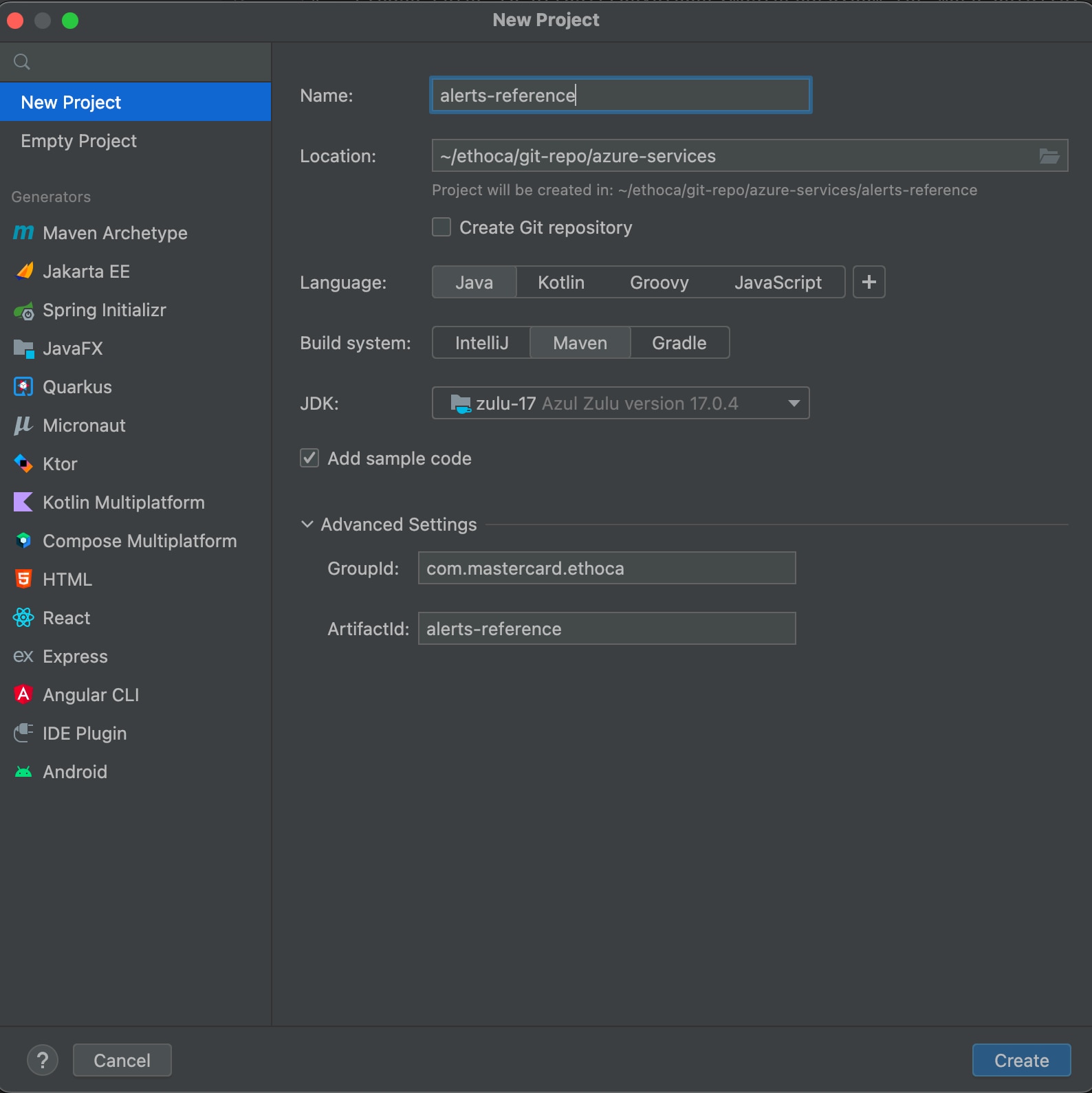
6. Select **Create**.
### Step 2: Configure resources {#step-2-configure-resources}
1. If required, download and add the `OpenAPI Specification YAML` file into your Maven project's `resources/swagger` folder: [alert-delivery-outcome-specs_inbound.yaml](https://static.developer.mastercard.com/content/ethoca-alerts-for-merchants/swagger/alert-delivery-outcome-specs_inbound.yaml) (35KB).
2. Place the .p12 file on the `{local-file-path}` of your system. The .p12 file was generated when you created the [Sandbox Signing Keys](https://developer.mastercard.com/ethoca-alerts-for-merchants/documentation/tutorials-and-guides/quick-start-guide/index.md#sandbox-oauth-credentials) within your project in Mastercard Developers.
Your Maven project directory should look like this. (Note that the *.idea* and *.iml* items are generated and used by IntelliJ IDEA):
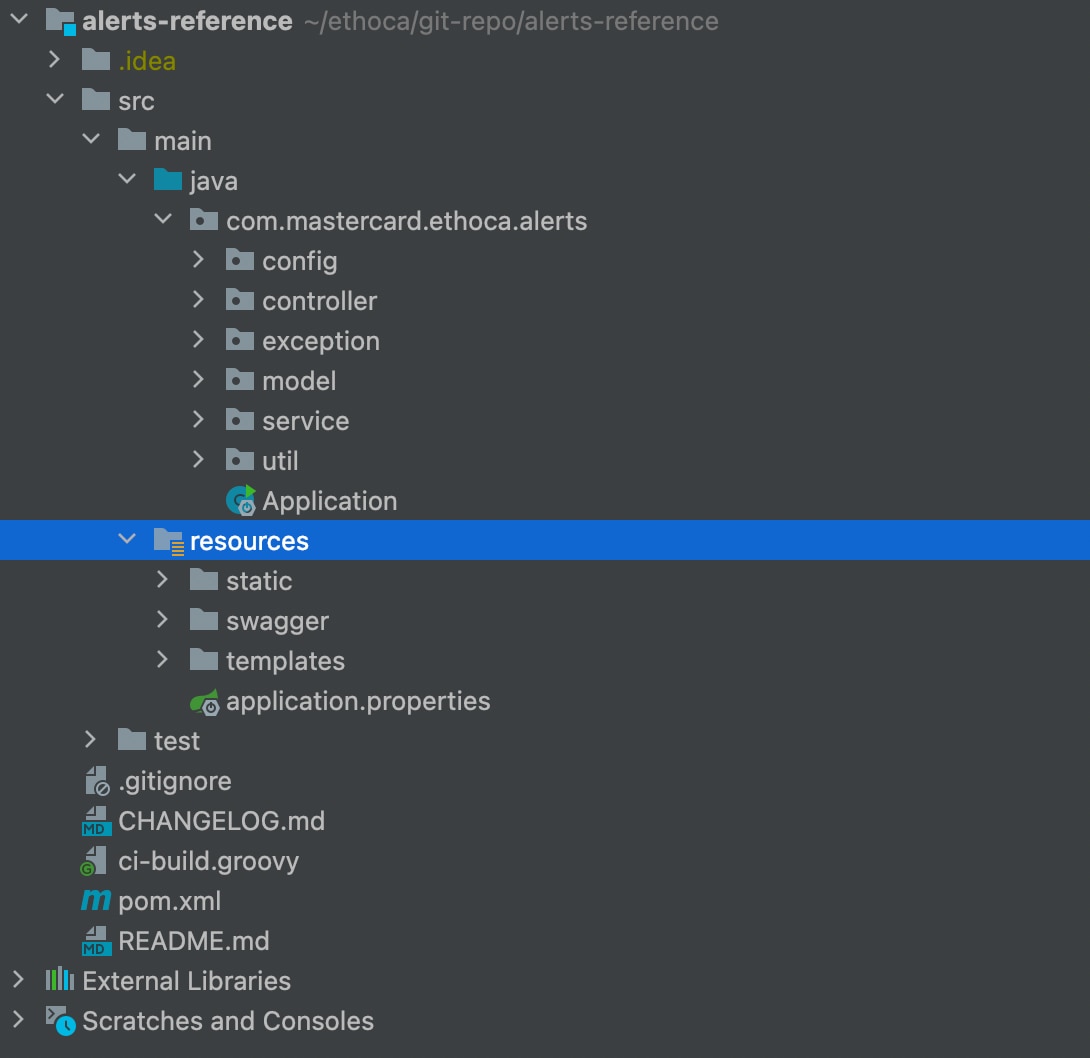
### Step 3: Update the application configuration {#step-3-update-the-application-configuration}
Edit the `src/main/resources/application.properties` file to update these property values:
* `alerts.cert.path` to `file:configkeys/{p.12 file name}`.
* `alerts.consumer.key`. Use the **CONSUMER KEY** shown in the **Sandbox Keys** and **Production Keys** section of your project page in [Mastercard Developers](https://developer.mastercard.com/dashboard).
* `alerts.keyalias` to the key alias.
* `alerts.keyalias.password` to the password you received from Mastercard when you created your project.
* `alerts.api.base.path` to the appropriate base path. Refer to comments in the `application.properties` file.
### Step 4: Generate an API client project {#step-4-generate-an-api-client-project}
The *pom.xml* file already contains all the details, but if you're creating a project from scratch, then add the following plugin to your project's *pom.xml* file to generate an API client library.
```Maven
org.openapitoolsopenapi-generator-maven-plugin6.0.0generate${project.basedir}/src/main/resources/swagger/alerts-reference-api.yamljavaokhttp-gsonfalsefalsesrc/gen/java/main
```
Note: If you created your project from scratch, also add the following libraries to the dependencies section of your *pom.xml* file. Otherwise you can use the existing pom file in the project.
```Maven
4.0.0com.mastercard.ethocaalerts-reference2.0.0alerts-reference-appAlerts Reference Applicationjar17UTF-81.6.111.2.31.8.52.10.11.3.54.124.10.02.7.152.7.152.7.151.18.282.7.151.0.14.2.02.15.22.15.2org.springframework.bootspring-boot-starter-thymeleaf${spring-boot-starter-thymeleaf-version}org.springframework.bootspring-boot-starter-web${spring-boot-starter-web}org.projectlomboklomboktrue${lombok-version}org.springframework.bootspring-boot-starter-test${spring-boot-starter-test-version}testcom.google.code.gsongson${gson-version}org.webjarsjquery3.7.0io.swaggerswagger-annotations${swagger-core-version}com.squareup.okhttp3okhttp${okhttp-version}com.squareup.okhttp3logging-interceptor${okhttp-version}io.gsonfiregson-fire${gson-fire-version}com.mastercard.developeroauth1-signer${oauth1-signer-version}javax.ws.rsjavax.ws.rs-api2.1.1com.github.spotbugsspotbugs-annotations${spotbugs-annotations-version}junitjunit${junit-version}com.fasterxml.jackson.datatypejackson-datatype-jsr310${jackson-datatype-jsr310-version}com.fasterxml.jackson.corejackson-databind${jackson-databind-version}org.junit.jupiterjunit-jupiter5.7.2org.jacocoorg.jacoco.ant0.8.7testorg.openapitoolsjackson-databind-nullable0.2.6commons-configurationcommons-configuration1.9org.apache.maven.pluginsmaven-surefire-plugin2.22.2falseorg.apache.maven.pluginsmaven-compiler-plugin3.8.1${java.version}${java.version}falseorg.apache.maven.pluginsmaven-surefire-plugin${surefireArgLine}false**/*IT.javaorg.apache.maven.pluginsmaven-failsafe-pluginfalse**/*IT.javaorg.jacocojacoco-maven-plugin0.8.7**/model/***/Constants.javapre-unit-testprepare-agent${project.build.directory}/jacoco-ut.execsurefireArgLinepost-unit-testtestreport${project.build.directory}/jacoco-ut.exec${project.build.directory}/jacoco-unit-test-coverage-reportpre-integration-testpre-integration-testprepare-agent${project.build.directory}/jacoco-int-it.execfailsafeArgLinepost-integration-testpost-integration-testreport${project.build.directory}/jacoco-int-it.exec${project.build.directory}/jacoco-integration-test-coverage-reportmerge-resultsverifymerge${project.build.directory}*.execmerged.exec${project.build.directory}/merged.execcreate-merged-reportverifyreport${project.build.directory}/merged.exec${project.build.directory}/jacoco-merged-test-coverage-reportorg.apache.maven.pluginsmaven-surefire-plugin2.22.1org.openapitoolsopenapi-generator-maven-plugin7.0.0Generate1generate${project.basedir}/src/main/resources/swagger/alerts-reference-api.yamljavatruesrc/gen/java/mainGenerate2generate${project.basedir}/src/main/resources/swagger/alerts-delivery-pull-api-spec-v2.yamljavatruesrc/gen/java/main${distribution.repository.id}${distribution.repository.url}
```
### Step 5: Generate the API client sources {#step-5-generate-the-api-client-sources}
You now have all the dependencies you need to generate sources. To do this, use one of these methods:
#### Method 1 {#method-1}
1. In IntelliJ IDEA, open the Maven window by selecting **View** \> **Tool Windows** \> **Maven**.
2. Select **Reimport All Maven Projects** and **Generate Sources and Update Folders for All Projects**.
#### Method 2 {#method-2}
1. In the same menu, navigate to the commands by selecting **{Project name}** \> **Lifecycle**.
2. Select **clean and compile** then select **Run Maven Build**.
Alternatively, you can navigate to the root directory of the project within a terminal window and run the `mvn clean compile` command.
After you finish, there should be a new folder named *target* within your root directory. This folder contains classes generated for the schemas and API calls defined within the OpenAPI Specification.
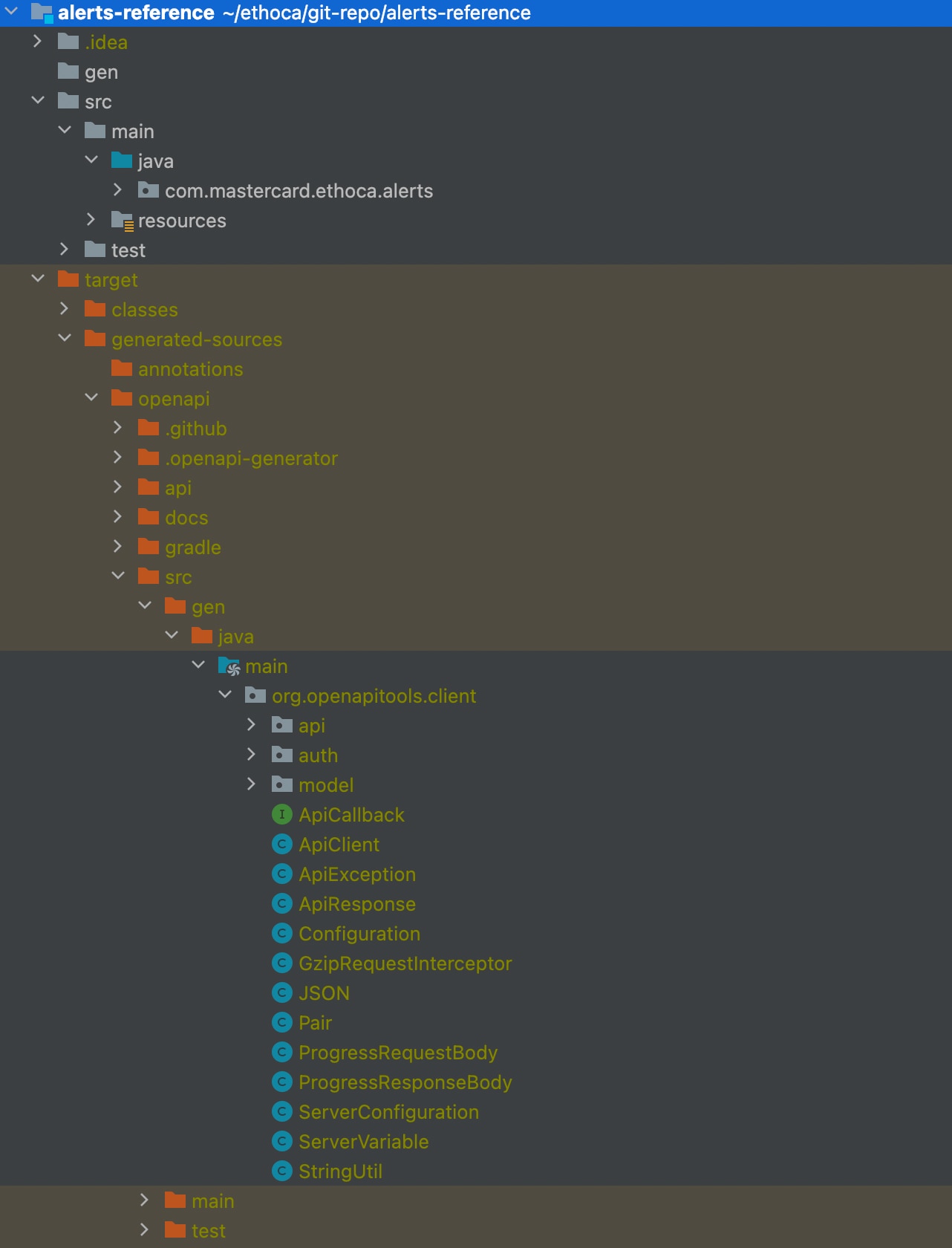
Note: OpenAPI Generator supports several HTTP clients and frameworks for Java (such as Jersey, OkHttp, RestTemplate, and Retrofit). In this tutorial, we chose to use `okhttp-gson`. Refer to our [Java library on GitHub](https://github.com/Mastercard/oauth1-signer-java#integrating-with-openapi-generator-api-client-libraries) for a list of supported options.
### Step 6: Build and execute {#step-6-build-and-execute}
After you've set the correct properties, you can build the application. Navigate to the project's base directory from a terminal window and run the following command.
`mvn clean package spring-boot:repackage`
After the project builds successfully, you'll see the following content in `${APP_LAUNCH_DIR}/target/`:
```Maven
/ the ${APP_LAUNCH_DIR}/target/
xxx # other generated resources
alerts-reference-2.0.0.jar # generated application jar file
xxx/ # other build time intermediate directories
xxx # other build time intermediate files
```
To start the application, go to the command prompt and change your working directory to the *alerts-reference* extracted directory that contains the target folder. Then run the following command:
`$: java -jar target/alerts-reference-2.0.0.jar`
You are now running an application that uses the Alerts Merchant API Service.
#### Running the application using an IDE {#running-the-application-using-an-ide}
Select **Application.java** to run it in your IDE.
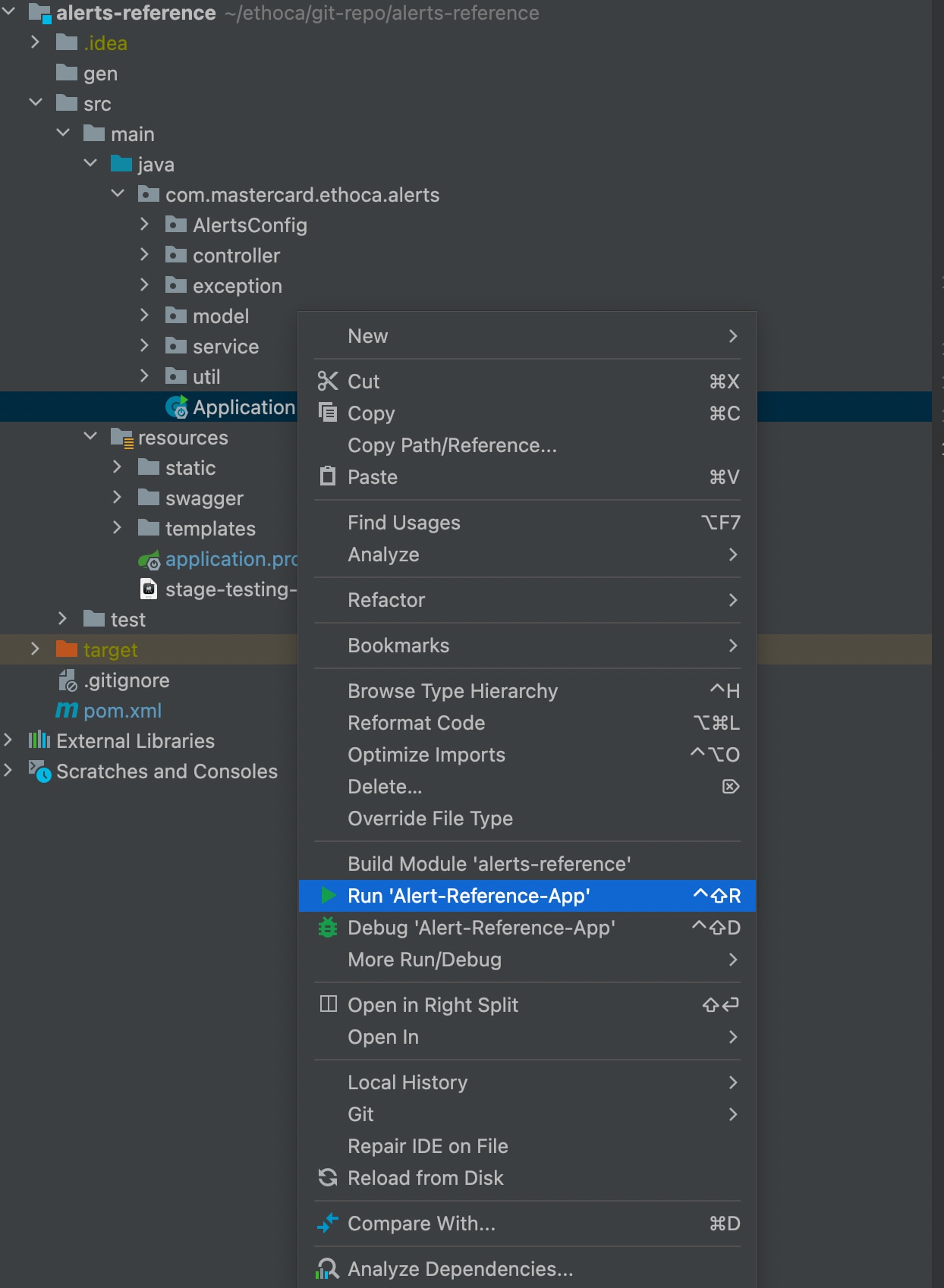
### Send requests to sandbox {#send-requests-to-sandbox}
After successful execution of the application, you can see the home page accessible on `http://localhost:8080/main`. You can now send requests to the sandbox alert service using this UI application.
#### Outcome API {#outcome-api}
The Outcome API lets you submit the outcome of one or more alerts back to the Alerts service.
1. Select **Outcomes** and add the request payload in the text area.
2. Validate a JSON by selecting **Validate**.
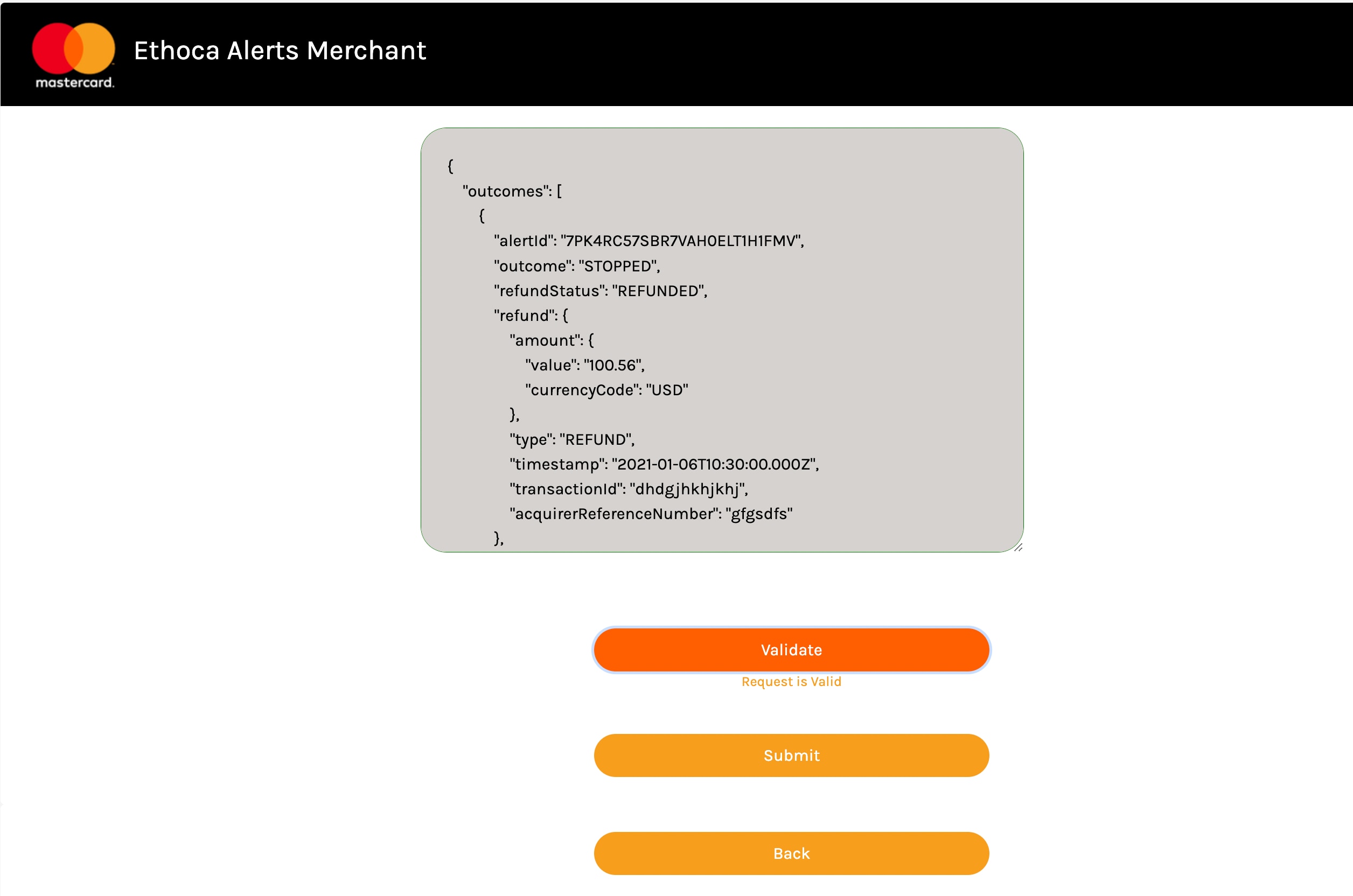
3. If the JSON is valid, you can select **Submit** and the response is shown with the status code.
**Successful**
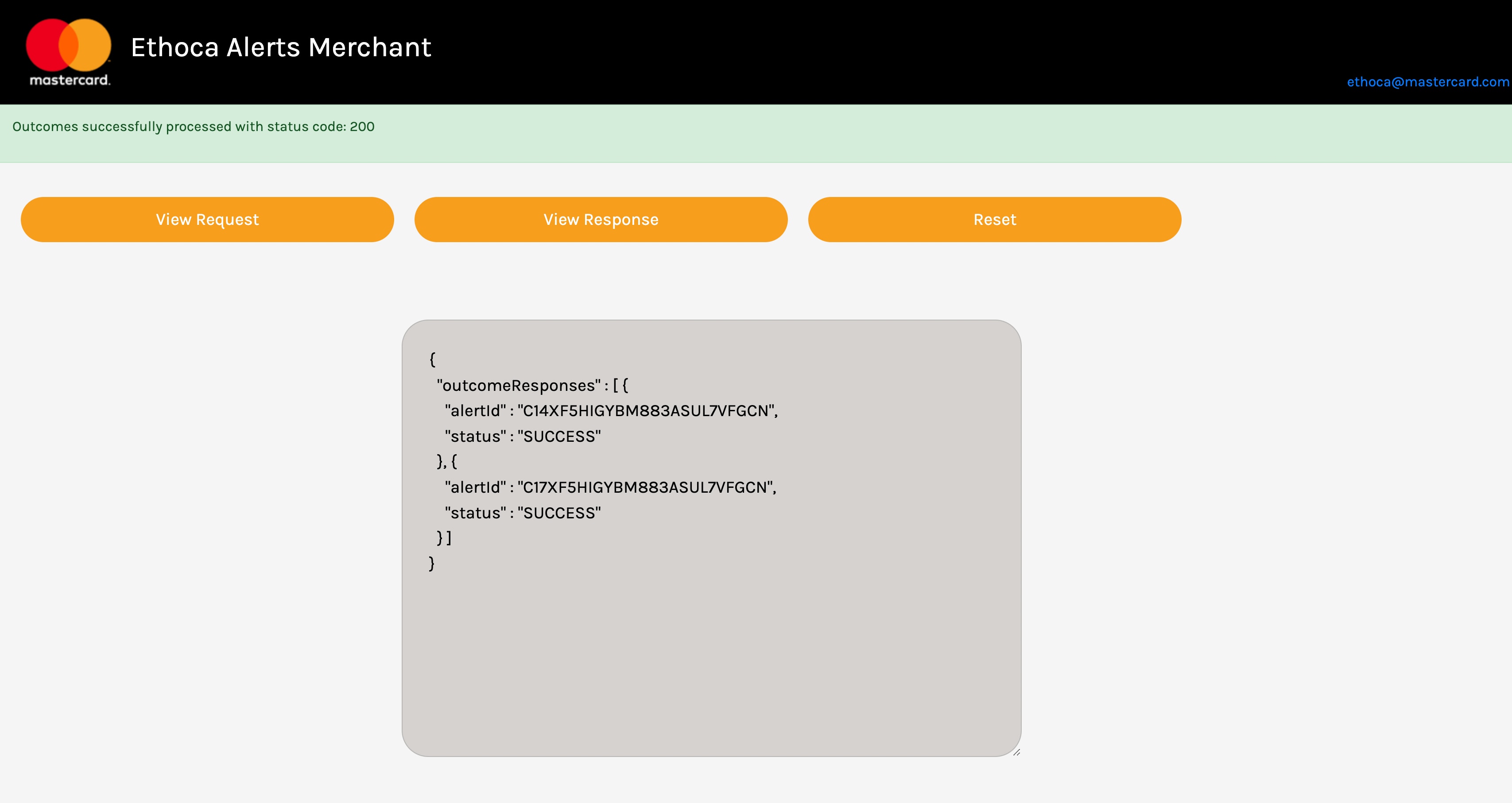
**Failed**
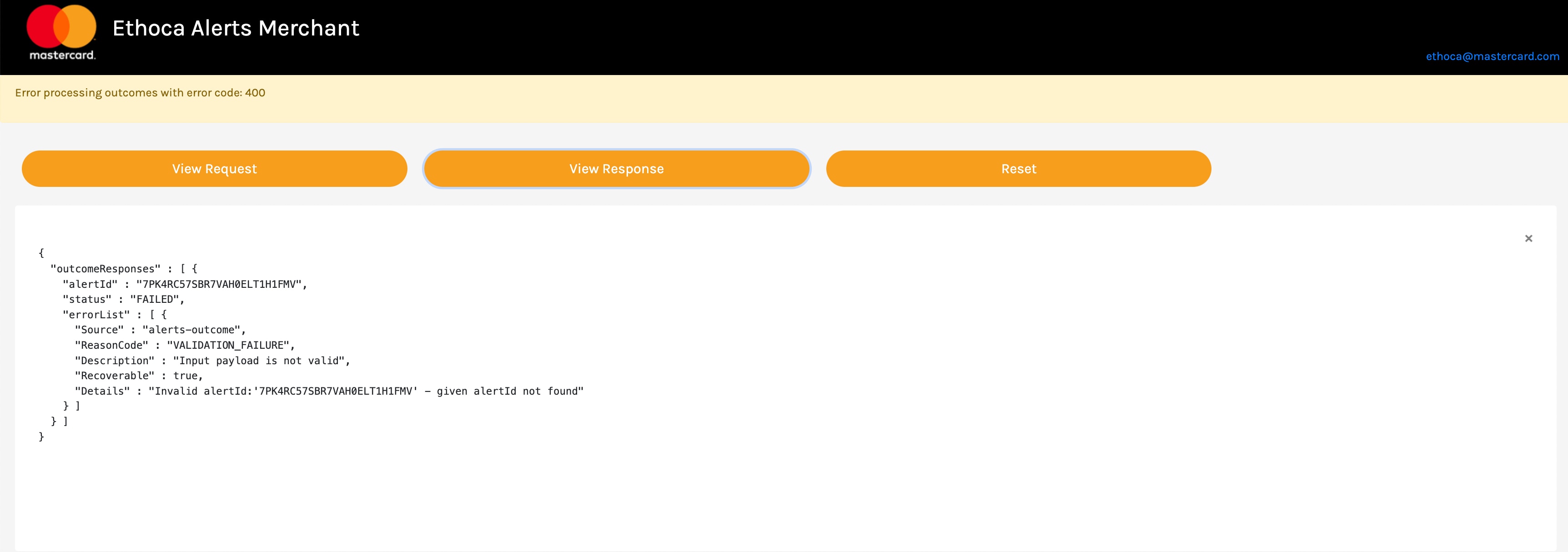
4. You can choose to **View Request** or **View Response** if you'd like.
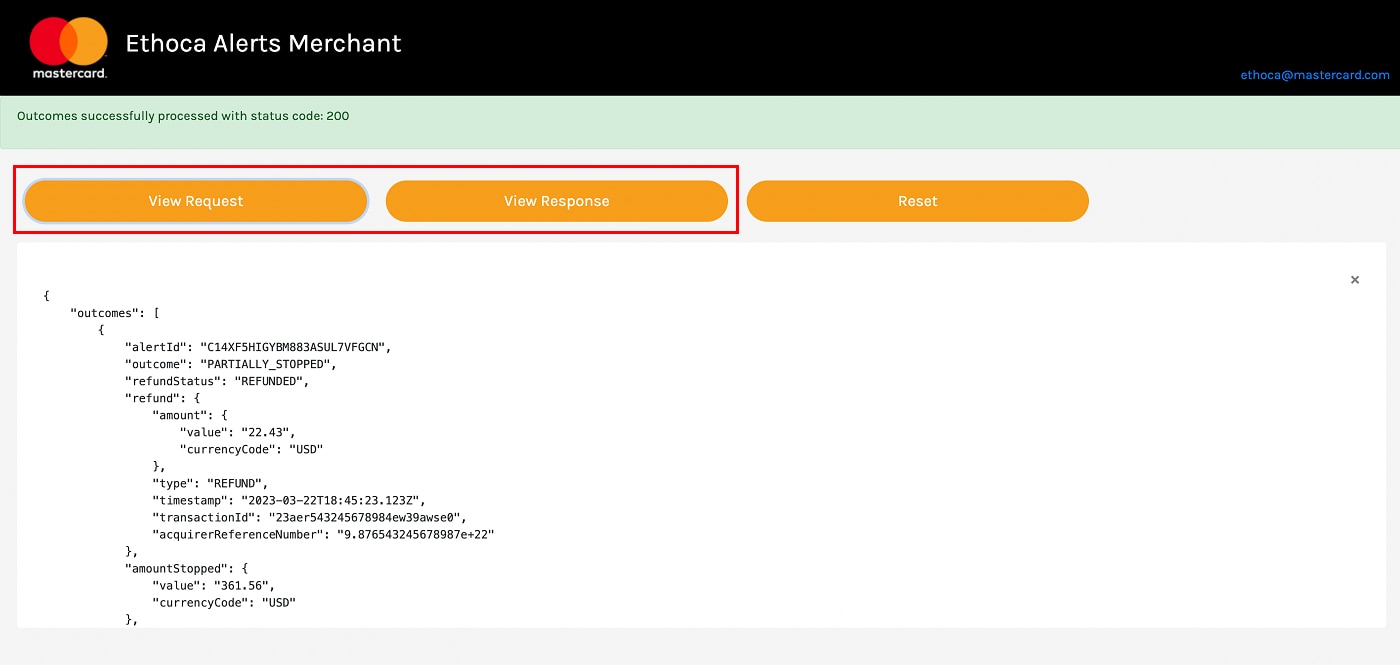
Here is an example request and response from our provided [test case data](https://developer.mastercard.com/ethoca-alerts-for-merchants/documentation/testing/index.md).
##### Request {#request}
```JSON
{
"outcomes": [
{
"alertId": "C14XF5HIGYBM883ASUL7VFGCN",
"outcome": "PARTIALLY_STOPPED",
"refundStatus": "REFUNDED",
"refund": {
"amount": {
"value": "22.43",
"currencyCode": "USD"
},
"type": "REFUND",
"timestamp": "2023-03-22T18:45:23.123Z",
"transactionId": "23aer543245678984ew39awse0",
"acquirerReferenceNumber": "9.876543245678987e+22"
},
"amountStopped": {
"value": "361.56",
"currencyCode": "USD"
},
"comments": "Refunded via transactionId XXX on YYY",
"actionTimestamp": "2023-03-22T18:45:23.123Z"
},
{
"alertId": "C17XF5HIGYBM883ASUL7VFGCN",
"outcome": "PARTIALLY_STOPPED",
"refundStatus": "REFUNDED",
"refund": {
"amount": {
"value": "361.56",
"currencyCode": "USD"
},
"type": "REFUND",
"timestamp": "2023-03-22T18:45:23.123Z",
"transactionId": "23aer543245678984ew39awse0",
"acquirerReferenceNumber": "9.876543245678987e+22"
},
"amountStopped": {
"value": "361.56",
"currencyCode": "USD"
},
"comments": "Refunded via transactionId XXX on YYY",
"actionTimestamp": "2023-03-22T18:45:23.123Z"
}
]
}
```
##### Response {#response}
```JSON
{
"outcomeResponses": [
{
"alertId": "C14XF5HIGYBM883ASUL7VFGCN",
"status": "SUCCESS"
},
{
"alertId": "C16XF5HIGYBM883ASUL7VFGCN",
"status": "SUCCESS"
},
{
"alertId": "C17XF5HIGYBM883ASUL7VFGCN",
"status": "SUCCESS"
}
]
}
```
#### Pull API {#pull-api}
The Pull API lets you retrieve one or more alerts from the Alerts service on demand.
1. From the home page, select **Alerts Delivery** to navigate to the Pull and Outcome APIs.

2. Select **Pull** to open the Pull API page.

3. The Pull API UI is displayed.

4. Optionally, add the query parameters such as **alert type** , **size** **from date** and **to date**. The API also works without any query parameters.

5. Select **Fetch Alerts** to send the request. The Pull response data is returned.

6. **Successful Request**
You can also view the response by selecting **View Response** .

7. **Validation Failure**

Here is an example response from the Pull API.
##### Response {#response-1}
```JSON
{
"alerts": [
{
"alertId": "CPNHR3KQM2HVTGBYHYW73PES6",
"alertTimestamp": "2026-07-19T12:03:09.220759Z",
"merchantParentId": "84a1e26a-671d-42ba-925a-35e32343b950",
"merchantId": "84a1e26a-671d-42ba-925a-35e32343b950",
"merchantName": "TestSubMerchant",
"alertType": "CONFIRMEDFRAUD",
"age": 1,
"provider": {
"issuerName": "HSBC",
"source": "ISSUER"
},
"transaction": {
"authorizationTimestamp": "2026-07-17T12:03:09.220759Z",
"type": "E-COMMERCE",
"amount": {
"value": "371.560",
"currencyCode": "USD"
},
"paymentCard": {
"scheme": "Mastercard",
"bin": "12341234",
"lastFour": "1234"
},
"authorizationCode": "083127",
"acquirerReferenceNumber": "76756787833020394298164",
"retrievalReferenceNumber": "672420343235",
"liability": "Yes",
"transactionId": "918572270887051001"
},
"merchantIdentifiers": {
"descriptor": "ETHOCA CHAIRS",
"city": "NY",
"region": "NA",
"country": "USA",
"cardAcceptorId": "123456789123",
"acquirerId": "542418",
"merchantCategoryCode": "4011",
"matchAlgorithm": 2
},
"chargeback": {
"amount": {
"value": "371.560",
"currencyCode": "USD"
},
"reasonCode": "4853"
}
},
{
"alertId": "C01XF5HIGYBM883ASUL7VFGCN",
"alertTimestamp": "2026-07-19T12:03:09.220759Z",
"merchantParentId": "84a1e26a-671d-42ba-925a-35e32343b950",
"merchantId": "84a1e26a-671d-42ba-925a-35e32343b950",
"merchantName": "TestSubMerchant",
"alertType": "CUSTOMERDISPUTE",
"age": 1,
"provider": {
"issuerName": "HSBC",
"source": "ISSUER"
},
"transaction": {
"authorizationTimestamp": "2026-07-17T12:03:09.220759Z",
"type": "E-COMMERCE",
"amount": {
"value": "381.560",
"currencyCode": "USD"
},
"paymentCard": {
"scheme": "Mastercard",
"bin": "12341234",
"lastFour": "1234"
},
"authorizationCode": "091544",
"acquirerReferenceNumber": "76756787833020394298164",
"retrievalReferenceNumber": "672420343236",
"liability": "Yes",
"transactionId": "918572270887051002"
},
"merchantIdentifiers": {
"descriptor": "ETHOCA CHAIRS",
"city": "NY",
"region": "NA",
"country": "USA",
"cardAcceptorId": "123456789123",
"acquirerId": "542419",
"merchantCategoryCode": "4011",
"matchAlgorithm": null
},
"chargeback": {
"amount": {
"value": "381.560",
"currencyCode": "USD"
},
"reasonCode": "4853"
}
}
]
}
```
##### Acknowledge API {#acknowledge-api}
The Acknowledge API lets you confirm receipt of the alerts you retrieved using the Pull API.
1. Navigate to the acknowledgment page directly, or go to the main page to navigate to the alerts acknowledgment.

2. Add the acknowledge request payload in the text area.

3. The added acknowledge request payload is displayed.

###### Request {#request-1}
```JSON
{
"alerts": [
{
"alertId": "Alert-partner-guid_2-",
"status": "SUCCESS"
},
{
"alertId": "Alert-partner-guid_2-2",
"status": "SUCCESS"
},
{
"alertId": "Alert-partner-guid_2-3",
"status": "SUCCESS"
},
{
"alertId": "IBHVCKTOJQXMRQV245Q9LQZ6B",
"status": "FAILURE"
}
]
}
```
4. Select **Submit** to send the request.
5. The acknowledge response is displayed.

6. You can also view the response by selecting the **View Response** button.

7. You can also view the request by selecting the **View Request** button.

###### Response {#response-2}
```JSON
{
"successes": [
"Alert-partner-guid_2-1","Alert-partner-guid_2-2","Alert-partner-guid_2-3"
],
"failures": [
"IBHVCKTOJQXMRQV245Q9LQZ6B"
]
}
```
### Configuration for multiple environments {#configuration-for-multiple-environments}
You can configure the application to support multiple environments. If you want to support the sandbox and production environments, and the application will be launched from within `APP_LAUNCH_DIR` (the current directory when launching the application), then you can follow these steps:
1. Copy `${REF_APP_ROOT}/src/main/resources/application.properties` to `${APP_LAUNCH_DIR}/application-sandbox.properties`.
2. Update `${APP_LAUNCH_DIR}/application-sandbox.properties`, according to the inline comments.
3. Run the application as follows:
cd ${APP_LAUNCH_DIR}
# java -Dactive.profile=sandbox -jar path/to/alert-reference-2.0.0.jar
# If APP_LAUNCH_DIR == REF_APP_ROOT, then
java -Dactive.profile=sandbox -jar target/alert-reference-2.0.0.jar
To run against the prod environment, repeat steps 1 to 3. Replace *sandbox* with *prod* wherever applicable.
## Next Steps {#next-steps}
When ready, you can convert your sandbox keys to production.
* Log into your [Mastercard Developers Account](https://developer.mastercard.com/account/log-in) and navigate to **My Projects**.
* Request Production access for your project, which requires approval from Mastercard and assistance from the [Ethoca Customer Delivery Team](mailto:customerdelivery@ethoca.com).
You can also check out these other articles for guidance on interacting with the Alerts for Merchants API:
* [API Basics](https://developer.mastercard.com/ethoca-alerts-for-merchants/documentation/api-basics/index.md)
* [API Reference](https://developer.mastercard.com/ethoca-alerts-for-merchants/documentation/api-reference/index.md)
---
# Quick Start Guide
source: https://developer.mastercard.com/ethoca-alerts-for-merchants/documentation/tutorials-and-guides/quick-start-guide/index.md
## Get Started with the Ethoca Alerts for Merchants APIs {#get-started-with-the-ethoca-alerts-for-merchants-apis}
Use this quick start guide to create a Sandbox project, generate OAuth credentials, make a first API call, and prepare for production onboarding.
Note: We recommend using Open API generator to integrate with APIs. See [Generating and Configuring a Mastercard API Client](https://developer.mastercard.com/platform/documentation/security-and-authentication/generating-and-configuring-a-mastercard-api-client/) for more information.
## Prerequisites {#prerequisites}
Before you begin, make sure you have:
* A [Mastercard Developers account](https://developer.mastercard.com/dashboard)
* Access to the Ethoca Alerts Merchant API product in Mastercard Developers
* An environment that can store a `.p12` keystore securely
* An HTTP client or generated SDK that can sign requests with OAuth 1.0a
* A plan for your integration model: Push webhook delivery, Pull retrieval, or both
## 1. Create a Sandbox project {#1-create-a-sandbox-project}
1. Go to your [dashboard](https://developer.mastercard.com/dashboard).
2. Select **Create New Project** from the upper right.
3. In the dropdown list, select **Ethoca Alerts Merchant API**.
4. After you've made your choices, select **Continue**.
5. Enter a name for your project. You can also choose to invite other team members to view and work on your project.
6. Select **Continue**.
## 2. Generate Sandbox credentials {#2-generate-sandbox-credentials}
The Mastercard-hosted Alerts for Merchants APIs use OAuth 1.0a.
1. Select **Download PKCS#12 Keystore** to download a zip file containing the .p12 file required for OAuth authentication in Sandbox.
2. After download completes, select **Continue**.
3. Enter a keyalias and keystore password for each area and make a note for use later. The keystore password is used in conjunction with the .p12 file and Client ID for OAuth authentication.
4. Select **Confirm and Continue** to complete the Sandbox Setup process.
Your project page also shows the consumer key for the environment. The consumer key format is `!`. You use that value with the signing key from the `.p12` file to generate OAuth 1.0a request signatures.
For implementation details, see [Using OAuth 1.0a to Access Mastercard APIs](https://developer.mastercard.com/platform/documentation/security-and-authentication/using-oauth-1a-to-access-mastercard-apis/).
## 3. Configure authentication {#3-configure-authentication}
Open the zip file you downloaded and import the Sandbox `.p12` file into your application or local keystore workflow.
At minimum, your integration needs these values:
* Consumer key
* `.p12` keystore file
* Key alias
* Keystore password
* Sandbox base URL for the API you are calling
For a working Java example, see the [Reference Application Tutorial](https://developer.mastercard.com/ethoca-alerts-for-merchants/documentation/tutorials-and-guides/reference-app-tutorial/index.md).
## 4. Generate an API client {#4-generate-an-api-client}
Download the relevant OpenAPI specification and generate a client, or use the specification directly with your preferred HTTP tooling.
* Pull API: [alert-delivery-outcome-specs_inbound.yaml](https://static.developer.mastercard.com/content/ethoca-alerts-for-merchants/swagger/alert-delivery-outcome-specs_inbound.yaml) (35KB)
* Outcome API: [alert-delivery-outcome-specs_inbound.yaml](https://static.developer.mastercard.com/content/ethoca-alerts-for-merchants/swagger/alert-delivery-outcome-specs_inbound.yaml) (35KB)
* Push API payload contract: [alerts-push-conflicts-notification-specs-outbound.yaml](https://static.developer.mastercard.com/content/ethoca-alerts-for-merchants/swagger/alerts-push-conflicts-notification-specs-outbound.yaml) (32KB)
If you want the fastest path to a first successful call, start with the Pull API because it lets you validate OAuth signing and response handling without first exposing a webhook endpoint.
## 5. Test the Sandbox {#5-test-the-sandbox}
For a first end-to-end validation, call the Pull API in Sandbox and retrieve one customer dispute alert.
Base URL:
```text
https://sandbox.api.ethocaweb.com/ethoca/alerts/merchants
```
Example request:
```bash
curl --request GET \
--url 'https://sandbox.api.ethocaweb.com/ethoca/alerts/merchants/alerts?alert_type=CUSTOMERDISPUTE&size=1' \
--header 'Authorization: OAuth oauth_consumer_key="", oauth_signature_method="RSA-SHA1", oauth_timestamp="", oauth_nonce="", oauth_version="1.0", oauth_signature=""' \
--header 'Accept: application/json'
```
Expected response:
```json
{
"alerts": [
{
"alertId": "3EAKPL9SX735ZI9PII18FPQZL",
"alertTimestamp": "2026-01-12T06:15:13.171792Z",
"merchantId": "d61391c1-b958-45a3-92ed-bd356cbb8237",
"merchantName": "submerchant1",
"alertType": "CUSTOMERDISPUTE",
"provider": {
"issuerName": "sample name",
"source": "issuer"
},
"transaction": {
"authorizationCode": "3421"
}
}
]
}
```
This sample is based on the documented Sandbox test data in [Testing](https://developer.mastercard.com/ethoca-alerts-for-merchants/documentation/testing/index.md). After you successfully retrieve an alert, continue by testing `POST /alerts/acknowledges` and then `POST /outcomes`.
## 6. Complete service-specific onboarding {#6-complete-service-specific-onboarding}
Alerts for Merchants requires service onboarding beyond creating API keys.
* For **Push** integrations, you must expose an HTTPS webhook endpoint and register that endpoint with Ethoca so alerts can be delivered to your system.
* For **Pull** integrations, your merchant setup must be configured for Pull retrieval.
* For Sandbox test templates and coordinated validation, contact the [Ethoca Customer Delivery Team](mailto:customerdelivery@ethoca.com).
Customer Delivery also supports the readiness checks required before production launch, including alert delivery, alert matching, and outcome submission validation.
## 7. Promote to Production {#7-promote-to-production}
When your Sandbox testing is complete, request Production access for your project.
1. Contact the [Ethoca Customer Delivery Team](mailto:customerdelivery@ethoca.com).
2. Submit the requested onboarding information, including your customer contact details and any integration-specific setup required for your chosen model.
3. For Push integrations, confirm the Production webhook endpoint and certificate trust requirements.
4. Wait for Mastercard approval and Production enablement.
Approval typically takes two to five days, depending on the terms of your contract.
## Next Steps {#next-steps}
1. Use the [Reference Application Tutorial](https://developer.mastercard.com/ethoca-alerts-for-merchants/documentation/tutorials-and-guides/reference-app-tutorial/index.md) if you want a working Java example.
2. Review [Testing](https://developer.mastercard.com/ethoca-alerts-for-merchants/documentation/testing/index.md) for additional Sandbox scenarios and expected responses.
3. Explore the [API Reference](https://developer.mastercard.com/ethoca-alerts-for-merchants/documentation/api-reference/index.md) for the full request and response schema for each endpoint.
---
# Onboarding Checklist
source: https://developer.mastercard.com/ethoca-alerts-for-merchants/documentation/tutorials-and-guides/onboarding-checklist/index.md
## Move from Sandbox to Production with Ethoca Alerts for Merchants {#move-from-sandbox-to-production-with-ethoca-alerts-for-merchants}
This checklist guides you from completed Sandbox testing through successful production enablement. It covers contract signing, technical validation, production key generation, and go-live confirmation. Following these steps ensures a smooth transition to live alert processing with Ethoca Alerts for Merchants.
> **Note on SLAs:** Production enablement timelines vary based on your organization's compliance requirements and current queue. The SLAs listed below represent standard processing. Urgent requests may be expedited in coordination with your Mastercard account manager.
*** ** * ** ***
## Prerequisites {#prerequisites}
Before beginning this workflow, confirm that all of the following are true:
* Your integration has completed all positive and negative test scenarios in the Sandbox environment with a **100% success rate**.
* You have documented your integration workflow including: which delivery model (Push, Pull, or both) you selected; which integration patterns you implemented (see [Use Cases](https://developer.mastercard.com/ethoca-alerts-for-merchants/documentation/tutorials-and-guides/use-cases/index.md)); and any custom business logic for alert acknowledgement or outcome submission.
* Your technical team and business stakeholders have reviewed and approved the integration for production use.
* You have confirmed that your organization's security, compliance, and legal teams have no outstanding concerns about the Ethoca integration.
*** ** * ** ***
## Step 1: Submit Contract and Compliance Documentation {#step-1-submit-contract-and-compliance-documentation}
Your organization and Ethoca must sign a Service Agreement or Data Processing Addendum (DPA) before production credentials can be issued. This step also confirms business registration and compliance status.
During this step, provide your organization's business details (legal entity name, address, business type, primary contact information), confirm data residency requirements, and confirm that your organization complies with applicable data protection regulations (GDPR, CCPA, PCI-DSS if applicable). Your Mastercard account manager or Ethoca Customer Delivery Team will guide you through the specific documentation required; there may be additional KYC (Know Your Customer) or compliance reviews depending on your region and business model.
* **Artifacts needed:** Executed Service Agreement or DPA; completed business registration form; evidence of data protection compliance (for example, privacy policy, data controller attestation)
* **SLA:** 3--5 business days for contract review and execution
This step is complete when your executed agreement has been received by the Ethoca Customer Delivery Team and a production enablement ticket has been created with a ticket ID assigned to your organization.
*** ** * ** ***
## Step 2: Conduct MTF (Merchant Test Facility) Validation {#step-2-conduct-mtf-merchant-test-facility-validation}
The Ethoca team will create merchant records for your organization in the Merchant Test Facility (MTF) --- a staging environment that mimics production configuration and behavior. You will run your full integration test suite against MTF to validate that your integration works correctly with production-equivalent alert volumes and data patterns.
During this step, retrieve test alert templates from the Ethoca Customer Delivery Team and run your complete alert retrieval, acknowledgement, and outcome submission workflow in MTF. If you selected the Push delivery model, register your webhook endpoint with the MTF environment and confirm that Ethoca can successfully deliver test alerts to your endpoint. Validate that your error handling works correctly and that your system gracefully handles edge cases (for example, bulk alert volume, network latency, malformed payloads). Your test team will sign off on the MTF validation results.
* **Artifacts needed:** MTF test execution report (test case count, pass/fail summary, any failures noted and resolved); webhook registration confirmation (if Push model); signed MTF sign-off form from your testing team
* **SLA:** 5--7 business days for MTF environment provisioning and testing
This step is complete when your integration passes all MTF tests and the CIS (Compliance \& Integration Services) team has signed off on your MTF validation report.
*** ** * ** ***
## Step 3: Request Production Credentials and Technical Promotion {#step-3-request-production-credentials-and-technical-promotion}
With contract execution and MTF validation complete, submit a formal production enablement request to the Ethoca Customer Delivery Team. This request triggers credential generation (Production OAuth 1.0a consumer key and `.p12` keystore) and technical setup of your merchant profile in the production environment.
During this step, provide a Certificate Signing Request (CSR) with your organization's details (organization name, common name, country). The CSR is required to generate your Production `.p12` keystore. See [API Basics](https://developer.mastercard.com/ethoca-alerts-for-merchants/documentation/tutorials-and-guides/api-basics/index.md#how-to-consume-the-api) for CSR generation instructions. Confirm your Production webhook URL (if using Push model), confirm your merchant configuration preferences (Push, Pull, or both delivery models), and confirm your technical contact and support escalation email addresses. The Ethoca team will generate your Production credentials and provision your merchant record in the production environment.
* **Artifacts needed:** Certificate Signing Request (CSR); production webhook URL (if Push model); confirmation of delivery model selection (Push, Pull, or both); technical contact name, phone, and email; support escalation email address
* **SLA:** 2--4 business days for Production credential generation and technical provisioning
This step is complete when your Production OAuth 1.0a consumer key and `.p12` keystore file have been securely delivered to your technical contact (typically via encrypted email or secure portal download), and the Ethoca team has confirmed that your merchant profile is provisioned and active in the production environment.
*** ** * ** ***
## Step 4: Configure Production Credentials and Deploy {#step-4-configure-production-credentials-and-deploy}
Download your Production credentials (consumer key and `.p12` keystore) from the secure delivery channel. Store them securely in your production environment using a secrets manager (for example, AWS Secrets Manager, HashiCorp Vault, Azure Key Vault) or encrypted configuration system. **Do not** commit credentials to source control. Update your production configuration to point to the Production base URL (`https://api.ethocaweb.com/ethoca/alerts/merchants`).
During this step, conduct a final pre-production validation: verify that your production environment can successfully authenticate to the Production API using the new credentials; make a test call to each endpoint (for example, `GET /alerts`, `POST /alerts/acknowledges`, `POST /outcomes`); verify that alert retrieval returns live production data (after alerts have been submitted by issuers). If using Push, confirm that your production webhook endpoint is reachable and returns HTTP 200 OK responses. Test your error handling one more time to ensure your production system handles unexpected errors gracefully. Deploy your production integration to your production environment.
* **Artifacts needed:** Production credentials securely stored in secrets manager; updated production configuration pointing to Production base URL; final pre-production validation test results showing successful authentication and test API calls
* **SLA:** 1--2 business days (self-service; no Ethoca approval required)
This step is complete when your production environment is deployed, pre-production validation tests pass, and your technical team confirms readiness to accept live alerts from Ethoca.
*** ** * ** ***
## Step 5: Enable Production Traffic and Confirm Go-Live {#step-5-enable-production-traffic-and-confirm-go-live}
Notify your Ethoca Customer Delivery Team that your production environment is ready to receive alerts. The team will enable production traffic to your merchant profile, which activates live alert delivery to your system. Confirm with Ethoca when live production traffic has been enabled.
During this step, monitor your production system closely for the first 24--48 hours: watch for alert receipt, acknowledge receipt within expected SLAs (target: within 24 hours of alert arrival), submit outcomes, and log any anomalies. Your Ethoca Customer Delivery Team will monitor your system from their side as well and will alert you to any issues (for example, repeated webhook failures, authentication errors, API errors).
* **Artifacts needed:** Final confirmation from your technical team that production environment is deployed and monitoring is active; communication to Ethoca Customer Delivery Team confirming readiness for live traffic
* **SLA:** Same business day (after Ethoca team receives production readiness confirmation)
This step is complete when live production alerts begin arriving in your system, you have successfully acknowledged and processed at least one production alert, and both your team and the Ethoca Customer Delivery Team have confirmed that the integration is operating normally.
*** ** * ** ***
## Escalation Paths {#escalation-paths}
If you encounter issues or delays during onboarding, escalate using the following channels in order:
1. **Primary Contact:** Email your assigned Ethoca Customer Delivery Team member with your ticket ID, a description of the issue, and any error messages or logs. Expected response: 24 business hours.
2. **Escalation Lead:** If you do not receive a response within 24 hours, email the primary escalation contact provided by your Mastercard account manager. Include your ticket ID, timeline of prior communications, and issue description. Expected response: 4 business hours.
3. **Urgent SLA Escalation:** If you are blocked from going to production and have waited more than 48 hours, send an urgent escalation email to the Ethoca Support escalation queue (provided during onboarding). Include: your organization name, ticket ID, brief description of the production blocker, expected go-live date, and business impact. Expected response: 2 business hours; escalations are reviewed daily by management.
*** ** * ** ***
## Contact Information {#contact-information}
**Production Enablement Requests:**
* Contact your assigned Ethoca Customer Delivery Team member, or email the general production enablement inbox: [productionenablement@ethocaweb.com](mailto:productionenablement@ethocaweb.com)
* Include: Organization name, ticket ID (if you have one), project description, and technical contact information.
**Support During Onboarding:**
* Mastercard Developer Support Portal:
* For urgent issues during the onboarding week, contact your assigned Mastercard account manager directly.
*** ** * ** ***
## Timelines Summary {#timelines-summary}
| Step | Duration | Notes |
|--------------------------------|--------------------------|--------------------------------------------------------------------------------|
| Step 1: Contract \& Compliance | 3--5 business days | Includes legal review and KYC if required |
| Step 2: MTF Validation | 5--7 business days | Includes environment provisioning; your testing is concurrent |
| Step 3: Production Credentials | 2--4 business days | Credential generation and technical provisioning |
| Step 4: Deploy \& Validate | 1--2 business days | Self-service; no approval required; you control deployment schedule |
| Step 5: Go-Live | Same business day | Live traffic enabled upon your confirmation of readiness |
| **Total Typical Timeline** | **14--23 business days** | Assumes no delays; varies based on compliance complexity and your testing pace |
> ⚠️ **Important:** These timelines assume sequential completion of steps. Steps 2, 3, and 4 can overlap in some cases; confirm with your Ethoca Customer Delivery Team whether your organization can run MTF validation concurrently with credential generation.
*** ** * ** ***
## Next Steps {#next-steps}
* Review the [Testing](https://developer.mastercard.com/ethoca-alerts-for-merchants/documentation/tutorials-and-guides/testing/index.md) page to prepare comprehensive test cases for MTF validation.
* Review [API Basics](https://developer.mastercard.com/ethoca-alerts-for-merchants/documentation/tutorials-and-guides/api-basics/index.md#how-to-consume-the-api) for CSR generation instructions.
* Confirm your organization's preferred delivery model (Push, Pull, or both) with your stakeholders.
* Schedule a kickoff call with your assigned Ethoca Customer Delivery Team member to begin Step 1.
*** ** * ** ***
## FAQ {#faq}
**How do I know if my Sandbox testing is complete?**
Your Sandbox testing is complete when you have: (1) retrieved at least one alert from the Pull API, (2) acknowledged receipt, (3) submitted a valid outcome, (4) tested at least one negative scenario (for example, invalid date format, missing field), and (5) verified that your system handles errors gracefully. See [Testing](https://developer.mastercard.com/ethoca-alerts-for-merchants/documentation/tutorials-and-guides/testing/index.md) for the full test checklist.
**Can I skip MTF validation?**
MTF validation is mandatory. It ensures your integration works correctly against production-equivalent data and configuration before live traffic begins.
**What if I only want to use Pull (or only Push)?**
You can select either Push, Pull, or both. Confirm your preference with your Ethoca Customer Delivery Team during Step 1. Your credentials and configuration will be tailored accordingly.
**Can I reuse my Sandbox credentials in Production?**
No. Sandbox and Production are separate environments with separate credential sets. Your Production credentials will be generated in Step 3.
**What if I miss the 24-hour alert response SLA?**
If you do not acknowledge or submit an outcome within 24 hours, the alert may escalate to the issuer (per chargeback handling policy). Your Ethoca Customer Delivery Team can advise on your organization's specific SLA and remediation options.
*** ** * ** ***
## Contact Support {#contact-support}
If you have questions about the onboarding process or need help at any step, see [Support](https://developer.mastercard.com/ethoca-alerts-for-merchants/documentation/tutorials-and-guides/support/index.md#getting-help) for contact information.
---
# Outcome API Tutorial
source: https://developer.mastercard.com/ethoca-alerts-for-merchants/documentation/tutorials-and-guides/outcome-api-tutorial/index.md
## Submit Investigation Outcomes with the Ethoca Alerts for Merchants Outcome API {#submit-investigation-outcomes-with-the-ethoca-alerts-for-merchants-outcome-api}
This tutorial demonstrates how to submit investigation outcomes after processing alerts from either the Pull or Push API.
*** ** * ** ***
## Overview {#overview}
After receiving and acknowledging an alert (via Pull or Push), you investigate the transaction and submit an outcome back to Ethoca. This outcome is transmitted to the card issuer to help prevent chargebacks.
**Key points:**
* Submit outcomes within **24 hours** of alert receipt (best practice)
* You can submit up to **25 outcomes** per request
* Outcomes are immutable; the first final outcome you submit is what the issuer receives
* Different outcome codes apply to Confirmed Fraud vs. Customer Dispute alerts
*** ** * ** ***
## Outcome Codes Reference {#outcome-codes-reference}
### For CUSTOMERDISPUTE Alerts {#for-customerdispute-alerts}
Use one of these outcome codes:
| Code | Description | Example Scenario |
|--------------------------------|--------------------------------------------|---------------------------------------------------------|
| `RESOLVED` | Dispute resolved, no refund needed | Merchant contacted customer; transaction was authorized |
| `RESOLVED_PREVIOUSLY_REFUNDED` | Dispute resolved with previous refund | Refund issued before dispute raised |
| `UNRESOLVED_DISPUTE` | Unable to resolve | Insufficient evidence to dispute the chargeback |
| `NOT_FOUND` | Alert received but no matching transaction | Declined or never attempted transaction |
| `OTHER` | Outcome doesn't fit standard codes | Custom resolution with comments required |
### For CONFIRMEDFRAUD Alerts {#for-confirmedfraud-alerts}
Use one of these outcome codes:
| Code | Description | Example Scenario |
|------------------------|--------------------------------------------------|--------------------------------------------------|
| `STOPPED` | Transaction successfully stopped/blocked | Fraud detected before payment cleared |
| `PARTIALLY_STOPPED` | Partial fraud amount stopped | Multiple transactions; only some blocked |
| `PREVIOUSLY_CANCELLED` | Transaction already cancelled before fraud alert | Cancel request arrived before fraud notification |
| `MISSED` | Transaction completed before action taken | Unable to stop transaction (already settled) |
| `NOT_FOUND` | Alert received but no matching transaction | Transaction declined or never attempted |
| `ACCOUNT_SUSPENDED` | Fraudster's account suspended | Account security compromised; account closed |
| `OTHER` | Outcome doesn't fit standard codes | Custom fraud resolution with comments |
*** ** * ** ***
## Step 1: Prepare Outcome Data {#step-1-prepare-outcome-data}
Gather investigation results and determine the appropriate outcome code:
```java
public class OutcomePreparation {
public Outcome investigateAndPrepareOutcome(Alert alert) {
// 1. Retrieve transaction from your system
Transaction txn = txnRepository.findByRef(alert.getTransactionRef());
// 2. Investigate fraud indicators
boolean isFraudulent = checkFraudIndicators(txn);
// 3. Determine outcome
String outcomeCode;
if (alert.getAlertType().equals("CONFIRMEDFRAUD")) {
outcomeCode = isFraudulent ? "STOPPED" : "MISSED";
} else {
outcomeCode = "RESOLVED";
}
// 4. Gather additional info
String refundStatus = txn.isRefunded() ? "REFUNDED" : "NOT_REFUNDED";
String refundAmount = txn.getRefundAmount();
// 5. Prepare outcome object
Outcome outcome = new Outcome();
outcome.setAlertId(alert.getAlertId());
outcome.setAlertType(alert.getAlertType());
outcome.setOutcomeCode(outcomeCode);
outcome.setRefundStatus(refundStatus);
outcome.setRefundAmount(refundAmount);
outcome.setComments("Fraud detected via velocity checking and geolocation mismatch");
return outcome;
}
}
```
*** ** * ** ***
## Step 2: Submit a Single Outcome {#step-2-submit-a-single-outcome}
### Request {#request}
Submit one or more outcomes:
```bash
curl --request POST \
--url 'https://sandbox.api.ethocaweb.com/ethoca/alerts/merchants/outcomes' \
--header 'Authorization: OAuth oauth_consumer_key="YOUR_CONSUMER_KEY", oauth_signature_method="RSA-SHA256", oauth_signature="...", oauth_timestamp="...", oauth_nonce="..."' \
--header 'Content-Type: application/json' \
--data '{
"outcomes": [
{
"alertId": "ALERT_ID_001",
"alertType": "CUSTOMERDISPUTE",
"outcomeCodes": [
{
"codeType": "INVESTIGATION_RESULT",
"code": "RESOLVED"
}
],
"refundInformation": {
"refundStatus": "NOT_REFUNDED",
"refundType": "REFUND",
"refundAmount": "0.00"
},
"comments": "Transaction verified as legitimate. Customer confirmed authorization."
}
]
}'
```
#### Request Fields {#request-fields}
| Field | Type | Required | Description |
|----------------------------------|--------|----------|-------------------------------------------------------------|
| `alertId` | String | Yes | Alert ID from the alert payload |
| `alertType` | String | Yes | Either `CUSTOMERDISPUTE` or `CONFIRMEDFRAUD` |
| `outcomeCodes[].codeType` | String | Yes | Always use `INVESTIGATION_RESULT` |
| `outcomeCodes[].code` | String | Yes | Outcome code (see reference above) |
| `refundInformation.refundStatus` | String | Yes | Either `REFUNDED` or `NOT_REFUNDED` |
| `refundInformation.refundType` | String | No | `REFUND`, `VOUCHER`, `POINTS`, or `GIFT_CARD` (if refunded) |
| `refundInformation.refundAmount` | String | No | Refund amount (for example, "150.00") if refunded |
| `comments` | String | No | Additional investigation notes (max 500 chars) |
### Response {#response}
```json
{
"outcomes": [
{
"alertId": "ALERT_ID_001",
"status": "SUCCESS"
}
]
}
```
*** ** * ** ***
## Step 3: Submit Batch Outcomes {#step-3-submit-batch-outcomes}
Submit multiple outcomes in a single request (up to 25):
### Request {#request-1}
```bash
curl --request POST \
--url 'https://sandbox.api.ethocaweb.com/ethoca/alerts/merchants/outcomes' \
--header 'Authorization: OAuth oauth_consumer_key="YOUR_CONSUMER_KEY", oauth_signature_method="RSA-SHA256", oauth_signature="...", oauth_timestamp="...", oauth_nonce="..."' \
--header 'Content-Type: application/json' \
--data '{
"outcomes": [
{
"alertId": "ALERT_ID_001",
"alertType": "CUSTOMERDISPUTE",
"outcomeCodes": [
{
"codeType": "INVESTIGATION_RESULT",
"code": "RESOLVED"
}
],
"refundInformation": {
"refundStatus": "NOT_REFUNDED",
"refundType": "REFUND",
"refundAmount": "0.00"
},
"comments": "Transaction verified as legitimate."
},
{
"alertId": "ALERT_ID_002",
"alertType": "CONFIRMEDFRAUD",
"outcomeCodes": [
{
"codeType": "INVESTIGATION_RESULT",
"code": "STOPPED"
}
],
"refundInformation": {
"refundStatus": "REFUNDED",
"refundType": "REFUND",
"refundAmount": "250.00"
},
"comments": "Fraudulent transaction; refund issued and account suspended."
}
]
}'
```
### Response {#response-1}
```json
{
"outcomes": [
{
"alertId": "ALERT_ID_001",
"status": "SUCCESS"
},
{
"alertId": "ALERT_ID_002",
"status": "SUCCESS"
}
]
}
```
*** ** * ** ***
## Step 4: Handle Batch Failures {#step-4-handle-batch-failures}
When submitting multiple outcomes, some may succeed while others fail:
### Response with Mixed Results {#response-with-mixed-results}
```json
{
"outcomes": [
{
"alertId": "ALERT_ID_001",
"status": "SUCCESS"
},
{
"alertId": "ALERT_ID_002",
"status": "FAILED",
"error": {
"Source": "API",
"ReasonCode": "VALIDATION_FAILURE",
"Description": "Invalid outcome code for alert type CONFIRMEDFRAUD",
"Recoverable": false
}
}
]
}
```
**Resolution:** Fix the invalid outcome code (for example, use `STOPPED` for `CONFIRMEDFRAUD` instead of `RESOLVED`) and resubmit.
*** ** * ** ***
## Common Patterns {#common-patterns}
### Batch Processing with Retry Logic {#batch-processing-with-retry-logic}
```java
public void submitOutcomesWithRetry(List outcomes) {
int maxRetries = 3;
int retryCount = 0;
List failedOutcomes = outcomes;
while (!failedOutcomes.isEmpty() && retryCount < maxRetries) {
OutcomeResponse response = submitOutcomes(failedOutcomes);
// Separate successes and failures
List nextBatch = new ArrayList<>();
for (OutcomeResult result : response.getOutcomes()) {
if (!result.isSuccess() && result.isRecoverable()) {
nextBatch.add(findOutcomeById(result.getAlertId()));
} else if (!result.isSuccess()) {
logger.error("Permanent failure for alert {}", result.getAlertId());
}
}
failedOutcomes = nextBatch;
retryCount++;
if (!failedOutcomes.isEmpty() && retryCount < maxRetries) {
// Exponential backoff
long backoffMs = 1000 * (long) Math.pow(2, retryCount);
Thread.sleep(backoffMs);
}
}
}
```
### 24-Hour SLA Monitoring {#24-hour-sla-monitoring}
```java
@Scheduled(fixedDelay = 3600000) // Every hour
public void checkOutcomeSLA() {
List oldAlerts = alertRepository.findOlderThan(Duration.ofHours(20));
for (Alert alert : oldAlerts) {
if (!outcomeRepository.existsByAlertId(alert.getAlertId())) {
// Alert is approaching 24-hour SLA without outcome
logger.warn("Alert {} approaching 24-hour SLA deadline", alert.getAlertId());
alertManagement.escalateToManual(alert);
}
}
}
```
### Handling Immutable Outcomes {#handling-immutable-outcomes}
Once an outcome is submitted, it cannot be updated. If you need to change it, contact support:
```java
public void submitOutcomeWithValidation(Outcome outcome) {
// Validate before submission
if (!isValidOutcome(outcome)) {
throw new ValidationException("Invalid outcome; check outcome code");
}
// Submit
OutcomeResponse response = submitOutcome(outcome);
if (response.isSuccess()) {
// Outcome is now immutable
logger.info("Outcome submitted for alert {}; no changes possible",
outcome.getAlertId());
}
}
```
*** ** * ** ***
## Example: Complete Workflow {#example-complete-workflow}
```java
public class OutcomeWorkflow {
public void processAlert(Alert alert) throws Exception {
// 1. Receive alert (from Pull or Push)
logger.info("Received alert {}", alert.getAlertId());
// 2. Queue for investigation
investigationQueue.enqueue(alert);
}
@Async
public void investigateAndSubmitOutcome(Alert alert) throws Exception {
// 3. Investigate (may take hours)
InvestigationResult result = investigateTransaction(alert);
// 4. Determine outcome
Outcome outcome = determineOutcome(alert, result);
// 5. Submit outcome
OutcomeResponse response = submitOutcome(outcome);
if (response.isSuccess()) {
logger.info("Outcome submitted successfully for alert {}", alert.getAlertId());
auditLog.record(alert.getAlertId(), outcome, "SUCCESS");
} else {
logger.error("Failed to submit outcome for alert {}", alert.getAlertId());
deadLetterQueue.send(outcome);
}
}
private InvestigationResult investigateTransaction(Alert alert) {
Transaction txn = txnRepository.findByRef(alert.getTransactionRef());
// Check fraud indicators
boolean velocityAnomalies = checkVelocityPattern(txn);
boolean geolocationMismatch = checkGeolocation(txn);
boolean deviceFingerprintMismatch = checkDeviceFingerprint(txn);
// Determine fraud likelihood
boolean likelyFraud = velocityAnomalies && (geolocationMismatch || deviceFingerprintMismatch);
return new InvestigationResult(likelyFraud, "Multiple fraud indicators detected");
}
private Outcome determineOutcome(Alert alert, InvestigationResult result) {
Outcome outcome = new Outcome();
outcome.setAlertId(alert.getAlertId());
outcome.setAlertType(alert.getAlertType());
if (alert.getAlertType().equals("CONFIRMEDFRAUD")) {
outcome.setOutcomeCode(result.isFraud() ? "STOPPED" : "MISSED");
} else {
outcome.setOutcomeCode("RESOLVED");
}
outcome.setRefundStatus("NOT_REFUNDED");
outcome.setComments(result.getNotes());
return outcome;
}
}
```
*** ** * ** ***
## Next Steps {#next-steps}
* Review [Testing](https://developer.mastercard.com/ethoca-alerts-for-merchants/documentation/tutorials-and-guides/testing/index.md) for comprehensive test scenarios
* Check [Codes \& Formats](https://developer.mastercard.com/ethoca-alerts-for-merchants/documentation/tutorials-and-guides/code-and-formats/index.md) for error code reference
* See [Data Explanations](https://static.developer.mastercard.com/content/ethoca-alerts-for-merchants/documentation/tutorials-and-guides/outcome-api-tutorial/data-explanations.md) for field reference
* Visit [API Reference](https://developer.mastercard.com/ethoca-alerts-for-merchants/documentation/tutorials-and-guides/api-reference/index.md) for complete endpoint documentation
---
# Pull API Tutorial
source: https://developer.mastercard.com/ethoca-alerts-for-merchants/documentation/tutorials-and-guides/pull-api-tutorial/index.md
## Retrieve and Acknowledge Alerts with the Ethoca Alerts for Merchants Pull API {#retrieve-and-acknowledge-alerts-with-the-ethoca-alerts-for-merchants-pull-api}
This tutorial demonstrates how to retrieve alerts from Ethoca using the Pull API, acknowledge receipt, and prepare data for outcome submission.
*** ** * ** ***
## Overview {#overview}
The Pull API workflow consists of three steps:
1. **Retrieve Alerts** --- Call `GET /alerts` to fetch unacknowledged alerts
2. **Acknowledge Receipt** --- Call `POST /alerts/acknowledges` to confirm processing
3. **Submit Outcomes** --- Call `POST /outcomes` to report investigation results
This tutorial covers steps 1 and 2. See [Outcome API Tutorial](https://static.developer.mastercard.com/content/ethoca-alerts-for-merchants/documentation/tutorials-and-guides/pull-api-tutorial/outcome-api-tutorial.md) for step 3.
*** ** * ** ***
## Step 1: Retrieve Alerts {#step-1-retrieve-alerts}
### Request {#request}
Retrieve a batch of alerts with optional filtering:
```bash
curl --request GET \
--url 'https://sandbox.api.ethocaweb.com/ethoca/alerts/merchants/alerts?alert_type=CUSTOMERDISPUTE&size=10' \
--header 'Authorization: OAuth oauth_consumer_key="YOUR_CONSUMER_KEY", oauth_signature_method="RSA-SHA256", oauth_signature="...", oauth_timestamp="...", oauth_nonce="..."' \
--header 'Accept: application/json'
```
#### Query Parameters {#query-parameters}
| Parameter | Type | Required | Description | Example |
|--------------|---------|----------|-------------------------------------------------------------|-------------------|
| `alert_type` | String | No | Filter by alert type: `CUSTOMERDISPUTE` or `CONFIRMEDFRAUD` | `CUSTOMERDISPUTE` |
| `from_date` | String | No | Start date (YYYY-MM-DD format) | `2024-06-01` |
| `to_date` | String | No | End date (YYYY-MM-DD format) | `2024-06-23` |
| `size` | Integer | No | Number of results (1--1000) | `10` |
### Response {#response}
```json
{
"alerts": [
{
"alertId": "ALERT_ID_001",
"alertType": "CUSTOMERDISPUTE",
"transactionAmount": "150.00",
"transactionCurrency": "USD",
"dateSubmitted": "2024-06-23",
"customerName": "Jane Smith",
"cardLastFour": "5678",
"merchantName": "Example Merchant",
"transactionRef": "TXN_REF_001",
"transactionDate": "2024-06-20",
"acquirerReference": "ACQ_REF_001"
},
{
"alertId": "ALERT_ID_002",
"alertType": "CONFIRMEDFRAUD",
"transactionAmount": "250.00",
"transactionCurrency": "USD",
"dateSubmitted": "2024-06-23",
"customerName": "John Doe",
"cardLastFour": "1234",
"merchantName": "Example Merchant",
"transactionRef": "TXN_REF_002",
"transactionDate": "2024-06-21",
"acquirerReference": "ACQ_REF_002"
}
]
}
```
#### Response Fields {#response-fields}
| Field | Type | Description |
|-----------------------|--------|--------------------------------------------------------------------|
| `alertId` | String | Unique identifier for this alert (use for acknowledge and outcome) |
| `alertType` | String | Either `CUSTOMERDISPUTE` or `CONFIRMEDFRAUD` |
| `transactionAmount` | String | Amount in decimal format (for example, "150.00") |
| `transactionCurrency` | String | ISO 4217 currency code (for example, "USD") |
| `dateSubmitted` | String | Date alert was submitted (YYYY-MM-DD) |
| `customerName` | String | Name of customer |
| `cardLastFour` | String | Last four digits of card |
| `merchantName` | String | Your merchant name |
| `transactionRef` | String | Your transaction reference |
| `transactionDate` | String | Date of transaction (YYYY-MM-DD) |
| `acquirerReference` | String | Card issuer reference |
*** ** * ** ***
## Step 2: Parse and Process Alerts {#step-2-parse-and-process-alerts}
After retrieving alerts, parse the response and extract key information:
```java
// Example: Java with Jackson
ObjectMapper mapper = new ObjectMapper();
JsonNode response = mapper.readTree(alertsJson);
List alertIds = new ArrayList<>();
for (JsonNode alert : response.get("alerts")) {
String alertId = alert.get("alertId").asText();
String alertType = alert.get("alertType").asText();
String amount = alert.get("transactionAmount").asText();
// Store for later acknowledgement
alertIds.add(alertId);
// Investigate the transaction asynchronously
investigateTransaction(alertId, alertType, amount);
}
```
*** ** * ** ***
## Step 3: Acknowledge Alerts {#step-3-acknowledge-alerts}
Once you've parsed the alerts, acknowledge receipt to prevent re-delivery:
### Request {#request-1}
```bash
curl --request POST \
--url 'https://sandbox.api.ethocaweb.com/ethoca/alerts/merchants/alerts/acknowledges' \
--header 'Authorization: OAuth oauth_consumer_key="YOUR_CONSUMER_KEY", oauth_signature_method="RSA-SHA256", oauth_signature="...", oauth_timestamp="...", oauth_nonce="..."' \
--header 'Content-Type: application/json' \
--data '{
"acknowledgements": [
{
"alertId": "ALERT_ID_001",
"status": "SUCCESS"
},
{
"alertId": "ALERT_ID_002",
"status": "SUCCESS"
}
]
}'
```
#### Request Fields {#request-fields}
| Field | Type | Required | Description |
|-----------|--------|----------|------------------------------------------|
| `alertId` | String | Yes | The alert ID from the retrieval response |
| `status` | String | Yes | Always use `SUCCESS` to confirm receipt |
### Response {#response-1}
```json
{
"acknowledgements": [
{
"alertId": "ALERT_ID_001",
"status": "SUCCESS"
},
{
"alertId": "ALERT_ID_002",
"status": "SUCCESS"
}
]
}
```
#### Handling Acknowledgement Errors {#handling-acknowledgement-errors}
If an acknowledgement fails, check the `Errors` envelope:
```json
{
"Errors": {
"Error": [
{
"Source": "API",
"ReasonCode": "VALIDATION_FAILURE",
"Description": "Acknowledge should be Unique",
"Recoverable": false,
"Details": "Alert ID ALERT_ID_001 appears twice in the request"
}
]
}
}
```
**Resolution:** Remove duplicates and retry.
*** ** * ** ***
## Step 4: Investigate and Submit Outcomes {#step-4-investigate-and-submit-outcomes}
After acknowledgement, investigate each alert asynchronously. You have **up to 24 hours** to submit investigation outcomes.
See [Outcome API Tutorial](https://static.developer.mastercard.com/content/ethoca-alerts-for-merchants/documentation/tutorials-and-guides/pull-api-tutorial/outcome-api-tutorial.md) for detailed outcome submission examples.
*** ** * ** ***
## Common Patterns {#common-patterns}
### Idempotent Alert Handling {#idempotent-alert-handling}
If you receive duplicate alerts (due to retries), handle idempotently:
```java
// Store processed alert IDs in a database or cache
Set processedAlerts = getProcessedAlertIds();
for (Alert alert : alerts) {
if (processedAlerts.contains(alert.getAlertId())) {
// Skip re-processing
continue;
}
// Process alert
investigateAlert(alert);
processedAlerts.add(alert.getAlertId());
}
```
### Batch Size Management {#batch-size-management}
The API returns a maximum of 1,000 alerts per request. For large deployments:
```java
// Paginate through results
int pageSize = 100; // Process 100 at a time
int offset = 0;
while (true) {
List batch = retrieveAlerts(offset, pageSize);
if (batch.isEmpty()) break;
processBatch(batch);
offset += pageSize;
}
```
### Error Handling and Retries {#error-handling-and-retries}
Always check the `Recoverable` flag before retrying:
```java
if (error.isRecoverable()) {
// Implement exponential backoff
long backoffMs = 1000 * (long) Math.pow(2, retryCount);
Thread.sleep(backoffMs);
retry();
} else {
// Log and fail
logger.error("Permanent error: " + error.getDescription());
}
```
*** ** * ** ***
## Next Steps {#next-steps}
* Review [Outcome API Tutorial](https://static.developer.mastercard.com/content/ethoca-alerts-for-merchants/documentation/tutorials-and-guides/pull-api-tutorial/outcome-api-tutorial.md) to submit investigation results
* See [Testing](https://developer.mastercard.com/ethoca-alerts-for-merchants/documentation/tutorials-and-guides/testing/index.md) for comprehensive test scenarios
* Check [Codes \& Formats](https://developer.mastercard.com/ethoca-alerts-for-merchants/documentation/tutorials-and-guides/code-and-formats/index.md) for error code reference
* Visit [API Reference](https://developer.mastercard.com/ethoca-alerts-for-merchants/documentation/tutorials-and-guides/api-reference/index.md) for complete endpoint documentation
---
# Postman Collection
source: https://developer.mastercard.com/ethoca-alerts-for-merchants/documentation/developer-tools/postman-collection/index.md
A pre-configured Postman collection is available for Ethoca Alerts for Merchants. It includes all endpoints with OAuth 1.0a authentication setup, environment variables, request/response examples, and test scripts.
*** ** * ** ***
## Downloading the Collection {#downloading-the-collection}
The collection is available in two formats:
**Option 1: Import via Postman Link**
1. Open [Postman](https://www.postman.com)
2. Click **Import** → **Link** → enter the collection URL below
3. Select **Ethoca Alerts for Merchants** → **Import**
**Option 2: Download and Import Manually**
* Download: [ethoca-alerts-for-merchants-collection.json](https://static.developer.mastercard.com/content/ethoca-alerts-for-merchants/uploads/ethoca-alerts-for-merchants-postman.json)
* Open Postman → **File** → **Import** → Select the downloaded file
*** ** * ** ***
## Environment Setup {#environment-setup}
The collection uses environment variables to store credentials and URLs. You must configure these before running requests.
### Step 1: Create an Environment {#step-1-create-an-environment}
1. In Postman, click **Environments** (left sidebar)
2. Click **Create New** → Name it `Ethoca Sandbox` (or `Ethoca Production`)
3. Add the following variables:
| Variable | Type | Sandbox Value | Production Value |
|---------------------|--------|-------------------------------------------------------------|-----------------------------------------------------|
| `base_url` | String | `https://sandbox.api.ethocaweb.com/ethoca/alerts/merchants` | `https://api.ethocaweb.com/ethoca/alerts/merchants` |
| `consumer_key` | String | Your Sandbox consumer key | Your Production consumer key |
| `keystore_path` | String | `/path/to/your/sandbox.p12` | `/path/to/your/production.p12` |
| `keystore_password` | String | Your keystore password | Your keystore password |
| `keystore_alias` | String | Your key alias | Your key alias |
**Important:** Mark sensitive fields (consumer_key, keystore_password, keystore_alias) as **Secret** to hide them in the interface.
4. Click **Save**
### Step 2: Select the Environment {#step-2-select-the-environment}
1. In Postman, click the **Environment** dropdown (top right)
2. Select **Ethoca Sandbox** (or **Ethoca Production**)
*** ** * ** ***
## OAuth 1.0a Configuration {#oauth-10a-configuration}
The collection uses Postman's built-in OAuth 1.0a support. For each request, OAuth headers are automatically generated.
### Configuring OAuth in Requests {#configuring-oauth-in-requests}
Each request in the collection is pre-configured with OAuth 1.0a. To verify or modify the configuration:
1. Open a request (for example, `GET /alerts`)
2. Click the **Authorization** tab
3. Verify the Type is set to **OAuth 1.0a**
4. Check that the following fields reference your environment variables:
* **Consumer Key:** `{{consumer_key}}`
* **Keystore:** `{{keystore_path}}`
* **Keystore Password:** `{{keystore_password}}`
* **Key Alias:** `{{keystore_alias}}`
If these are not set, manually configure them:
1. In the Authorization tab, set Type to **OAuth 1.0a**
2. Enter the values from your Environment variables
3. Click **Update Request** to apply
### Generating Signatures {#generating-signatures}
When you click **Send**, Postman automatically generates the OAuth signature using your keystore. You should see:
* `Authorization: OAuth oauth_consumer_key="...", oauth_signature_method="RSA-SHA256", oauth_signature="..."`
*** ** * ** ***
## Using the Collection {#using-the-collection}
### Retrieve Alerts (Pull API) {#retrieve-alerts-pull-api}
1. Click **Requests** → **Pull API** → **GET /alerts**
2. Modify query parameters as needed:
* `alert_type` --- Filter by `CUSTOMERDISPUTE` or `CONFIRMEDFRAUD`
* `from_date` --- Start date (YYYY-MM-DD)
* `to_date` --- End date (YYYY-MM-DD)
* `size` --- Number of results (1--1000)
3. Click **Send**
4. Review the **Response** tab for alert data
### Acknowledge Alerts {#acknowledge-alerts}
1. Click **Requests** → **Pull API** → **POST /alerts/acknowledges**
2. In the **Body** tab, modify the alert IDs to match alerts you retrieved:
```json
{
"acknowledgements": [
{
"alertId": "ALERT_ID_FROM_PREVIOUS_RESPONSE",
"status": "SUCCESS"
}
]
}
```
3. Click **Send**
4. Verify the response shows success for each acknowledgement
### Submit Outcomes {#submit-outcomes}
1. Click **Requests** → **Outcome API** → **POST /outcomes**
2. In the **Body** tab, modify the alert ID and outcome code:
```json
{
"outcomes": [
{
"alertId": "ALERT_ID_FROM_ALERTS_RESPONSE",
"alertType": "CUSTOMERDISPUTE",
"outcomeCodes": [
{
"codeType": "INVESTIGATION_RESULT",
"code": "RESOLVED"
}
]
}
]
}
```
3. Click **Send**
4. Verify the response shows success
### Push Webhook Simulation (Testing Only) {#push-webhook-simulation-testing-only}
The collection includes a **Push Webhook** request that simulates an incoming webhook from Ethoca. This is useful for testing your webhook handler in isolation:
1. Click **Requests** → **Push API** → **POST /webhook (Simulation)**
2. Review the simulated webhook payload in the **Body** tab
3. Update the `POST` URL to your local webhook endpoint (for example, `http://localhost:8080/ethoca/webhook`)
4. Click **Send**
5. Verify your webhook handler processes the payload correctly
*** ** * ** ***
## Running Test Scripts {#running-test-scripts}
The collection includes automated test scripts that validate responses. To run them:
1. Select any request from the collection
2. Click the **Tests** tab to view the script
3. Click **Send** to run the request and tests
4. Check the **Test Results** tab to see pass/fail status
Common test validations:
* HTTP status code is 200
* Response contains expected fields
* No validation errors returned
*** ** * ** ***
## Troubleshooting {#troubleshooting}
**401 Unauthorized Error**
* Verify that `consumer_key`, `keystore_path`, and `keystore_password` are correct in your environment
* Confirm the keystore file exists at the specified path
* Check that you've selected the correct Environment in Postman
**Connection Refused**
* Confirm that `base_url` is correct for your environment (Sandbox vs. Production)
* Verify network connectivity to `sandbox.api.ethocaweb.com` or `api.ethocaweb.com`
**Empty Alert List**
* Ensure that test alerts have been submitted to Sandbox
* Verify the date range in your `GET /alerts` request covers the alert submission time
*** ** * ** ***
## Next Steps {#next-steps}
* Review [Quick Start Guide](https://static.developer.mastercard.com/content/ethoca-alerts-for-merchants/documentation/developer-tools/tutorials-and-guides/quick-start-guide.md) for integration setup
* See [Testing](https://developer.mastercard.com/ethoca-alerts-for-merchants/documentation/developer-tools/testing/index.md) for comprehensive test scenarios
* Refer to [API Reference](https://developer.mastercard.com/ethoca-alerts-for-merchants/documentation/developer-tools/api-reference/index.md) for endpoint specifications
* Check [Codes \& Formats](https://developer.mastercard.com/ethoca-alerts-for-merchants/documentation/developer-tools/code-and-formats/index.md) for error code reference
---
# DigiCert Root Certificates
source: https://developer.mastercard.com/ethoca-alerts-for-merchants/documentation/api-basics/digicert-root-certificates/index.md
Note: Our mTLS client certificates are issued by DigiCert. Customers validating these certificates must trust the DigiCert certificate chain.
## Certificate Authorities {#certificate-authorities}
**Root CA**
**DigiCert Assured ID Root G2**
Download: [DigiCert Assured ID Root G2](https://knowledge.digicert.com/general-information/digicert-trusted-root-authority-certificates#:~:text=expired%C2%A0%C2%A0%C2%A0revoked-,DigiCert%20Assured%20ID%20Root%20G2,-Download%20PEM%C2%A0%7C%C2%A0)
**Intermediate CA**
**DigiCert Assured ID Client CA G2**
Download: [DigiCert Assured ID Client CA G2](https://knowledge.digicert.com/general-information/digicert-trusted-root-authority-certificates#:~:text=DigiCert%20Assured%20ID%20CA%20G2)
## Certificate Validation {#certificate-validation}
Customers should:
* Trust the DigiCert Root and Intermediate CAs.
* Additional x509 Certificate DN filtering is optional
## Leaf Certificate DN details {#leaf-certificate-dn-details}
* MTF/Sandbox testing environment:
* Ethoca Alerts West Europe (active) -
* CN=mtf.alertscustomer.ethocaclient.apigw.azure.mastercard.com, O=MasterCard International Incorporated, L=O'Fallon, ST=Missouri, C=US
* Ethoca Alerts North Europe (standby) -
* CN=mtf.alertscustomer.ethocaclient.apigw.azure.mastercard.com, O=MasterCard International Incorporated, L=O'Fallon, ST=Missouri, C=US
* Production environment:
* Ethoca Alerts West Europe (active) -
* CN: prod.alertscustomer.ethocaclient.apigw.azure.mastercard.com Country (C): US State / Province (ST): Missouri Locality (L): O'Fallon
* Ethoca Alerts North Europe (standby) -
* CN: prod.alertscustomer.ethocaclient.apigw.azure.mastercard.com Country (C): US State / Province (ST): Missouri Locality (L): O'Fallon
## Source Public IPs {#source-public-ips}
* MTF/Sandbox testing environment:
* Ethoca Alerts West Europe (active) - 52.143.0.177
* Ethoca Alerts North Europe (standby) - 51.104.165.139
* Production environment:
* Ethoca Alerts West Europe (active) - 52.143.0.177
* Ethoca Alerts North Europe (standby) - 51.104.165.139
## Certificate Pinning {#certificate-pinning}
Certificate pinning is not supported. Do not pin:
* Certificate fingerprints/thumbprints
* Serial number
* CA Signature
## Regional Certificate Deployment {#regional-certificate-deployment}
As part of Mastercard's certificate resiliency strategy, we are implementing a regional certificate model. Separate client certificates will be sent from Mastercard's independent redundant regions. Root and Intermediate certificates will remain consistent across all regions. Leaf DN information will also remain consistent across all regions. Only the Leaf fingerprints/thumbprints , Serial number and CA signature will be different across regions. This applies to both MTF/Sandbox testing and production environments.
---
# Push API Tutorial
source: https://developer.mastercard.com/ethoca-alerts-for-merchants/documentation/tutorials-and-guides/push-api-tutorial/index.md
## Receive and Process Alerts with the Ethoca Alerts for Merchants Push API {#receive-and-process-alerts-with-the-ethoca-alerts-for-merchants-push-api}
This tutorial demonstrates how to receive alerts from Ethoca via webhook, acknowledge receipt, and prepare for outcome submission.
*** ** * ** ***
## Overview {#overview}
The Push API workflow consists of three steps:
1. **Register Webhook Endpoint** --- Provide your HTTPS endpoint to Ethoca
2. **Receive and Acknowledge Alerts** --- Ethoca POSTs alerts to your endpoint; you respond immediately
3. **Submit Outcomes** --- Asynchronously investigate and report results via Outcome API
This tutorial covers steps 1 and 2. See [Outcome API Tutorial](https://static.developer.mastercard.com/content/ethoca-alerts-for-merchants/documentation/tutorials-and-guides/push-api-tutorial/outcome-api-tutorial.md) for step 3.
*** ** * ** ***
## Step 1: Register Your Webhook Endpoint {#step-1-register-your-webhook-endpoint}
### Endpoint Requirements {#endpoint-requirements}
Your webhook endpoint must:
* Be publicly accessible via HTTPS (no HTTP)
* Accept POST requests
* Return HTTP 200 OK within 30 seconds
* Include acknowledgement information in the response body
### Registering with Ethoca {#registering-with-ethoca}
Provide your webhook URL to your Ethoca Customer Delivery Team during onboarding:
**Example webhook URL:** `https://yourdomain.com/ethoca/api/push/alerts/webhook`
Ethoca will:
1. Validate the URL is reachable
2. Register it in their system
3. Begin delivering alerts in real-time
*** ** * ** ***
## Step 2: Receive Webhook Alerts {#step-2-receive-webhook-alerts}
### Webhook POST Request {#webhook-post-request}
When an alert occurs, Ethoca sends a POST request to your webhook:
```bash
POST https://yourdomain.com/ethoca/api/push/alerts/webhook HTTP/1.1
Host: yourdomain.com
Content-Type: application/json
Authorization: Bearer
{
"alertId": "ALERT_ID_001",
"alertType": "CUSTOMERDISPUTE",
"transactionAmount": "150.00",
"transactionCurrency": "USD",
"dateSubmitted": "2024-06-23T14:30:00Z",
"customerName": "Jane Smith",
"cardLastFour": "5678",
"merchantName": "Example Merchant",
"transactionRef": "TXN_REF_001",
"transactionDate": "2024-06-20",
"acquirerReference": "ACQ_REF_001"
}
```
#### Webhook Payload Fields {#webhook-payload-fields}
| Field | Type | Description |
|-----------------------|--------|--------------------------------------------------------------------|
| `alertId` | String | Unique identifier for this alert (use for acknowledge and outcome) |
| `alertType` | String | Either `CUSTOMERDISPUTE` or `CONFIRMEDFRAUD` |
| `transactionAmount` | String | Amount in decimal format (for example, "150.00") |
| `transactionCurrency` | String | ISO 4217 currency code (for example, "USD") |
| `dateSubmitted` | String | ISO 8601 timestamp when alert was submitted |
| `customerName` | String | Name of customer |
| `cardLastFour` | String | Last four digits of card |
| `merchantName` | String | Your merchant name |
| `transactionRef` | String | Your transaction reference |
| `transactionDate` | String | Date of transaction (YYYY-MM-DD) |
| `acquirerReference` | String | Card issuer reference |
*** ** * ** ***
## Step 3: Implement Your Webhook Handler {#step-3-implement-your-webhook-handler}
### Example: Node.js/Express {#example-nodejsexpress}
```javascript
const express = require('express');
const app = express();
app.use(express.json());
app.post('/ethoca/api/push/alerts/webhook', (req, res) => {
const alert = req.body;
const alertId = alert.alertId;
const alertType = alert.alertType;
// Log receipt (for auditing)
console.log(`Received alert ${alertId} of type ${alertType}`);
// Queue for asynchronous processing
processAlertAsync(alert);
// Respond immediately with acknowledgement
res.json({
status: "SUCCESS",
alertId: alertId,
processedAt: new Date().toISOString()
});
});
// Asynchronous processing (investigate, submit outcome)
function processAlertAsync(alert) {
setImmediate(() => {
investigateAndSubmitOutcome(alert);
});
}
app.listen(3000, () => {
console.log('Webhook listener running on port 3000');
});
```
### Example: Java/Spring Boot {#example-javaspring-boot}
```java
@RestController
@RequestMapping("/ethoca/api/push/alerts")
public class AlertWebhookController {
@PostMapping("/webhook")
public ResponseEntity receiveAlert(@RequestBody Alert alert) {
String alertId = alert.getAlertId();
String alertType = alert.getAlertType();
// Log receipt
logger.info("Received alert {} of type {}", alertId, alertType);
// Queue for asynchronous processing
alertProcessor.processAsync(alert);
// Respond immediately
WebhookAcknowledgement ack = new WebhookAcknowledgement();
ack.setStatus("SUCCESS");
ack.setAlertId(alertId);
ack.setProcessedAt(LocalDateTime.now());
return ResponseEntity.ok(ack);
}
}
```
### Example: Python/Flask {#example-pythonflask}
```python
from flask import Flask, request, jsonify
import threading
from datetime import datetime
app = Flask(__name__)
@app.route('/ethoca/api/push/alerts/webhook', methods=['POST'])
def receive_alert():
alert = request.json
alert_id = alert['alertId']
alert_type = alert['alertType']
# Log receipt
print(f"Received alert {alert_id} of type {alert_type}")
# Queue for asynchronous processing
thread = threading.Thread(target=process_alert_async, args=(alert,))
thread.daemon = True
thread.start()
# Respond immediately
return jsonify({
"status": "SUCCESS",
"alertId": alert_id,
"processedAt": datetime.now().isoformat()
})
def process_alert_async(alert):
investigate_and_submit_outcome(alert)
```
*** ** * ** ***
## Step 4: Webhook Response Format {#step-4-webhook-response-format}
Your webhook **must** return HTTP 200 OK with a JSON body containing acknowledgement:
```json
{
"status": "SUCCESS",
"alertId": "ALERT_ID_001",
"processedAt": "2024-06-23T14:30:05Z"
}
```
*** ** * ** ***
## Step 5: Handle Webhook Retries {#step-5-handle-webhook-retries}
Ethoca retries failed webhook deliveries using exponential backoff:
* **Attempt 1:** Immediate
* **Attempt 2:** 60 seconds later
* **Attempt 3:** 300 seconds later (5 minutes)
* **Attempt 4:** 900 seconds later (15 minutes)
**Your endpoint must be idempotent** --- if you receive the same alert twice, process it safely without duplication:
```java
// Store received alert IDs in a deduplication cache
Set recentAlertIds = cache.get("recent_alerts");
if (recentAlertIds.contains(alert.getAlertId())) {
// Already processed; still respond with SUCCESS
logger.info("Duplicate alert received; skipping processing");
return ResponseEntity.ok(acknowledgement);
}
// New alert; process it
recentAlertIds.add(alert.getAlertId());
processAlert(alert);
```
*** ** * ** ***
## Step 6: Investigate and Submit Outcomes {#step-6-investigate-and-submit-outcomes}
After acknowledging the webhook, investigate the transaction asynchronously. You have **up to 24 hours** to submit investigation outcomes.
```java
// After webhook acknowledgement is returned
@Async
public void processAlertAsync(Alert alert) {
// Investigate the transaction
InvestigationResult result = investigateTransaction(
alert.getTransactionRef(),
alert.getCardLastFour(),
alert.getTransactionAmount()
);
// Submit outcome (see Outcome API Tutorial)
submitOutcome(alert.getAlertId(), alert.getAlertType(), result);
}
```
See [Outcome API Tutorial](https://static.developer.mastercard.com/content/ethoca-alerts-for-merchants/documentation/tutorials-and-guides/push-api-tutorial/outcome-api-tutorial.md) for detailed outcome submission examples.
*** ** * ** ***
## Common Patterns {#common-patterns}
### Webhook Signature Validation {#webhook-signature-validation}
If signature validation is enabled, Ethoca includes a signature header. Validate it:
```java
// Extract signature from request headers
String signature = request.getHeader("X-Ethoca-Signature");
// Compute expected signature
String payload = readRequestBody(request);
String expected = computeHmacSha256(payload, YOUR_WEBHOOK_SECRET);
if (!signature.equals(expected)) {
logger.error("Invalid signature");
return ResponseEntity.status(401).build();
}
```
### Monitoring Webhook Health {#monitoring-webhook-health}
Track webhook delivery and response times:
```java
@PostMapping("/ethoca/alerts/webhook")
public ResponseEntity receiveAlert(@RequestBody Alert alert) {
long startTime = System.currentTimeMillis();
try {
// Process webhook
WebhookAcknowledgement ack = processWebhook(alert);
// Record success
long duration = System.currentTimeMillis() - startTime;
metrics.recordWebhookSuccess(alert.getAlertType(), duration);
return ResponseEntity.ok(ack);
} catch (Exception e) {
metrics.recordWebhookFailure(alert.getAlertType(), e);
throw e;
}
}
```
### Dead Letter Queue {#dead-letter-queue}
For alerts that fail processing after retries:
```java
@Async
public void processAlertAsync(Alert alert) {
int maxRetries = 3;
int retryCount = 0;
while (retryCount < maxRetries) {
try {
submitOutcome(alert);
return; // Success
} catch (Exception e) {
retryCount++;
if (retryCount >= maxRetries) {
// Send to dead letter queue for manual review
deadLetterQueue.send(alert);
logger.error("Alert {} sent to DLQ after {} retries",
alert.getAlertId(), maxRetries);
}
}
}
}
```
*** ** * ** ***
## Webhook Testing {#webhook-testing}
Test your webhook locally:
```bash
# Test webhook locally with curl
curl --request POST \
--url http://localhost:3000/ethoca/alerts/webhook \
--header 'Content-Type: application/json' \
--data '{
"alertId": "TEST_ALERT_001",
"alertType": "CUSTOMERDISPUTE",
"transactionAmount": "100.00",
"transactionCurrency": "USD",
"dateSubmitted": "2024-06-23T14:30:00Z",
"customerName": "Test User",
"cardLastFour": "5678",
"merchantName": "Test Merchant",
"transactionRef": "TEST_TXN_001",
"transactionDate": "2024-06-20",
"acquirerReference": "TEST_ACQ_001"
}'
```
Expected response:
```json
{
"status": "SUCCESS",
"alertId": "TEST_ALERT_001",
"processedAt": "2024-06-23T14:30:05Z"
}
```
*** ** * ** ***
## Next Steps {#next-steps}
* Review [Outcome API Tutorial](https://static.developer.mastercard.com/content/ethoca-alerts-for-merchants/documentation/tutorials-and-guides/push-api-tutorial/outcome-api-tutorial.md) to submit investigation results
* See [Testing](https://developer.mastercard.com/ethoca-alerts-for-merchants/documentation/tutorials-and-guides/testing/index.md) for comprehensive test scenarios
* Check [Codes \& Formats](https://developer.mastercard.com/ethoca-alerts-for-merchants/documentation/tutorials-and-guides/code-and-formats/index.md) for error code reference
* Visit [API Reference](https://developer.mastercard.com/ethoca-alerts-for-merchants/documentation/tutorials-and-guides/api-reference/index.md) for complete endpoint documentation
---
# Data Explanations
source: https://developer.mastercard.com/ethoca-alerts-for-merchants/documentation/tutorials-and-guides/data-explanations/index.md
## Ethoca Alerts for Merchants API Data Dictionary {#ethoca-alerts-for-merchants-api-data-dictionary}
This page provides reference documentation for data elements, field formats, enumerations, and terminology used throughout the Ethoca Alerts for Merchants API.
*** ** * ** ***
## Alert Types {#alert-types}
Ethoca sends two types of alerts:
### CUSTOMERDISPUTE {#customerdispute}
A customer has initiated a chargeback or dispute with their card issuer.
**Key characteristics:**
* Customer claims transaction was unauthorized or incorrect
* Action needed: Contact customer to resolve or document evidence
* Outcome codes: `RESOLVED`, `RESOLVED_PREVIOUSLY_REFUNDED`, `UNRESOLVED_DISPUTE`, `NOT_FOUND`, `OTHER`
* Typical response: Verify with customer, provide receipt/tracking, issue refund if applicable
**Example:**
```json
{
"alertId": "ALERT_001",
"alertType": "CUSTOMERDISPUTE",
"customerName": "Jane Smith",
"transactionAmount": "150.00",
"dateSubmitted": "2024-06-23"
}
```
### CONFIRMEDFRAUD {#confirmedfraud}
A card issuer has identified the transaction as fraudulent.
**Key characteristics:**
* Issuer detected fraud signals or customer fraud claim substantiated
* Action needed: Stop the transaction, block the account, issue refund
* Outcome codes: `STOPPED`, `PARTIALLY_STOPPED`, `PREVIOUSLY_CANCELLED`, `MISSED`, `NOT_FOUND`, `ACCOUNT_SUSPENDED`, `OTHER`
* Typical response: Cancel/refund transaction, suspend account, investigate other fraudulent transactions
**Example:**
```json
{
"alertId": "ALERT_002",
"alertType": "CONFIRMEDFRAUD",
"customerName": "John Doe",
"transactionAmount": "250.00",
"dateSubmitted": "2024-06-23"
}
```
*** ** * ** ***
## Field Formats {#field-formats}
### Date Formats {#date-formats}
| Field | Format | Example | Notes |
|---------------------------|------------------------|----------------------------------------|-------------------------------------|
| `transactionDate` | YYYY-MM-DD | `2024-06-20` | Date transaction occurred |
| `dateSubmitted` | YYYY-MM-DD or ISO 8601 | `2024-06-23` or `2024-06-23T14:30:00Z` | Date alert was created |
| `from_date` (query param) | YYYY-MM-DD | `2024-06-01` | Query parameter for alert retrieval |
| `to_date` (query param) | YYYY-MM-DD | `2024-06-23` | Query parameter for alert retrieval |
**Note:** Always validate date format as YYYY-MM-DD for query parameters. ISO 8601 timestamps in response bodies include timezone.
### Currency Codes {#currency-codes}
All transaction amounts are in ISO 4217 currency codes:
| Code | Currency | Example |
|------|-------------------|--------------|
| USD | US Dollar | `150.00 USD` |
| EUR | Euro | `120.00 EUR` |
| GBP | British Pound | `100.00 GBP` |
| CAD | Canadian Dollar | `180.00 CAD` |
| AUD | Australian Dollar | `200.00 AUD` |
**Format:** 3-letter uppercase code
### Amount Format {#amount-format}
All monetary amounts are strings in decimal format with up to 2 decimal places:
| Value | Format | Valid |
|--------------------------------|------------|-------|
| One hundred fifty dollars | `150.00` | ✓ |
| One dollar fifty cents | `1.50` | ✓ |
| One dollar | `1.00` | ✓ |
| One cent | `0.01` | ✓ |
| One hundred fifty (no cents) | `150` | ✓ |
| One hundred fifty (4 decimals) | `150.0000` | ✗ |
**Important:** Always use string type for amounts to preserve precision. Parse with decimal arithmetic, not floating point.
*** ** * ** ***
## Outcome Codes Reference {#outcome-codes-reference}
### CUSTOMERDISPUTE Outcomes {#customerdispute-outcomes}
| Code | Description | Use Case | Example |
|--------------------------------|------------------------------------|------------------------------------------------------------------|---------------------------------------------------------------|
| `RESOLVED` | Dispute resolved without refund | Customer confirmed transaction; merchant provided documentation | Customer acknowledged purchase after merchant contact |
| `RESOLVED_PREVIOUSLY_REFUNDED` | Dispute resolved with prior refund | Refund already issued before chargeback filed | Refund approved 5 days ago; dispute still filed |
| `UNRESOLVED_DISPUTE` | Unable to resolve dispute | Insufficient merchant evidence or customer insists on chargeback | No receipt available; customer refuses to withdraw dispute |
| `NOT_FOUND` | No matching transaction | Transaction not in merchant system or declined | Alert references non-existent transaction or declined payment |
| `OTHER` | Custom outcome | Outcome doesn't fit standard codes | Partial refund issued; account suspended pending review |
### CONFIRMEDFRAUD Outcomes {#confirmedfraud-outcomes}
| Code | Description | Use Case | Example |
|------------------------|------------------------------------------|------------------------------------------------------|-------------------------------------------------------------------|
| `STOPPED` | Fraud transaction successfully blocked | Preventive action taken before payment cleared | Fraudster's account suspended within 1 hour of purchase |
| `PARTIALLY_STOPPED` | Partial fraud blocked | Some transactions in batch stopped; others completed | Fraudster made 5 purchases; merchant refunded 3 |
| `PREVIOUSLY_CANCELLED` | Transaction cancelled before fraud alert | Merchant cancelled before issuer fraud detection | Merchant flagged as suspicious; cancelled order before chargeback |
| `MISSED` | Fraud transaction completed | Transaction settled before merchant could stop | Payment cleared 2 days ago; unable to reverse |
| `NOT_FOUND` | No matching transaction | Transaction not in system or declined | Alert references declined authorization attempt |
| `ACCOUNT_SUSPENDED` | Account closed due to fraud | Fraud account disabled to prevent further abuse | Account suspended immediately; passwords reset |
| `OTHER` | Custom fraud outcome | Outcome doesn't fit standard codes | Investigation ongoing; outcome TBD |
*** ** * ** ***
## Refund Status Codes {#refund-status-codes}
After submitting an outcome, indicate refund status:
| Code | Meaning | Use Case |
|----------------|---------------------------|--------------------------------------------------------------------------|
| `REFUNDED` | Refund issued to customer | Transaction reversed; funds returned |
| `NOT_REFUNDED` | No refund issued | Dispute resolved without refund or fraud confirmed but unable to reverse |
*** ** * ** ***
## Refund Type Codes {#refund-type-codes}
If `refundStatus` is `REFUNDED`, specify the refund method:
| Code | Meaning | Example |
|-------------|----------------------------------------|------------------------------------------------------|
| `REFUND` | Cash refund to original payment method | Credit card refunded; funds returned to card account |
| `VOUCHER` | Merchant credit or gift card | $150 store credit issued instead of cash refund |
| `POINTS` | Loyalty points credited | 150 reward points credited to account |
| `GIFT_CARD` | Digital or physical gift card | $150 e-gift card sent to customer email |
*** ** * ** ***
## Query Parameter Reference {#query-parameter-reference}
### GET /alerts Parameters {#get-alerts-parameters}
| Parameter | Type | Required | Range | Default | Example |
|--------------|---------------------|----------|-------------------------------------|----------|-------------------|
| `alert_type` | String | No | `CUSTOMERDISPUTE`, `CONFIRMEDFRAUD` | All | `CUSTOMERDISPUTE` |
| `from_date` | String (YYYY-MM-DD) | No | Any valid date | No limit | `2024-06-01` |
| `to_date` | String (YYYY-MM-DD) | No | Any valid date after from_date | Today | `2024-06-23` |
| `size` | Integer | No | 1--1000 | Varies | `50` |
**Rules:**
* If both `from_date` and `to_date` are provided, `from_date` must be ≤ `to_date`
* If `to_date` is omitted, defaults to current date
* `size` controls pagination; default varies by environment (typically 100--500)
**Example:**
GET /alerts?alert_type=CONFIRMEDFRAUD&from_date=2024-06-01&to_date=2024-06-23&size=100
*** ** * ** ***
## Response Field Reference {#response-field-reference}
### Alert Fields (Pull API Response) {#alert-fields-pull-api-response}
| Field | Type | Description | Example |
|-----------------------|--------|---------------------------------------|--------------------|
| `alertId` | String | Unique alert identifier | `ALERT_ID_001` |
| `alertType` | String | `CUSTOMERDISPUTE` or `CONFIRMEDFRAUD` | `CUSTOMERDISPUTE` |
| `transactionAmount` | String | Amount in decimal format | `150.00` |
| `transactionCurrency` | String | ISO 4217 currency code | `USD` |
| `dateSubmitted` | String | Date alert created (YYYY-MM-DD) | `2024-06-23` |
| `customerName` | String | Customer's full name | `Jane Smith` |
| `cardLastFour` | String | Last 4 card digits | `5678` |
| `merchantName` | String | Your merchant name | `Example Merchant` |
| `transactionRef` | String | Your transaction reference | `TXN_REF_001` |
| `transactionDate` | String | Transaction date (YYYY-MM-DD) | `2024-06-20` |
| `acquirerReference` | String | Card network reference | `ACQ_REF_001` |
### Outcome Request Fields {#outcome-request-fields}
| Field | Type | Required | Description | Example |
|----------------------------------|--------|-------------|------------------------------------------|--------------------------------------|
| `alertId` | String | Yes | Alert ID from alert response | `ALERT_ID_001` |
| `alertType` | String | Yes | `CUSTOMERDISPUTE` or `CONFIRMEDFRAUD` | `CUSTOMERDISPUTE` |
| `outcomeCodes[].codeType` | String | Yes | Always `INVESTIGATION_RESULT` | `INVESTIGATION_RESULT` |
| `outcomeCodes[].code` | String | Yes | Outcome code (see reference) | `RESOLVED` |
| `refundInformation.refundStatus` | String | Yes | `REFUNDED` or `NOT_REFUNDED` | `NOT_REFUNDED` |
| `refundInformation.refundType` | String | Conditional | Required if `refundStatus` is `REFUNDED` | `REFUND` |
| `refundInformation.refundAmount` | String | Conditional | Amount if refunded | `150.00` |
| `comments` | String | No | Investigation notes (max 500 chars) | `Transaction verified as legitimate` |
*** ** * ** ***
## Error Response Structure {#error-response-structure}
All errors are returned in a standard envelope:
```json
{
"Errors": {
"Error": [
{
"Source": "API",
"ReasonCode": "VALIDATION_FAILURE",
"Description": "Invalid date format. Expected YYYY-MM-DD.",
"Recoverable": false,
"Details": "Field 'from_date' received '06/23/2024' but expected 'YYYY-MM-DD' format"
}
]
}
}
```
| Field | Type | Description |
|---------------|---------|------------------------------------------------------|
| `Source` | String | Error source: `API`, `GATEWAY`, or `SERVICE` |
| `ReasonCode` | String | Machine-readable error code |
| `Description` | String | Human-readable error description |
| `Recoverable` | Boolean | `true` if retry is appropriate; `false` if permanent |
| `Details` | String | Additional context or hints for resolution |
*** ** * ** ***
## Common Validation Rules {#common-validation-rules}
### Date Validation {#date-validation}
* `from_date` must be ≤ `to_date`
* Dates must be in YYYY-MM-DD format for query parameters
* Dates must be valid calendar dates (for example, 2024-02-30 is invalid)
### Amount Validation {#amount-validation}
* Amounts must be non-negative
* Maximum 2 decimal places
* String type (not numeric) to preserve precision
### Batch Size Validation {#batch-size-validation}
* Pull API: Alert retrieval max 1,000 items
* Outcome API: Max 25 outcomes per request
* Acknowledgement API: Max 1,000 acknowledgements per request
### Outcome Code Validation {#outcome-code-validation}
* Must match the alert's `alertType`
* `CUSTOMERDISPUTE` alerts cannot use `STOPPED` or `PARTIALLY_STOPPED` codes
* `CONFIRMEDFRAUD` alerts cannot use `RESOLVED` or `RESOLVED_PREVIOUSLY_REFUNDED` codes
### Refund Validation {#refund-validation}
* If `refundStatus` is `REFUNDED`, then `refundType` is required
* If `refundStatus` is `NOT_REFUNDED`, `refundType` and `refundAmount` must be omitted
* `refundAmount` must match the original `transactionAmount` or be less
*** ** * ** ***
## Next Steps {#next-steps}
* Review [Pull API Tutorial](https://static.developer.mastercard.com/content/ethoca-alerts-for-merchants/documentation/tutorials-and-guides/data-explanations/pull-api-tutorial.md) for retrieval examples
* See [Push API Tutorial](https://static.developer.mastercard.com/content/ethoca-alerts-for-merchants/documentation/tutorials-and-guides/data-explanations/push-api-tutorial.md) for webhook examples
* Check [Outcome API Tutorial](https://static.developer.mastercard.com/content/ethoca-alerts-for-merchants/documentation/tutorials-and-guides/data-explanations/outcome-api-tutorial.md) for submission examples
* Visit [Codes \& Formats](https://developer.mastercard.com/ethoca-alerts-for-merchants/documentation/tutorials-and-guides/code-and-formats/index.md) for comprehensive error reference
---
# Retrieve Alerts by Pull, Acknowledge Them, and Submit Outcomes
source: https://developer.mastercard.com/ethoca-alerts-for-merchants/documentation/use-cases/pull-alert-processing/index.md
## Context {#context}
This use case applies when a direct merchant or partner wants to retrieve queued alerts from the Mastercard-hosted API instead of receiving them through a webhook. It is useful when your platform prefers scheduled retrieval, controlled batching, or centralized API polling.
## Goal {#goal}
Retrieve unacknowledged alerts from Ethoca, confirm that your system accepted them for processing, and then submit the final transaction outcome after your investigation is complete.
## Actors {#actors}
* Issuer
* Ethoca Alerts platform
* Direct merchant or partner API client
* Merchant operations or fraud systems
## Outcome {#outcome}
The merchant retrieves available alerts, acknowledges them, reviews the affected transactions, and reports the final outcome back to Ethoca.
## Preconditions {#preconditions}
* Your organization is onboarded to Ethoca Alerts.
* Your account is configured for Pull retrieval.
* You have Sandbox or Production OAuth 1.0a credentials.
* Your client can call the Pull and Outcome APIs.
## Flow {#flow}
Diagram pull-alert-processing
### Step 1: Retrieve unacknowledged alerts {#step-1-retrieve-unacknowledged-alerts}
Call `GET /alerts` to retrieve alerts that have not yet been acknowledged by your system. This endpoint is the entry point for the Pull model because it lets you filter and batch alerts according to the operational needs of your merchant workflow.
API Reference: `GET /alerts`
### Step 2: Acknowledge receipt of the pulled alerts {#step-2-acknowledge-receipt-of-the-pulled-alerts}
After your system accepts the retrieved alerts, call `POST /alerts/acknowledges` to confirm receipt. This tells Ethoca that the alerts were successfully collected and should no longer remain in the unacknowledged queue.
Use this endpoint immediately after successful retrieval so the issuer can see that the alert was delivered to the merchant side of the workflow.
API Reference: `POST /alerts/acknowledges`
### Step 3: Submit the merchant outcome {#step-3-submit-the-merchant-outcome}
Once the transaction review is complete, call `POST /outcomes` to report the business result for each alert. This is the step that communicates whether the transaction was stopped, resolved, refunded, or otherwise handled.
API Reference: `POST /outcomes`
## Why These Endpoints {#why-these-endpoints}
* `GET /alerts` is required because Pull integrations start by retrieving queued alerts from Ethoca.
* `POST /alerts/acknowledges` is required because Pull retrieval is not complete until the merchant confirms receipt of the returned alerts.
* `POST /outcomes` is required because the issuer still needs the merchant's final decision after the alert is processed.
* No Push endpoint is used in this flow because the merchant, not Ethoca, initiates alert retrieval.
---
# Ethoca Alerts Pull API
source: https://developer.mastercard.com/ethoca-alerts-for-merchants/documentation/api-reference/pull-api-ref/index.md
## Ethoca Alerts for Merchants Pull API Reference {#ethoca-alerts-for-merchants-pull-api-reference}
The Ethoca Alerts for Merchants Pull API lets Direct Merchants / Partners who are on the Ethoca network pull Ethoca Alerts and then acknowledge that they received the pulled alerts.
## Environment Domains {#environment-domains}
### Pull Alerts {#pull-alerts}
* Sandbox
* Production
```Sandbox
https://sandbox.api.ethocaweb.com/ethoca/alerts/merchant/alerts
```
```Production
https://api.ethocaweb.com/ethoca/alerts/merchant/alerts
```
### Acknowledge Alerts {#acknowledge-alerts}
* Sandbox
* Production
```Sandbox
https://sandbox.api.ethocaweb.com/ethoca/alerts/merchant/alerts/acknowledges
```
```Production
https://api.ethocaweb.com/ethoca/alerts/merchant/alerts/acknowledges
```
## How it Works {#how-it-works}
* An issuer sends an alert about a problem transaction to the Alerts platform.
* We process and match the alert, and you pull it using the `/alerts` endpoint.
* Through the `/alerts/acknowledges` endpoint, you send an acknowledgement response to us and we pass that information on to the issuer.
Diagram how-it-works-pull
## APIs {#apis}
Note: The API request below shows example data for each individual field. Test cases are available to use in the sandbox, which include sets of request data that return expected responses. Contact your [Ethoca Customer Delivery Team](mailto:customerdelivery@ethoca.com) for details.
API Specification: `https://static.developer.mastercard.com/content/ethoca-alerts-for-merchants/swagger/alert-delivery-outcome-specs_inbound.yaml`
### Error handling {#error-handling}
See [Code and Formats](https://developer.mastercard.com/ethoca-alerts-for-merchants/documentation/code-and-formats/index.md) for detailed information about error response handling for the Alerts for Merchants APIs.
---
# Reference Application
source: https://developer.mastercard.com/ethoca-alerts-for-merchants/documentation/developer-tools/reference-app/index.md
The Ethoca Alerts for Merchants Reference Application is a complete end-to-end implementation demonstrating pull-based alert retrieval, acknowledgement submission, and outcome reporting. You can use it as a learning resource or as a foundation for your own integration.
*** ** * ** ***
## Overview {#overview}
The Reference Application implements the following workflow:
1. **Retrieve Alerts** --- Calls `GET /alerts` to fetch unacknowledged alerts from Sandbox
2. **Parse Alert Data** --- Deserializes alert JSON and displays key fields
3. **Acknowledge Receipt** --- Calls `POST /alerts/acknowledges` to confirm alert receipt
4. **Submit Outcomes** --- Calls `POST /outcomes` to report investigation results
5. **Error Handling** --- Demonstrates retry logic, error interpretation, and logging
*** ** * ** ***
## Prerequisites {#prerequisites}
* A development environment that includes your IDE of choice
* A [Mastercard Developers Account](https://developer.mastercard.com/dashboard) with access to Alerts for Merchants
* JDK 8 or newer version installed locally
* [Apache Maven 3.3+](https://maven.apache.org/download.cgi) installed locally
* [Spring Boot 2.7.6+](https://spring.io/projects/spring-boot) installed locally
## Technologies Used {#technologies-used}
* [JAVA](https://www.java.com/en/)
* [Maven](https://maven.apache.org/)
* [Spring](https://spring.io/)
## What You Will Build {#what-you-will-build}
You'll build an application and use the data we provide to make calls to your API and return information about your company submerchants and sub-brands.
**Key Components:**
* OAuth 1.0a authentication integration using `mastercard-java-sdk`
* REST client for all three APIs (Pull, Acknowledgement, Outcome)
* Batch processing for multiple alerts
* Error handling with retry logic and detailed logging
* Configuration management for Sandbox and Production environments
## Get the Source Code {#get-the-source-code}
The reference application is explained in-depth in the following tutorial. You can also download a zip file of the source code.
| Item | Description |
|-------------------------------------------------------------------------------------------------------------------------------------------------------------------|---------------------------------------------------------|
| [Reference Application Tutorial](https://developer.mastercard.com/ethoca-alerts-for-merchants/documentation/tutorials-and-guides/reference-app-tutorial/index.md) | An in-depth explanation of the reference app |
| [alerts-reference.zip](https://static.developer.mastercard.com/content/ethoca-alerts-for-merchants/uploads/alerts-reference.zip) (291KB) | Downloadable reference application source code zip file |
## Setup Instructions {#setup-instructions}
### Prerequisites {#prerequisites-1}
* Java 11 or later
* Maven 3.6+
* Ethoca Sandbox credentials (consumer key and `.p12` keystore)
### Step 1: Clone the Repository {#step-1-clone-the-repository}
```bash
git clone https://github.com/ethoca/alerts-for-merchants-reference-app.git
cd alerts-for-merchants-reference-app
```
### Step 2: Configure Credentials {#step-2-configure-credentials}
Create a `config.properties` file in the project root with your Sandbox credentials:
```properties
# OAuth Configuration
oauth.consumer.key=YOUR_CONSUMER_KEY
oauth.keystore.path=/path/to/your/keystore.p12
oauth.keystore.password=YOUR_KEYSTORE_PASSWORD
oauth.keystore.alias=YOUR_KEY_ALIAS
# Environment Configuration
api.base.url=https://sandbox.api.ethocaweb.com/ethoca/alerts/merchants
api.environment=SANDBOX
```
Alternatively, set these as environment variables:
```bash
export OAUTH_CONSUMER_KEY=YOUR_CONSUMER_KEY
export OAUTH_KEYSTORE_PATH=/path/to/your/keystore.p12
export OAUTH_KEYSTORE_PASSWORD=YOUR_KEYSTORE_PASSWORD
export API_BASE_URL=https://sandbox.api.ethocaweb.com/ethoca/alerts/merchants
```
### Step 3: Build the Application {#step-3-build-the-application}
```bash
mvn clean install
```
### Step 4: Run the Application {#step-4-run-the-application}
```bash
mvn spring-boot:run
```
The application will start a REST API on `http://localhost:8080` with the following endpoints:
* `GET /alerts` --- Retrieve alerts from Sandbox
* `POST /alerts/acknowledges` --- Acknowledge alerts
* `POST /outcomes` --- Submit outcomes
### Step 5: Test an Endpoint {#step-5-test-an-endpoint}
Retrieve alerts:
```bash
curl -X GET http://localhost:8080/alerts \
-H "Content-Type: application/json" \
-d '{"alert_type":"CUSTOMERDISPUTE","size":1}'
```
*** ** * ** ***
## Key Integration Patterns {#key-integration-patterns}
### OAuth 1.0a Authentication {#oauth-10a-authentication}
The reference app uses the `mastercard-java-sdk` to handle OAuth 1.0a signature generation:
```java
// OAuth configuration
OAuthConfiguration config = new OAuthConfiguration(
consumerKey,
keystorePath,
keystorePassword,
keystoreAlias
);
// Client creation
HttpClient client = new HttpClient(config);
// Authenticated request
HttpResponse response = client.execute(
new HttpGet("https://sandbox.api.ethocaweb.com/ethoca/alerts/merchants/alerts")
);
```
### Error Handling and Retries {#error-handling-and-retries}
The app implements exponential backoff for recoverable errors:
```java
// Check Recoverable flag
if (error.isRecoverable()) {
// Retry with exponential backoff
Thread.sleep(backoffMs);
} else {
// Log and fail permanently
logger.error("Permanent error: " + error.getDescription());
}
```
### Batch Processing {#batch-processing}
Efficiently process multiple alerts:
```java
// Retrieve alerts
List alerts = client.getAlerts(filter);
// Acknowledge all
List acks = alerts.stream()
.map(a -> new Acknowledgement(a.getAlertId(), "SUCCESS"))
.collect(Collectors.toList());
client.acknowledgeAlerts(acks);
```
*** ** * ** ***
## Adapting to Your Tech Stack {#adapting-to-your-tech-stack}
The reference app demonstrates patterns that are portable to other languages and frameworks:
**Node.js/TypeScript:**
* Use the `oauth-1.0a` npm package for signature generation
* Use `axios` or `node-fetch` for HTTP requests
**Python:**
* Use the `requests-oauthlib` library for OAuth 1.0a
* Use `requests` for HTTP calls
**Go:**
* Use `github.com/mrjones/oauth` for OAuth 1.0a
* Use `net/http` for HTTP requests
Refer to the Reference Application source for the complete implementation pattern and adapt it to your language.
*** ** * ** ***
## Running in Production {#running-in-production}
Before going to production, configure the app with Production credentials and base URL:
```bash
export OAUTH_CONSUMER_KEY=YOUR_PRODUCTION_KEY
export API_BASE_URL=https://api.ethocaweb.com/ethoca/alerts/merchants
```
Test in your staging environment first, then deploy to production.
*** ** * ** ***
## Troubleshooting {#troubleshooting}
**401 Unauthorized:** Verify that your consumer key and keystore are correct. See [Support -- 401 Errors](https://developer.mastercard.com/ethoca-alerts-for-merchants/documentation/support/index.md#why-am-i-getting-a-401-unauthorized-error).
**Connection Refused:** Confirm that the API base URL is correct and that your network allows outbound HTTPS connections.
**Empty Alert List:** Ensure that alerts have been submitted to Sandbox and that your date range filter is correct. See [Support -- How do I retrieve alerts?](https://developer.mastercard.com/ethoca-alerts-for-merchants/documentation/support/index.md#how-do-i-retrieve-alerts-using-the-pull-api).
*** ** * ** ***
## Next Steps {#next-steps}
* Review the [Quick Start Guide](https://developer.mastercard.com/ethoca-alerts-for-merchants/documentation/tutorials-and-guides/quick-start-guide/index.md) for step-by-step setup
* See [Testing](https://developer.mastercard.com/ethoca-alerts-for-merchants/documentation/testing/index.md) for comprehensive test cases
* Check [Codes \& Formats](https://developer.mastercard.com/ethoca-alerts-for-merchants/documentation/code-and-formats/index.md) for error reference
* Refer to the [API Reference](https://developer.mastercard.com/ethoca-alerts-for-merchants/documentation/api-reference/index.md) for endpoint details