# Moments that matter
source: https://developer.mastercard.com/digital-debit-experience-design-guide/documentation/moments-that-matter/index.md
We understand that your implementation may vary from what's outlined in this guide. However, it's crucial that your product design includes the following key moments identified in testing in order to meet customer needs and drive engagement.
## Discovery {#discovery}
### Right place, right message, right time {#right-place-right-message-right-time}
It's important to meet consumers in the places they visit and see the most. Use the following channels:
* Push notifications - Social media
* In-app notifications - Direct marketing
* Email
#### Displaying Notifications {#displaying-notifications}
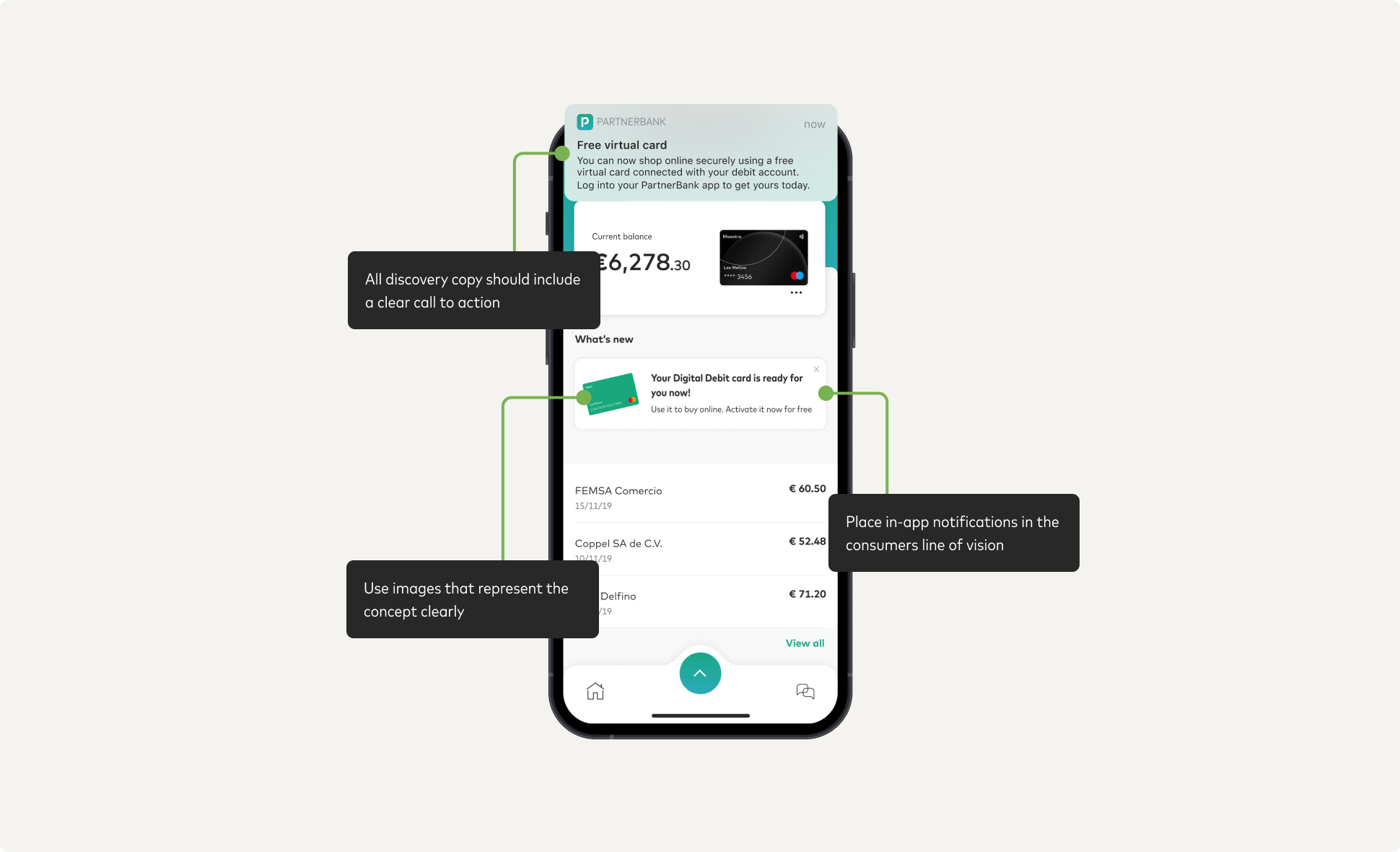
In-app messages are an intuitive and simple way to learn more about consumers. These messages should appear in the consumer's line of vision and on the screens they visit the most. In-app messages should not be intrusive or misleading. The copy should be short with a compelling call to action, making the message more scannable for the consumer.
#### Email {#email}
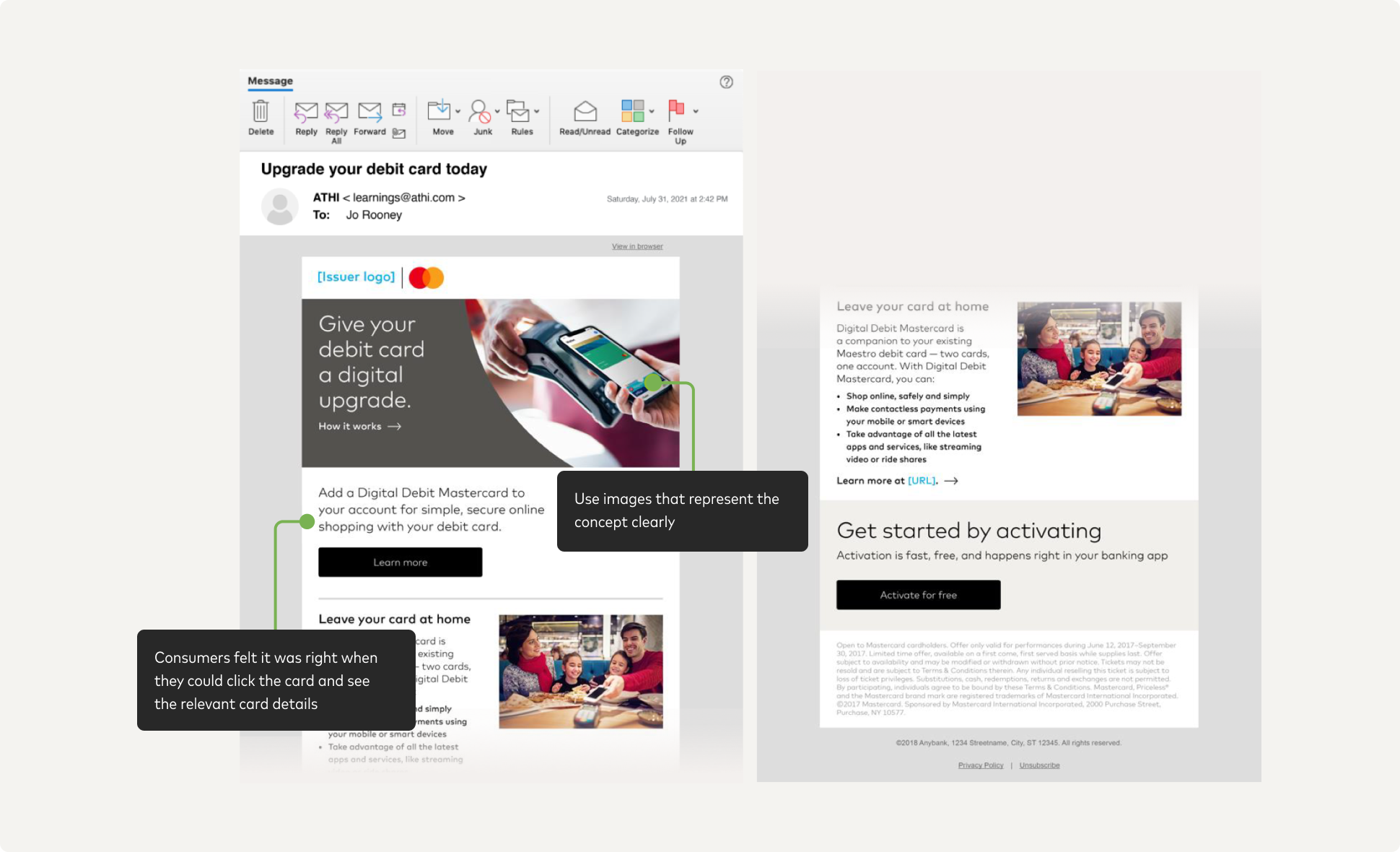
Email is a prime channel application that allows for targeting and personalization, ensuring that you communicate the offer and benefits that resonate most with your audiences. Quick reads are also essential, as you only have an instant to capture someone's attention.
#### Landing Page {#landing-page}
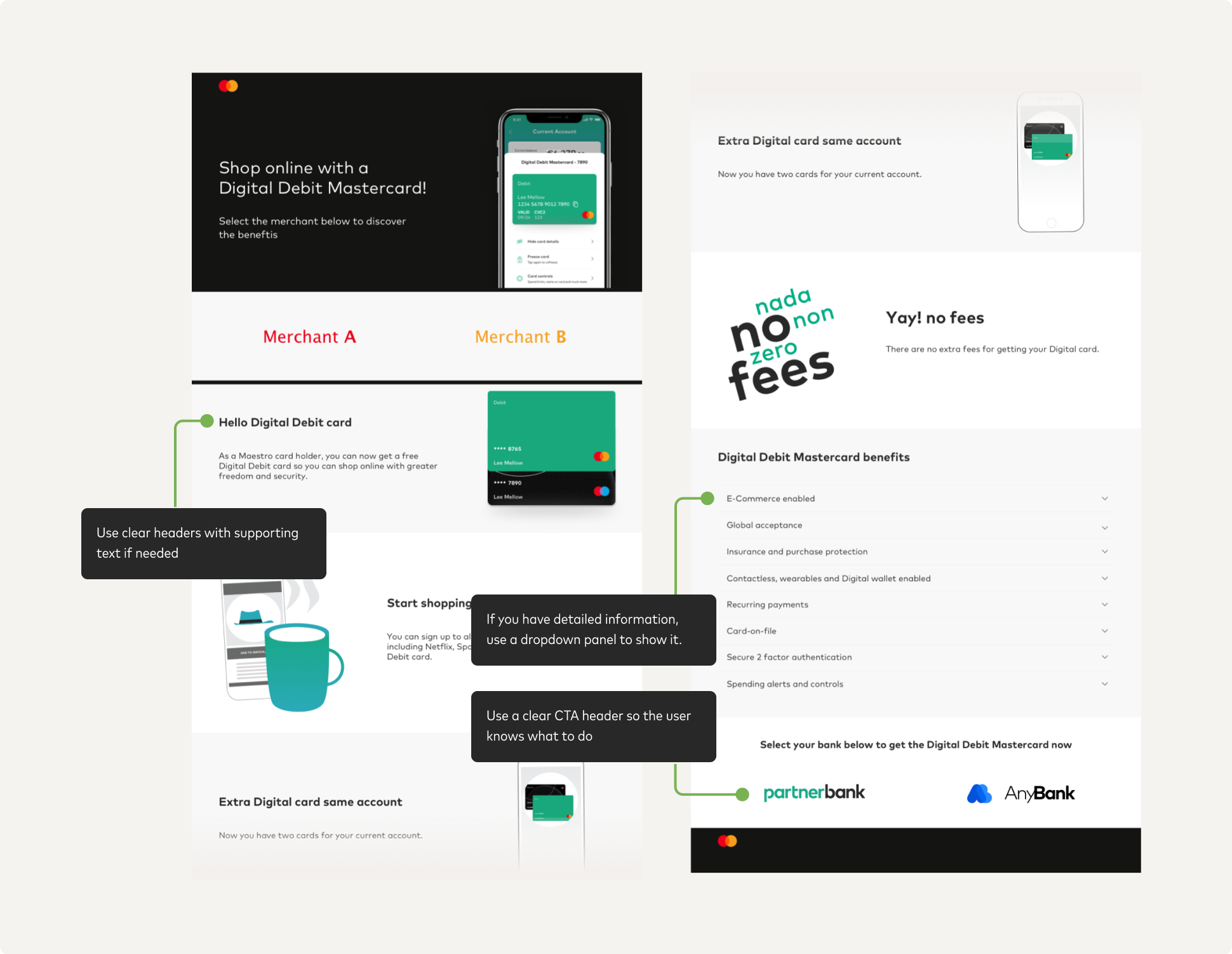
Emails and digital banners need somewhere to direct audiences, and a landing page serves this purpose well. By aligning messaging and visual layout across channels, you will be able to create a consistent, cohesive narrative that builds trust and understanding. The most successful landing pages use simple forms, straightforward navigation and clear CTAs.
## Onboarding {#onboarding}
### Designing onboarding {#designing-onboarding}
The onboarding experience is like the consumer's first date with the product. If they don't enjoy it, they won't be coming back for more!
Make the onboarding as easy as possible by keeping the copy simple and reducing the number of steps to an absolute minimum.
#### Value proposition {#value-proposition}
One of the most important objectives of the consumer onboarding is to convey the value proposition clearly. Most participants we tested with didn't read the body copy in the onboarding section. Thant's why we stripped the words right back by carefully choosing messages nd images that best conveyed the value proposition.

#### Activation {#activation}
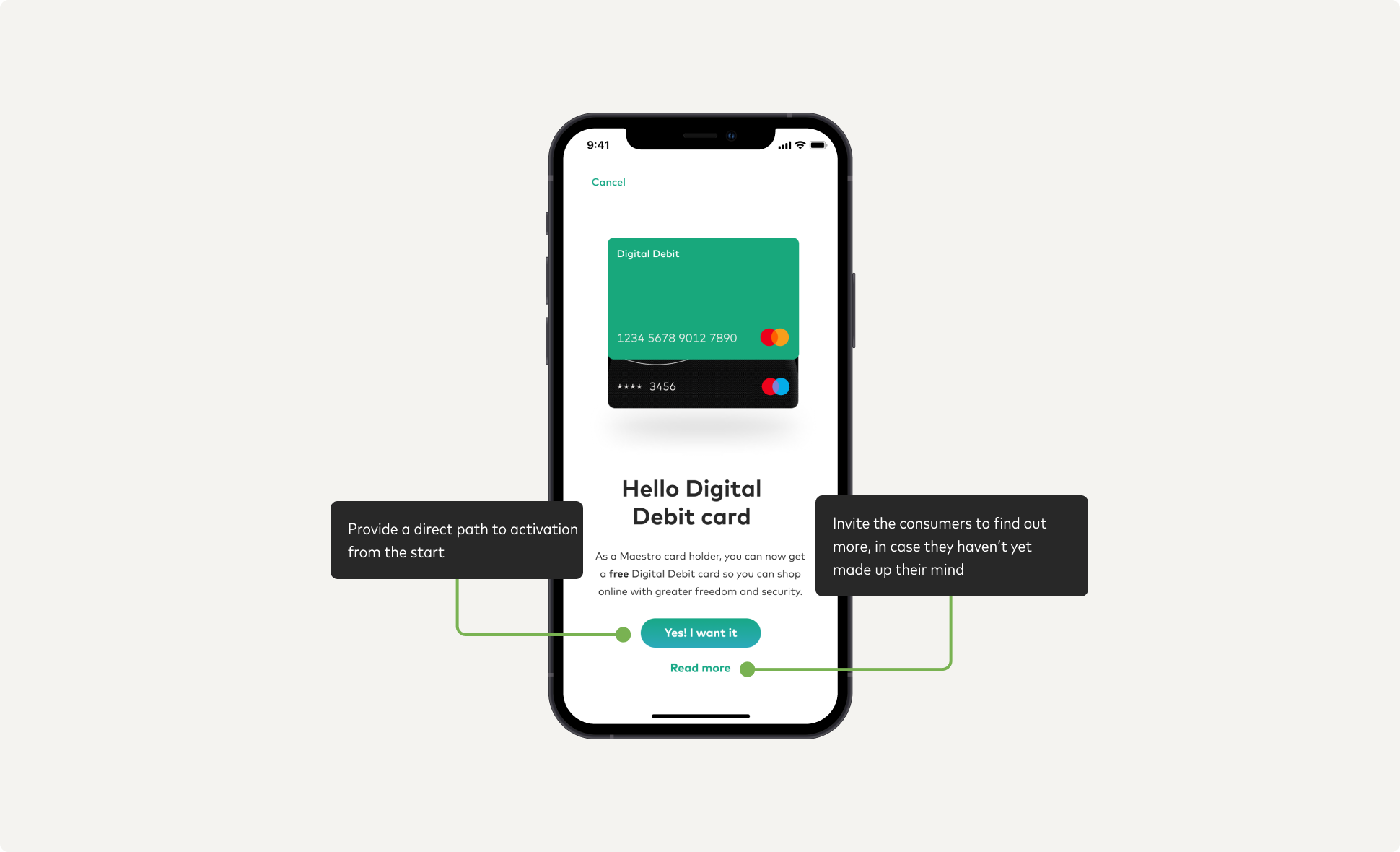
For those consumers who want to get started right away, activation can be as simple as one click. Consumers who are more hesitant can choose "Read more" where they can get more information about the product and it's benefits.
Tip: Progressive Disclosure is a design technique. Use it to provide information gradually, focusing only on what is important for each step or part of a task.
#### Benefits {#benefits}
During the onboarding, consumers wanted to know more about why DDMC is right for them. Showing our benefits and FAQs in a clear format can help reassure consumers that they've chosen wisely. Don't forget to include a call-to-action as a next step.

## Using {#using}
### Designing learning {#designing-learning}
When starting to use a new gadget, the last thing most of us want to do is read the instructions! The same applies to new digital products
* consumers want to dive right in. Consequently, they expect little to no learning curve. We need to adapt for these behaviours and expectations in our design. To achieve this, we can focus on the following:
* Account screen
* Copying card
#### Account screen {#account-screen}
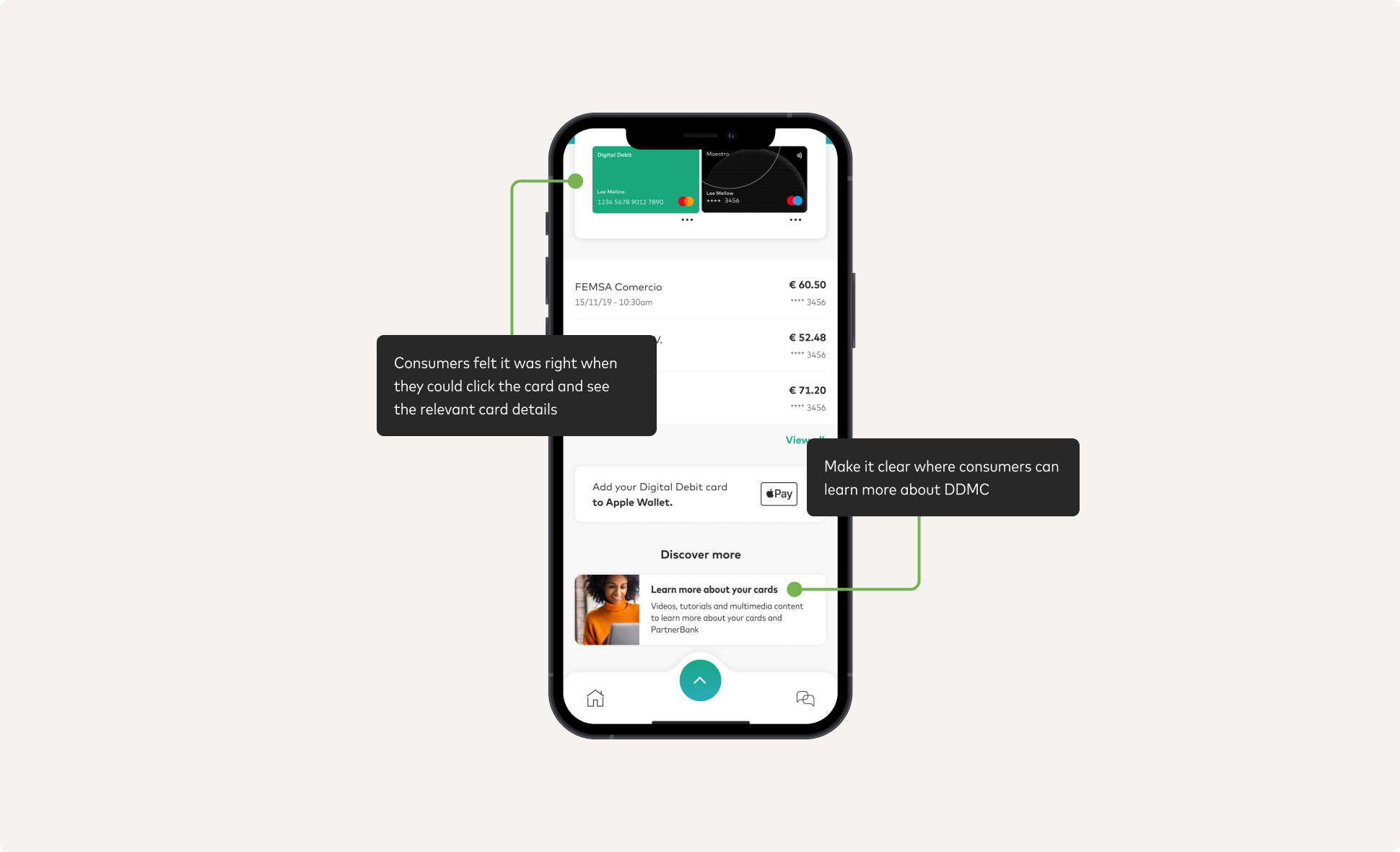
A clean, minimal design for the account screen can help the consumer intuitively understand the account and the relationship between the
digital and physical cards. The account screen should provide easy navigation to a page outlining benefits and FAQs related to the account and associated cards.
Note: I want to use my Digital Debit card. So, I click on it. Then it opens up. I click on 'show card details'. I can copy the number and this number now I can use in a webshop.
* Consumer in the Netherlands explaining how to use DDMC
#### Copying card number {#copying-card-number}
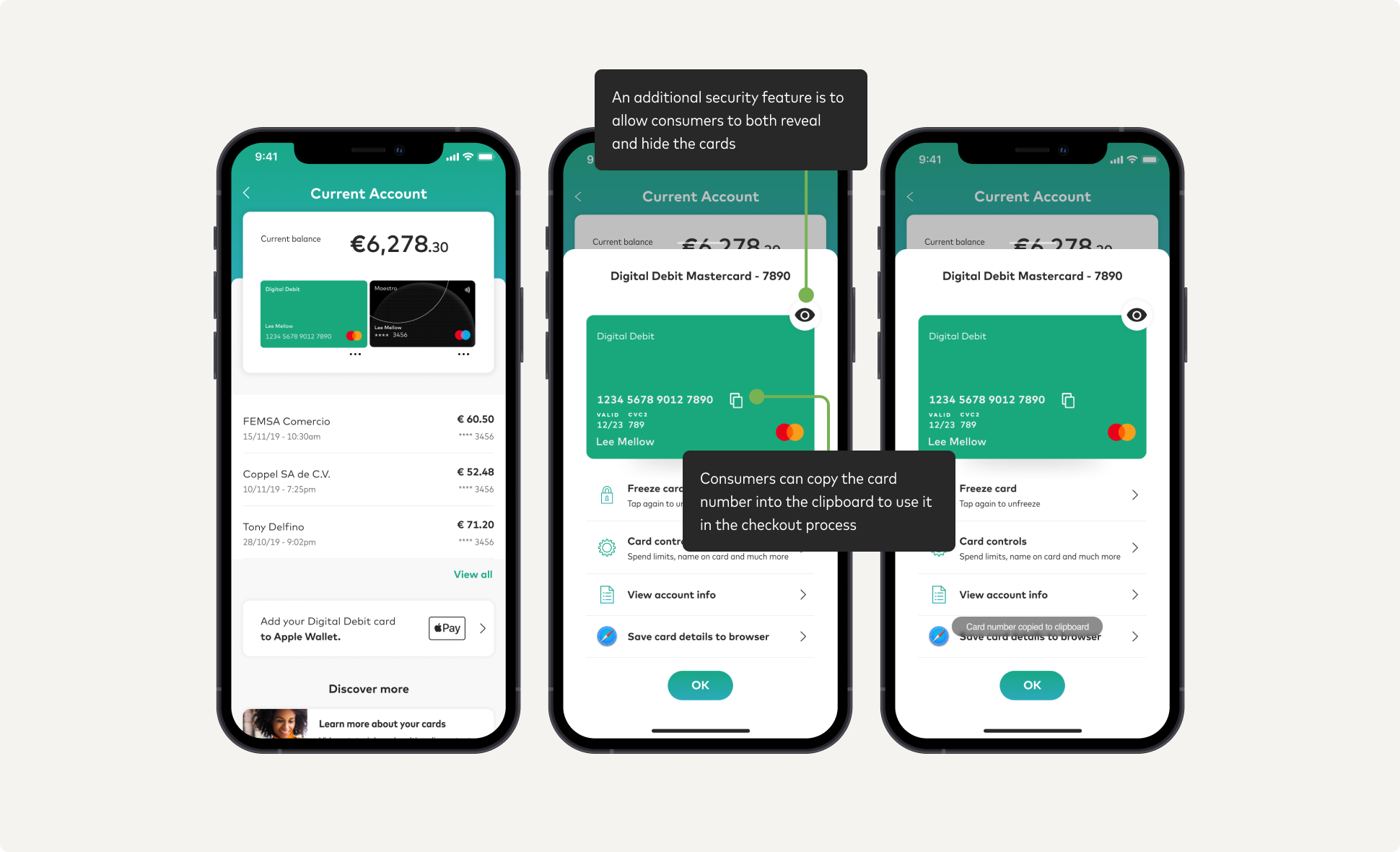
To use this product successfully, the consumer must be able to copy and paste the card number for ecommerce purchases. We recommend making it obvious in the card design that the card number can be copied. The card expiry date and the CVC must also be visible/accessible
to the user.
Note: If someone gets hold of my telephone and the bank app would be open, he could see this information right away.
* Consumer in the Netherlands explaining how to use DDMC
## Security {#security}
### Designing security {#designing-security}
The increased prevalence of multi-channel digital payments is convenient, but it also opens our customers up more to potential fraud. With security of data and protection of funds more of a concern than ever before, consumers must see the DDMC as secure. We asked consumers around the globe which features helped them feel most protected. The security features they liked most were those that were seamless to use and helped them to feel empowered. These included:
* Spending limits
* Card block
* Hidden CVC2
#### Spending limits \& Card block {#spending-limits--card-block}
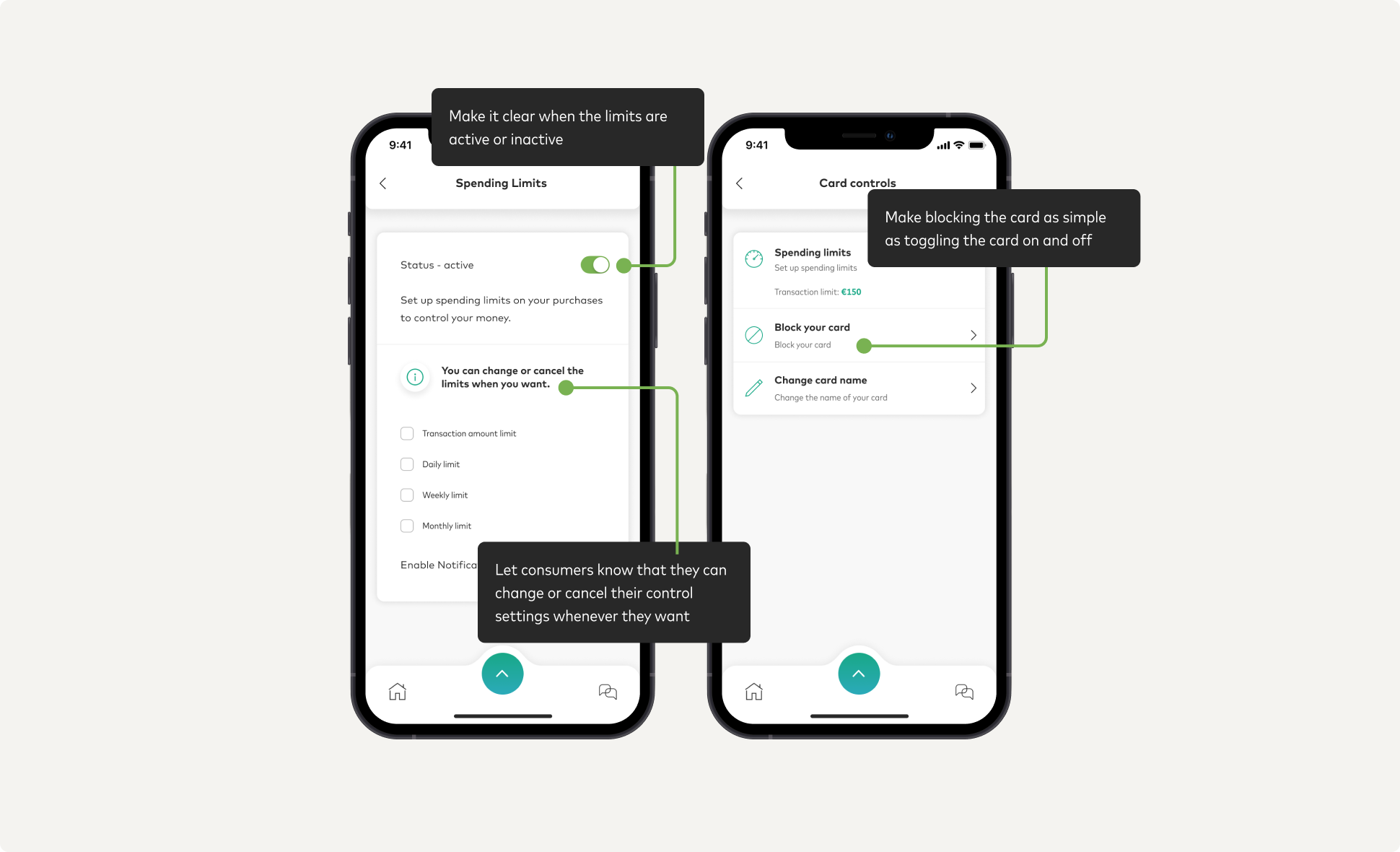
Consumers we spoke to said that being able to set spending limits on both the digital and physical card would both make them feel more secure and protected. They liked that they could have a different limit on each card, depending on the risks they saw for each. Consumers said that being able to block the card would help in the case that their card details got compromised. Make it clear that the blocking is temporary and allow the consumer full control in enabling and disabling the block.
Note: This is good in case my phone is stolen and to help control my spending habits
* Consumer in the Netherlands discusses why they like the limits feature
#### Hidden CVC2 {#hidden-cvc2}
Consumers worried that if somebody stole their phone, they would be able to see their card number. Having an additional layer of security over the sensitive card numbers can help consumers feel protected. However, consumers will likely require this information when making a payment, so security mechanisms here need to be approved quickly - biometrics or face ID work well here.
Note: If someone gets hold of my telephone and the bank app would be open, he could see this information right away.
* Consumer in the Netherlands discusses DDMC security concern

## Repeat usage {#repeat-usage}
### Designing to repeat usage {#designing-to-repeat-usage}
Using offers and promotions can trigger initial usage while having a seamless overall experience encourages habits to form. Ensuring the DDMC can be used across all digital channels is critical to encourage the users to see the DDMC as their go-to shopping card. Make it easy to use the DDMC everywhere: not just on mobile, but in store and in the web browser.
#### Digital Wallet {#digital-wallet}
Drive usage for in-store contactless payments by providing a one-click option for adding the DDMC to the X-Pay wallet. This option should be displayed in a place that is easy to spot, for example, on the home or accounts overview page.
Note: Could be specified if I can use it for spending physically
* Consumer in the Netherlands wants clarification on whether DDMC can be used in a physical store

#### Web Browser {#web-browser}
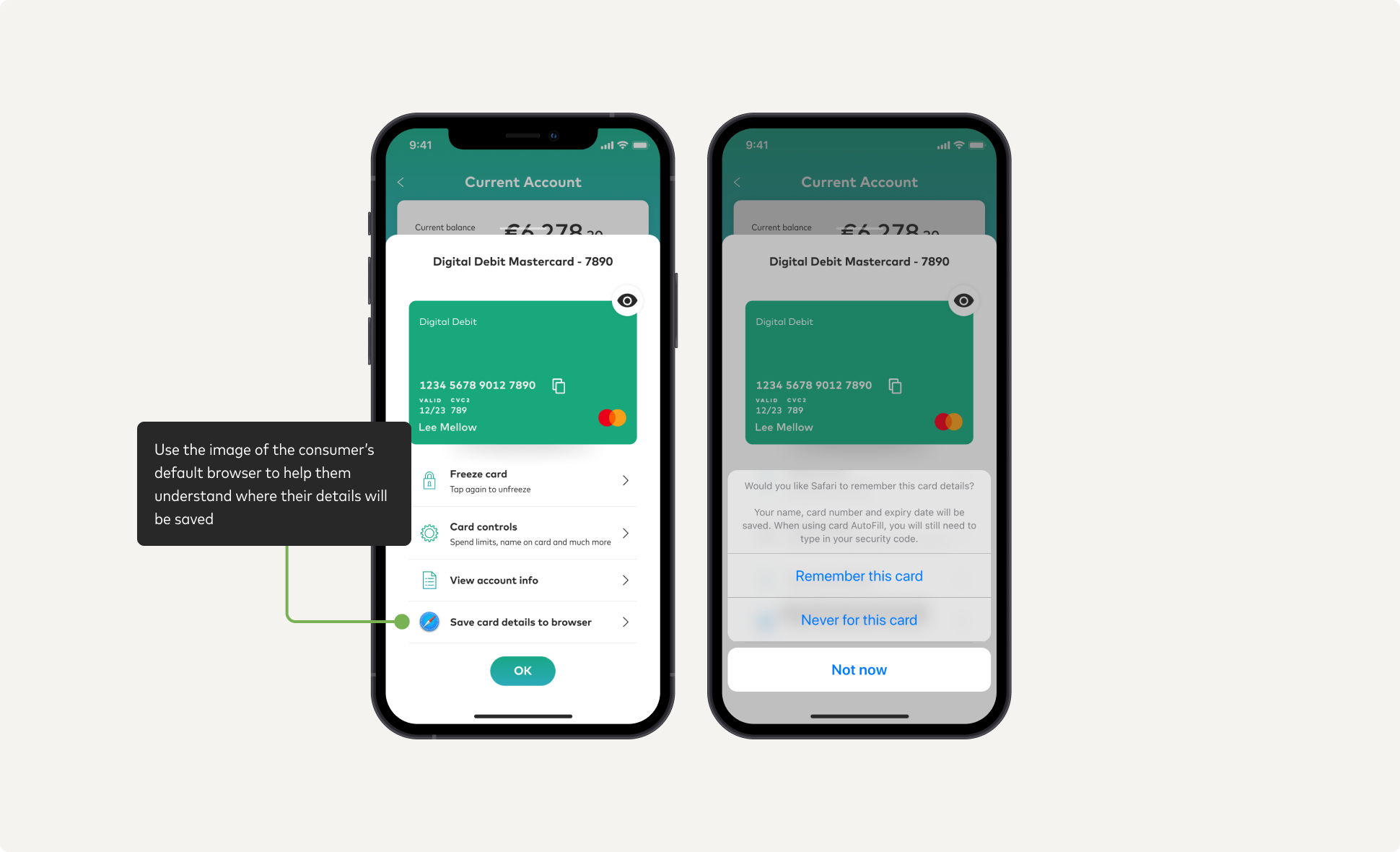
We can motivate users to use the DDMC when shopping on web browser by providing the option to save the card details to their default browser. This option can be displayed alongside their card controls, and allow the user to save the card to the browser with one click.
We need to also remember that the action should also be easily reversible, in case the consumer changes their mind.
API:
#### Online Offers {#online-offers}
We can encourage initial usage by making relevant offers that can be redeemed when the user makes online purchases or signs up for subscriptions with the DDMC. We can push relevant online offers through the app itself, through in-app notifications, or through email.

Next: [Prepare for launch](https://developer.mastercard.com/digital-debit-experience-design-guide/documentation/prepare-to-launch/index.md)