# Reference Application Tutorial for OAuth2.0
source: https://developer.mastercard.com/cross-border-services/documentation/tutorials/oauth2-reference-app-tutorial_unused/index.md
###### Time to complete: *20 minutes*
## Introduction {#introduction}
If you are an Originating Institution contracted with MTS EU or MTS UK, you must connect using [OAuth2.0 Authorization Code flow](https://developer.mastercard.com/cross-border-services/documentation/ref-app/oauth2-access-token-based-authentication-details/index.md) for Balance APIs and [OAuth2.0 Request Token based flow](https://developer.mastercard.com/cross-border-services/documentation/ref-app/oauth2-request-token-based-authentication-details/index.md) for all APIs (except Balance API), as the authentication mechanism to ensure compliance with the relevant jurisdiction based Regulatory Technical Standards (either EU or UK) derived from the Revised Payment Services Directive (PSD2).
This tutorial demonstrates how a simple web application can connect to the Cross-Border Service APIs using Request Token based OAuth2.0 authentication mechanism and execute/ manage the payment transactions. This includes making API calls with the use of Rest client to the following Cross-Border Service APIs in the sandbox environment:
**Quotes API** ([EU specification](https://developer.mastercard.com/cross-border-services/documentation/api-ref/psd2-eu-quotes-api/index.md)/ [UK specification](https://developer.mastercard.com/cross-border-services/documentation/api-ref/psd2-uk-quotes-api/index.md))
**Quotes Confirmation API** ([EU specification](https://developer.mastercard.com/cross-border-services/documentation/api-ref/psd2-eu-quote-confirmation-apis/index.md)/ [UK specification](https://developer.mastercard.com/cross-border-services/documentation/api-ref/psd2-uk-quote-confirmation-apis/index.md))
**Payment API** ([EU specification](https://developer.mastercard.com/cross-border-services/documentation/api-ref/psd2-eu-payment-api/index.md)/ [UK specification](https://developer.mastercard.com/cross-border-services/documentation/api-ref/psd2-uk-payment-api/index.md))
**Retrieve Payment API** ([EU specification](https://developer.mastercard.com/cross-border-services/documentation/api-ref/psd2-eu-retrieve-payment-api/index.md)/ [UK specification](https://developer.mastercard.com/cross-border-services/documentation/api-ref/psd2-uk-retrieve-payment-api/index.md))
**Carded Rate Pull API** ([EU specification](https://developer.mastercard.com/cross-border-services/documentation/api-ref/psd2-eu-carded-rate-api/index.md)/ [UK specification](https://developer.mastercard.com/cross-border-services/documentation/api-ref/psd2-uk-carded-rate-api/index.md))
**Cancel Payment API** ([EU specification](https://developer.mastercard.com/cross-border-services/documentation/api-ref/psd2-eu-cancel-payment-api/index.md)/ [UK specification](https://developer.mastercard.com/cross-border-services/documentation/api-ref/psd2-uk-cancel-payment-api/index.md))
Note: The application is built for reference purposes only. Feel free to extend this for any other Cross-Border Services APIs as well. Your production application does not need to function the same way.
During this tutorial, you will:
1. Setup the Reference application, you can download repository from [GitHub](https://github.com/Mastercard/crossborder-services-reference-app-oauth2)
2. Set required keys for authentication
3. Execute use cases
## Step 1: Setting Up {#step-1-setting-up}
### a) Pre-requisites {#a-pre-requisites}
To complete this tutorial, you need:
* Maven 3.5 or later
* JDK 1.8.0
* IntelliJ IDEA (or any other IDE of your choice)
* [Spring Framework](https://projects.spring.io/spring-framework/) 5.1.x is used to build this application.
* [Mastercard Developers Account](https://developer.mastercard.com/) with access to Mastercard Cross-Border Services API and the signing keys generated. You would require the .p12 file, consumer key, keyalias and password from this step to proceed with the below steps. Click [here](https://developer.mastercard.com/cross-border-services/documentation/tutorials/guide-create-project/index.md) for a step by step guide on account setup.
* Get the Test mTLS client certificate(.PKCS12 or .PFX file) by contacting Customer Support, to establish mTLS connectivity to connect to APIs.
### b) Create a Maven Project for Reference Application {#b-create-a-maven-project-for-reference-application}
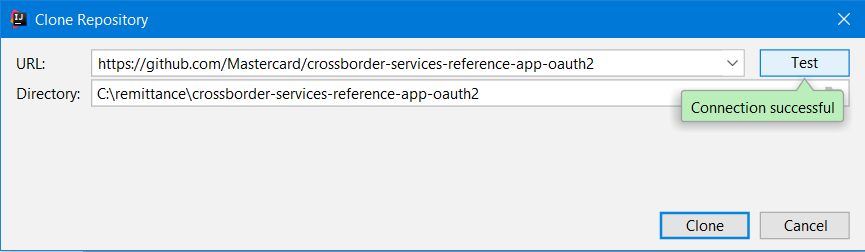
In IntelliJ IDEA, create a new Maven project from Version control.
* This will clone repository from GitHub and set up your directory structure automatically.

* Test connection before going ahead
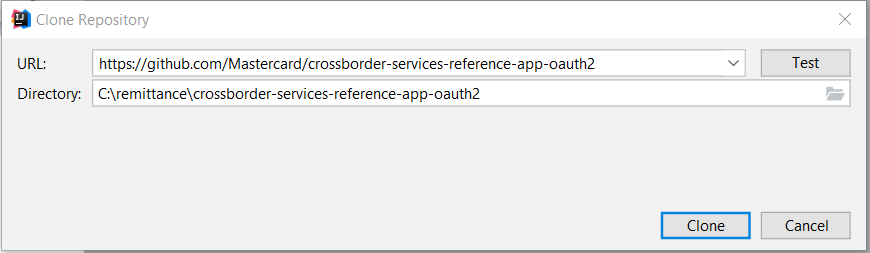
* Clicking on clone will start cloning the repository
* At the lower right corner in your IDE, you will be prompted to add this project as a maven Project. **Please add as a Maven project.**
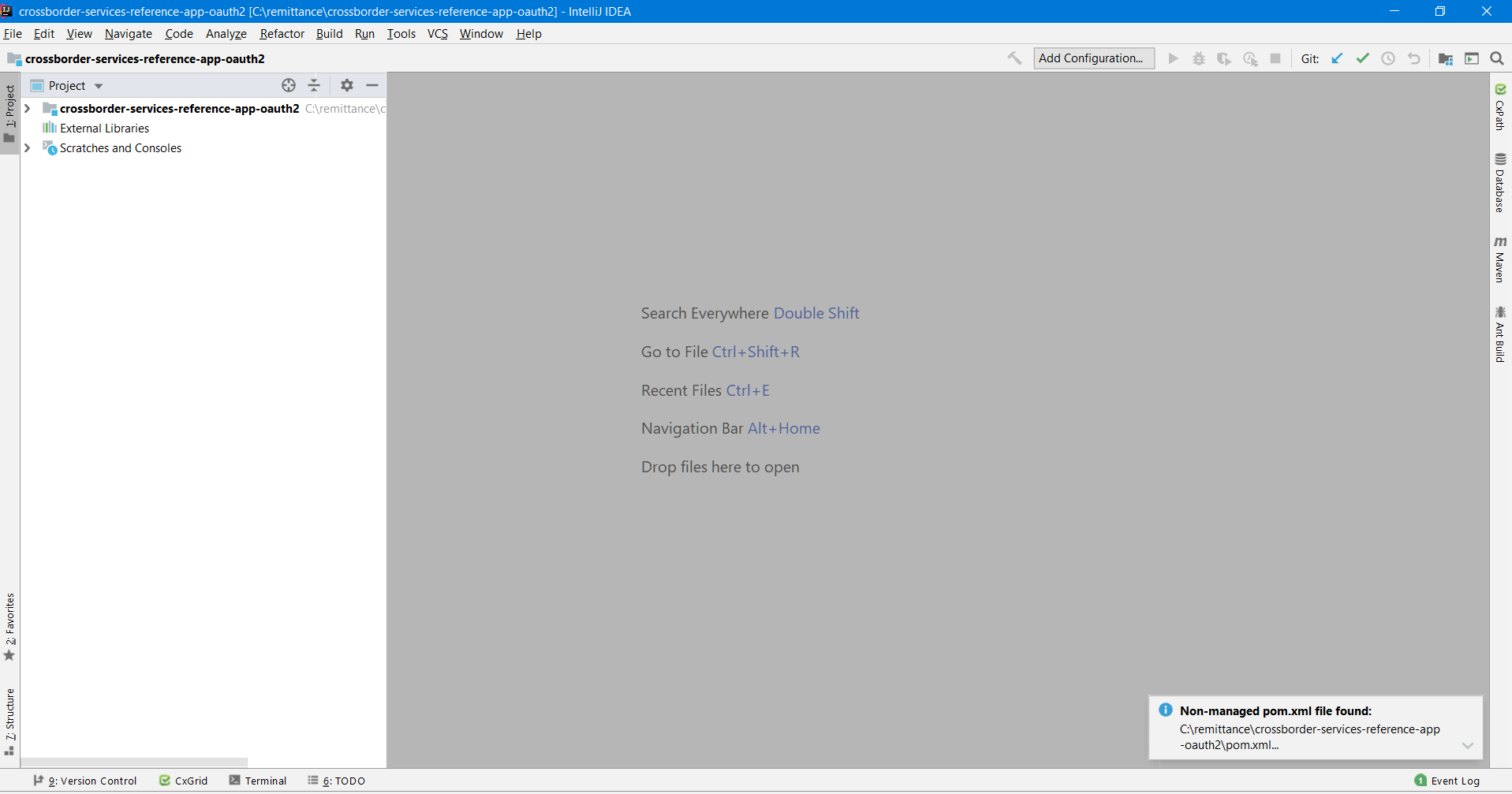
You can also view this setting in the event log window, it can be opened from Tool windows in the View menu.
### c) Add resources {#c-add-resources}
* As part of the [Mastercard Developers Account](https://developer.mastercard.com/) setup (as described in pre-requisites section above), Sandbox Signing Key will be generated within your project. Add the generated .p12 file to the resources folder.
* For mTLS connection, please make sure generated .PKCS12 or .PFX file is present in resources folder.
### d) Update properties file {#d-update-properties-file}
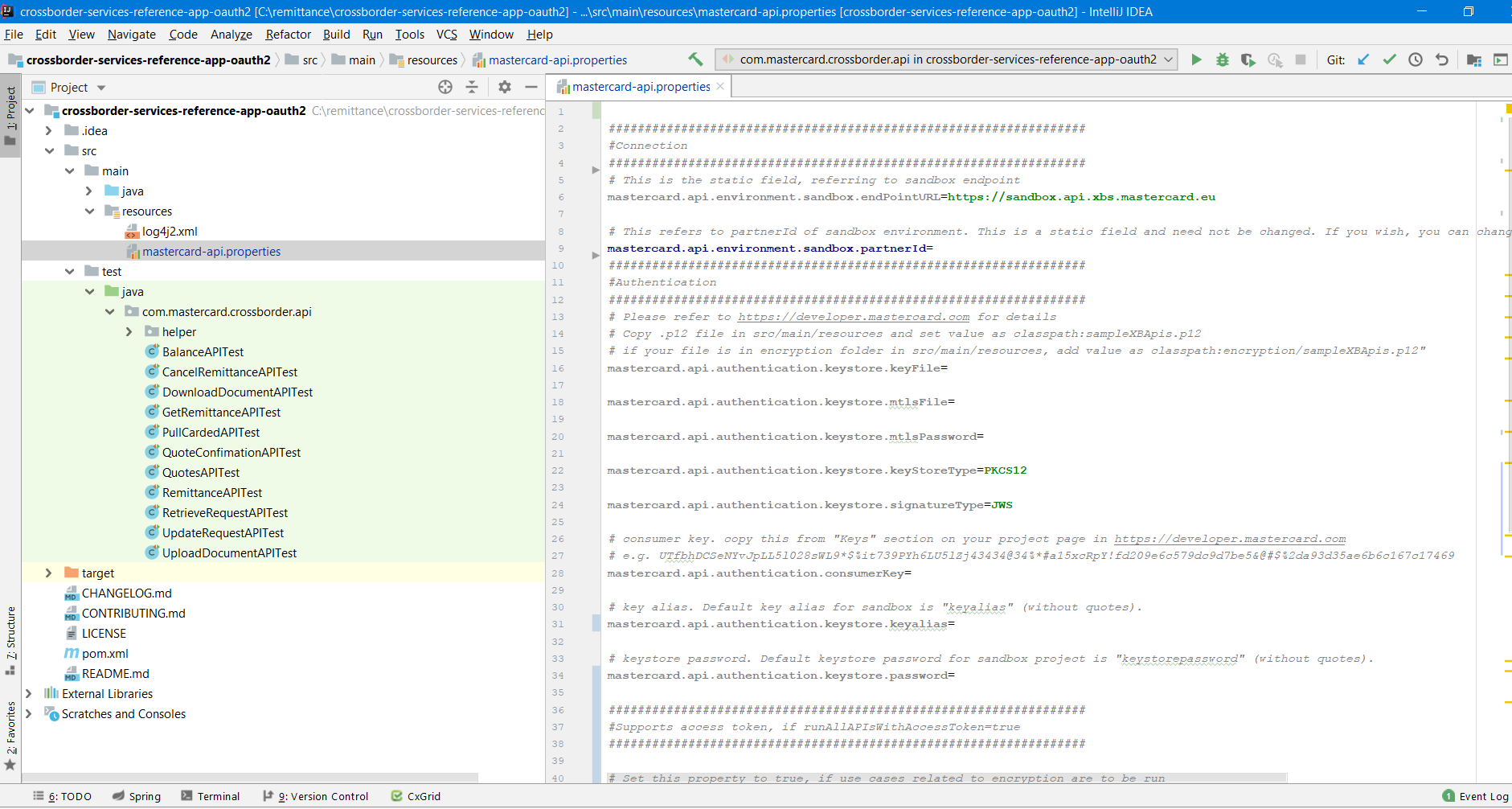
* You can view directory structure of reference application in Project view.
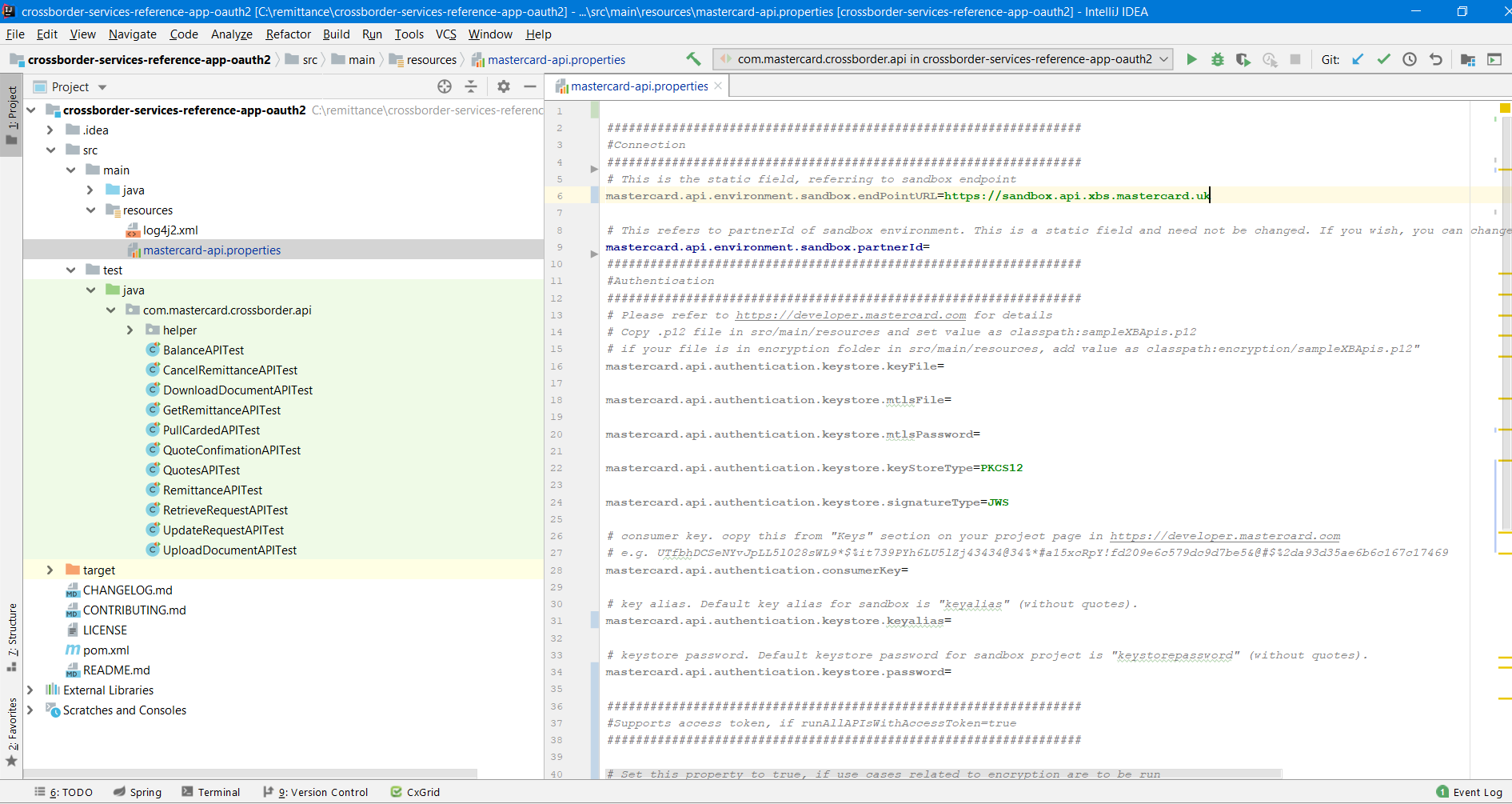
* Open mastercard-api.properties in resources folder. This properties file defines default endpoint URL and partner for API calls. It also has some other fields which are required for authentication.
As part of the [Mastercard Developers Account](https://developer.mastercard.com/) setup (as described in pre-requisites section above), you will also get the consumer key, keyalias and password. Set these values in mastercard-api.properties.
* Example
```Example
mastercard.api.authentication.keystore.keyFile=classpath:key.p12
mastercard.api.authentication.consumerKey=YourConsumerKey
mastercard.api.authentication.keystore.keyalias=YourKeyAlias
mastercard.api.authentication.keystore.password=YourKeystorePassword
```
Set the following properties in the mastercard-api.properties file for MTLS:
* Example
```Example
mastercard.api.authentication.keystore.mtlsFile=yourPFXFile
mastercard.api.authentication.keystore.mtlsPassword=yourPFXPassword
```
Please ensure you use the correct EU/UK endpoints by looking at respective API specifications. For your convenience, the below screenshots shows EU and UK examples respectively.
### e) Add resources {#e-add-resources}
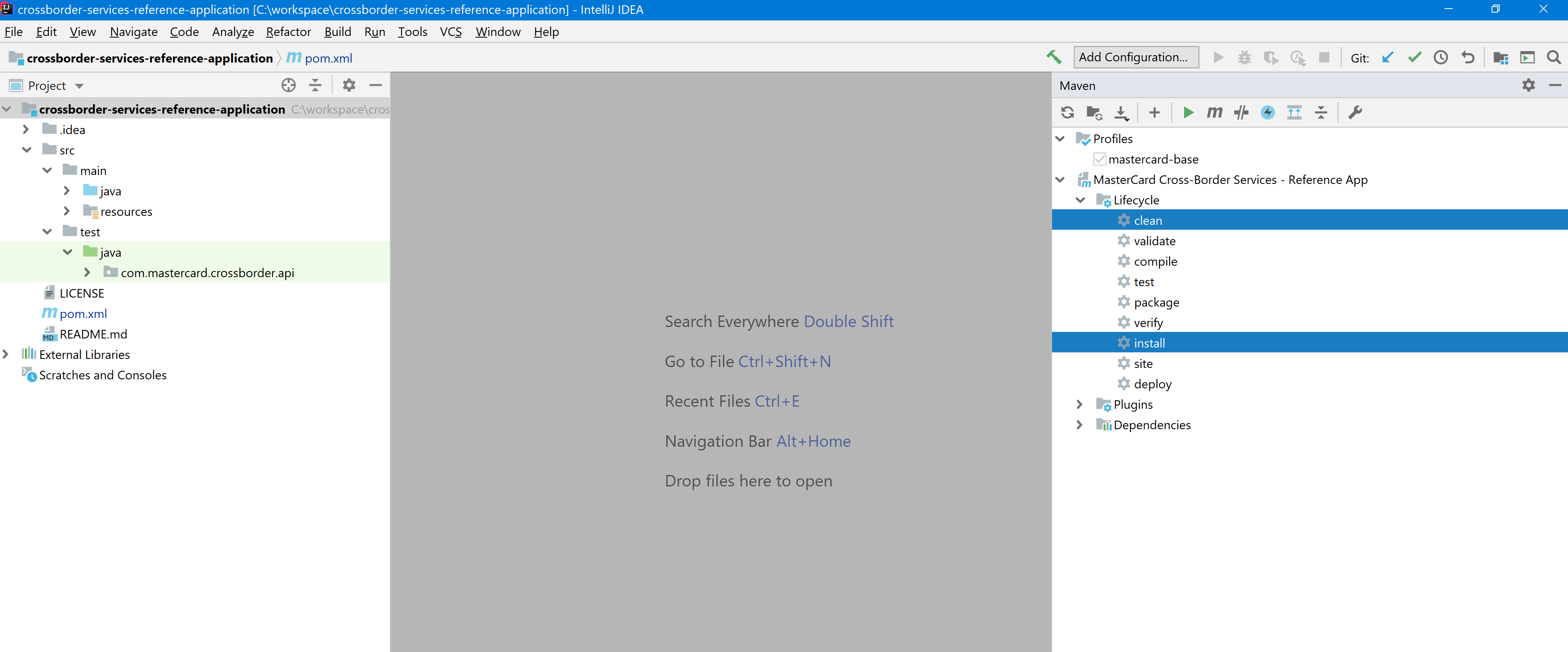
* Open maven view in IDE and run maven clean and install. This will add dependencies to your project.
## Step 2: Executing the use cases {#step-2-executing-the-use-cases}
* Open the README.md in the reference application and read through the use cases to understand Cross-Border Service API functionality.
* To test Quotes API, open QuotesAPITest.java, right click on any of the use case and click on run. It will execute that use case.
Please note, input for every use case is setup in CrossBorderAPITestHelper.java. Cross-Border Service APIs supports both XML and Json.
Note: Request Token generation is implicitly handled in the code base using Consumer Key, P12 File, Signing Key Alias \& Signing Key Password.
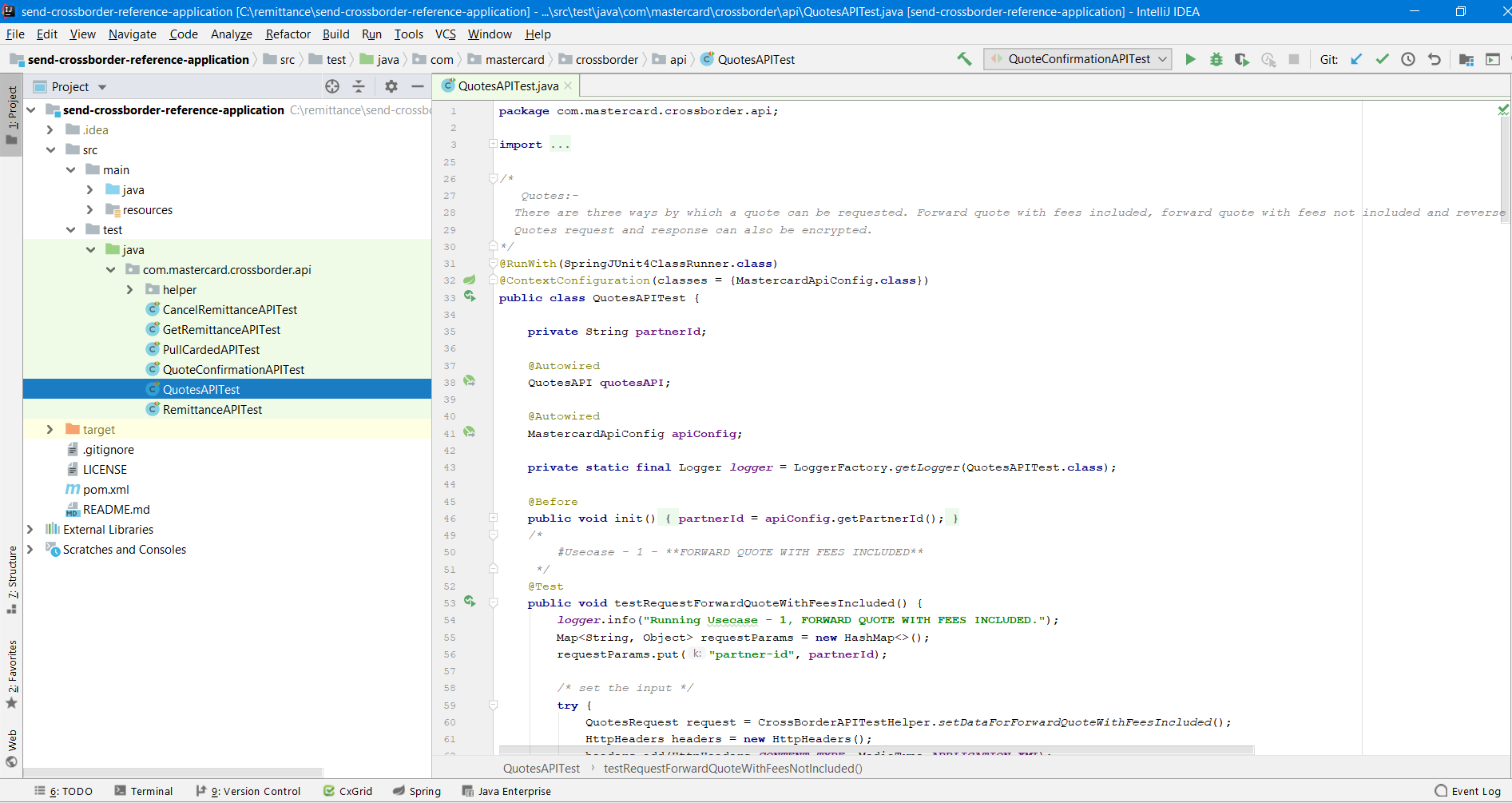
You may similarly test all the APIs by executing the usecases listed in the respective xxxxTest.java file.
### Encryption: {#encryption}
* Cross-Border Services application supports payload encryption with OAuth2.0. To know details about encryption, go through [Enabling encryption](https://developer.mastercard.com/cross-border-services/documentation/api-ref/encryption/index.md).
**You may contact [support](mailto:APISupport@mastercard.com) to get required keys and files for the same**
To encrypt / decrypt request and response payloads, set properties in mastercard-api.properties.
* Example
```Example
mastercard.api.environment.runWithEncryptedPayload=true
mastercard.api.encryption.certificateFile=classpath:YourCertFile.crt
mastercard.api.encryption.fingerPrint=YourFingerPrint
mastercard.api.decryption.keyFile=classpath:YourKeyFile.key
```
Note:
**.crt file** must be extracted using the .pem file that can be downloaded from your [Project page](https://developer.mastercard.com/dashboard) by clicking on the project and using the **Actions \> Download Encryption Key** under the Client Encryption Keys section.
**.key file** is the .p12 file downloaded at time of encryption key creation.
#### Some recommendations: {#some-recommendations}
These are just recommendations. You are not required to use open ssl but may use any favorable tool.
* *Creating **.cert file** from **.pem file**:*
* Encryption_cert_generation
```Encryption_cert_generation
openssl x509 -outform der -in ./MastercardSendCrossBorderClientEncxxxxxxxxxx.pem -out ./MastercardSendCrossBorderClientEncxxxxxxxxx.crt
```
* *Decrypting response payload using private key:*
* Decryption_key_generation
```Decryption_key_generation
openssl pkcs12 -in keyalias-encryption-mc.p12 -nocerts -out .key.pem --nodes
openssl rsa -in .key.pem -out .text.pem --text
openssl pkcs8 -topk8 -inform PEM -outform DER -in .text.pem -out .key --nocrypt
```
## Further Reading {#further-reading}
* [Using Request Token Based OAuth2.0 to connect to APIs](https://developer.mastercard.com/cross-border-services/documentation/ref-app/oauth2-request-token-based-authentication-details/index.md).
* [Before getting started](https://developer.mastercard.com/send-cross-border/documentation/before-getting-started/#environments)
* [Getting Started with APIs using OAuth2.0](https://developer.mastercard.com/cross-border-services/documentation/api-basics/getting-started-oauth2/index.md).