# Build an end-to-end application
source: https://developer.mastercard.com/community-pass-payment-apis/documentation/api-tutorials/build-end-to-end-application/index.md
This tutorial will help you to create a simple Java Application that calls the MCPP APIs in the Sandbox environment.
### What you will learn: {#what-you-will-learn}
> * How to set up the environment to develop a simple Java Application
> * How to perform [payload encryption](https://developer.mastercard.com/platform/documentation/security-and-authentication/securing-sensitive-data-using-payload-encryption/)
> * How to make an API call
### Estimated time to complete this tutorial {#estimated-time-to-complete-this-tutorial}
> * 15-20 minutes
## Environment Set Up {#environment-set-up}
### 1. Pre-requisites {#1-pre-requisites}
To complete this tutorial, you will need:
* [Java 8](https://www.java.com/en/) and above installed
* Any IDE of your choice
* Mastercard Developers account with access to the MCPP APIs.
* MCPP APIs specification (Retrieved by clicking the 'Open Specification' [here](https://developer.mastercard.com/community-pass-payment-apis/documentation/api-reference/index.md) )
### 2. Create a Maven Project {#2-create-a-maven-project}
* Create a new Maven project in any IDE of your choice.
* Provide ArtifactId and Project name as per your choice.
### 3. Add Resources {#3-add-resources}
* Add the MCPP APIs specification to your Maven project resources folder.
* Add the generated Sandbox key (**.p12 file** ) and encryption cert (**.pem file**) to your Maven project resources folder (This is generated while creating your project on Mastercard Developers).
* Your Maven project directory structure should appear as:

### 4. Update pom.xml file {#4-update-pomxml-file}
* In your Project pom.xml file add the latest version of the [OpenAPI Generator maven plugin](https://mvnrepository.com/artifact/org.openapitools/openapi-generator-maven-plugin). Use the plugin config as shown below:
Note: [OpenAPI Generator](https://openapi-generator.tech/) generates API client libraries using OpenAPI Specification. It provides multiple generators and library templates to support multiple languages and frameworks. We will be using the java generator for this project.
```xml
org.openapitools
openapi-generator-maven-plugin
5.1.1
generate
${project.basedir}/src/main/resources/payments-api-swagger.yml
java
okhttp-gson
false
false
false
false
true
src/gen/java/main
```
* Add the following dependencies to your **pom.xml** file.
```xml
1.8
org.springframework.boot
spring-boot-starter
org.springframework.boot
spring-boot-starter-json
org.springframework.boot
spring-boot-starter-test
test
org.junit.vintage
junit-vintage-engine
org.projectlombok
lombok
1.18.10
com.mastercard.refarch
swagger-annotations
1.5.17
com.google.code.gson
gson
2.8.6
com.squareup.okhttp3
okhttp
3.12.2
com.squareup.okio
okio
2.2.2
com.mastercard.developer
oauth1-signer
1.5.0
com.mastercard.developer
client-encryption
1.5.0
com.squareup.okhttp3
logging-interceptor
3.14.4
true
io.gsonfire
gson-fire
1.8.0
joda-time
joda-time
2.10.4
org.threeten
threetenbp
1.3.5
com.google.code.findbugs
annotations
3.0.1
com.fasterxml.jackson.core
jackson-databind
2.11.1
```
> Refer to the page for more information on [Generating and Configuring a Mastercard API Client](https://developer.mastercard.com/platform/documentation/security-and-authentication/generating-and-configuring-a-mastercard-api-client/#overview).
## Generating the API Client {#generating-the-api-client}
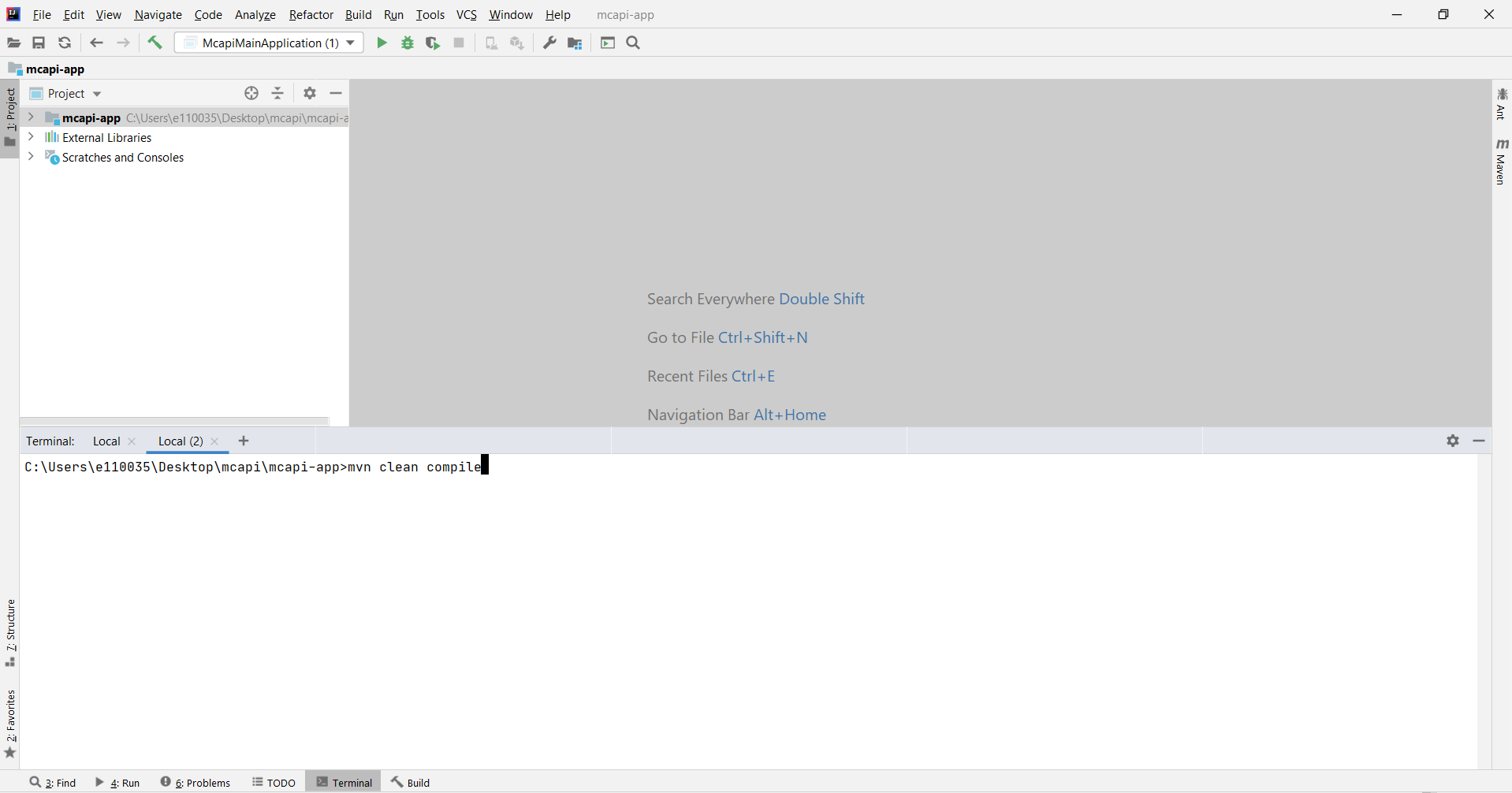
* Now that you have all the dependencies you need, you can generate the source code. You can navigate to the project root directory within a terminal window and run **mvn clean compile**.
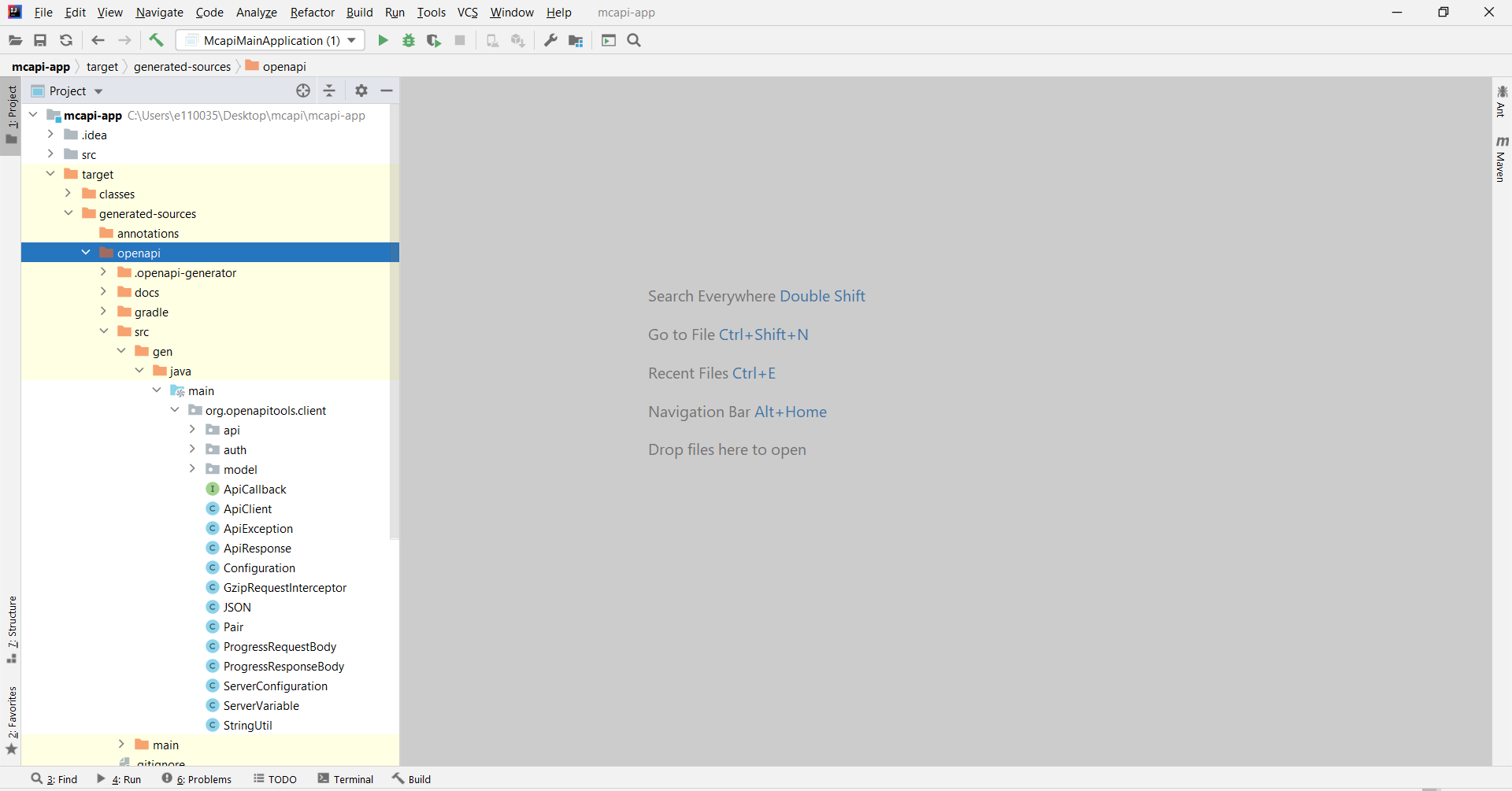
* A new folder named **target** is created within your root directory which contains classes generated for the schemas and API calls defined within the OpenAPI Specification. The generated classes can be found in the target folder as shown below:
## Making an API Call {#making-an-api-call}
* Under the **src/main/java/** folder path, create a Java file named **CommunityPassPaymentApiMain.java**.
* To make the API call, you need to make your OAuth credentials available to the program to use.
```Java
String consumerKey = "";
String signingKeyFilePath = "";
String encryptionCertPath = "Path to pem file";
String signingKeyAlias = "";
String signingKeyPassword = "";
String decryptionKeyFilePath = "";
String decryptionKeyAlias = "";
String decryptionKeyPassword = "";
PrivateKey signingKey = AuthenticationUtils.loadSigningKey(signingKeyFilePath, signingKeyAlias, signingKeyPassword);
```
* MCPP APIs require end-to-end [payload encryption and decryption](https://developer.mastercard.com/platform/documentation/security-and-authentication/securing-sensitive-data-using-payload-encryption/). Therefore you need to configure an interceptor to encrypt the request body and decrypt the response body. To configure the encryption interceptor, load the encryption certificate to create the configuration object.
```java
Certificate encryptionCertificate = EncryptionUtils.loadEncryptionCertificate(encryptionCertPath);
FieldLevelEncryptionConfig config = FieldLevelEncryptionConfigBuilder
.aFieldLevelEncryptionConfig()
.withEncryptionCertificate(encryptionCertificate)
.withEncryptionPath("$", "$")
.withEncryptedValueFieldName("encryptedData")
.withEncryptedKeyFieldName("encryptedKey")
.withOaepPaddingDigestAlgorithmFieldName("oaepHashingAlgorithm")
.withOaepPaddingDigestAlgorithm("SHA-256")
.withEncryptionKeyFingerprintFieldName("publicKeyFingerprint")
.withIvFieldName("iv")
.withFieldValueEncoding(FieldLevelEncryptionConfig.FieldValueEncoding.HEX)
.build();
```
* To configure the decryption interceptor, load the decryption key file, keyalias and password to create the configuration object.
```java
KeyStore keyStore = KeyStore.getInstance("PKCS12", "SunJSSE");
keyStore.load(new FileInputStream(decryptionKeyFilePath), decryptionKeyPassword.toCharArray());
PrivateKey keyAliasProdMc4Key = (PrivateKey) keyStore.getKey(decryptionKeyAlias, decryptionKeyPassword.toCharArray());
FieldLevelEncryptionConfig config = FieldLevelEncryptionConfigBuilder
.aFieldLevelEncryptionConfig()
.withDecryptionPath("$", "$")
.withDecryptionKey(keyAliasProdMc4Key)
.withOaepPaddingDigestAlgorithm("SHA-256")
.withEncryptedValueFieldName("encryptedValue")
.withEncryptedKeyFieldName("encryptedKey")
.withIvFieldName("iv")
.withEncryptionCertificateFingerprintFieldName("publicKeyFingerprint")
.withFieldValueEncoding(FieldLevelEncryptionConfig.FieldValueEncoding.BASE64)
.build();
```
* Instantiate a client with your authentication credentials and configuration object as interceptors before you can send it.
```java
CallbacksApi mfnCallbacksApi = new CallbacksApi(encryptionHelper.signRequest( true));
public ApiClient signRequest( Boolean enableEncryption) throws CertificateException, UnrecoverableKeyException, NoSuchAlgorithmException, IOException, KeyStoreException, NoSuchProviderException {
Properties p = new Properties();
try (InputStream is = getClass().getResourceAsStream("/application.properties")) {
p.load(is);
}
ApiClient client = new ApiClient();
client.setBasePath( p.getProperty("mastercard.sandbox.url") );
String consumerKey = p.getProperty("mastercard.sandbox.consumer.key") ;
if(enableEncryption) {
client.setHttpClient(client.getHttpClient()
.newBuilder()
.addInterceptor(new OkHttpFieldLevelEncryptionInterceptor(getEncryptionConfig(p)))
.addInterceptor(new OkHttpOAuth1Interceptor(consumerKey, getSigningKey(p)))
.build()
);
} else {
client.setHttpClient(
client.getHttpClient()
.newBuilder()
.addInterceptor(new OkHttpOAuth1Interceptor(consumerKey, getSigningKey(p)))
.build()
);
}
return client;
}
```
* Below is the sample code block of **CommunityPassPaymentApiMain.java** which you will have after completion of the above steps:
```java
package com.mastercard.developer.mccp.payment;
import com.mastercard.developer.mccp.payment.util.ApiPayloadUtil;
import com.mastercard.developer.mccp.payment.util.EncryptionHelper;
import okhttp3.Response;
import org.openapitools.client.ApiCallback;
import org.openapitools.client.api.CallbacksApi;
import org.openapitools.client.api.NotificationsApi;
import org.openapitools.client.api.ValidationsApi;
import org.slf4j.Logger;
import org.slf4j.LoggerFactory;
import org.springframework.boot.SpringApplication;
import org.springframework.boot.autoconfigure.SpringBootApplication;
import java.text.MessageFormat;
import java.util.logging.Level;
@SpringBootApplication
public class CommunityPassPaymentApiMain {
private static final Logger logger = LoggerFactory.getLogger(com.mastercard.developer.mccp.payment.CommunityPassPaymentApiMain.class);
public static void main(String[] args) throws Exception{
try {
SpringApplication.run(com.mastercard.developer.mccp.payment.CommunityPassPaymentApiMain.class, args);
EncryptionHelper encryptionHelper = new EncryptionHelper();
ApiPayloadUtil apiPayloadUtil = new ApiPayloadUtil();
ApiCallback callback = apiPayloadUtil.getApiCallback();
String preMsg="\n -------> Sending MFN Payment Callback Request: {0} \n -------> Get Response Code: {1} ";
logger.info("-------> 1. Calling Payment Callback API For MFN Application ");
CallbacksApi mfnCallbacksApi = new CallbacksApi(encryptionHelper.signRequest(true));
Response mfnCallbackResponse = mfnCallbacksApi.paymentCallbackCall(ApiPayloadUtil.getPaymentCallbacksPayloadForMfn(), callback).execute();
String msg = MessageFormat.format(preMsg, mfnCallbackResponse.request().url(),mfnCallbackResponse.code() );
logger.info(msg, Level.INFO);
logger.info("-------> 2. Calling Payment Callback API For Kupaa Application ");
String preMsg1="\n -------> Sending Kupaa Payment Callback Request: {0} \n -------> Get Response Code: {1} ";
CallbacksApi kupaaCallbacksApi = new CallbacksApi(encryptionHelper.signRequest(true));
Response kupaaCallbackResponse = kupaaCallbacksApi.paymentCallbackCall(ApiPayloadUtil.getPaymentCallbackKupaa(), callback).execute();
String msg1 = MessageFormat.format(preMsg1, kupaaCallbackResponse.request().url(),kupaaCallbackResponse.code() );
logger.info(msg1, Level.INFO);
logger.info("-------> 3. Calling Payment Notification API For Kupaa Application ");
String preMsg2="\n -------> Sending Kupaa Payment Notification Request: {0} \n -------> Get Response Code: {1} ";
NotificationsApi kupaaNotificationsApi = new NotificationsApi(encryptionHelper.signRequest(true));
Response kupaaNotificationResponse = kupaaNotificationsApi.paymentNotificationCall(ApiPayloadUtil.getPaymentNotificationsPayloadForKupaa(), callback).execute();
String msg2 = MessageFormat.format(preMsg2, kupaaNotificationResponse.request().url(),kupaaNotificationResponse.code() );
logger.info(msg2, Level.INFO);
logger.info("-------> 4. Calling Payment Validation API For Kupaa Application ");
String preMsg3="\n -------> Sending Kupaa Payment Validation Request: {0} \n -------> Get Response Code: {1} \n -------> Decrypt Response: {2} ";
ValidationsApi kupaaValidationsApi = new ValidationsApi(encryptionHelper.signRequest(true));
Response kupaaValidationResponse = kupaaValidationsApi.paymentValidationCall(ApiPayloadUtil.getPaymentValidationsPayloadForKupaa(), callback).execute();
String msg3 = MessageFormat.format(preMsg3, kupaaValidationResponse.request().url(),kupaaValidationResponse.code() , encryptionHelper.getDecryptedResponse(kupaaValidationResponse));
logger.info(msg3, Level.INFO);
if (args.length==1) {
logger.info("---------------------- Testing To Fail FileLoad ---------------------------------------\n");
encryptionHelper.failFileLoad();
}
}catch (Exception e){
logger.error("---------------------- Error In Main Method ---------------------------------------\n");
e.printStackTrace();
}
}
}
```
### Congratulations {#congratulations}
You have successfully completed this tutorial and created a simple Java Application that calls the MCPP APIs.
Tip: You can also refer to the [reference app](https://developer.mastercard.com/community-pass-payment-apis/documentation/reference_app/index.md) which we have created for you.