# Integration and Testing
source: https://developer.mastercard.com/account-catalog-services/documentation/tutorials-and-guides/api-testing-tutorial/index.md
### Overview {#overview}
* This guide will walk you through the steps to test Account Catalog Services using the Sandbox (MTF) project.
* It is recommended to test the full functionality of the API in Sandbox (MTF) before moving to production.
* Create a project with Mastercard Developers. Before calling the API in Sandbox (MTF), work with your CIS Mastercard representative to get the `clientId` configuration completed for your CID within the API.
#### What you will learn {#what-you-will-learn}
* How to generate a client application using the [OpenAPI Generator](https://openapi-generator.tech/) that can send requests to the Account Catalog Services API.
* How to configure the client application with Sandbox keys created during project creation.
* How to integrate with Mastercard client libraries to sign requests and perform payload encryption.
Note: Account Catalog Services is only supported in Java.
#### Estimate the time to complete this tutorial {#estimate-the-time-to-complete-this-tutorial}
• 15 - 20 minutes.
### Pre-requisites {#pre-requisites}
* [JDK 11](https://www.java.com/en/) and later
* [Eclipse](https://www.eclipse.org/downloads/packages/release/2021-09/r/eclipse-ide-enterprise-java-and-web-developers) (or any other IDE of your choice). For this tutorial, Eclipse has been used.
* Account Catalog Services Open [API specification](https://developer.mastercard.com/account-catalog-services/documentation/api-reference/index.md).
* [Maven](https://maven.apache.org/download.cgi) or [Gradle](https://gradle.org/) to build the project. For this tutorial, Maven has been used.
### Step-By-Step Guide {#step-by-step-guide}
1. Download the API Specification and place it in a folder. **Mastercard-UniversalSpecApiClient** is the folder name being used for this tutorial.
2. Generate an API Client project.
1. Download the OpenAPI Generator CLI. Follow the instructions here.
2. Create a config.json file inside the **Mastercard-UniversalSpecApiClient** folder with the following options of OpenAPI Generator:
```json
{
"groupId": "com.mycompany.app",
"artifactId": "mastercard-universalspec-api-client",
"artifactVersion": "1.0.0",
"invokerPackage": "com.mycompany.app.universalspec",
"apiPackage": " com.mycompany.app.universalspec.api",
"modelPackage": "com.mycompany.app.universalspec.model"
}
```
3. Execute the following command inside the **Mastercard-UniversalSpecApiClient** folder to generate a client in Java language. `openapi-generator-cli generate -g java --library okhttp-gson -i *.yaml -c config.json -o mastercard-universalspec_api_client`
3. Importing API Client project in Eclipse.
1. Import the project in eclipse as a maven project by following the screen shots.
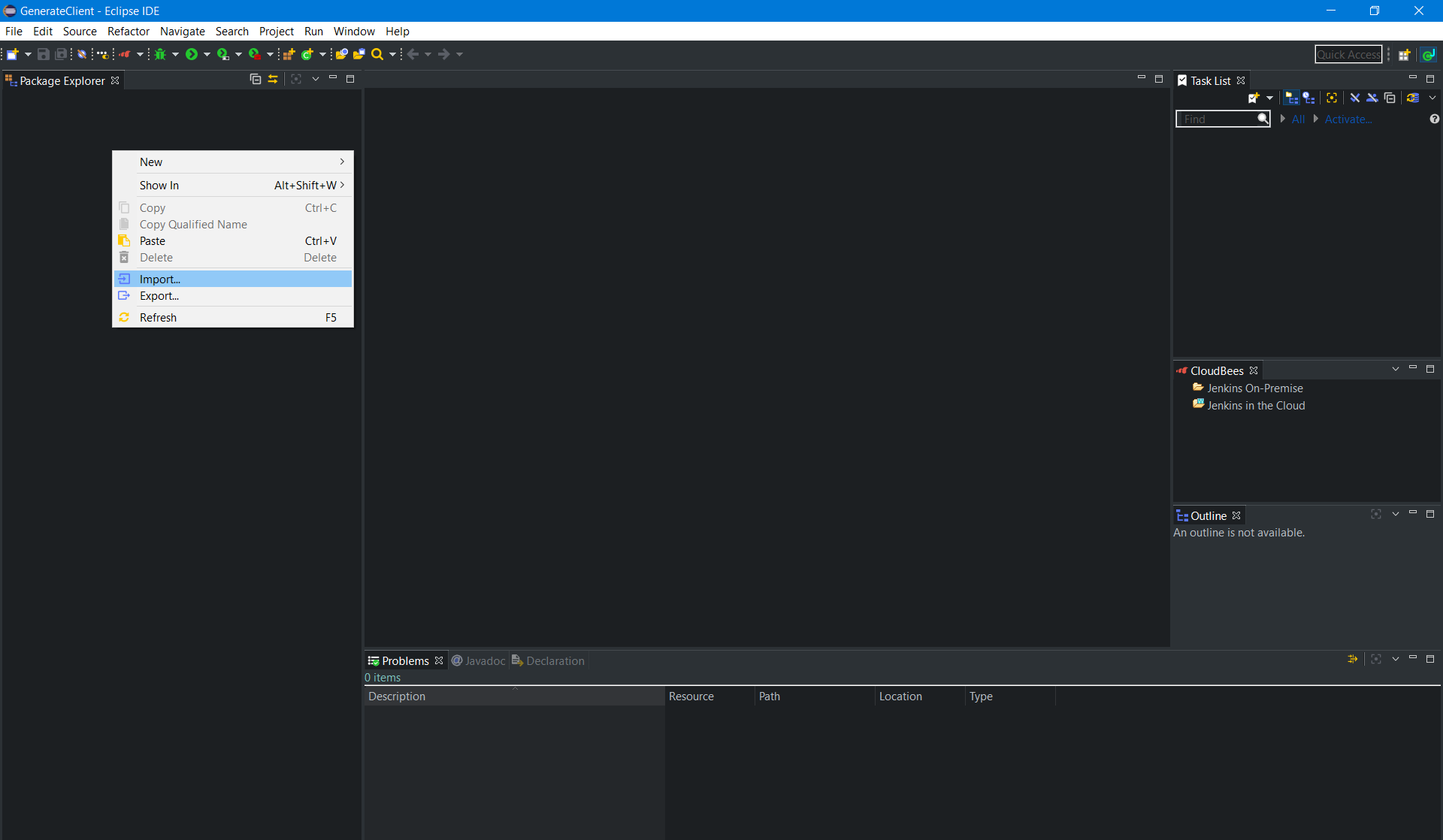
Open Eclipse, right-click on the Package Explorer pane, and choose **Import** from the pop-up.
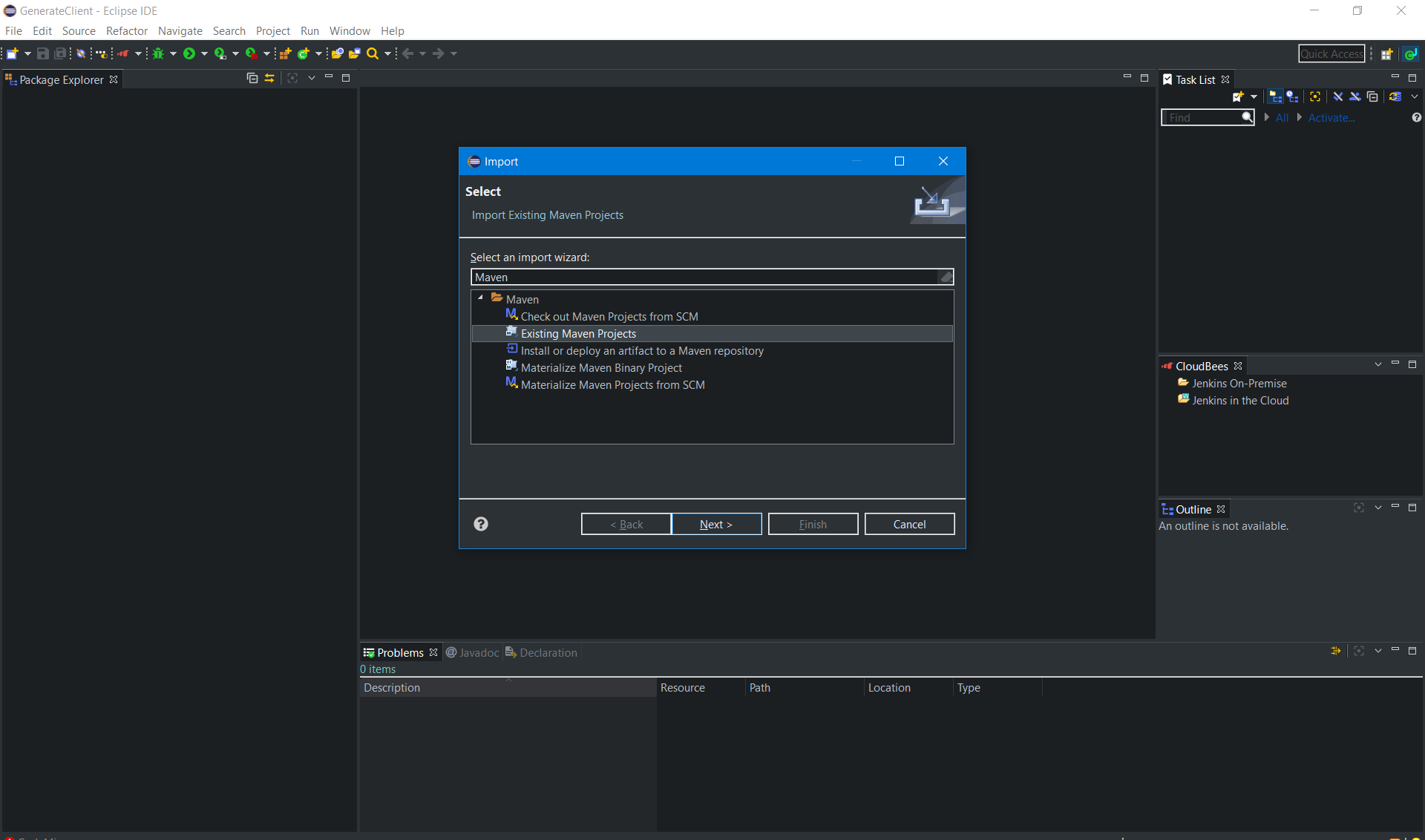
2. Type **Maven** in the 'select an import wizard', select 'Existing Maven Project' from the options that appear, and click **Next** .
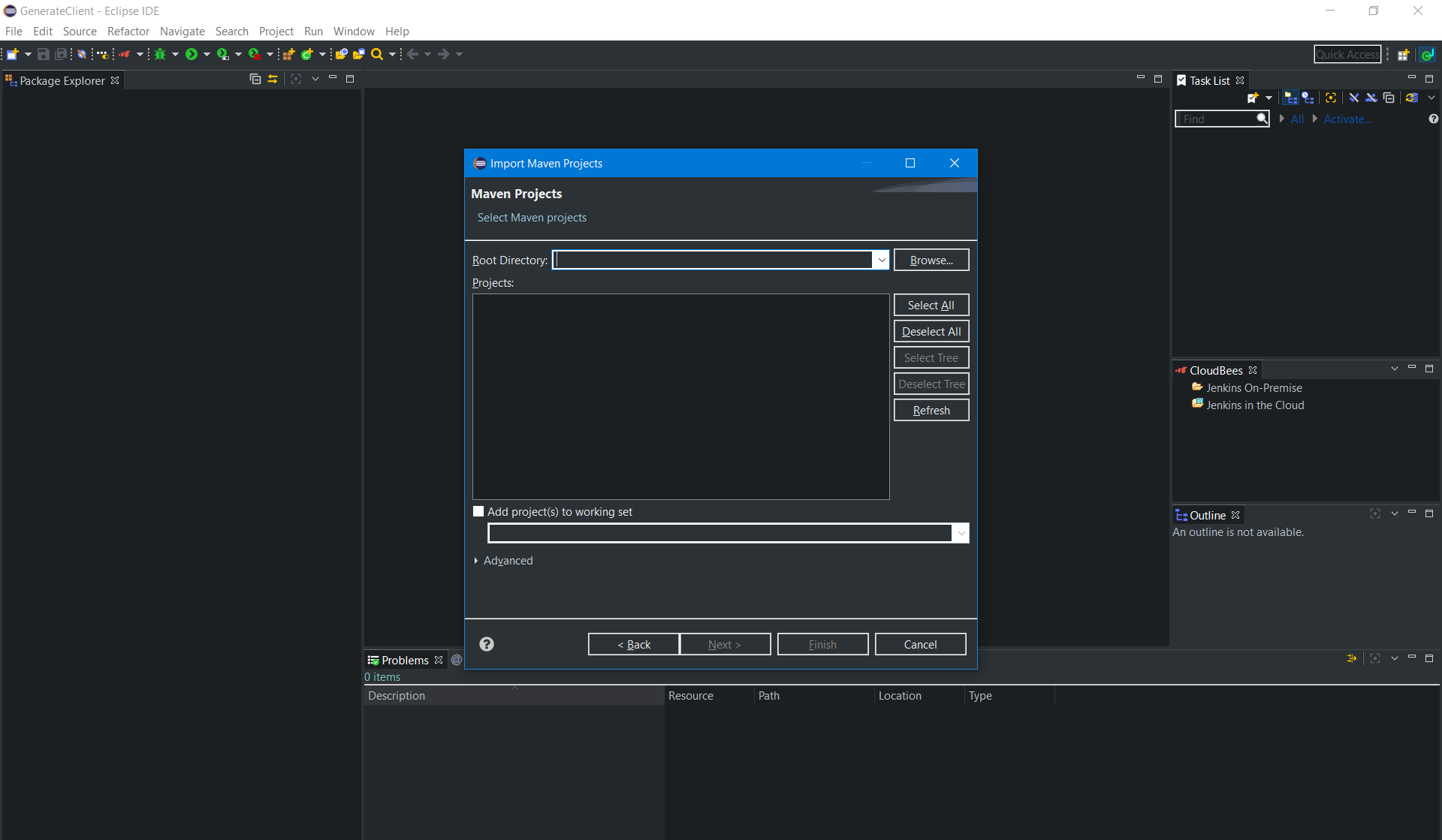
3. Click **Browse** and navigate to the generated client project folder `mastercard-universalspec_api_client` and click **Finish** . This completes the import process of the client project in Eclipse.
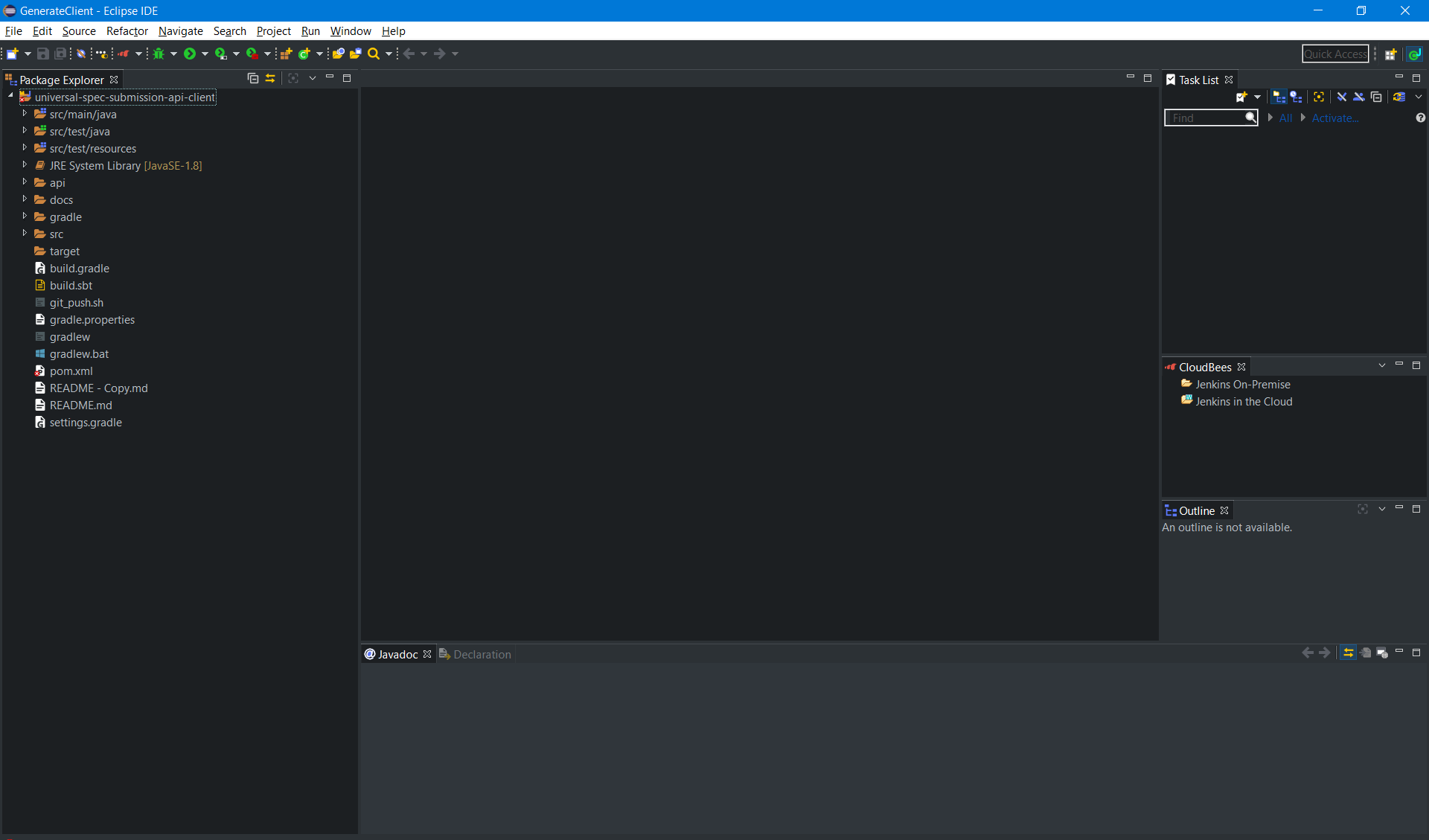
4. On successful import, the project in Eclipse will show up in the structure as follows.
4. Add the following Mastercard client encryption and authentication libraries to the pom.xml.
1. [Java Client Encryption Library](https://github.com/Mastercard/client-encryption-java).
```xml
com.mastercard.developer
client-encryption
${client-encryption-version}
```
2. [Java Client Authentication Library](https://github.com/Mastercard/oauth1-signer-java).
```xml
com.mastercard.developer
oauth1-signer
${oauth1-signer-version}
```
Note: It is recommended to use the latest release of the client encryption and authentication libraries.
5. Configuring API client project with the keys.
1. Place the Sandbox Consumer key (.p12 file), Sandbox client encryption key (.pem file) in src/test/resources generated during Sandbox (MTF) project creation.
6. Call the Account Catalog Services API.
1. Create a **UniverslSpecSubmissionApiTest** class in src/test/java. The package for this class should be the same as that of the API class.
2. Set the following values in the **UniverslSpecSubmissionApiTest** class.
```java
// Consumer Key details
String consumerKey = "";
String signingKeyAlias = "";
String signingKeyPassword = "";
String signingKeyPkcs12FilePath = "";
// Client Encryption Key details
String encryptionCertificateFilePath = "";
```
3. Instantiate the Consumer Key and Client Encryption key and **FieldLevelEncryption** config objects.
```java
// Instantiating Consumer Key
PrivateKey signingKey = AuthenticationUtils.loadSigningKey(signingKeyPkcs12FilePath, signingKeyAlias, signingKeyPassword);
//Instantiating Encryption Key
Certificate encryptionCertificate = EncryptionUtils.loadEncryptionCertificate(encryptionCertificateFilePath);
//Instantiating the Encryption Config for payload encryption
FieldLevelEncryptionConfig config = FieldLevelEncryptionConfigBuilder.aFieldLevelEncryptionConfig()
.withEncryptionCertificate(encryptionCertificate)
.withOaepPaddingDigestAlgorithm("SHA-512")
.withEncryptedValueFieldName("encryptedData")
.withEncryptedKeyFieldName("encryptedKey")
.withIvFieldName("iv")
.withOaepPaddingDigestAlgorithmFieldName("oaepHashingAlgorithm")
.withEncryptionKeyFingerprintFieldName("publicKeyFingerprint")
.withFieldValueEncoding(
FieldLevelEncryptionConfig.FieldValueEncoding.BASE64)
.withEncryptionPath("$", "$")
.build();
```
4. Instantiate the client with interceptors for authentication and payload encryption.
```java
ApiClient client = Configuration.getDefaultApiClient();
client.setBasePath("https://sandbox.api.mastercard.com/asc/universal-spec");
client.setDebugging(true);
client.setHttpClient(client.getHttpClient()
.newBuilder()
.addInterceptor(new OkHttpFieldLevelEncryptionInterceptor(config))
.addInterceptor(new OkHttpOAuth1Interceptor(consumerKey, signingKey))
.build());
AccountsSubmissionApi api = new AccountsSubmissionApi(client);
```
5. Calling the API with test data. Refer to [API Reference](https://developer.mastercard.com/account-catalog-services/documentation/api-reference/index.md) for the attribute details.
```java
//Setup test data to call the API
String universalSpecApiRequestId = UUID.randomUUID().toString();
RegistrationDetails registrationDetails = buildRegistrationDetails();
//Call the API endpoint
ApiResponse apiResponse =
api.register(universalSpecApiRequestId, registrationDetails);
//Get the response
apiResponse.getData();
```